
The best GDevelop alternative depends on what you want to make. Choose SoonLab for turning a prompt into a playable browser prototype quickly, Construct 3 for a polished visual editor in the browser, GameMaker for focused 2D development, or Godot for open-source 2D and 3D control. Rosebud AI, Flowlab, and Scratch are better fits for more specific AI, no-code, and education workflows.
GDevelop remains a strong choice if you want a complete editor, a visual event system, and broad publishing options without relying on traditional code. The alternatives below are useful when your priority is a different workflow—not because GDevelop is a poor engine.
The Best GDevelop Alternatives at a Glance
- Best for prompt-to-play browser prototypes: SoonLab
- Best browser-based visual editor: Construct 3
- Best for dedicated 2D indie games: GameMaker
- Best open-source option for 2D and 3D: Godot
- Best for prompt-based 3D browser experiments: Rosebud AI
- Best for browser-based visual logic: Flowlab
- Best for students learning programming concepts: Scratch
If you are still comparing the wider engine market, SoonLab's guide to the best game engines for beginners and indie developers covers broader choices. This guide stays focused on tools that solve common GDevelop workflow decisions.
What GDevelop Does Well—and Why You May Still Want an Alternative
GDevelop is an open-source game engine with a visual event system, optional JavaScript, AI assistance, and support for 2D and 3D projects. Its official plan comparison lists a free engine, publishing to gd.games, limited daily desktop and Android cloud builds on the free plan, and larger publishing allowances on paid plans. Manual exports are also part of the feature comparison.
That combination makes GDevelop attractive to beginners who want more structure than a prompt generator but less code than a traditional engine. It can also grow beyond a first prototype. If you want to learn its scenes, objects, behaviors, and events, follow this separate GDevelop tutorial for beginners.
You may still prefer an alternative if you:
- want AI to generate a playable first version from a plain-English prompt;
- do not want to learn event sheets, variables, behaviors, and a traditional editor;
- need deeper 2D scripting or a more established 2D production workflow;
- want a fully open-source 2D and 3D engine with direct access to its codebase;
- want to create, test, and share from a browser with no installation;
- need a simpler classroom tool for teaching basic programming logic; or
- need a different license, collaboration model, or publishing path.
GDevelop Alternatives Compared
| Tool | Best for | Build method | 2D/3D | Publishing | Free use |
|---|---|---|---|---|---|
| SoonLab | Fast AI game creation | AI prompts | 2D & 3D | Web and HTML | Limited |
| Construct 3 | Browser-based development | Visual events | 2D & 3D | Web, desktop, and mobile | Limited |
| GameMaker | 2D indie games | Visual tools or code | Only 2D | Web, desktop, and mobile | Non-commercial only |
| Godot | Advanced game development | Code | 2D & 3D | Web, desktop, and mobile | Yes |
| Rosebud AI | AI browser games | AI prompts and code | 2D & 3D | Web | Limited |
| Flowlab | Beginners and classrooms | Visual blocks | Only 2D | Web and paid app export | Limited |
| Scratch | Learning game logic | Block coding | Only 2D | Web and project file | Yes |
The 7 Best Alternatives to GDevelop
1. SoonLab — Best for Turning a Text Prompt Into a Playable Browser Game Quickly
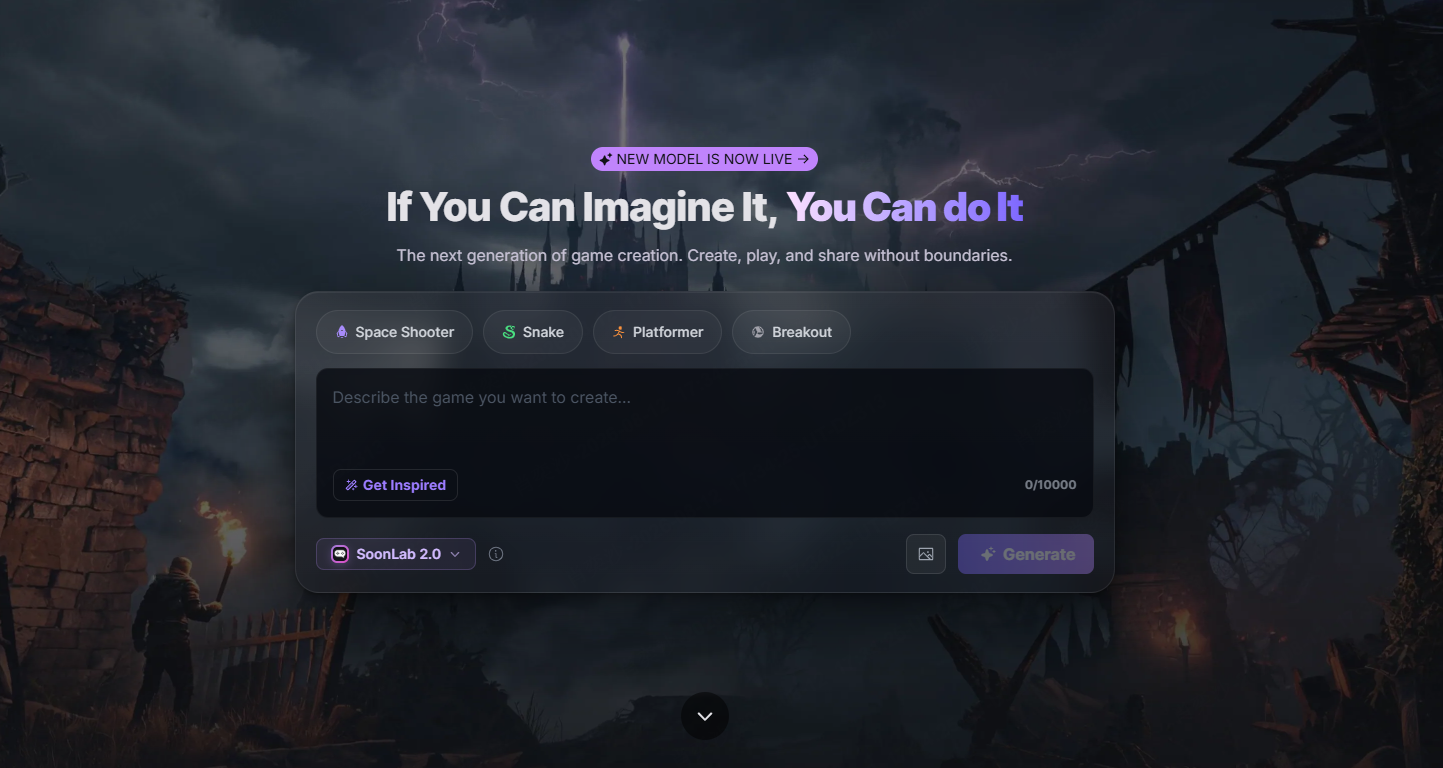
Best for: Rapid prototypes, no-code creators, game-jam ideation, and anyone who wants to playtest an idea before learning an engine.
SoonLab changes the starting point. Instead of creating scenes, placing objects, and building event logic, you describe a small game in normal language. The practical workflow is Describe → Generate → Playtest → Refine → Share or Download HTML. Publishing and sharing are publicly described SoonLab features; because download access can depend on the live product and account, confirm the HTML download option before choosing it as a required delivery format.
Turn your idea into aplayable game
Describe the game you want to make, and SoonLab will help you start building it.
Choose SoonLab over GDevelop when speed to a playable first version matters more than direct control over every object and event. It is useful for testing a mechanic, preparing a small classroom demonstration, or sharing a browser game with a link. SoonLab's text-to-game AI workflow is closer to conversational iteration than traditional visual scripting.
Key strengths:
- Starts from a text description rather than an empty editor.
- Generates a playable browser result for immediate feedback.
- Lets you request changes with follow-up prompts.
- Fits small 2D and 3D, arcade, puzzle, quiz, maze, and prototype ideas.
Important limitations: SoonLab is not a complete replacement for GDevelop. It does not offer the same traditional editor control, complex project organization, or broadly documented multi-platform publishing pipeline. Its public terms also do not provide enough detail to promise unrestricted commercial use or complete ownership of generated output, so review the current SoonLab terms before commercial use.
Who should choose it: Pick SoonLab if your first question is, “Can this idea become fun and playable?” Pick GDevelop if your question is, “How do I build and control this project in a full visual engine?”
Copy this prompt:
Create a top-down 2D delivery game set in a rainy neon city. The player rides a bicycle with arrow-key or WASD controls, picks up three packages, and delivers them to glowing map markers before a 90-second timer ends. Add moving traffic obstacles, puddles that slow the bicycle, a score bonus for fast deliveries, a clear tutorial panel, a restart button, and win and game-over screens. Keep the first 20 seconds easy and increase traffic gradually.
Paste it into SoonLab, play the first version, and refine one issue at a time. For example: “Make the bicycle turn more smoothly,” or “Add an arrow pointing to the next delivery.”
2. Construct 3 — Best for a Polished Browser-Based Visual Editor
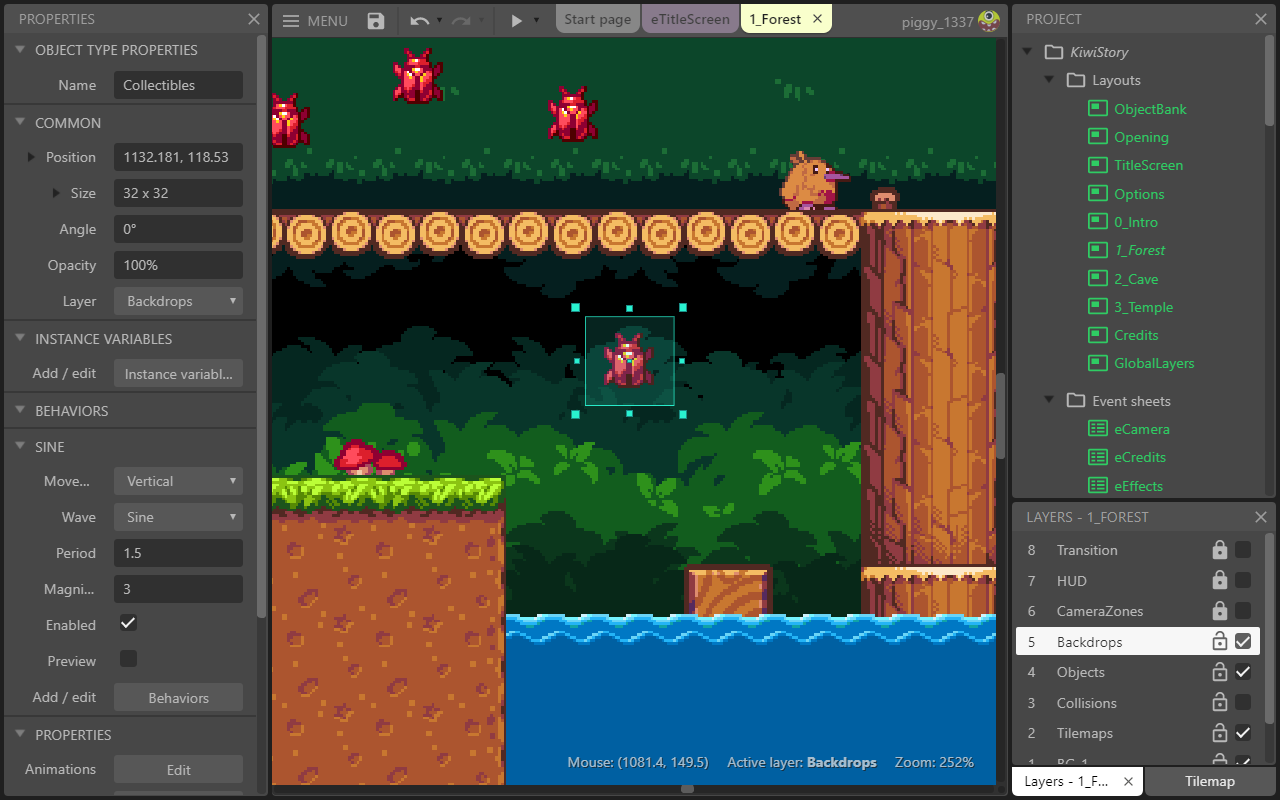
Best for: Creators who like GDevelop's event-based approach but want a highly developed browser editor and a strong HTML5 workflow.
Construct 3 runs in the browser and uses event sheets, so it is one of the closest alternatives to GDevelop in day-to-day logic building. Coding is optional, with JavaScript and TypeScript available when visual events are not enough. Its official publishing documentation covers web, Android, iOS, and desktop wrappers for Windows, macOS, and Linux.
Construct began as a fundamentally 2D engine, but its official 2026 updates added a 3D model object and an integrated 3D editor. Treat it as a strong 2D and hybrid 2D/3D tool rather than assuming feature parity with a full 3D engine such as Godot.
Key strengths:
- Full browser-based editor with no installation required.
- Mature event-sheet workflow with optional code.
- Broad web, mobile, and desktop export paths.
- Growing integrated 3D capabilities alongside its 2D core.
Important limitations: The free edition is limited to 50 events, two layers, and two effects. The official US pricing page listed Personal at $129.99 per year or $15.99 monthly on the verification date. Businesses must use an eligible business license rather than a Personal license.
Who should choose it: Choose Construct 3 if you want a visual editor that lives in the browser and you are comfortable paying a subscription as your projects become larger.
3. GameMaker — Best for Dedicated 2D Indie Development
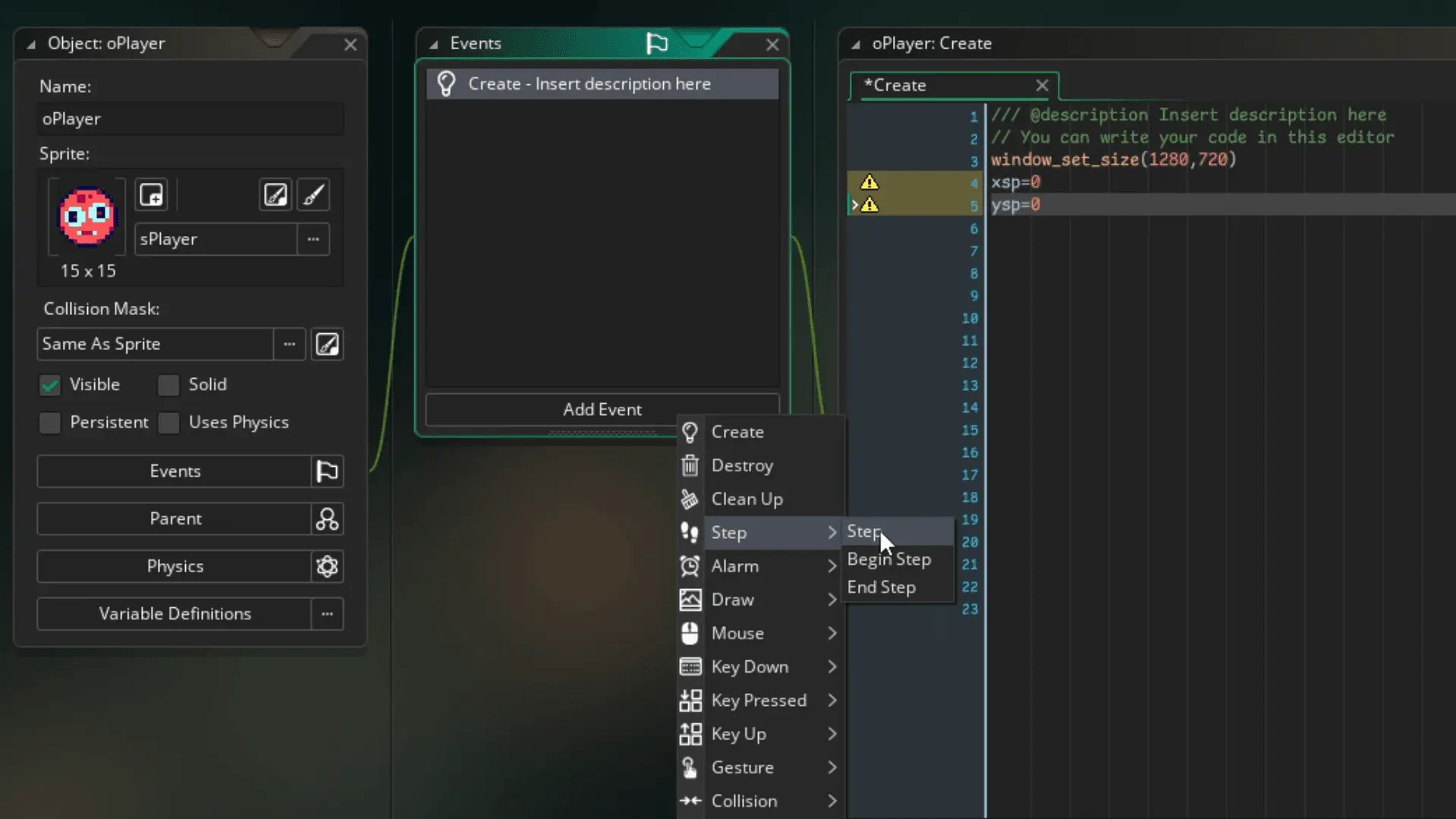
Best for: Indie developers who want a purpose-built 2D workflow and a path from visual logic to code.
GameMaker is more focused than GDevelop. Its official feature page centers on 2D creation and lets users choose GML Visual or GML Code. The editor includes sprite, room, object, tile, animation, and debugging tools.
Choose it over GDevelop when 2D production depth matters more than browser-based editing or a no-code-first identity. It is a better fit for developers who expect to learn engine-specific scripting as their project grows.
Key strengths:
- Focused 2D editor and asset workflow.
- Visual and code-based development paths.
- Exports for GX.games, desktop, web, and mobile.
- One-time Professional license for non-console commercial releases.
Important limitations: GameMaker is not browser-based and is not the right choice for creators seeking full 3D development. According to its official license page, the free version is for non-commercial use. A $99.99 Professional license is required to make money from a game, while console exports require Enterprise.
Who should choose it: Choose GameMaker if you are committed to a 2D indie game and want a production-oriented tool that can move from visual actions into scripting.
4. Godot — Best for Open-Source 2D and 3D Control
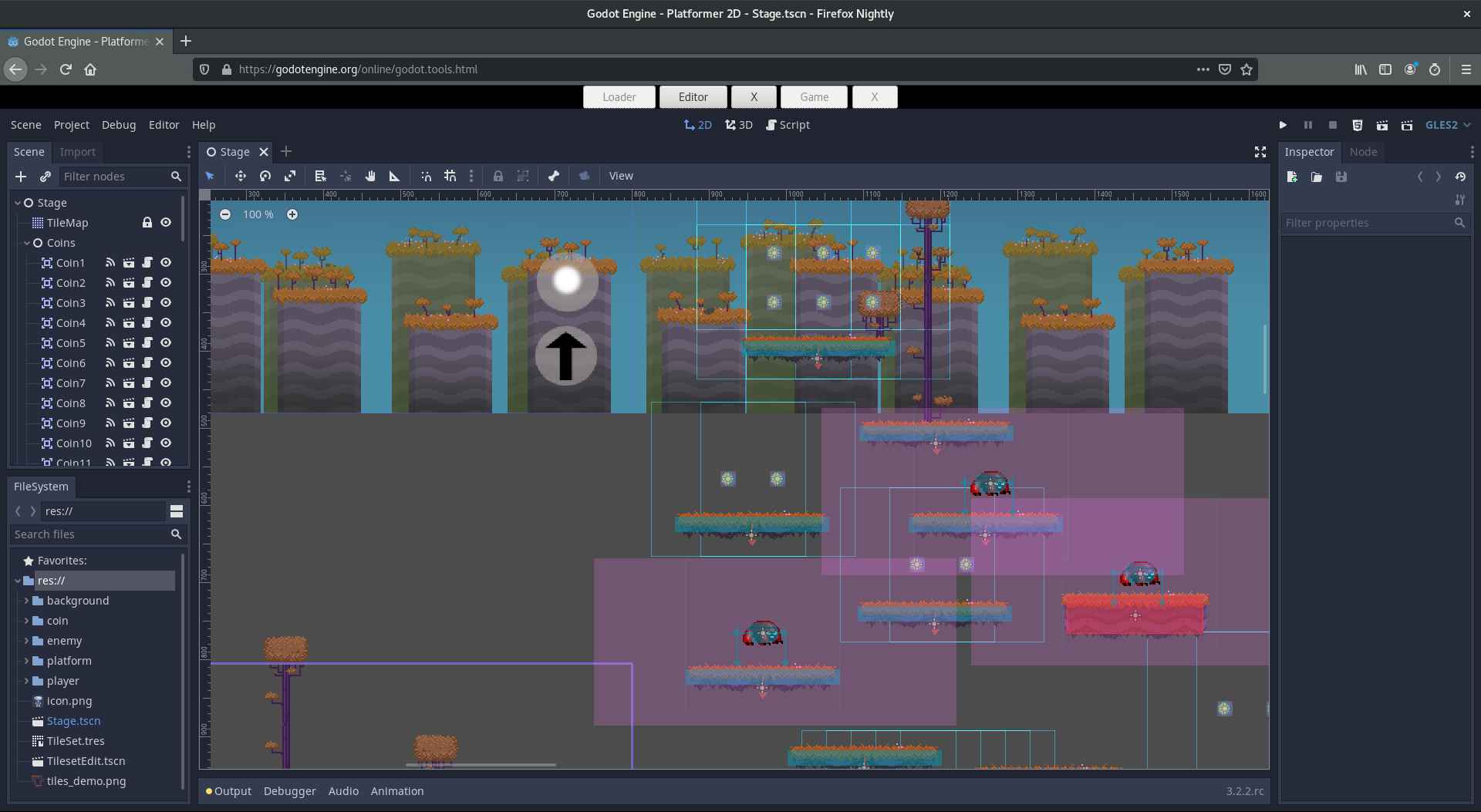
Best for: Developers who want an open-source engine, real 2D and 3D pipelines, and more technical control.
Godot is the strongest option here when “alternative” means a more conventional, extensible game engine. It has a dedicated 2D workflow, a full 3D renderer, a scene-and-node architecture, GDScript, C# support, and extension options. Its official feature overview lists exports to desktop, mobile, and web, with console releases handled through third-party publishers.
Choose Godot over GDevelop when open-source control, source access, 3D depth, or a code-centered architecture matters more than beginner-friendly visual events. It is free under the MIT license. Godot states that you can license your own game as you choose, while including the required engine copyright and license notice in distributed builds.
Key strengths:
- Free and open source with no engine subscription.
- Dedicated 2D tools and a full 3D pipeline.
- Desktop, mobile, and web deployment.
- High control through GDScript, C#, C++, and extensions.
Important limitations: Godot normally requires scripting for custom gameplay, and its node, scene, and resource systems take time to learn. The main workflow is the desktop editor; the web editor is not the best basis for assuming full desktop feature parity.
Who should choose it: Choose Godot if you are willing to learn programming and want a long-term engine for technically ambitious 2D or 3D projects.
5. Rosebud AI — Best for Prompt-Based 3D Browser Experiments
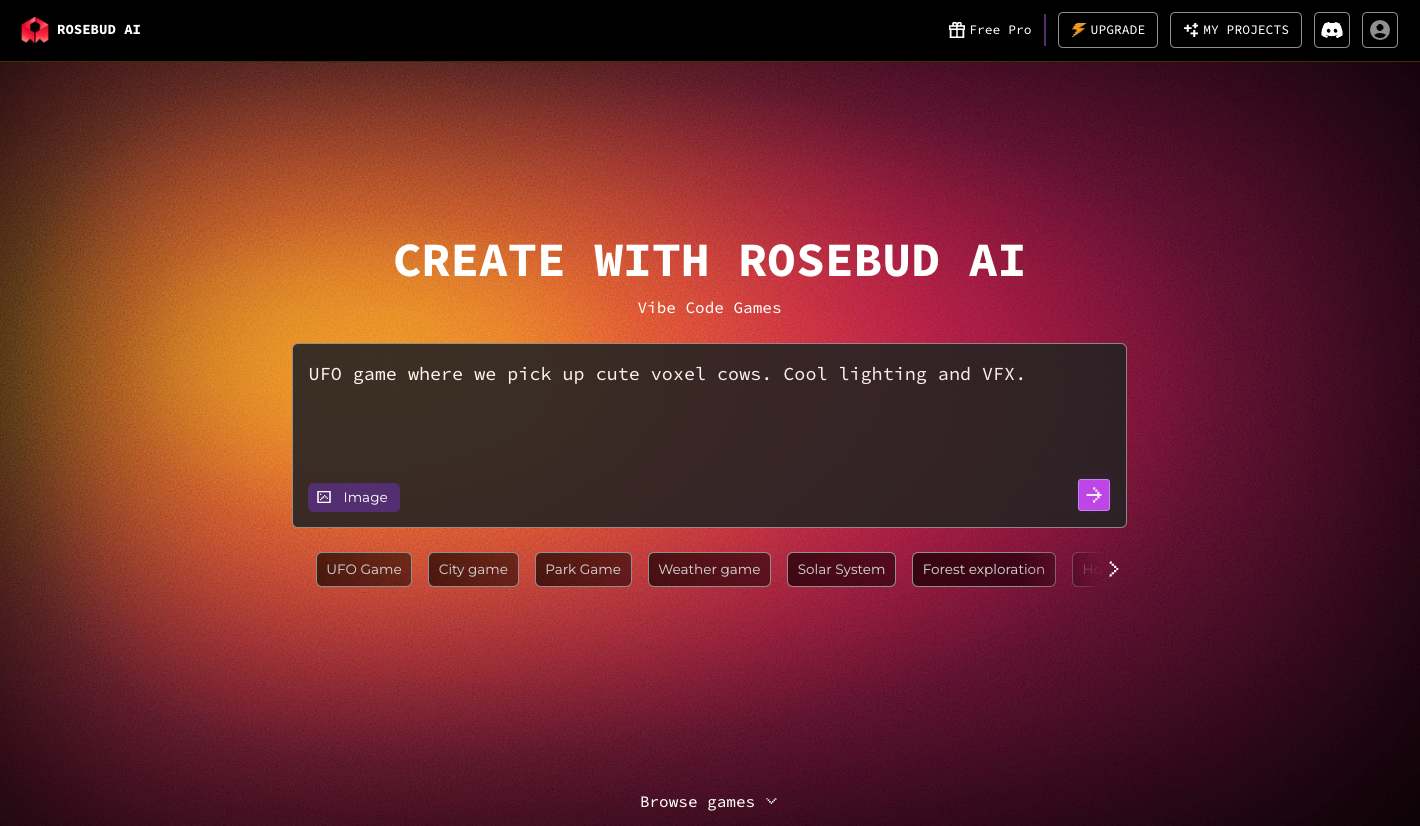
Best for: Creators who want AI-assisted browser games with editable generated code, including 3D and WebXR experiments.
Rosebud AI combines a prompt interface, live browser preview, and code editor. Its official materials describe browser games built with HTML, CSS, JavaScript, React, and Three.js, plus support for 2D, 3D, and WebXR browser projects. This makes it more code-visible than a pure prompt-to-play tool.
Choose Rosebud over GDevelop when you want AI to create the starting code and you are comfortable working inside an AI-assisted web development environment. It can be especially useful for a quick 3D scene, experimental mechanic, or browser-native game.
Key strengths:
- Prompt-first generation with immediate browser play.
- Visible code that can be edited directly or through AI.
- Official support for 2D, 3D, and WebXR projects.
- Fast link-based sharing.
Important limitations: AI-generated code still needs testing and debugging. Rosebud's public pricing FAQ confirms a free starting allowance but directs users to the in-product “My Plan” screen for current prices. It also ties commercial rights to qualifying paid plans, so confirm the current plan name, download options, and license terms before monetizing or committing to a delivery format.
Who should choose it: Choose Rosebud if AI-assisted 3D or access to generated web code is more important than GDevelop's visual event editor and packaged export workflow.
 Also Read
6. Flowlab — Best for Visual Logic in a Browser
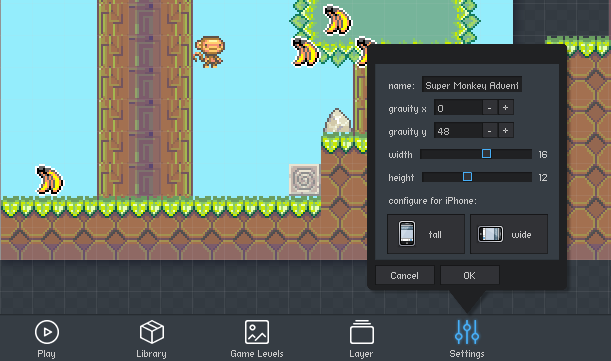
Best for: Beginners, teachers, game jams, and creators who want a visual node-style logic builder in the browser.
Flowlab runs entirely online and uses connected behavior blocks instead of code. It includes sprite and level editing, cloud storage, easy browser sharing, and classroom plans. Compared with GDevelop, its workflow can feel more contained because objects and logic are built in one browser-based environment.
Key strengths:
- No installation and no traditional programming required.
- Flow-based visual behavior system.
- Education plans and teacher account management.
- Paid export to iOS, Android, Windows, and macOS.
- Paid team collaboration and browser multiplayer features.
Important limitations: The official free plan allows only three games, five levels, and 50 objects, with no exporting. Export and monetization require a paid plan. The public price value was rendered dynamically during verification, so check the live checkout price.
Who should choose it: Choose Flowlab if you want no-code visual logic in a browser, especially for a classroom or small 2D project, and its free limits are enough to evaluate the workflow.
7. Scratch — Best for Students Learning Game Logic
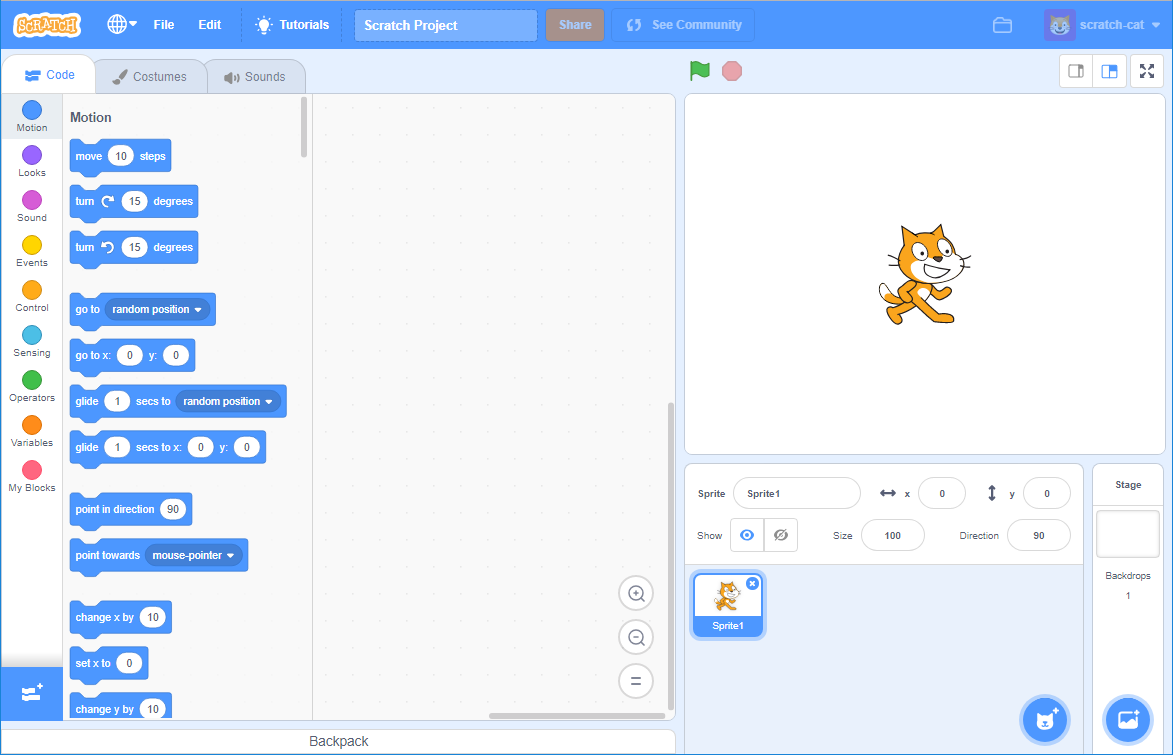
Best for: Children, schools, clubs, and complete beginners learning loops, conditions, variables, and events.
Scratch is not a direct production-engine replacement for GDevelop. It is a free programming language and community designed around draggable code blocks. The official Scratch overview says users can create interactive stories, games, and animations, then share them with the community.
Choose Scratch over GDevelop when the learning experience matters more than export breadth. It removes much of the editor and publishing complexity that can distract a first-time student.
Key strengths:
- Free browser editor and offline app.
- Block programming designed for learners.
- Large remix-based learning community.
- Useful for simple 2D games, animations, and interactive stories.
Important limitations: Scratch does not offer a normal commercial-engine export pipeline to desktop, mobile stores, and consoles. Projects shared publicly on Scratch are made available for remixing under the platform's licensing terms, so review those terms before sharing work you plan to commercialize elsewhere.
Who should choose it: Choose Scratch for teaching, learning and educational game. Move to GDevelop, Construct, GameMaker, or Godot when the project needs a more production-oriented editor and publishing workflow.
SoonLab vs GDevelop: Two Different Ways to Make a Game
SoonLab and GDevelop solve different problems. SoonLab helps you discover a playable version of an idea quickly. GDevelop helps you build and manage a game through scenes, objects, behaviors, events, previews, and exports.
| Decision | SoonLab | GDevelop |
|---|---|---|
| Starting point | A text prompt | A project editor or template |
| Core logic workflow | Ask AI to generate and revise | Build visual events, conditions, actions, and behaviors |
| Best project stage | Idea validation and rapid prototype | Structured development and broader publishing |
| Control | Prompt-led and faster, but less direct | More manual and precise editor control |
| Sharing | Immediate browser play and link sharing | gd.games, web export, desktop, and mobile paths |
| Best fit | Small browser games and prototype loops | Projects needing traditional structure and a fuller release process |
The two tools can also work in sequence. Use SoonLab to test whether a game loop is understandable, then rebuild the validated idea in GDevelop when you need direct control and a longer production path. This is one practical form of prototyping a video game before full production.
How to Choose a GDevelop Alternative
1. Start with the final format
If the finished game must ship on mobile stores or desktop, check export support and license costs before learning the editor. Godot, GameMaker, Construct 3, and paid Flowlab plans have documented paths beyond the browser. SoonLab and Rosebud are strongest when a playable web result is the primary goal, but their current download and commercial terms require careful verification.
2. Decide how much logic you want to build yourself
Prompt-first tools are fastest for a first playable version. Visual systems such as GDevelop, Construct, Flowlab, Scratch, and GML Visual make logic visible and teachable. Godot and GML Code require more programming but give you more direct control.
3. Match the tool to 2D or 3D ambitions
GameMaker is an especially clear 2D choice. Construct is 2D-centered with expanding hybrid 3D tools. Godot has dedicated 2D and full 3D pipelines. Rosebud supports browser-based 3D and WebXR experiments. Do not choose a tool merely because it can display 3D; check whether its scene tools, physics, animation, lighting, and export path suit the whole project.
4. Check what “free” allows
A free editor may limit project size, exports, commercial use, cloud builds, AI prompts, or collaboration. GameMaker's free license is non-commercial. Construct and Flowlab cap free projects. GDevelop's engine is open source, but its online services and cloud build allowances vary by plan. Godot is the clearest free and open-source option in this list, although third-party services and console work can still cost money.
5. Choose for the next six months, not every possible future
A student learning conditions does not need a console pipeline. A game-jam team may value browser sharing more than engine source access. An indie developer planning a commercial 2D release should care about licensing, debugging, version control, and exports earlier. Choose the smallest tool that supports your real next milestone.
FAQs
What is the best free alternative to GDevelop?
Godot is the strongest fully free and open-source alternative if you are willing to code. Scratch is free for learning block-based programming. Construct 3 and Flowlab have limited free editions, while GameMaker is free only for non-commercial use. SoonLab and Rosebud provide limited ways to start with AI generation, but live usage allowances can change.
Is there a game engine like GDevelop that runs in a browser?
Yes. Construct 3 and Flowlab are browser-based visual game makers. SoonLab and Rosebud AI also run in the browser, but they use prompt-first AI workflows rather than GDevelop-style event editing. Scratch is another browser option for learning and simple 2D projects.
Is Construct 3 better than GDevelop?
Construct 3 may be better if you prefer its browser editor, mature event-sheet workflow, and paid export system. GDevelop may be better if you value an open-source engine, a generous free starting point, and its particular combination of visual events, AI help, and cloud publishing. The right choice depends on workflow and budget.
Is Godot harder to learn than GDevelop?
Usually, yes. Godot expects creators to learn scenes, nodes, resources, and scripting for custom gameplay. In return, it provides deeper code-level control and stronger full-engine 2D and 3D capabilities.
Can I make a game without coding instead of using GDevelop?
Yes. SoonLab and Rosebud can generate a starting game from a prompt. Construct 3 and Flowlab use visual logic, while Scratch uses draggable programming blocks. “No code” still requires you to define rules, test the game, and fix unclear mechanics.
Which GDevelop alternative is best for commercial games?
Godot has the clearest permissive open-source license. GameMaker, Construct 3, and Flowlab support commercial publishing under qualifying paid licenses or plans. Before using an AI game maker commercially, verify its current terms for generated content, assets, downloads, and monetization rather than assuming you receive unrestricted rights.
Final Verdict
There is no single GDevelop alternative that wins for every project. Construct 3 is the closest fit for creators who want visual event logic in a polished browser editor. GameMaker is the strongest focused choice for 2D indie development. Godot is the best option for open-source control and serious 2D or 3D growth. Flowlab and Scratch suit browser-based learning at different levels, while Rosebud AI is worth considering for AI-assisted 3D web experiments.
Choose SoonLab when your priority is different: turning a clear text idea into a playable browser game quickly, then improving it through prompts. Choose GDevelop when you are ready to manage a more structured project with visual events and a fuller publishing process.