
![7 Best Construct 3 Alternatives in 2026 [Free & No-Code]](https://ssr.iappsign.com/soonlab/admin/images/4a60f40d34265e3de00595c4e99abc56.png)
Construct 3 is one of the most accessible game engines for creating 2D games without traditional programming. Its browser-based editor, visual event system, templates, and flexible export options make it suitable for beginners and experienced creators.
However, it is not the right tool for every project. You may want a free and open-source engine, a prompt-based AI workflow, stronger 3D support, more control through code, or a simpler way to build a quick browser game.
Among the best Construct 3 alternatives, GDevelop provides the closest no-code experience, SoonLab is the easiest option for generating a playable game from a prompt, and Godot offers a flexible free and open-source development environment. The right choice depends on how much control you need, how you want to build, and where you plan to publish your game.
Comparison of the Best Construct 3 Alternatives
| Tool | Best For | Core Workflow | Main Limitation |
|---|---|---|---|
| GDevelop | Closest no-code alternative | Scenes, objects, behaviors, and visual events | Complex projects still require learning its event system |
| SoonLab | AI-generated browser games | Describe, generate, play, and refine | Less manual control than a full game engine |
| GameMaker | Serious 2D game development | Visual tools and GameMaker Language | Primarily focused on 2D games |
| Godot | Free and open-source development | Scenes, nodes, and scripting | Requires more technical learning |
| Unity | Larger 2D and 3D projects | Editor-based development with C# | More complex than Construct 3 |
| Phaser | Code-based HTML5 games | JavaScript or TypeScript development | Not a traditional no-code engine |
| Buildbox | Template-based mobile games | Drag-and-drop editing and presets | Less flexible for unusual mechanics |
What Should You Look for in a Construct 3 Alternative?
Not every game engine needs to match every Construct 3 feature. Start with the main reason you want to switch.
- No-code development: Look at GDevelop, SoonLab, or Buildbox.
- Free and open-source software: Consider Godot, GDevelop, or Phaser.
- Fast browser game prototypes: SoonLab and Phaser are strong options.
- Professional 2D development: Compare GameMaker, Godot, and GDevelop.
- 2D and 3D support: Godot and Unity provide more room to expand.
- Precise programming control: Godot, Unity, GameMaker, and Phaser are better suited to code-based workflows.
You should also check how the tool handles assets, animation, physics, multiplayer features, project files, version control, publishing, and platform exports. A simple tool may be enough for a short browser game but restrictive for a commercial desktop or mobile project.
7 Best Construct 3 Alternatives
1. GDevelop
Best for creators who want the closest free alternative to Construct 3.
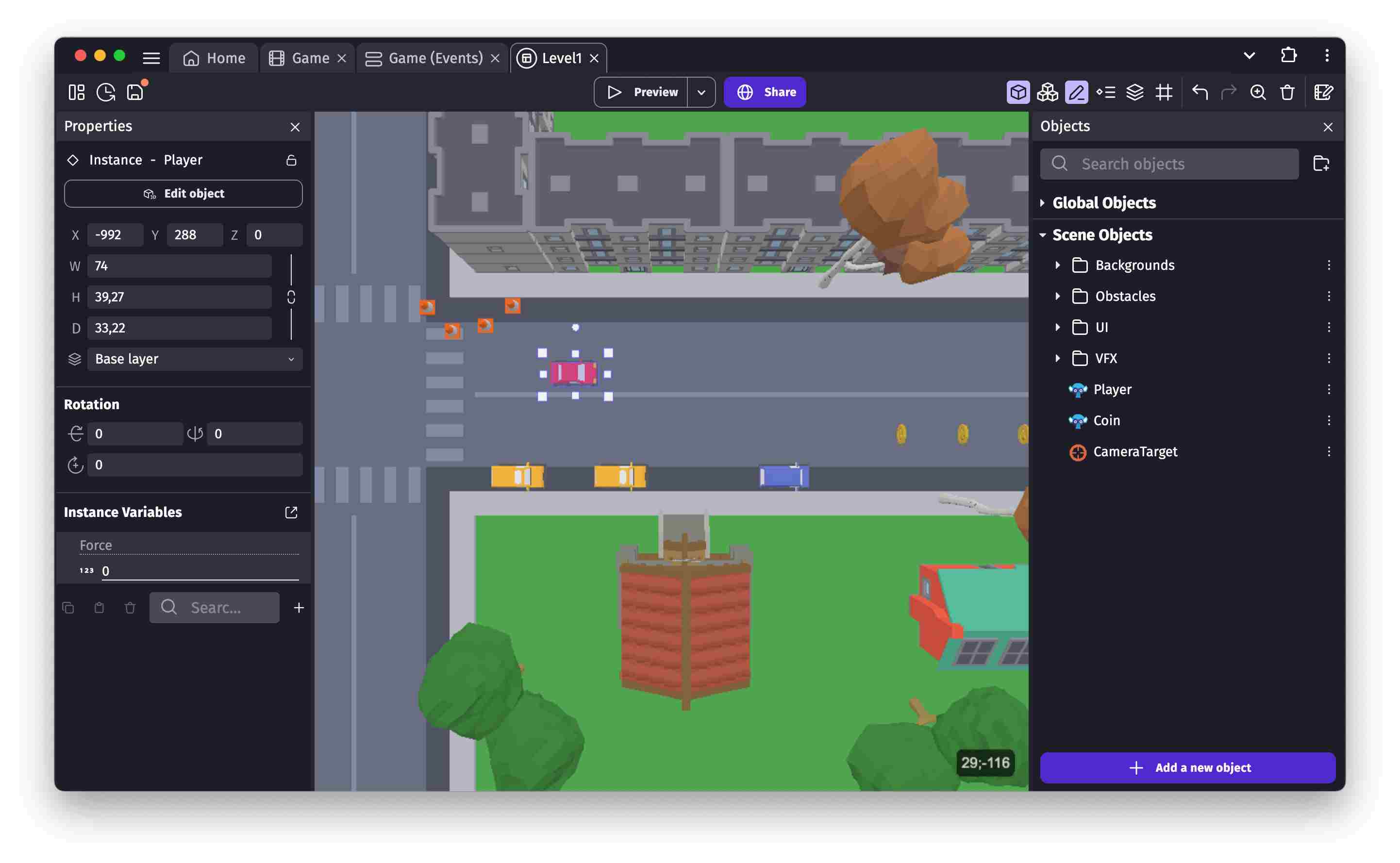
GDevelop is an open-source game engine that supports 2D and 3D projects. Like Construct 3, it allows creators to build logic through an event system instead of writing every feature in a programming language.
You can place objects in a scene, attach ready-made behaviors, create conditions and actions, and preview the result. GDevelop also supports optional JavaScript when its visual tools are not enough. Games can be published for the web, desktop, and mobile platforms.
GDevelop is a strong choice if you like the general Construct workflow but want an open-source engine with a useful free entry point. When comparing Construct 3 vs GDevelop, the two tools have a similar focus on visual logic, quick iteration, and accessible game development.
The main limitation is that "no code" does not mean "no learning." Larger games can produce long event sheets, interconnected behaviors, and project structures that take time to understand.
Choose GDevelop if:
- You want visual event-based game development.
- You want to create both 2D and simple 3D games.
- You prefer an open-source engine.
- You need more manual control than an AI game generator provides.
2. SoonLab
Best for turning a written idea into a playable browser game.
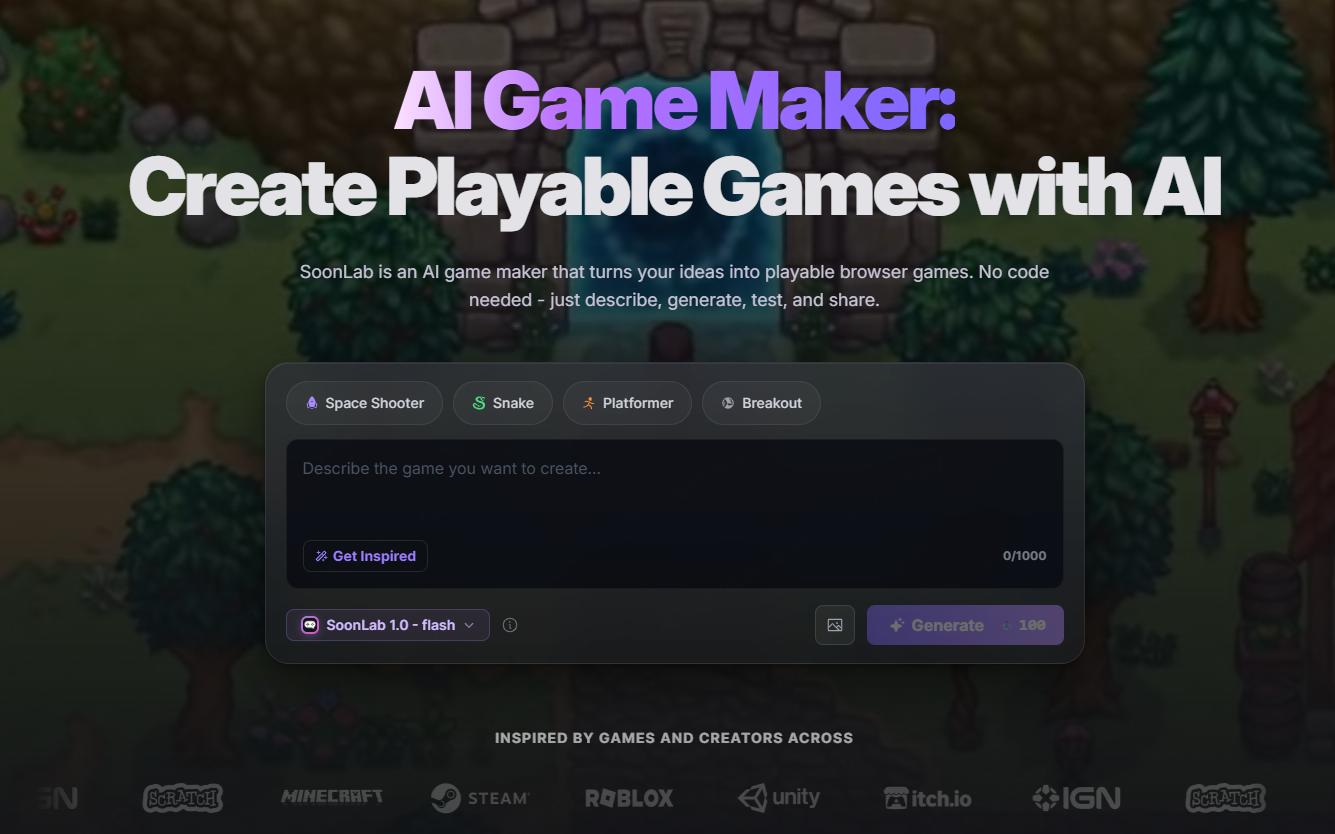
SoonLab takes a different approach from traditional game engines. Instead of manually creating scenes, objects, and event sheets, you describe the player, controls, goal, obstacles, rules, difficulty, and visual style in natural language.
Turn your idea into aplayable game
Describe the game you want to make, and SoonLab will help you start building it.
SoonLab generates a playable browser game that you can test immediately. You can then use follow-up prompts to adjust the controls, scoring, enemies, layout, level design, or appearance. The game can be published, shared through a link, or downloaded as an HTML file.
This makes SoonLab a practical Construct 3 alternative for beginners, teachers, content creators, and designers who need a quick playable prototype. It is especially useful when your first goal is to test whether a game idea works rather than manually build every part of the project.
For example, you could request a short platformer with moving hazards and three levels, test the result, and then ask SoonLab to change the jump height or add checkpoints. This can be faster than learning a complete visual event system for a small experiment.
However, SoonLab is not a complete replacement for Construct 3. It does not offer the same level of manual control over every object, event, scene, plugin, and export target. Creators building a large commercial game may still need a traditional engine after validating the concept.
If you want to compare prompt-based creation with conventional no-code tools, see SoonLab's guide to using a no-code game maker.
Choose SoonLab if:
- You want to make a game from a text prompt.
- You need a playable prototype quickly.
- You do not want to learn visual scripting or event sheets.
- You mainly want to publish or share browser games.
3. GameMaker
Best for creators who want to develop polished 2D games.
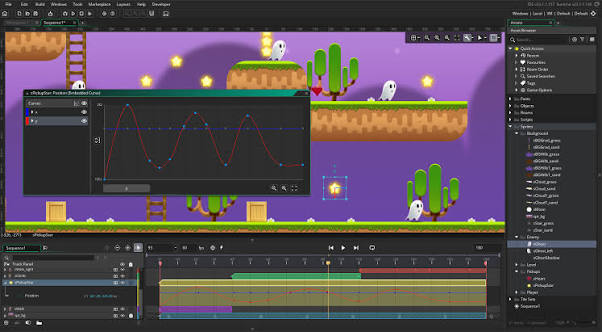
GameMaker is a dedicated 2D game development environment used by beginners, independent developers, and professional studios. It provides room, object, sprite, animation, and image editing tools within one workspace.
Creators can choose between visual tools and GameMaker Language. This makes it possible to start with a more accessible workflow and add code as the project becomes more complex.
When comparing Construct 3 vs GameMaker, the main difference is the balance between accessibility and programming control. Construct 3 centers its workflow around event sheets, while GameMaker provides a clearer path into its own scripting language.
GameMaker is a strong choice if you want to move beyond simple prototypes and produce a more structured 2D project. Its limitation is equally clear: it is not the best option if advanced 3D development is an important part of your plan.
Choose GameMaker if:
- Your project is mainly 2D.
- You want integrated sprite and room editing tools.
- You are willing to learn a game-specific scripting language.
- You want more direct control than a prompt-based tool provides.
 Also Read:
4. Godot
Best for developers who want a fully open-source engine.
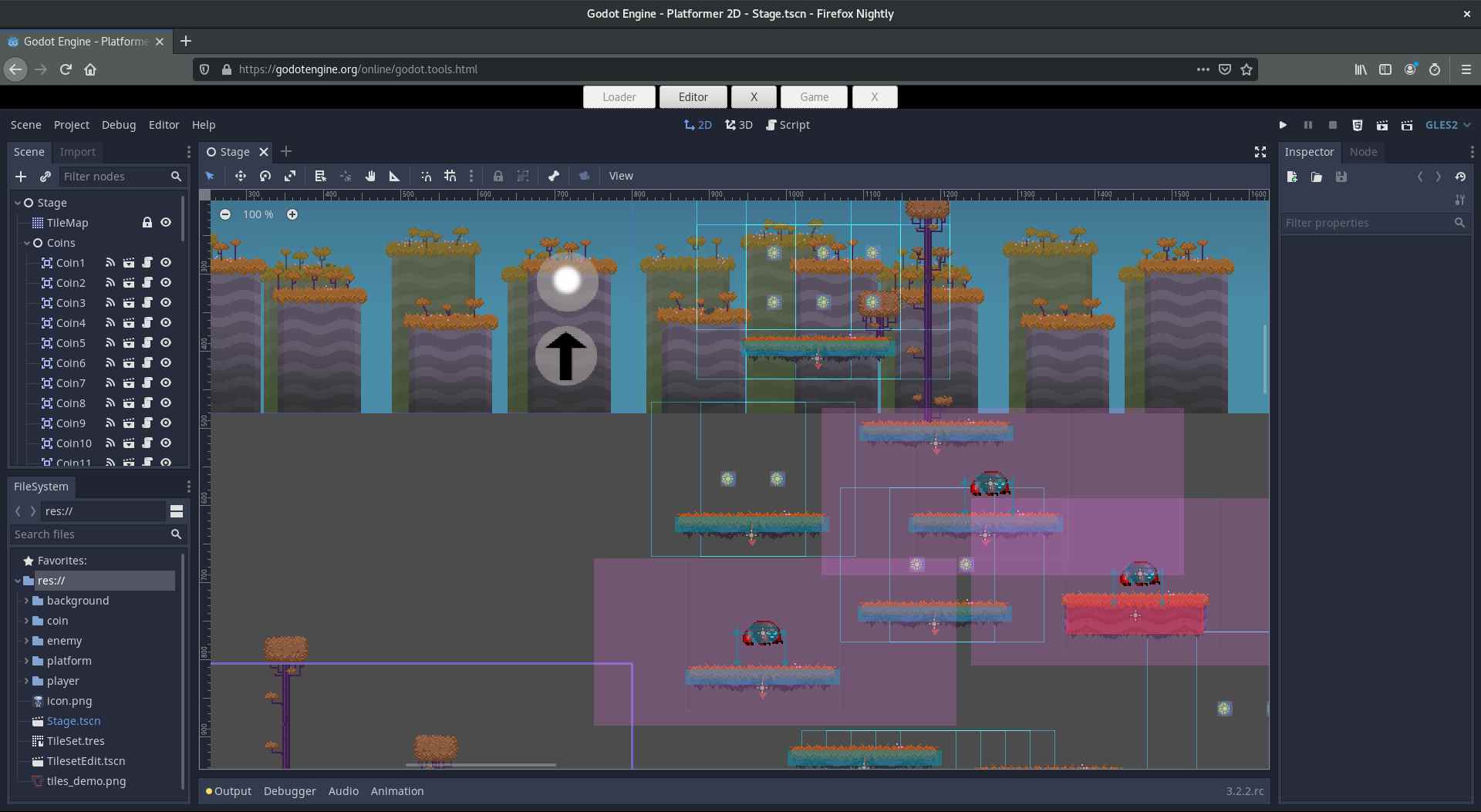
Godot is a free and open-source engine for 2D and 3D game development. It uses a scene-and-node structure that lets developers organize characters, interfaces, levels, cameras, and other game elements into reusable components.
Godot has a dedicated 2D renderer rather than treating every 2D project as a flat 3D scene. It also supports GDScript, C#, C++, and engine extensions, giving developers more programming control than Construct 3.
The choice between Construct 3 vs Godot usually comes down to accessibility. Construct 3 is easier for visual thinkers who want to avoid conventional code. Godot is more suitable for people who want open project files, deeper scripting, and greater control over how their game is structured.
The tradeoff is a steeper learning curve. You need to understand nodes, scenes, signals, scripts, and project organization. Godot is therefore a better long-term engine than a quick no-code replacement for many beginners.
Choose Godot if:
- You want a free, open-source game engine.
- You are willing to learn scripting.
- You need both 2D and 3D development tools.
- You want control over the project and engine workflow.
5. Unity
Best for larger cross-platform 2D and 3D projects.
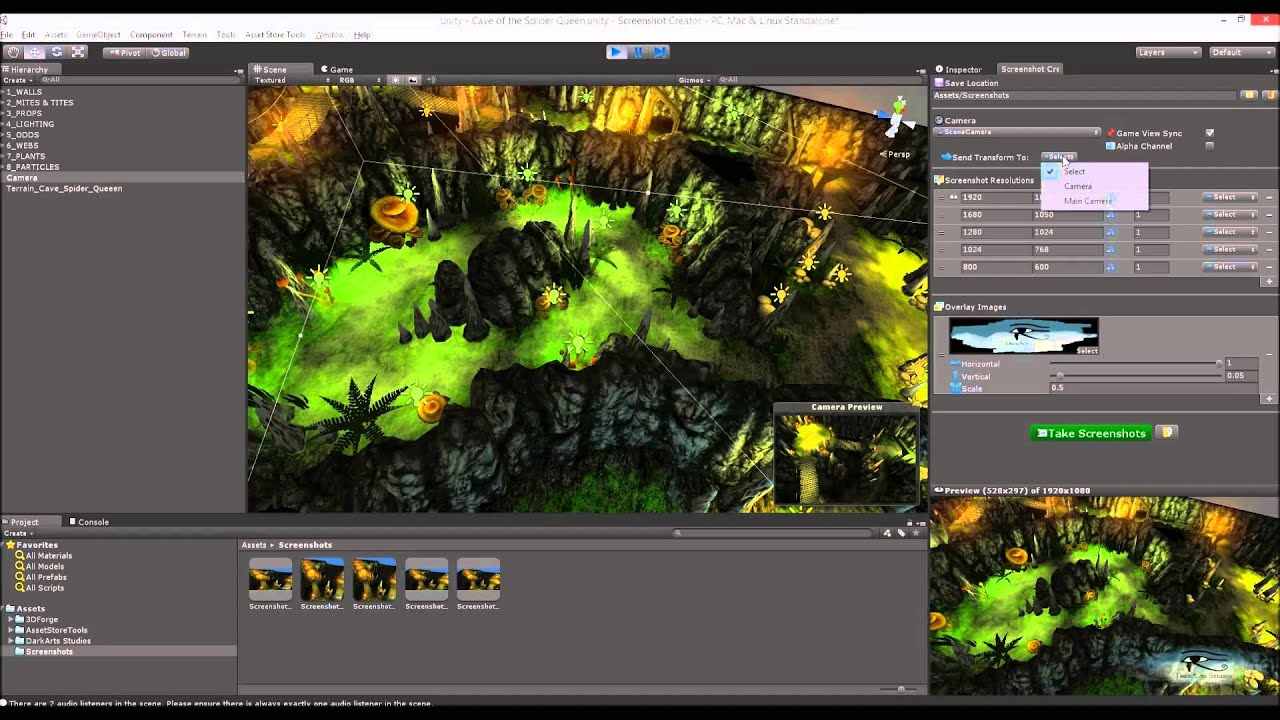
Unity is a general-purpose engine for building 2D and 3D games. Its 2D tools cover areas such as world building, sprites, animation, physics, lighting, and cross-platform publishing.
Unity provides more technical depth than most game engines like Construct 3. It is suitable for creators who expect their project to grow, need extensive third-party assets, or plan to build for several platforms. Development commonly involves C#, although the editor also provides drag-and-drop tools for arranging scenes and assets.
In a Construct 3 vs Unity comparison, Unity offers broader capabilities but requires more setup and technical knowledge. It can be excessive for a small puzzle, quiz, or browser prototype that could be completed with a lighter tool.
Choose Unity if:
- You want to build both 2D and 3D games.
- You are comfortable learning C#.
- You need a large asset and plugin ecosystem.
- Your project may expand beyond a small browser game.
6. Phaser
Best for developers who want to code HTML5 browser games.
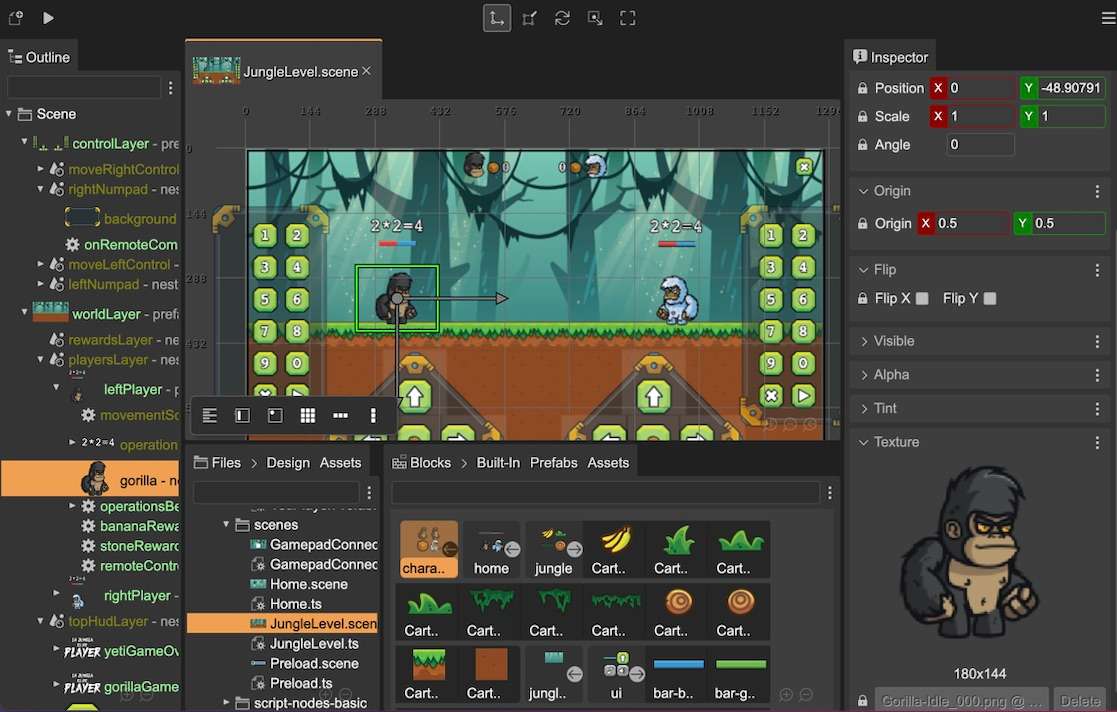
Phaser is a free, open-source HTML5 game framework focused on desktop and mobile web browsers. It provides systems for rendering, animation, audio, input, cameras, and physics while allowing developers to build games with web technologies.
Phaser is not a direct no-code alternative. It is better suited to developers who want to write JavaScript or TypeScript and control the resulting web project. Phaser Editor adds visual scene-building tools, but the framework remains more code-oriented than Construct 3.
When comparing Construct 3 vs Phaser, choose Construct 3 for visual event sheets and an integrated no-code workflow. Choose Phaser when you want direct access to web code, established development tools, and fewer restrictions on the structure of the project.
If browser publishing is your main goal but writing code is not, you can instead use an HTML5 game maker that generates the first playable version for you.
Choose Phaser if:
- You already know JavaScript or TypeScript.
- You are primarily building HTML5 games.
- You want direct control over the codebase.
- You prefer a web framework over a closed visual engine.
7. Buildbox
Best for beginners making template-based mobile and casual games.
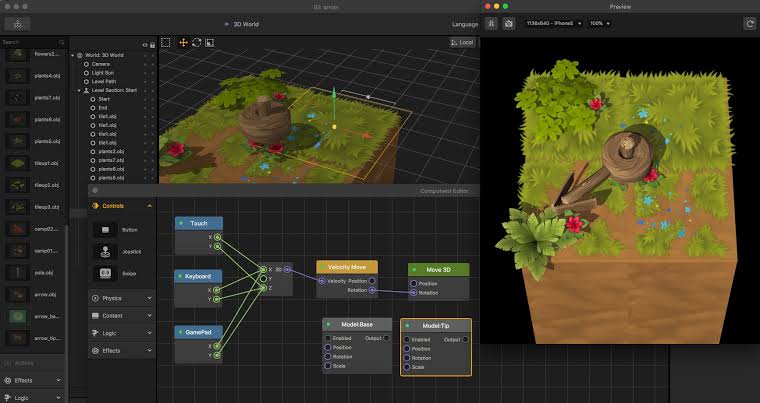
Buildbox is a no-code game maker with drag-and-drop tools, presets, templates, and visual editing. It can help beginners create platformers, puzzle games, shooters, racing games, and other familiar formats without starting with a blank technical project.
Buildbox is easier to approach than code-heavy engines and can be useful for quickly assembling a casual game. It is a relevant choice for users comparing Construct 3 vs Buildbox, especially when templates and mobile game workflows matter more than detailed event logic.
The main limitation is flexibility. Template-driven tools are often fast when your game matches an existing format but less convenient when you want unusual rules or a highly customized system. Check the current plan and export limits before committing to a long project.
Choose Buildbox if:
- You prefer drag-and-drop creation.
- You want to begin with a template or preset.
- You are making a casual or mobile-focused game.
- You do not need full control over every technical detail.
Which Construct 3 Alternative Should You Choose?
Choose GDevelop if you want the closest visual, event-based alternative to Construct 3. Its open-source foundation and no-code workflow make it a strong general replacement for many Construct users.
Choose SoonLab if your priority is speed. It can turn a written idea into a playable browser prototype without requiring you to build scenes and event sheets manually. You can also try SoonLab's AI 2D game maker to test a small platformer, maze, puzzle, or arcade game.
Choose GameMaker for focused 2D development, Godot for open-source flexibility, or Unity for larger 2D and 3D projects. If you are deciding between the first two, our GameMaker vs Godot comparison covers their learning curves, scripting languages, 2D and 3D capabilities, pricing, and publishing options.
Phaser is better for developers who want a code-based HTML5 workflow, while Buildbox suits beginners who prefer templates.
If you are still unsure, build the same small prototype in two tools. Start with one player, one core action, one challenge, and one win condition. The best choice is the tool that lets you create, understand, and improve that loop without fighting the workflow.
FAQs About Construct 3 Alternatives
What is the best alternative to Construct 3?
GDevelop is the closest general alternative because it combines visual events, no-code behaviors, scene editing, optional JavaScript, and cross-platform publishing. However, SoonLab may be better if you only need to turn a prompt into a playable browser game quickly.
Is there a free Construct 3 alternative?
Yes. GDevelop, Godot, and Phaser provide free or open-source options, although their workflows differ. GDevelop is closest to visual no-code development, Godot focuses more on scenes and scripting, and Phaser is designed for code-based HTML5 games. Always check the current license and publishing terms before releasing a commercial project.
Is GDevelop better than Construct 3?
GDevelop may be better if open-source access and a strong free starting point are priorities. Construct 3 may be easier for users who prefer its established event-sheet workflow and browser-based editor. The better choice depends on the project, publishing requirements, and the amount of manual control you need.
Can SoonLab replace Construct 3?
SoonLab can replace Construct 3 for some beginner workflows, such as generating a small browser game, testing a mechanic, or creating a playable prototype without learning visual scripting. It cannot fully replace Construct 3 for complex projects that require precise object editing, advanced event logic, plugins, scripting, or broad platform exports.
Which Construct 3 alternative requires no coding?
GDevelop, SoonLab, and Buildbox all support no-code creation. GDevelop uses a visual event system, SoonLab generates games from natural-language prompts, and Buildbox focuses on drag-and-drop editing and templates.
Is Godot easier than Construct 3?
Godot usually has a steeper learning curve because users need to understand nodes, scenes, signals, and scripts. It offers more control and is completely open source, but Construct 3 is generally easier for beginners who want visual game logic.
Can I use a Construct 3 alternative to make HTML5 games?
Yes. GDevelop, SoonLab, GameMaker, Godot, Unity, Phaser, and Buildbox provide web publishing or browser-game workflows in different forms. Check each tool's current export conditions because available platforms can depend on the product, plan, or project setup.
Conclusion
GDevelop is the closest overall Construct 3 alternative for creators who want visual events and an open-source workflow. Godot is better for developers who want deeper control, GameMaker is a strong choice for focused 2D development, and Unity suits larger 2D or 3D projects. Phaser works best for developers building HTML5 games with code, while Buildbox offers a simpler template-based workflow.
If you mainly want to turn an idea into a playable browser game without learning another complete engine, SoonLab provides a faster starting point. It cannot replace every advanced Construct 3 feature, but it is a practical alternative for small games, early prototypes, and creators who prefer working with prompts.