
Choosing between Godot and Unity can feel overwhelming when you're just starting out. Both are powerful game engines, but they're very different in how they work, what they cost, and who they're best for. After spending years watching developers struggle with this exact decision, I want to break it down in plain terms so you can make the right choice for your project. Let's go!
What Is Godot and Unity?
Before we compare Godot and Unity head to head, let's make sure we're on the same page about what these tools actually are.
Godot is an open-source game engine that's completely free to use. It was created by Juan Linietsky and Ariel Manzur back in 2014, and it's been growing steadily ever since. What makes it special is that it's completely free—no royalties, no subscription fees, and the entire source code is available to anyone. The community drives its development, which means updates come fast and features get added based on what users actually need.
Unity has been around since 2005, making it the veteran in this comparison. It's a commercial engine used everywhere from small indie projects to blockbuster games. Unity offers a free tier for beginners, but professional features come with a price tag. It's known for its massive asset store and the sheer number of games built on it.
Both engines can export to PC, mobile, and web platforms. If you're still deciding which engine fits your goals, you can also check my complete guide to the best game engines for a broader comparison of modern game development tools.
But that's where their similarities start to diverge in meaningful ways.
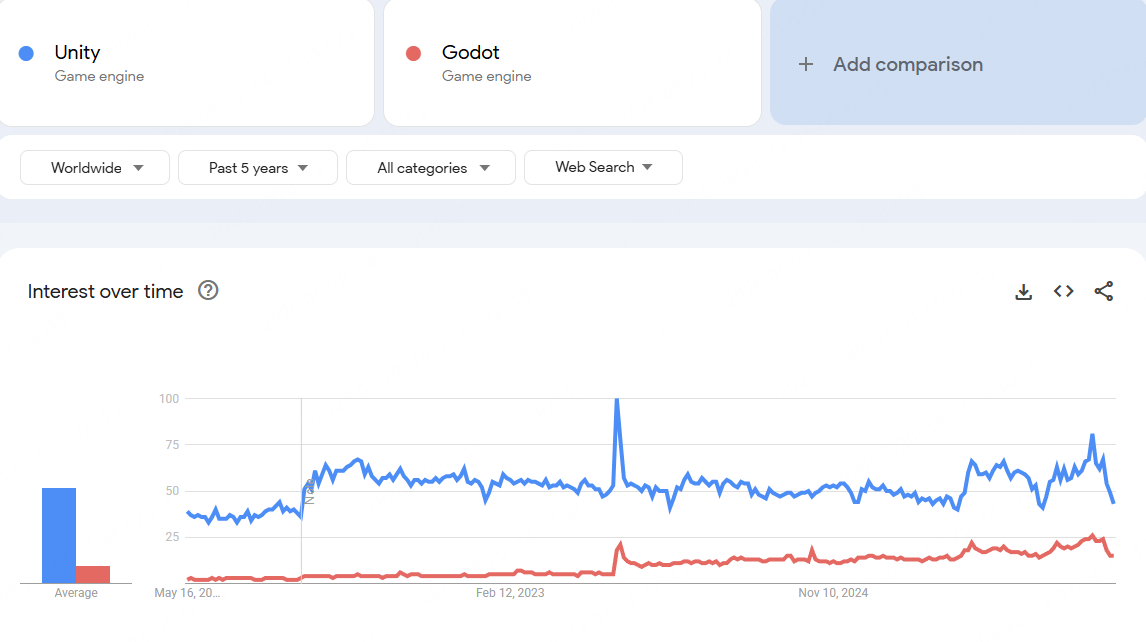
Godot vs Unity Google Trends (5-year comparison)
Godot vs Unity: Full Comparison
Let me break down the key differences across the areas that actually matter for indie developers.
| Category | Winner |
|---|---|
| Beginners | Godot |
| 2D Games | Godot |
| 3D Games | Unity |
| Mobile Games | Unity |
| Graphics | Unity |
| Performance | Tie |
| Pricing | Godot |
Both Godot vs Unity are strong game engines. If you're also comparing Unity vs Unreal for your next project, check out our [Unity vs Unreal guide] for a detailed breakdown.
Godot vs Unity Features
| Category | Godot | Unity | Winner |
|---|---|---|---|
| Scripting | GDScript / C# | C# | Tie |
| Asset Store | Small | Very large | Unity |
| Workflow | Node-based | Component-based | Depends |
| Learning Curve | Easier | More complex | Godot |
 Winner
Unity offers more advanced features and a larger ecosystem.
Both Godot and Unity offer powerful game development tools, but they focus on different strengths.
Unity has a larger ecosystem and more advanced professional tools. It supports C# scripting, a massive Asset Store, strong third-party integrations, and mature workflows for mobile and 3D game development. This makes Unity a popular choice for commercial and large-scale projects.
Godot focuses on simplicity and flexibility. It supports GDScript, C#, and C++, while its lightweight editor and node-based system make development faster for many indie creators. Godot is especially popular for 2D games and rapid prototyping.
Another major difference is the asset ecosystem. Unity's Asset Store contains thousands of plugins, templates, and tools that can speed up development. Godot's asset library is smaller, but many resources are free and open-source.
Overall, Godot is often the better choice for lightweight 2D indie games and fast prototyping, while Unity is stronger for larger cross-platform productions with more complex requirements.
GameMaker is another strong option when your project is mainly 2D and you value a more direct sprite, object, room, and event workflow. If GameMaker and Godot are your final two choices, our GameMaker vs Godot comparison explains which engine is better for beginners, pixel games, larger 2D projects, and future 3D plans.
Godot vs Unity for Beginners
WinnerGodot is easier for beginners due to its simpler interface and lightweight design.
When it comes to beginners, Godot is usually easier to learn than Unity.
Unity is a powerful game engine, but its editor can feel overwhelming for new developers. There are many menus, systems, and settings to understand before building a complete game. While Unity offers huge learning resources, the overall learning curve is steeper.
Godot takes a simpler approach. Its lightweight interface and node-based workflow are easier to understand, especially for first-time game developers. Many beginners can create a simple playable game much faster in Godot than in Unity.
Another advantage is GDScript. The language is designed specifically for game development and uses a syntax similar to Python, which makes code easier to read and write for new users. If you want help understanding GDScript, reviewing a small script, or connecting an AI assistant to a real Godot project, see our guide to the best AI agents for Godot.
Unity's C# system is more structured and professional, but it may take longer for beginners to feel comfortable with it.
Overall, Godot is often the better choice for complete beginners and indie creators who want a faster learning experience. Unity becomes more valuable for developers who plan to work on larger commercial projects or build long-term professional skills.
Godot vs Unity 2D Performance
WinnerGodot is better for 2D games because it has a dedicated 2D engine built into the core system.
When comparing Godot vs Unity for 2D games, many indie developers prefer Godot because its 2D game tools feel more optimized and easier to use.
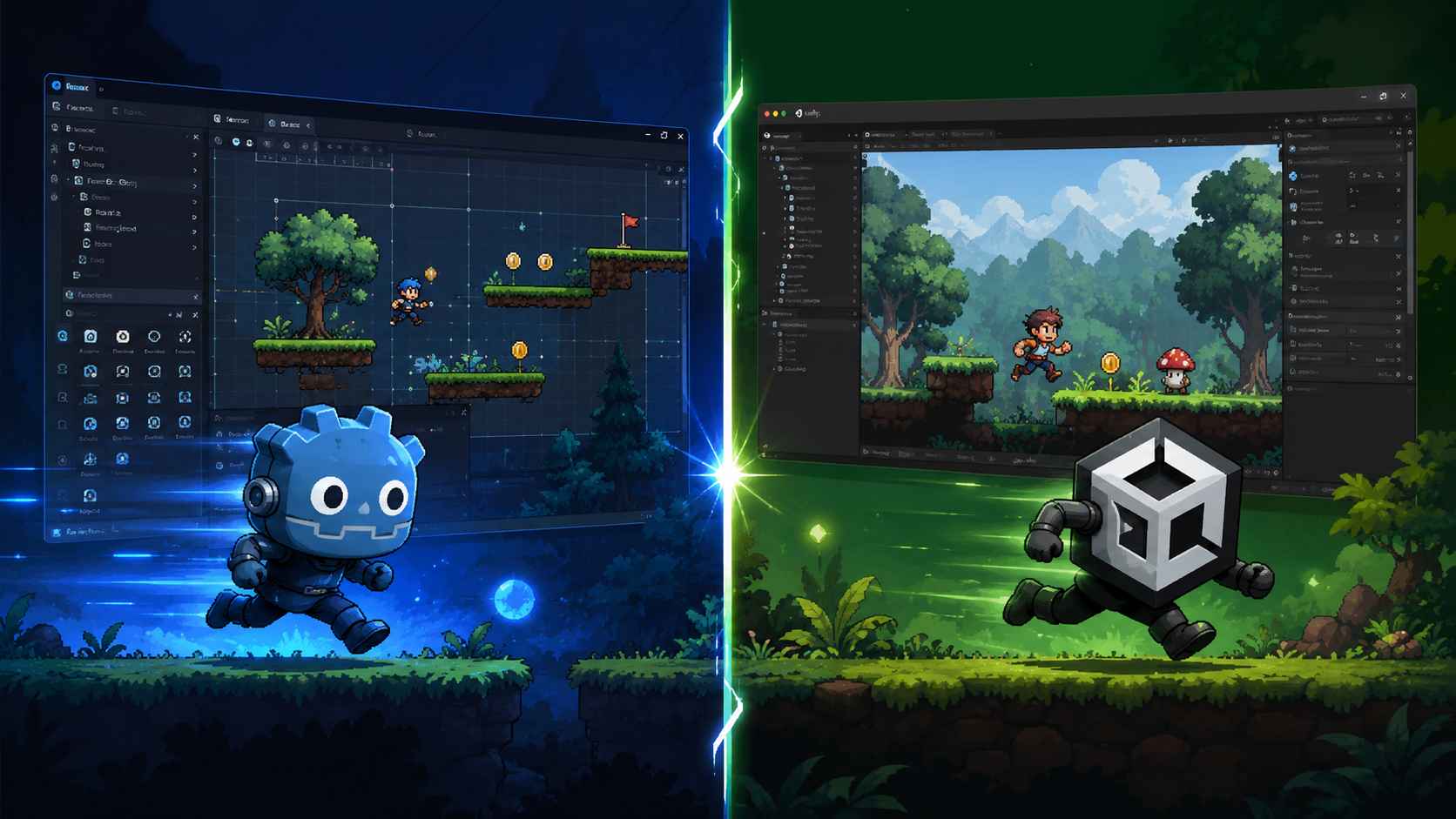
Godot was designed with dedicated 2D support from the beginning. It includes a separate 2D rendering engine, built-in tilemap tools, 2D lighting, and physics systems that work naturally for platformers, pixel art games, and other indie projects.
Unity also supports 2D game development, but its 2D workflow is built on top of a 3D engine. While Unity can still create excellent 2D games, some developers find the workflow more complex for purely 2D projects.
In terms of performance, Godot is usually more lightweight. Small 2D games often load faster and use less memory compared to similar Unity projects. The editor itself also feels faster on lower-end hardware.
Unity still has advantages for larger commercial 2D games, especially when developers need advanced plugins, mobile monetization tools, or large asset libraries.
Overall, Godot is often the better choice for lightweight 2D indie games and fast prototyping, while Unity is stronger for larger cross-platform productions with more complex requirements.
Godot vs Unity 3D Performance
WinnerUnity is better for 3D game development due to its advanced rendering pipelines like HDRP.
When it comes to 3D game development, Unity currently has a stronger and more mature ecosystem than Godot.
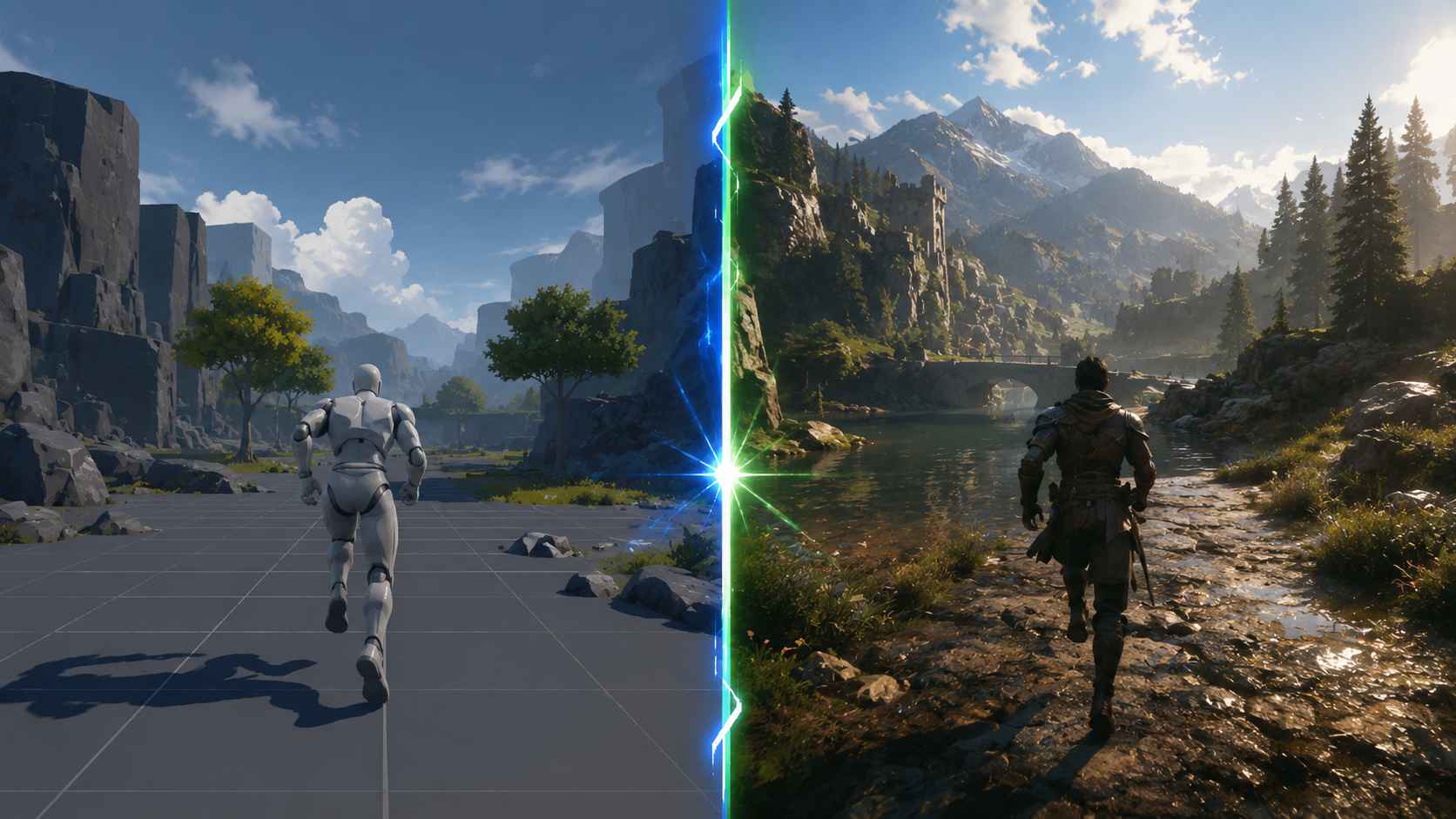
Unity is widely used for professional 3D games because it offers advanced rendering pipelines, powerful lighting systems, optimized shaders, and strong support for large environments. Features like HDRP (High Definition Render Pipeline) help developers create high-quality visuals for PC, console, and mobile games.
Godot's 3D performance has improved significantly in recent versions, especially after the introduction of the Vulkan renderer in Godot 4. The engine now supports modern rendering features, improved lighting, and better overall optimization compared to older versions.
For smaller indie projects, low-poly games, stylized graphics, or simple 3D experiences, Godot performs well and is often easier to manage. Its lightweight workflow also helps solo developers prototype faster.
However, Unity still has advantages for graphically demanding projects with:
- Realistic lighting
- Complex shaders
- Large open environments
- Advanced visual effects
- Large development teams
In general, Godot is suitable for lightweight and stylized 3D games, while Unity remains the stronger option for large-scale commercial 3D development and high-end graphics.
Godot vs Unity Graphics
WinnerUnity wins overall for graphics due to its more advanced rendering pipelines, better lighting systems, and stronger support for high-end visual effects.
When comparing Godot vs Unity graphics, Unity currently offers more advanced visual tools, especially for high-end 3D games.
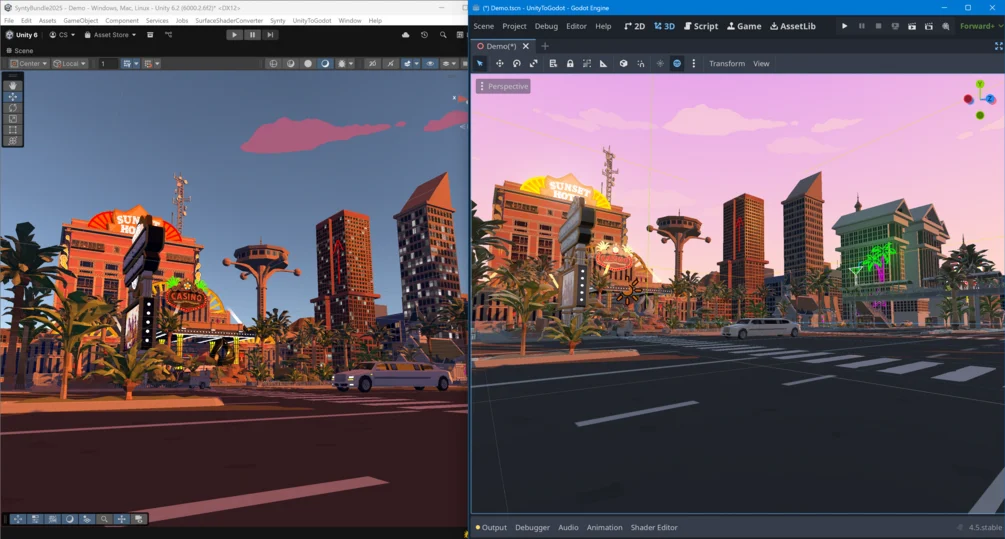
Unity includes powerful rendering technologies such as HDRP (High Definition Render Pipeline), Shader Graph, advanced lighting systems, and cinematic post-processing effects. These tools make Unity a popular choice for developers creating realistic environments, detailed visual effects, and VR or AR experiences.
Godot has also improved rapidly in recent years. Godot 4 introduced a modern Vulkan-based renderer, better lighting, improved shadows, and stronger physically based rendering (PBR) support. The engine also includes a visual shader editor and built-in post-processing tools for stylized and indie games.
For most indie developers, both engines are capable of creating visually impressive games. In many cases, art direction and optimization matter more than the engine itself. A well-designed low-poly or pixel art game in Godot can still look excellent, even without advanced rendering features.
Overall, Unity has the advantage for photorealistic graphics and large-scale visual production, while Godot performs very well for stylized indie projects and lightweight game development.
Godot vs Unity for Mobile Games
WinnerUnity is more reliable for mobile game development, especially for commercial projects.
Both Godot and Unity support Android and iOS game development, but Unity currently provides a more mature mobile development ecosystem.
Unity is widely used for mobile games because it offers strong optimization tools, reliable export workflows, and better support for ads, analytics, and in-app purchases. The engine also integrates well with many third-party mobile SDKs, which is important for commercial mobile games.
Another advantage is device optimization. Unity generally performs better on lower-end mobile hardware, especially for larger 3D games and projects with advanced visual effects.
Godot has improved mobile support significantly in recent versions, especially with Godot 4. Developers can export games to Android and iOS more easily than before, and Godot projects often have smaller file sizes. This can be useful for lightweight indie games and simple mobile experiences.
However, Godot may still require more manual optimization and troubleshooting for complex mobile projects compared to Unity.
Overall, Godot works well for smaller indie mobile games and rapid development, while Unity remains the stronger choice for large-scale commercial mobile game development and long-term platform support.
Pricing and Licensing Comparison
WinnerGodot is completely free and open-source.
One of the biggest differences between Godot and Unity is pricing.
Godot is completely free and open-source under the MIT license. Developers can create commercial games without paying royalties, subscription fees, or revenue sharing. The source code is also publicly available, giving developers full control over the engine.
Unity offers a free Personal plan for smaller creators and indie developers, but paid plans are required for larger teams and higher revenue levels. Unity Pro also includes additional professional tools and removes some platform limitations.
In recent years, Unity's pricing model has become a major discussion point in the game development community, especially after the 2023 runtime fee controversy. Although Unity later adjusted its plans, the situation encouraged many indie developers to explore alternatives like Godot.
For hobby developers and small indie teams, both engines are accessible. However, Godot has a clear advantage for developers who want a fully free engine with no licensing concerns or long-term subscription costs.
That difference is bigger than a free plan versus a paid plan. Our comparison of proprietary and open-source game engines looks at the practical trade-offs in source access, ownership, support, and maintenance.
Godot vs Unity: A Detailed Pros and Cons Comparison
To make the comparison easier to understand, here is a clear breakdown of the pros and cons of both Godot and Unity.
Godot Pros and Cons
 Pros
Pros Cons
ConsUnity Pros and Cons
Pros ConsIs There an Easier Alternative to Godot and Unity?
For many beginner developers, the real challenge isn't choosing between Godot and Unity—it's actually finishing a playable game.
Both engines require time to learn their editors, scripting tools, and project setup. If you are planning a 3D game and neither workflow feels right, our guide to alternatives for building 3D games includes visual events, Python, JavaScript, and prompt-based creation.
For creators who mainly want to test an idea, a small browser prototype can be a useful first step.
SoonLab is one of these new approaches.
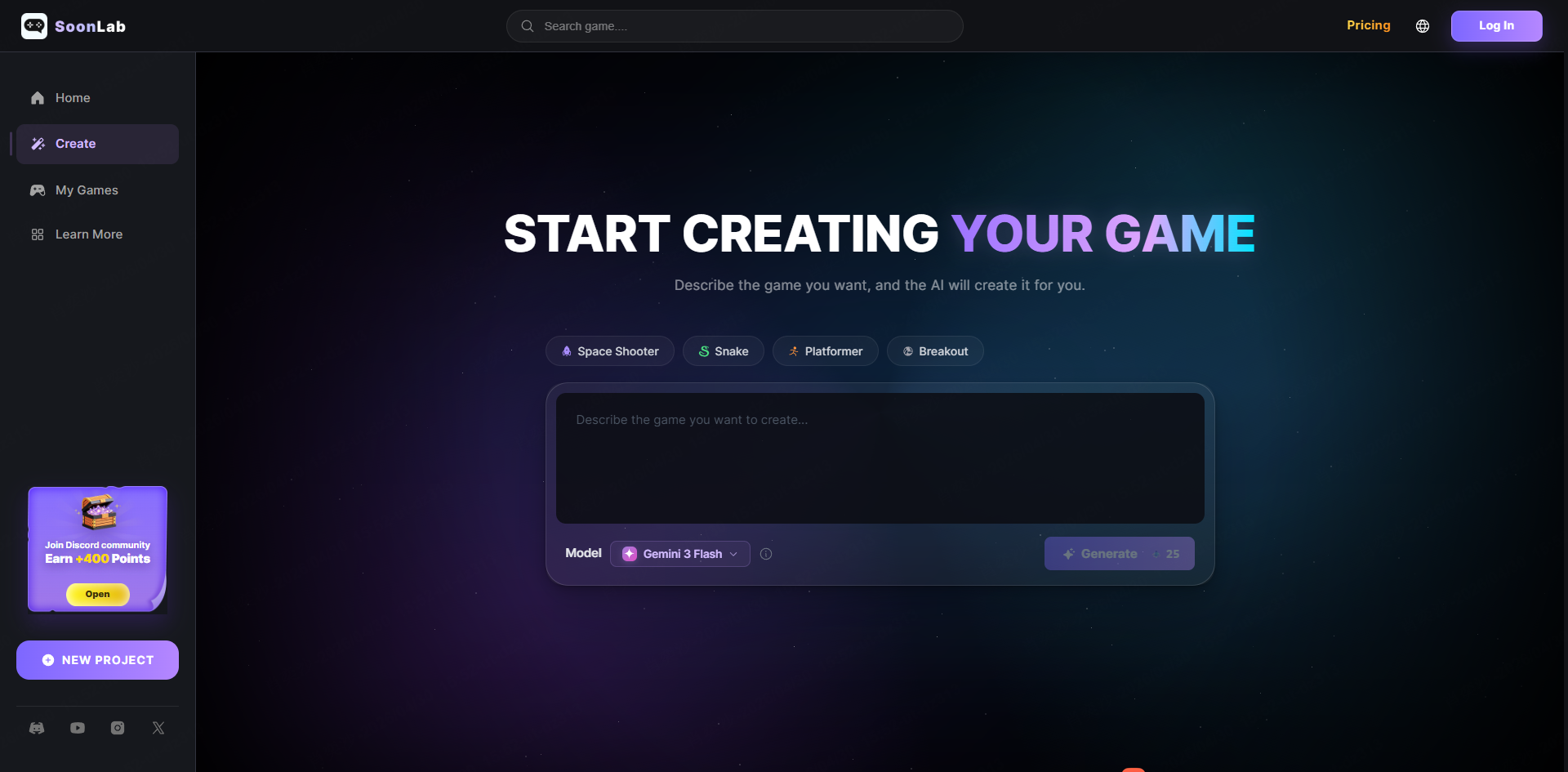
Instead of focusing on traditional engine workflows, SoonLab is designed for creators who want to generate and prototype games more quickly, without needing to manage technical setup, scripting, or complex project configuration.
It doesn't replace game engines like Godot or Unity—but it offers a different path for early-stage ideas, rapid prototyping, and creators who value speed over deep engine control.
FAQs
Which engine is better for solo indie developers?
For small teams and solo developers, Godot is often the better choice. It's free, lightweight, and excellent for 2D games. The rapid iteration cycle means you can test ideas faster. However, if you're specifically targeting mobile games or want maximum industry job options, Unity might serve you better despite the learning curve.
Which engine is easier for beginners?
Godot is generally easier for beginners because its interface is simpler and less overwhelming, and its scripting language (GDScript) is more readable and closer to natural language.
Unity is more complex at the start, but it provides stronger long-term career value since it is widely used in the industry. If your goal is professional game development, the learning curve can be worth it.
Which engine has better documentation?
Unity has more documentation overall, but Godot's documentation is often considered higher quality for what it covers. Unity's docs assume some existing knowledge and can be scattered. Godot's official documentation is comprehensive, beginner-friendly, and includes step-by-step tutorials. However, Unity's sheer volume of community-created tutorials, courses, and YouTube videos is unmatched.
Can Godot make commercial games?
Yes. Godot can absolutely be used for commercial games. It is released under the MIT open-source license, meaning you can use it freely for both personal and commercial projects without paying royalties or licensing fees. Many indie developers have already released successful commercial games using Godot, especially on platforms like Steam and itch.io.
Is Unity worth the cost?
For many indie developers, Unity's free Personal tier is enough to get started. However, as your revenue or team size grows, paid plans may become necessary, which increases long-term costs.
Godot avoids this entirely since it is completely free, which makes it more predictable for small teams or solo developers. That said, Unity still offers more advanced tools and services for professional production pipelines.
Conclusion
Both Godot vs Unity are strong game engines, and there is no universal "best" choice. The right option depends on your goals, experience level, and the type of game you want to build. What matters most is not the engine itself, but whether it helps you actually finish and ship your game.
If you're still unsure or feel stuck between the complexity of traditional engines, you can also explore faster ways to prototype ideas with tools like AI game generator SoonLab, which focuses on helping creators build games more quickly without heavy setup. In the end, whether you choose Godot or Unity, the best engine is the one that keeps you building and finishing projects.