
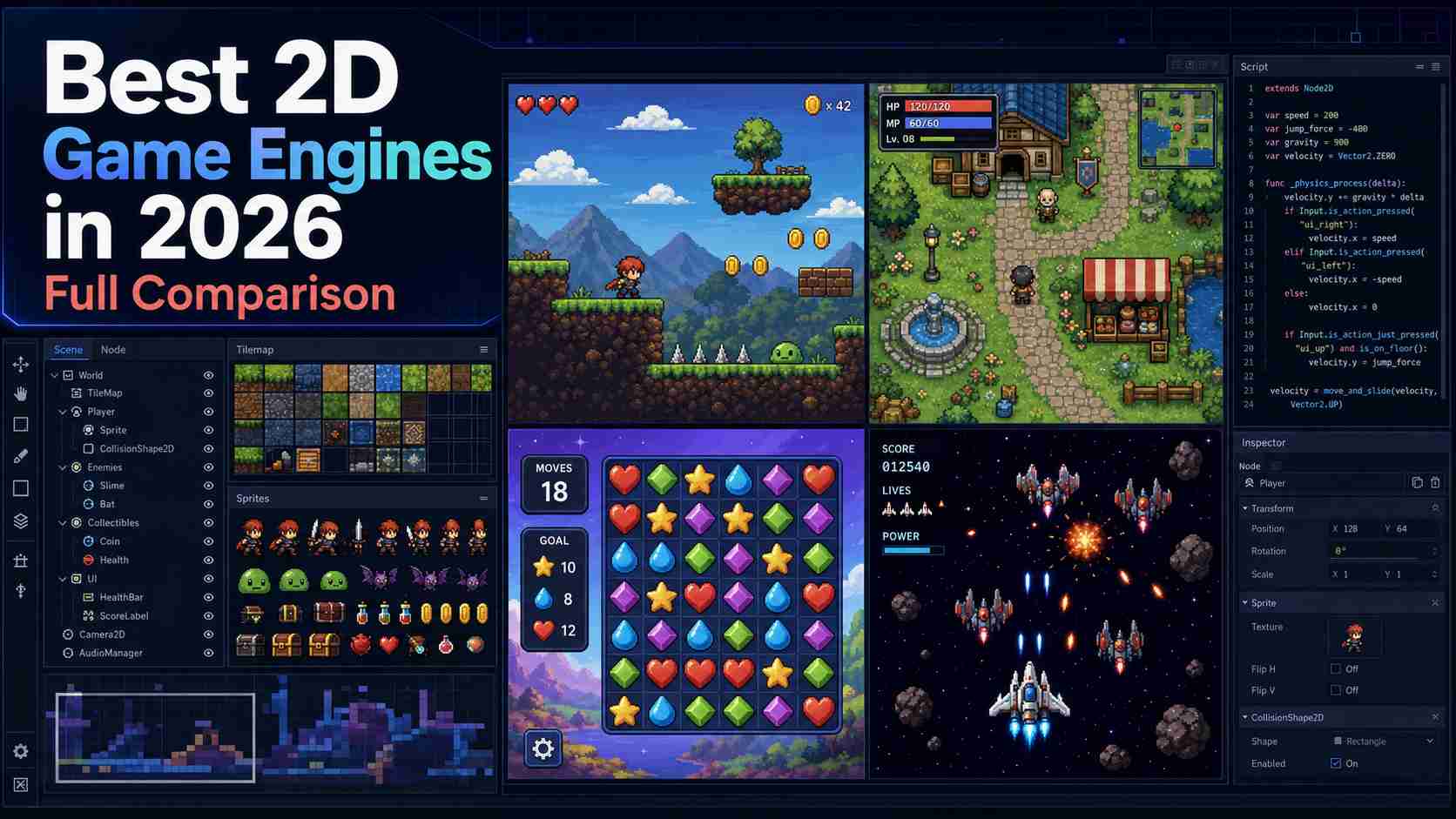
Choosing the best 2D game engine is less about finding one universal winner and more about matching the tool to your project. A solo developer making a pixel-art platformer has different needs from a studio shipping on consoles or a JavaScript developer building a browser game.
This guide compares eight leading options by coding requirements, 2D workflow, platforms, licensing, strengths, and practical limits.
For a short answer, choose Godot for a flexible free engine, GameMaker for focused 2D production, Unity for its ecosystem, GDevelop or Construct 3 for visual development, and Phaser for code-first web games.
What Is a 2D Game Engine?
A 2D game engine provides the core systems needed to build and publish a two-dimensional game. Instead of creating rendering, collisions, input, audio, and scene management from scratch, developers can focus on gameplay, levels, art, and testing.
Most 2D game engines include sprite rendering, tilemaps, animation, physics, UI, scripting or visual logic, debugging, and export tools. Godot and GameMaker use editor-based workflows, GDevelop and Construct 3 emphasize visual development, and Defold is more code-focused.
Phaser is technically a 2D game framework rather than a complete editor-based engine. It is included because web developers often compare frameworks with full engines when choosing software to make 2D games for browsers.
The right choice depends on your coding experience, game type, platforms, budget, and need for long-term control. This guide therefore ranks each option by project fit rather than feature count alone.
How We Compared These 2D Game Engines
This review was updated in 2026 using official documentation, feature pages, licensing terms, pricing, and platform details. We compared each engine using six criteria:
- 2D workflow: Support for sprites, tilemaps, animation, physics, UI, scene editing, and other dedicated 2D tools.
- Learning curve: The amount of coding, engine-specific knowledge, and setup required to build a first playable game.
- Project control: Access to game logic, source files, extensions, debugging tools, and build settings.
- Publishing options: Support for web, desktop, mobile, and console releases.
- Pricing and licensing: Free-plan limits, subscriptions, commercial-use rules, royalties, and export restrictions.
- Long-term fit: How well the workflow can support a larger game, more complex systems, or a growing team.
The recommendations reflect documented capabilities and practical use cases, not popularity alone. We did not run the same performance benchmark in every engine. Because pricing and export rules can change, commercial teams should confirm the latest terms.
8 Best 2D Game Engines in 2026
The best 2D game engine is not simply the one with the most features. It is the one that can produce the type of game you want without forcing you into the wrong workflow. This table compares the finished results each engine is best suited to, the skills it requires, proven games made with it, and the trade-off you should understand before choosing.
| Engine | Best 2D result | Best for | Coding | Notable games | Main trade-off |
|---|---|---|---|---|---|
| Godot | Flexible pixel-art and system-driven games | Most indie developers | GDScript or C# | Cassette Beasts, Brotato | Requires scripting and has a smaller commercial ecosystem than Unity |
| GameMaker | Polished sprite-based indie games | Platformers, action games, and pixel art | GML or visual actions | Undertale, Hotline Miami, Chicory | Commercial and console releases require paid licenses |
| Unity | High-polish 2D with advanced animation and lighting | Cross-platform teams and larger projects | C# | Cuphead, Hollow Knight, Dave the Diver | More engine than many small 2D projects need |
| GDevelop | Playable web and mobile games built quickly | Beginners, educators, and no-code creators | Visual events; optional JavaScript | Community, education, and game-jam projects | Large event systems become harder to organize |
| Construct 3 | Polished browser-first games and prototypes | Visual developers who value speed | Event sheets; optional JavaScript | Mighty Goose, There Is No Game | Subscription cost and less source-level control |
| Defold | Lightweight web and mobile games with small builds | Technically confident indie and mobile teams | Lua | Family Island, Blossom Blast Saga | Smaller asset, tutorial, and hiring ecosystem |
| Phaser | Custom HTML5 games that run in the browser | JavaScript and TypeScript developers | Required | Vampire Survivors began in Phaser | Code-first framework rather than an all-in-one editor |
| RPG Maker MZ | Story-driven, tile-based RPGs | Writers and first-time RPG creators | Events; optional JavaScript plugins | OMORI, To the Moon, Fear & Hunger from the RPG Maker family | Genre structure can make unusual mechanics difficult |
Short answer: Godot is the best overall 2D game engine for most indie developers. Choose GameMaker for a faster, 2D-focused commercial workflow, or Unity when its larger ecosystem supports a real production need. GDevelop and Construct 3 are the visual options; Defold suits lightweight mobile and web builds; Phaser is best for code-first browser games; and RPG Maker MZ is the specialist choice for traditional story-driven RPGs.
1. Godot: Best Overall 2D Game Engine
Godot is my best overall recommendation because it combines a real 2D workflow, full control over your project, and no license fee. Its 2D renderer uses pixel-based coordinates rather than treating every sprite as a flat 3D object. Tilemaps, animation, particles, physics, UI, and reusable scenes are built into the same editor.
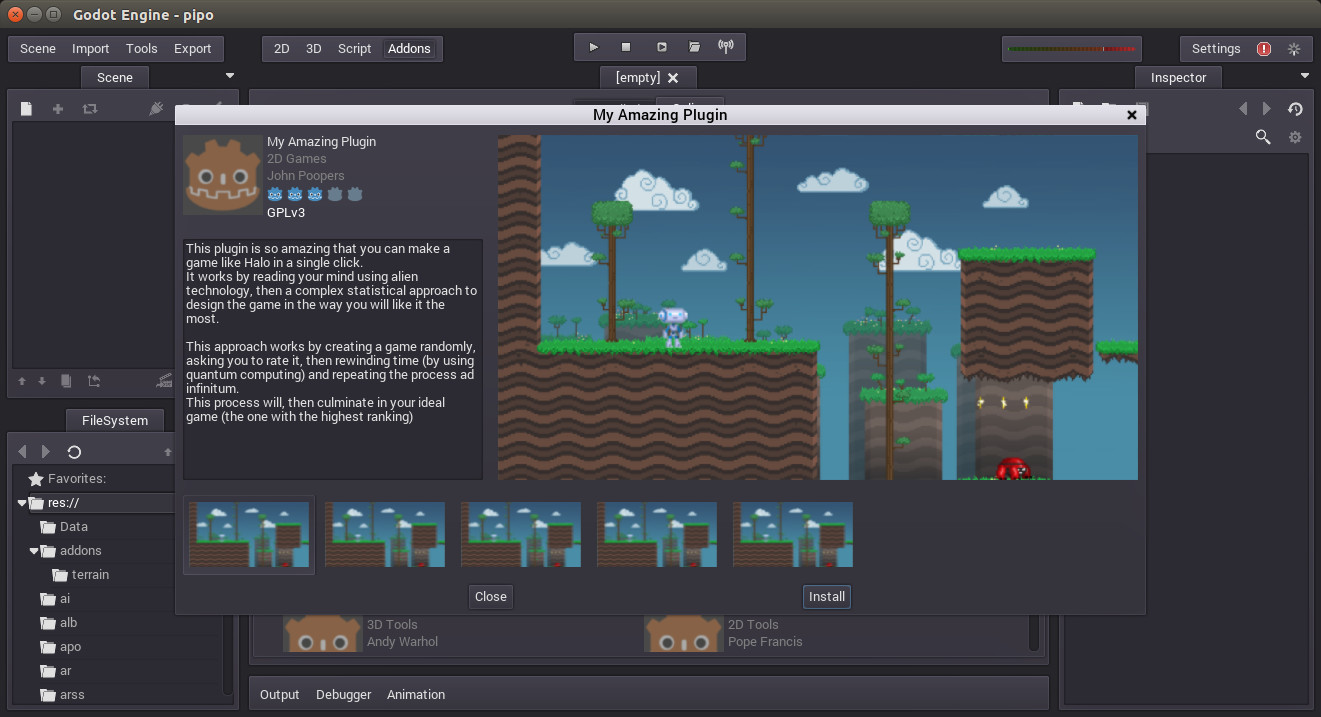
Godot is a strong fit for pixel-art platformers, top-down adventures, card games, puzzle games, and games with many interacting systems. Cassette Beasts shows that it can handle large maps, battles, menus, and layered 2D art, while Brotato shows how well it suits fast action with many objects on screen. These examples matter because they go well beyond a basic prototype.
In developer discussions on Reddit, Godot is repeatedly praised for being lightweight, open source, and quick to launch. The most common warning is also fair: it is not a no-code tool. You still need to learn GDScript or C#, nodes, signals, and scene structure. Its asset marketplace, specialist hiring pool, and console workflow are also smaller than Unity's.
My take: If I were starting a new indie 2D game without a special platform or genre requirement, I would begin with Godot. It gives a small team enough power to finish a serious game without adding licensing pressure or unnecessary 3D complexity.
 2D Strengths
 2D Limitations
Best for: Solo developers and indie teams making platformers, action games, puzzle games, roguelites, or system-heavy 2D games.
2. GameMaker: Best Dedicated Engine for 2D Indie Games
GameMaker is built around getting a 2D game from sprite to playable build with as little friction as possible. Its Room Editor, Object Editor, tilesets, sequences, animation tools, and debugger all support a focused 2D workflow. Beginners can use visual actions, then move into GameMaker Language when they need more control.
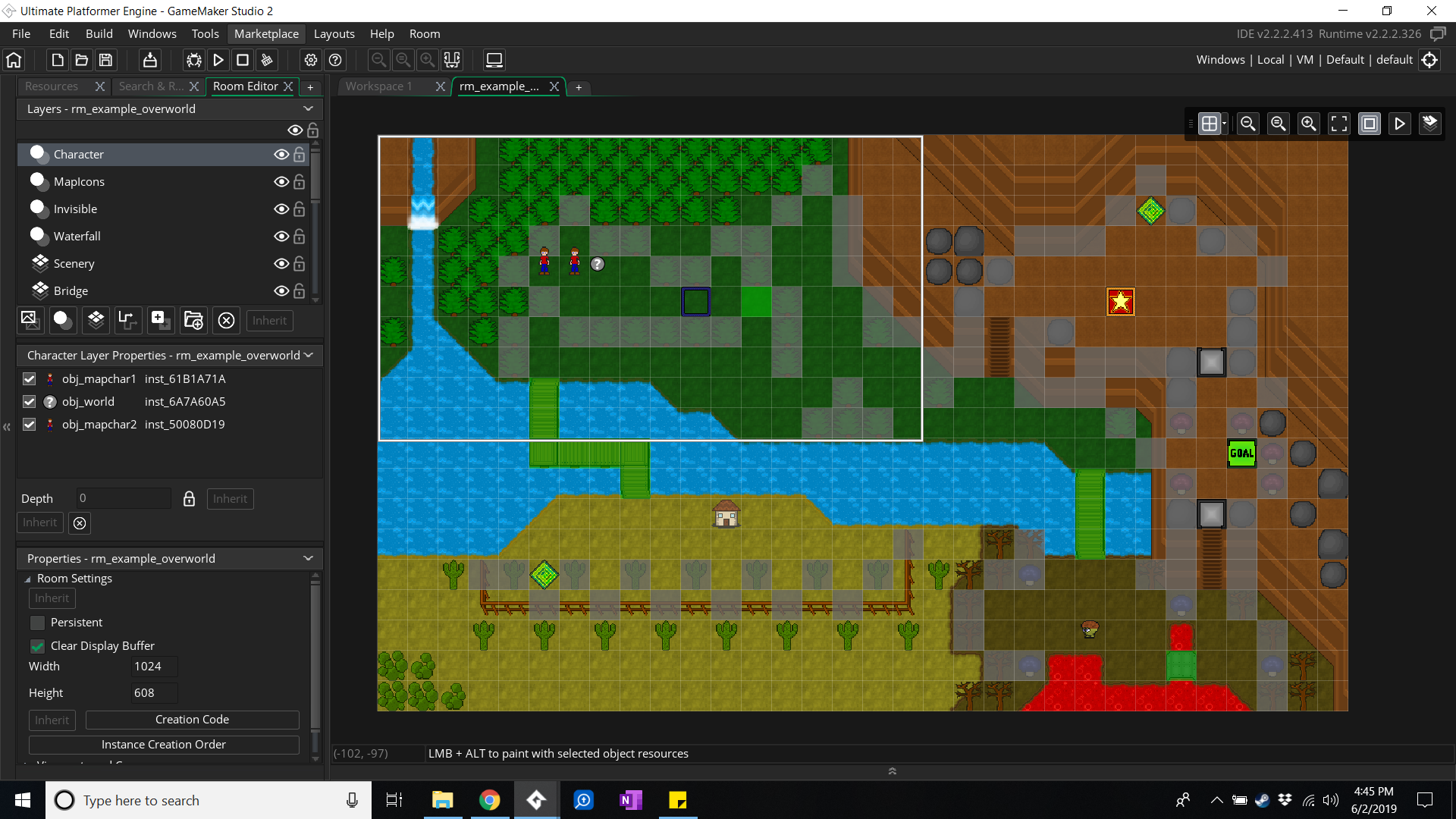
The engine has one of the strongest 2D track records in this comparison. Undertale proves that a mechanically simple game can support memorable storytelling and combat. Hotline Miami demonstrates fast top-down action, while Chicory shows that the engine is not limited to retro pixel art. In practical terms, GameMaker can produce polished commercial games, not just beginner projects.
Reddit discussions often describe GameMaker as one of the quickest ways to prototype a 2D mechanic and turn it into a finished game. Developers also warn that its easy entry point can hide architectural problems until a project grows. Advanced 3D, unusual tooling, or moving the project to another engine later can be difficult.
My take: I would choose GameMaker over Godot when speed matters more than engine breadth—especially for a pixel-art action game, platformer, or arcade game with a small team. Its focused workflow reduces setup, but commercial and console licensing should be part of the decision from day one.
2D Strengths2D LimitationsBest for: Commercial pixel-art games, platformers, top-down action games, arcade games, and small teams that want a dedicated 2D editor.
3. Unity: Best for Ecosystem and Cross-Platform Production
Unity is not a 2D-only engine, but it has a complete 2D toolset for sprites, Tilemaps, skeletal animation, lighting, physics, cameras, and UI. Its biggest advantage is everything around the engine: a large asset store, many plugins, extensive learning material, and a broad pool of experienced C# developers.
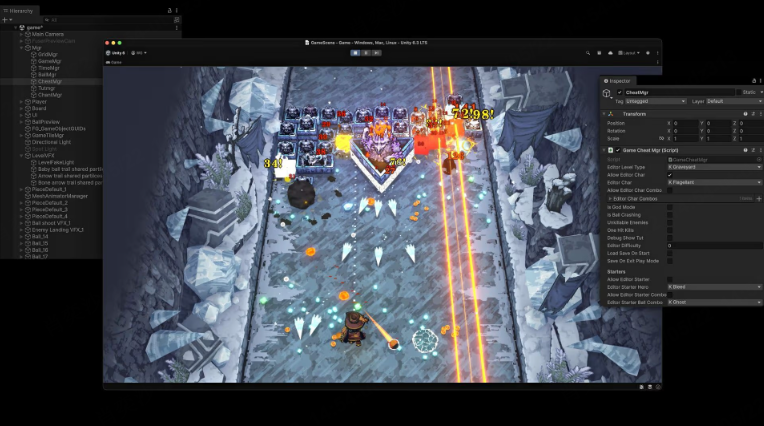
Cuphead shows how Unity can support hand-drawn animation and precise boss fights. Hollow Knight demonstrates large interconnected worlds, responsive combat, and layered visual effects. Dave the Diver combines pixel art, management systems, and varied gameplay. Unity can clearly produce premium 2D results, but those results come from skilled art, design, and engineering—not from choosing Unity alone.
Developers commonly praise Unity's documentation, assets, third-party integrations, and the number of solved problems available online. The repeated criticism is that the editor and project structure feel heavy for a small 2D game. A beginner must understand GameObjects, components, prefabs, packages, build settings, and C# before the workflow feels comfortable.
My take: I would choose Unity when a team needs its ecosystem, hiring pool, mobile services, console relationships, or a path into 3D. I would not choose it only because famous 2D games used it; Godot or GameMaker is usually easier for a smaller, purely 2D project.
2D Strengths2D LimitationsBest for: Larger cross-platform games, mobile projects, teams that need established production tools, and developers who may also create 3D games.
 Also Read
4. GDevelop: Best No-Code 2D Game Engine for Beginners
GDevelop replaces traditional scripts with visual events made from conditions and actions. Ready-made behaviors cover platform movement, top-down controls, pathfinding, health, and other common systems. JavaScript is available, but a first playable game does not require it.
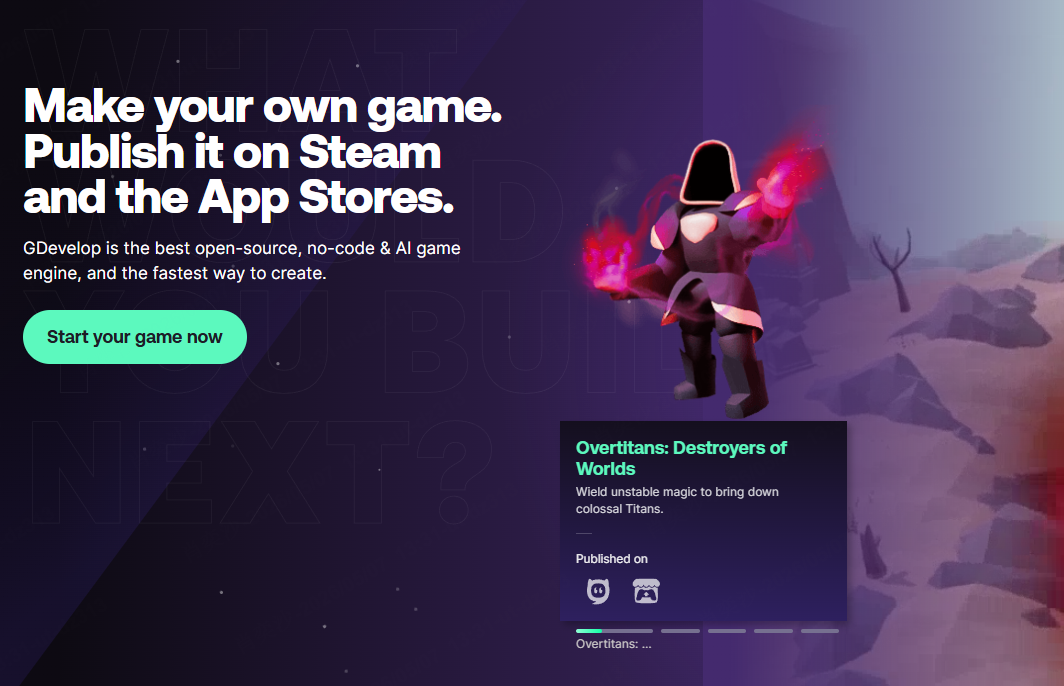
GDevelop works best for compact platformers, shooters, puzzle games, educational projects, game-jam entries, and browser or mobile games. Its public examples are more useful as proof of fast prototyping and accessible publishing than as proof of large commercial production. That distinction matters: GDevelop can produce an attractive finished game, but it does not yet have the same widely recognized 2D track record as GameMaker, Unity, or Godot.
Beginners often value how quickly they can connect an input to a visible result. More experienced users warn that no-code does not remove game logic; it changes how that logic is displayed. Long event sheets, loosely named variables, and repeated behaviors can become difficult to debug if the project is not organized early.
My take: I would recommend GDevelop to someone who wants to understand game logic by building, not by studying a programming language first. I would be more cautious about using it for a long, system-heavy RPG or simulation unless the team has already proved the architecture with a smaller project.
2D Strengths2D LimitationsBest for: First-time developers, educators, game jams, casual games, and creators who prefer visual logic. Our GDevelop tutorial explains the basic workflow.
5. Construct 3: Best Browser-Based Visual 2D Game Engine
Construct 3 runs in a browser and uses event sheets instead of requiring code. It includes tilemaps, animation, collisions, physics, pathfinding, debugging, and instant previews. JavaScript is optional when a project needs custom behavior.
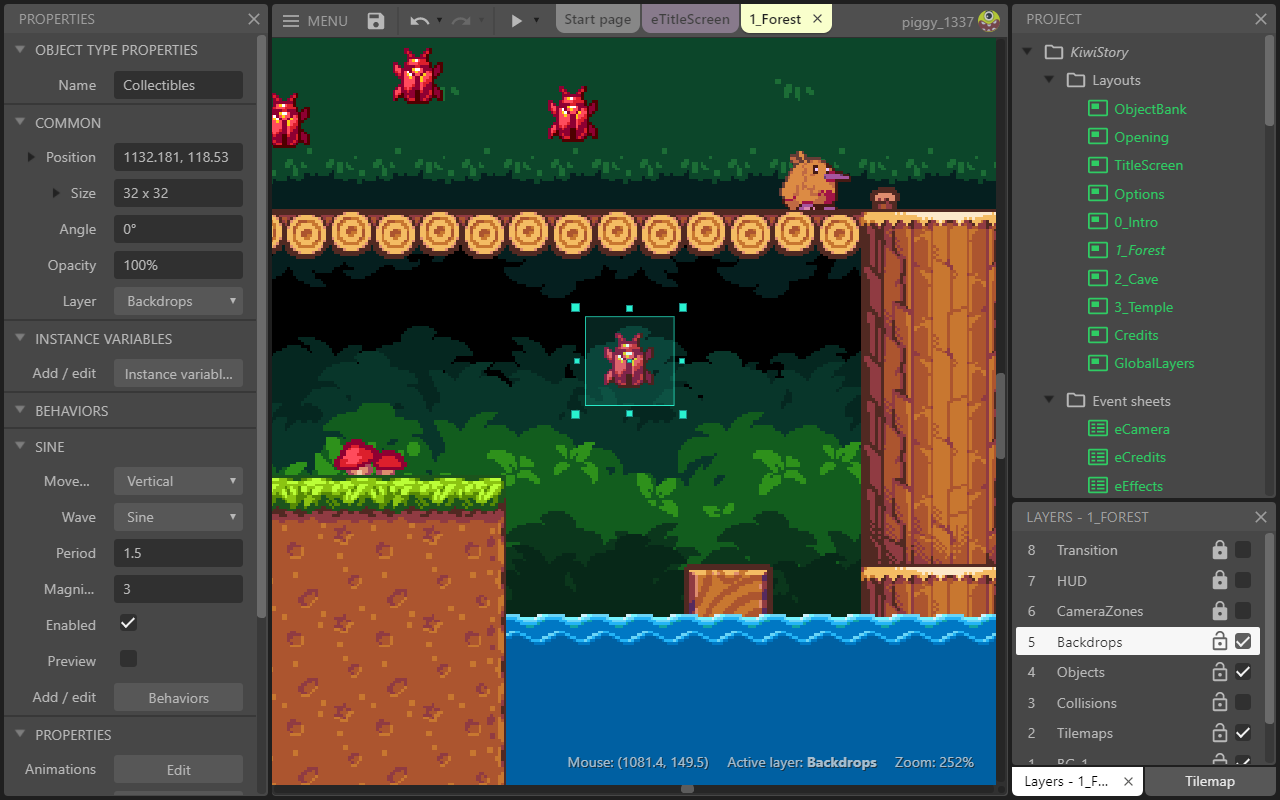
Construct is especially good at responsive arcade games, platformers, puzzle games, and HTML5 projects. Mighty Goose shows that a Construct project can deliver fast action, detailed pixel art, effects, and console-quality polish. The wider Construct family also powered There Is No Game, which is a useful example of how far its event system can be pushed beyond a simple template.
A common theme in Reddit discussions is speed: developers like how quickly they can put a sprite on screen, add behavior, and test an idea. Some commercial developers describe it as underrated. The trade-off is that large event projects still need clear naming, reusable functions, and disciplined layout. Teams that expect a conventional code repository or deep engine modification may feel restricted.
My take: Construct 3 is the strongest visual-first option in this list when fast browser-based development matters. I would choose it over GDevelop for a polished commercial prototype if the subscription is acceptable, while choosing GDevelop when open-source access and a lower starting barrier matter more.
2D Strengths2D LimitationsBest for: Browser games, rapid commercial prototypes, educational projects, and designers who want a mature visual workflow.
6. Defold: Best Lightweight 2D Engine for Mobile and Web
Defold combines a compact editor with Lua scripting, tilemaps, particles, physics, scene tools, profiling, and native extensions. It is free to use without royalties and exports to web, mobile, desktop, and supported consoles.
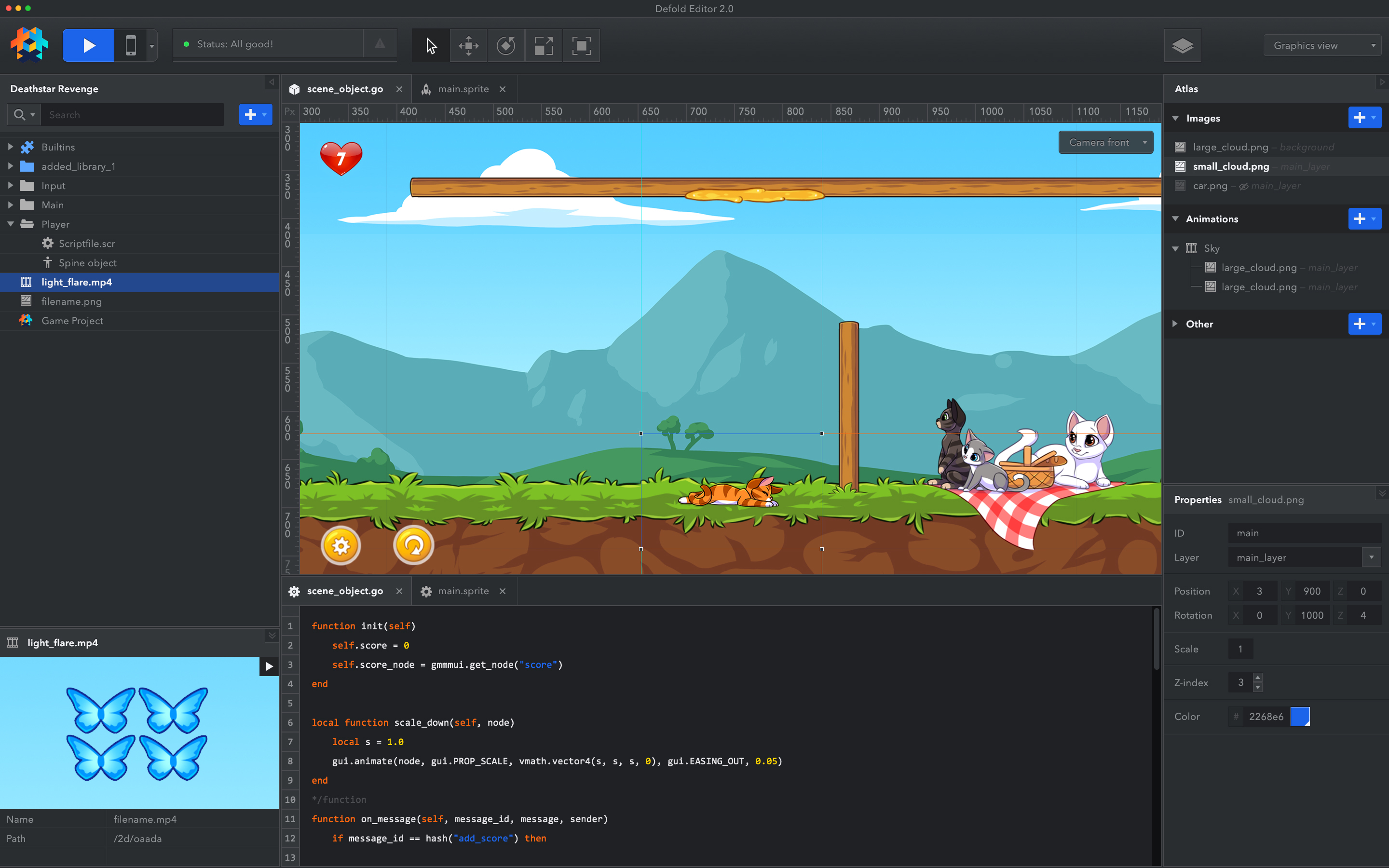
Defold is particularly convincing when build size, loading speed, and stable cross-platform performance matter. Family Island and Blossom Blast Saga show that it can support successful, content-rich mobile games. Craftomation 101 is a useful indie example because it combines automation systems, many on-screen objects, and web and desktop releases.
Defold users often praise fast builds, hot reload, clear documentation, and a lightweight runtime. It is regularly recommended for 2D web and mobile work, but it appears in fewer beginner conversations than Unity, Godot, or GameMaker. That smaller community means fewer ready-made assets, tutorials, integrations, and developers to hire when a project hits a specialized problem.
A professional Defold developer reports using the engine since 2017 and preparing a fourth commercial Steam release with it. This suggests that Defold can support more than small prototypes when it matches the team's technical workflow.
My take: Defold is the most underrated engine in this comparison. I would shortlist it for a mobile or browser game where download size and predictable performance matter more than a large marketplace. I would not make it the default recommendation for a beginner who depends on step-by-step courses and plug-ins.
2D Strengths2D LimitationsBest for: Lightweight mobile and web games, technically confident indie developers, and teams that value small builds and stable cross-platform delivery.
7. Phaser: Best 2D Game Framework for Web Developers
Phaser is a free, open-source HTML5 framework for 2D browser games. It uses JavaScript or TypeScript and renders through WebGL or Canvas. Unlike the visual engines above, Phaser gives developers code and APIs rather than a complete desktop editor.
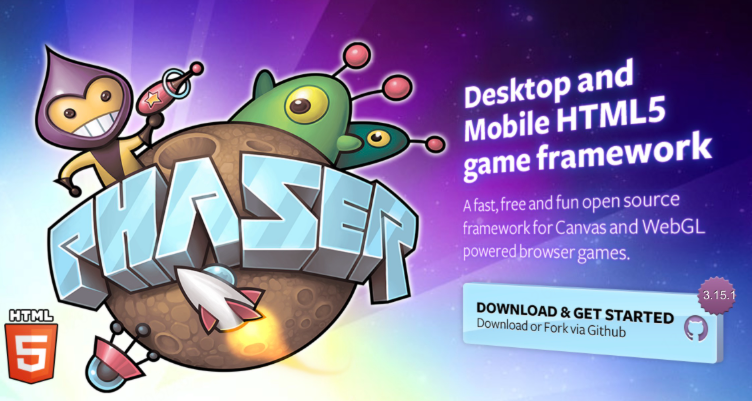
Phaser is well suited to arcade games, puzzle games, card games, educational experiences, playable ads, and games distributed through web portals. The original version of Vampire Survivors began in Phaser, which is strong evidence that a browser framework can support a compelling commercial game concept. The finished result still depends on good web performance work, asset loading, and a suitable project structure.
Web developers regularly praise Phaser's examples, documentation, freedom, and the speed of creating a first prototype. The common complaint is that developers must assemble more of the production stack themselves. Object pooling, pathfinding, editor tooling, native packaging, and some higher-level game systems may require custom code or third-party tools.
My take: Phaser is the best choice here when the browser is the product and the team already thinks in JavaScript or TypeScript. I would not recommend it to a non-coder who wants to learn game logic visually, or to a mobile-first team that does not want to manage web-to-native packaging.
2D Strengths2D LimitationsBest for: HTML5 games, web portals, interactive experiences, and JavaScript or TypeScript teams.
8. RPG Maker MZ: Best 2D Engine for Story-Driven RPGs
RPG Maker MZ provides maps, layered tiles, character creation, databases, dialogue events, quests, items, and turn-based battles. A creator can build a playable town, conversation, and combat loop without programming each system from the beginning.
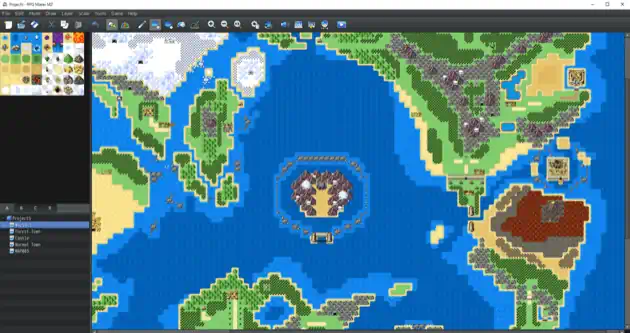
RPG Maker is strongest when the game is a narrative, tile-based RPG. The wider RPG Maker family produced OMORI, To the Moon, and Fear & Hunger. These were not all made with MZ, so they should not be treated as MZ-specific case studies. They do show that the engine family can support distinctive art, emotional stories, horror, and unconventional RPG systems when creators replace the default look and design around the engine's strengths.
Developers often describe RPG Maker as both useful and restrictive. It removes the need to build basic RPG systems, which gives writers and artists a realistic route to a finished game. Its default tiles, menus, and battle structure can also make projects look similar. Custom art, sound, UI, writing, and careful event design are what separate a memorable release from a template.
My take: I would choose RPG Maker MZ for a story-first JRPG with exploration, dialogue, quests, and familiar combat. I would avoid it for physics-heavy platforming, real-time action, or a game whose main feature requires replacing most of the built-in systems.
2D Strengths2D LimitationsBest for: Narrative RPGs, tile-based adventures, horror RPGs, and creators who value built-in genre systems more than general flexibility.
A Simpler Way to Create 2D Games Without Coding
The 2D game engines above give developers detailed control, but every option requires time to learn its editor, logic system, or programming language. If your main goal is to see whether a game idea works, you may not need to begin with a full engine.
SoonLab 2D game maker is an AI-powered tool designed for beginners and creators with no coding experience. Describe the game you want in plain language—including its genre, goal, rules, controls, characters, and visual style—and SoonLab turns the prompt into a playable browser game.
Turn your idea into aplayable game
Describe the game you want to make, and SoonLab will help you start building it.
You can test the result immediately, improve it with follow-up prompts, publish it online, share it with a link, or download the game as an HTML file. This makes SoonLab useful for simple platformers, puzzle games, matching games, arcade concepts, classroom projects, and early prototypes.
SoonLab is not a replacement for Godot, GameMaker, or Unity when a project needs complete source-level control, custom production systems, or a long-term commercial pipeline. It is the better starting point when you want to move from an idea to a playable 2D game without first learning code or a complex editor.
FAQs About 2D Game Engines
What is the best 2D game engine?
Godot is the best overall 2D game engine for most indie developers. It provides a dedicated 2D workflow, flexible scripting, cross-platform exports, and an open-source license without engine royalties. GameMaker is better for fast, focused 2D production, while Unity is stronger when a project needs a larger asset, service, or developer ecosystem.
What is the easiest 2D game engine for beginners?
GDevelop is one of the easiest options because beginners can build game logic with visual events instead of traditional code. Construct 3 offers a similarly accessible workflow with a polished browser-based editor. GameMaker is another good starting point for beginners who want to begin with visual actions and gradually learn scripting.
What is the best free 2D game engine?
Godot is the strongest all-purpose free 2D game engine. It is open source, does not charge royalties, and can support projects from small prototypes to commercial indie games. GDevelop is a better free starting point for visual development, while Defold and Phaser are strong free options for developers who are comfortable writing code.
Can I make a 2D game without coding?
Yes. GDevelop and Construct 3 let you create gameplay with visual events, while RPG Maker MZ provides ready-made systems for story-driven RPGs. AI game makers such as SoonLab reduce the starting barrier further by turning a plain-language description into a playable browser game that can be refined with follow-up prompts.
Is Godot or Unity better for 2D games?
Godot is usually better for small and medium-sized indie 2D games because it is lightweight, open source, and built around a dedicated 2D workflow. Unity is better when a team needs its larger asset store, third-party integrations, experienced hiring pool, mobile services, or a future path into 3D. Neither engine automatically produces a better-looking game; the right choice depends on the project and team.
Is Godot or GameMaker better for 2D games?
Choose Godot when you want a free, open-source engine with more control and room to build custom systems. Choose GameMaker when you want a faster, more focused workflow for platformers, pixel-art games, arcade games, or top-down action games.
GameMaker is often easier to start with, while Godot offers more flexibility for projects that may grow into 3D or require custom systems. Our complete GameMaker vs Godot comparison covers their learning curves, 2D and 3D tools, scripting languages, pricing, exports, and ideal project types.
What is the best 2D game engine for pixel-art games?
GameMaker and Godot are the strongest general choices for pixel-art games. GameMaker offers a fast workflow for sprites, rooms, animation, and object-based gameplay. Godot provides pixel-based coordinates, tilemaps, animation tools, and greater control over custom systems. RPG Maker MZ is also suitable when the pixel-art project is a traditional tile-based RPG.
What is the best 2D game engine for browser games?
Phaser is the best choice for JavaScript or TypeScript developers building HTML5 games specifically for the web. Construct 3 is better for creators who want a visual browser-based editor, while GDevelop offers an accessible no-code workflow with web publishing. Choose based on whether you prefer direct programming or visual logic.
What is the best 2D game engine for mobile games?
Unity is a strong choice for larger mobile projects that need established services, plugins, monetization tools, and experienced developers. Defold is better when small build sizes, fast loading, and lightweight performance are priorities. Godot also works well for indie mobile games, although developers should test controls, screen sizes, and performance on real devices early.
Can Unreal Engine make 2D games?
Yes. Unreal Engine includes Paper 2D tools for sprites, tile maps, animation, and 2D or 2.5D projects. However, its editor and production workflow are usually heavier than necessary for a purely 2D indie game. Unreal makes more sense when a team already uses it or plans to combine 2D gameplay with advanced 3D environments, lighting, or effects.
Final Verdict
The best 2D game engine is the one that fits the game you can realistically finish. For most indie developers, Godot is the safest overall choice because it is free, flexible, and built for serious 2D production. GameMaker is better when you want a faster, dedicated 2D workflow, while Unity makes sense when its larger ecosystem supports a specific production need.
Choose GDevelop or Construct 3 if visual logic is easier for you than programming. Choose Defold for lightweight mobile and web projects, Phaser for code-first HTML5 games, and RPG Maker MZ when your game closely follows a story-driven, tile-based RPG structure.
If learning an editor or programming language is stopping you from starting, you do not need to begin with a traditional engine. You can create a playable 2D game with SoonLab by describing the gameplay, rules, controls, characters, and visual style in plain language. Test the result in your browser, improve it with follow-up prompts, and use what you learn to decide whether you need a full game engine later.
Whichever tool you choose, begin with one small playable scene. Add movement, one clear goal, one obstacle, basic UI, and a restart system. A finished five-minute game will teach you more than months spent searching for a perfect engine.