
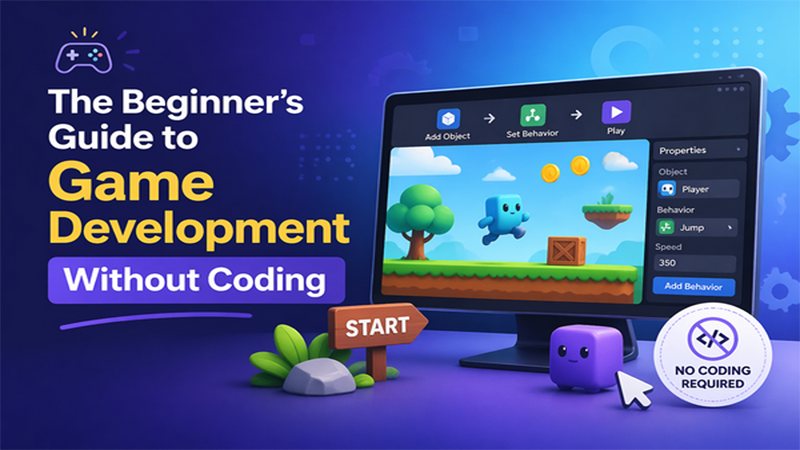
Think you need to be a caffeinated math whiz or a hoodie-wearing hacker to create the next viral hit? Think again. For decades, the industry thrived on the myth that making games was a dark art reserved for those who dream in binary—a world where one missed semicolon could crash your entire universe.
But as we navigate 2026, that gate is officially wide open. Game development without coding has evolved from a niche shortcut into a professional standard. You don't need to be a genius to build a game—you just need to know how to describe what you want to see.
This guide is for anyone ready to take their first step into the world of game development. Let’s walk through the essential building blocks to bring your digital world to life.
Turn your idea into aplayable game
Describe the game you want to make, and SoonLab will help you start building it.
How Can I Make a Game without Coding? 3 Easy Ways
Making a game without coding doesn’t mean skipping the logic; instead, it’s about changing the interface you use to build that logic.
In 2026, the industry has standardized around three primary "no-code" paths.
| Feature | Lego Style | Template Style | Word Style |
| Core Workflow | Connecting logic nodes and wires. | Swapping assets in a pre-built kit. | Describing ideas in plain English. |
| Learning Curve | Moderate; requires "logical thinking." | Low; focus is on design and UI. | Very Low; focus is on communication. |
| Best For | Learning how games actually work. | Speed-to-market for standard genres. | Rapid prototyping and "Vibe Coding." |
| Flexibility | High; you can build almost anything. | Limited to what the template allows. | Infinite, but requires precise guidance. |
| The "Role" | You are the Architect. | You are the Decorator. | You are the Director. |
The No-Coder's Toolkit: Best AI Game Engines to Start Today
Do you want to talk to your computer like a director, or do you want to build it piece-by-piece like a structural engineer? Here is the curated toolkit for the modern no-coder.
For the "Word Style" Path (AI-Powered)
If you have a million ideas but zero patience for syntax, these platforms turn your descriptions into playable realities.

Rosebud AI: This is a comprehensive "AI game dev" ecosystem. It doesn’t just write code; it synthesizes the assets and animations to match. It’s for educators, rapid prototypers, and non-coders who want to build through dialogue. It’s essentially the "Vibe Coding" home base, making it incredibly easy to go from a brainstorm to a 3D world in a single afternoon.
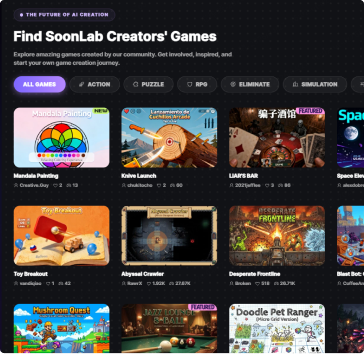
SoonLab: An emerging powerhouse for 2026, SoonLab focuses on the "Prompt-to-Play" lifecycle. It’s an AI-driven platform that allows you to build, share, and play games generated entirely from your text prompts. It is specifically designed for creators who want to see their UI and world-building ideas come to life without touching a single asset file.

For the "Template Style" Path
If you want a solid foundation to build upon without reinventing the wheel, these engines provide the ultimate "Starter Kits."
GameMaker: The legendary engine behind hits like Undertale. In 2026, GameMaker remains the king of 2D indie speed. It uses a Drag and Drop (DnD) system that lets you build your game visually, but here’s the kicker: it offers a soft path to growth. If you ever want to learn code later, you can peek under the hood at the GML (GameMaker Language) scripts.
Construct 3: Widely considered the easiest entry point for 2D games, Construct 3 runs entirely in your web browser—no heavy installation required. Its "block" system feels like building a high-tech spreadsheet where every cell is a fun game mechanic. It’s fast, lightweight, and perfect for browser-based gaming.
For the "Lego Style" Path (Visual Scripting)
If you want the depth of a professional developer but prefer to work with "nodes" and "wires" rather than text, this is your path.
GDevelop: As of March 2026, GDevelop has leaped ahead with massive 3D improvements, including custom mesh collisions and the Jolt physics engine. It’s an open-source tool that uses a "Behavior" system—you simply add a "Platformer Character" behavior to a sprite, and it immediately knows how to walk and jump.
Unreal Engine (Blueprints): This is the heavy-hitter. Used for AAA blockbusters, its Blueprint system is the gold standard for visual scripting. While it has a steeper learning curve, you are effectively using the same tools as professional studios, just without the typing.
5 Steps to Making Your First Game without Coding
Here is the blueprint for going from a thought to a playable build in an afternoon.
Define the "Vibe"
Every great game starts with a "hook." Before you touch any tool, identify the core feeling you want to evoke. Is it a high-speed adrenaline rush? A cozy, relaxing puzzle? Or a stressful horror experience?
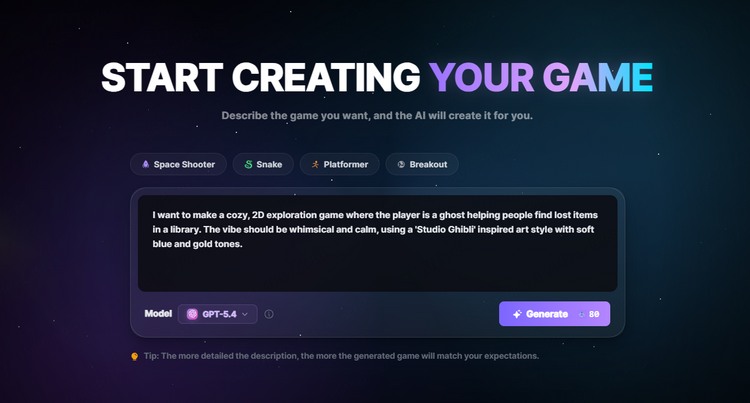
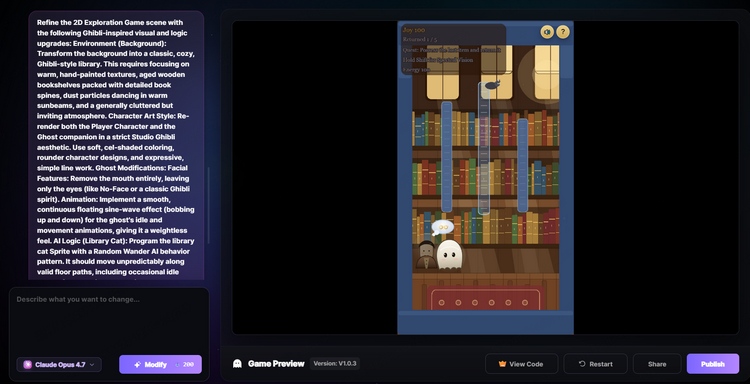
For example, you can tell AI, “I want to make a cozy, 2D exploration game where the player is a ghost helping people find lost items in a library.”
Describe the World
Now, paint the picture. Here’s the part where you pick out your genre and the look you’re after. In 2026, AI engines like SoonLab or Rosebud AI can generate environments based on your descriptions of lighting, colors, and perspective (e.g., top-down, side-scroller, or 3D).
Focus on Setting (a cyberpunk city, a magic forest), Art Style (pixel art, low-poly, hyper-realistic), and Atmosphere (gloomy, neon, sunny).
Establish the Rules
A game without rules is just a movie. You need to tell the AI how the player interacts with the world. You don’t need math formulas; you just need logic. You need to define the mechanics and the win/loss conditions.
Iterate (Human-in-the-Loop)
This is where Vibe Coding shines. The AI will provide a first draft, and it will probably be a little "off." Your job is to act as the Director and refine the output.
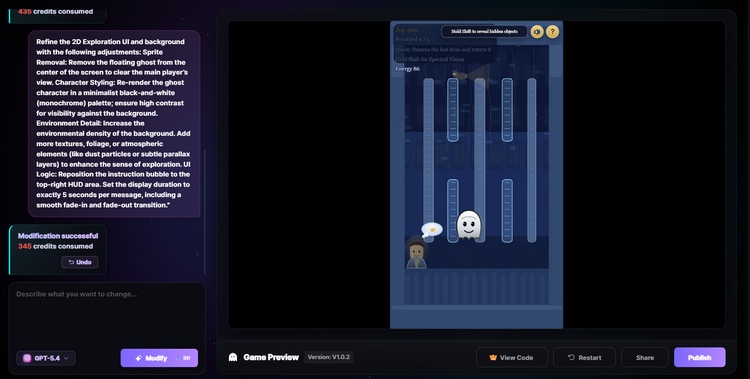
The feedback loop works like this: play the prototype and identify what needs a tweak. If a ghost moves too fast, you simply tell the engine: "Slow down the movement by 20% and add a trail effect."
The key is continuous refinement. You keep talking to the engine until the "feel" of the game matches your original vision. This "Human-in-the-Loop" process is what separates a generic, AI-generated project from a truly polished game.
Test and Play
Once the mechanics are solid, it's time to break it. Play through your game looking for bugs—like characters getting stuck in walls or scores not resetting. In modern engines, you can often fix these by simply pointing them out to the AI.
Most AI game makers now have a "Share" button. You can send a link to your friends and have them play your game instantly in their browser.
Wait, Is It Really That Easy? (The Truth About No-Code Game Dev)
The barrier to entry for game development might have crumbled, but the barrier to quality remains. While "Vibe Coding" feels like magic at first, you'll quickly realize that you aren't just a creator—you are an editor, a manager, and a detective.
If you treat the AI like a genie that grants wishes, you’ll end up with a mess. If you treat it like a powerful engine that needs a skilled driver, you’ll build something incredible. Here is the reality check on the "no-code" lifestyle.
The Death of "Make it Better"
This is a matter of Resolution. When you’re deep in the "Vibe," it’s tempting to use vague language. However, in development, "better" is an invisible, useless metric. You have a rough idea and a simple prompt to start with, which is okay for the first 5% of the project, but the magic happens in the Iteration.
- The Problem: If an animation is laggy or a character moves weirdly, saying "make it better" is a gamble. The AI might change the colors, simplify the physics, or rewrite the entire script—potentially deleting your scoring system or a complex Bazi-inspired mechanic in the process.
- The Fix: You must learn to describe the symptom precisely. Instead of "it's broken," you need to say: "The image appears 2 seconds after the text, but they should appear at the same time." Precision is the only currency the AI truly respects.
Guided Debugging vs. Random Guessing
This is a matter of Diagnostics. Vibe Coding is a constant conversation, but if you don't know the "language of problems," that conversation breaks down. When a Vibe Coder hits a wall, they often don't know what to ask the AI to fix. It’s the difference between knowing "the car won't start" and knowing "the battery is dead."
You have to know which "room" in your game’s architecture contains the problem.
- The Problem: Is it a visual bug (it shows the wrong icon)? A logic bug (the score doesn't increase)? Or a data bug (the game is pulling the wrong information)? If you don't know where to look, you will keep asking the AI to "fix the screen" when the problem is actually in the "brain" of the game.
- The Fix: You must be the Project Lead who can point a finger at the specific system that is failing. You are pointing the AI to the right room so it doesn't spend time cleaning the wrong house.
Mastering this means understanding that the AI doesn't "know" your game; it only knows what you tell it. If you provide a high-resolution description of the wrong system, you still get a broken game.
Testing is a Skill, Not a Task
Zero-experience users often assume the AI "tested" the code before providing it. It didn't. The AI generates what sounds right based on your prompt, but it doesn't actually "play" the game to see if it’s fun or functional.
- The Difficulty: You have to act as the Quality Assurance (QA) lead. You need to "break" your own game on purpose to find the edge cases.
- The Vibe Coding Trap: If you don't know how to test—like clicking the same button twice in a row, refreshing the page during a transition, or trying to move your character into a corner to see if they clip through—you’ll end up with a game that looks finished but crashes the moment a real user touches it.
What Kind of Game Should You Make First?
The biggest mistake new developers make is trying to build their "Dream RPG game" on day one. In the world of no-code and AI-dev, scope creep is your greatest enemy.
To master the skills of precision and diagnostics we discussed in the previous section, start with a 2D, hyper-casual game with a simple core loop.
Here are three beginner-friendly blueprints that are perfect for your first project in 2026:
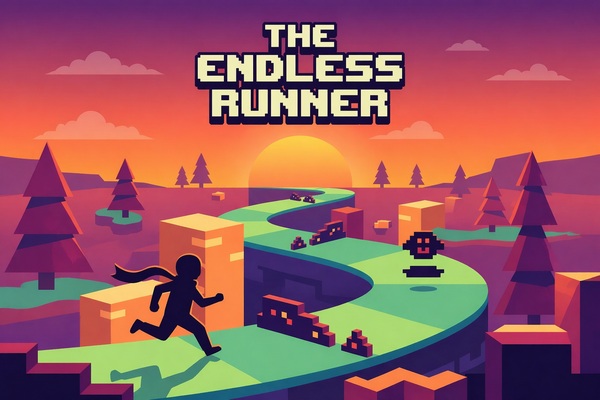
The Endless Runner (The "Action" Start)
This is the "Hello World" of game dev. It teaches you about movement, collision, and timing. It’s perfect for AI because you can focus entirely on the "vibe."
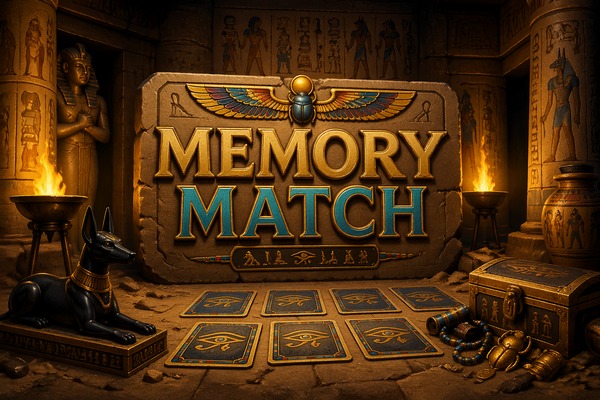
Memory Match (The "Logic" Start)
This is the ultimate logic test. A Memory Match game relies entirely on a "matching variable" (does Card A = Card B?). If the logic is slightly off, the game is unplayable, even if the cards look beautiful.
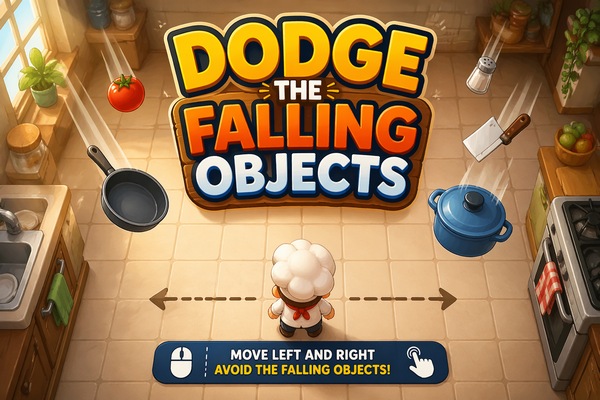
Dodge the Falling Objects (The "Visual" Start)
This is all about the "Vibe." You’ll focus on the parallax scrolling of the background and the arc of the jump. You’ll practice describing the physical resolution of the movement.
Final Thought
Game development without coding is a sophisticated, professional methodology that prioritizes intent over syntax. We are moving away from an era where your potential was limited by how many programming languages you could memorize, and into an era where your potential is limited only by the clarity of your vision.
The Golden Rule for 2026: Don't wait for a "perfect" idea to start. The AI is a collaborative partner that thrives on momentum. Start with a simple "Logic" or "Visual" prototype today, learn the language of precision, and watch as the wall between "player" and "creator" finally disappears.