
If I needed a direct GameMaker alternative for a new project, I would start with Godot. It is the closest all-round answer for developers who still want a traditional engine, strong 2D tools, room for 3D, and no commercial engine fee.
That does not make Godot the automatic winner. Construct 3 is a better fit for a visual 2D workflow. Unity makes more sense when C#, third-party tools, or a mature 3D pipeline matter. GDevelop lowers the coding barrier, while Defold offers a leaner code-first route. And if the real goal is to validate an idea rather than replace a production engine, an AI workflow such as SoonLab may save more time than another engine migration.
The right choice depends less on the longest feature list and more on what is slowing you down in GameMaker now.
My Quick Picks for the Best GameMaker Alternatives
- Best overall alternative: Godot
- Best visual 2D workflow: Construct 3
- Best free option with minimal coding: GDevelop
- Best for C# and a large production ecosystem: Unity
- Best for ambitious 3D: Unreal Engine
- Best lightweight code-first engine: Defold
- Best for idea-to-play prototyping: SoonLab
If your current GameMaker project is progressing well, I would not move it simply because another engine looks more flexible. Rebuilding working systems, relearning the editor, and replacing extensions can cost more than the new engine saves. A switch makes sense when the next tool removes a limit that is already affecting the game.
GameMaker Alternatives Compared by the Decisions That Matter
| Option | Best for | 2D / 3D | Main workflow | Pricing model | Main trade-off |
|---|---|---|---|---|---|
| Godot | Most developers seeking a direct replacement | Strong 2D; capable 3D | Nodes, scenes, GDScript or C# | Free and open source | You must rethink projects around scenes and nodes |
| Construct 3 | Fast visual 2D development | 2D-focused; limited 3D use | Event sheets with optional JavaScript | Subscription; restricted free edition | Less suitable for code-heavy or ambitious 3D projects |
| GDevelop | Beginners and no-code 2D projects | 2D-first with 3D features | Event system with JavaScript extensions | Open-source editor; paid services available | Complex systems can make event sheets harder to manage |
| Unity | C# developers and larger cross-platform projects | 2D and strong 3D | Components, GameObjects, C# | Free and paid plans | More editor and project complexity than GameMaker |
| Unreal Engine | High-fidelity 3D and advanced rendering | 3D-first | Blueprints and C++ | Royalty terms apply after the revenue threshold | Too heavy for most small 2D games |
| Defold | Lean 2D, mobile, and web projects | Strong 2D; usable 3D | Components and Lua | Free with no engine royalties | Smaller ecosystem and a more code-led workflow |
| SoonLab | Playable concept validation, idea to game | Browser-playable 2D and 3D concepts | Natural-language generation and iteration | Freemium | Not a substitute for full engine-level control |
The 7 GameMaker Alternatives I Would Consider
1. Godot: The Best Overall Alternative to GameMaker
Godot is my first recommendation because it solves the most common reasons for leaving GameMaker without pushing every developer into a much heavier engine. It has a dedicated 2D renderer, a full 3D environment, a compact scripting language, C# support, and an MIT-licensed open-source codebase. The official Godot feature overview also makes an important platform distinction: standard exports cover desktop, mobile, and web, while console releases normally involve approved third-party providers.
The transition is not just GML to GDScript. GameMaker encourages you to think in objects, rooms, and events. Godot asks you to build reusable scenes from nodes and connect behavior through scripts and signals. Developers in a GameMaker community comparison describe both sides of that change: some find Godot more intuitive because its structure matches object-oriented programming, while others still value GameMaker’s faster start.
I would choose Godot for a new 2D RPG, simulation, systems-heavy game, or project that may expand into 3D. I would not migrate a nearly finished GameMaker platformer unless the current tool is causing a specific production or publishing problem.
For a closer two-engine decision, read this full GameMaker vs Godot comparison.
Main trade-off: You gain flexibility and source access, but lose GameMaker’s highly focused object-and-event workflow and must rebuild engine-specific code.
2. Construct 3: The Best Choice for Visual 2D Development
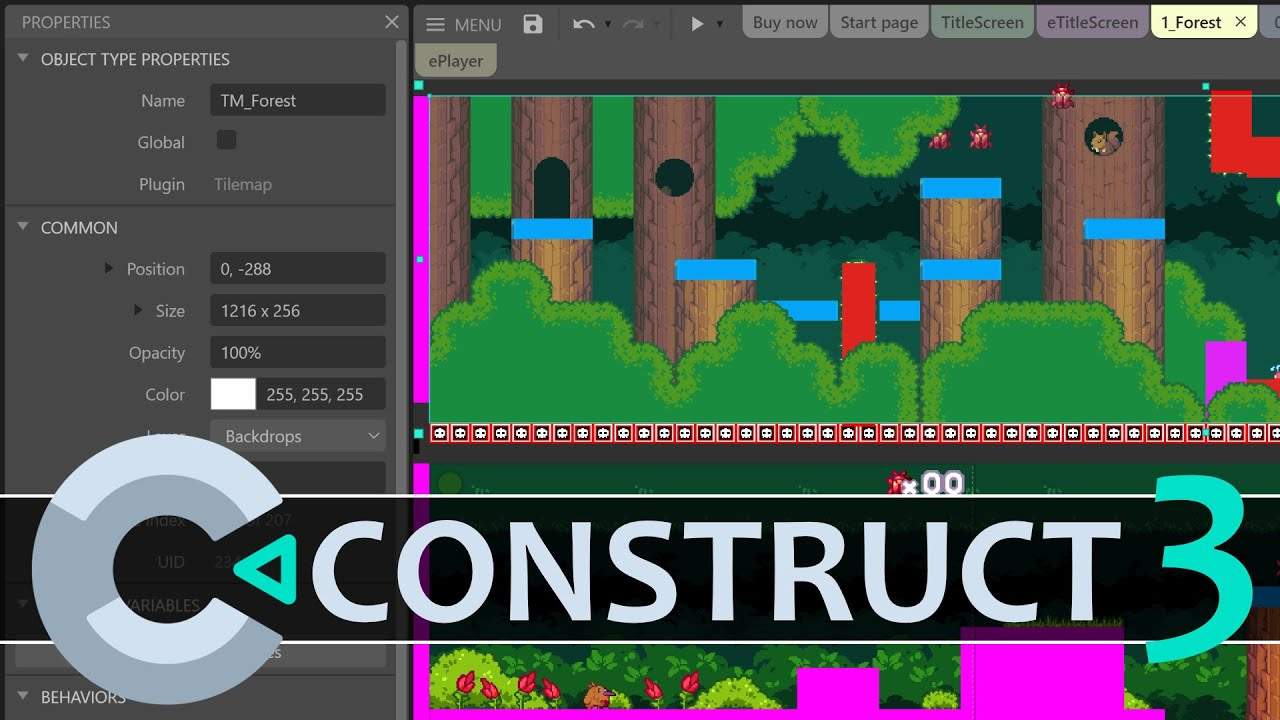
Construct 3 is the GameMaker alternative I would examine first if writing GML is not the part of development you enjoy. Its event sheets make conditions and actions visible, while JavaScript remains available when the project needs custom logic. Because the editor runs in a browser and supports live previews, it is especially convenient for web games, playable ads, classroom projects, and quick 2D iteration. The official Construct overview lists desktop, mobile, and web publishing paths.
The similarity to GameMaker is practical rather than architectural: both help you reach a moving, interactive 2D scene quickly. Construct leans further into visual logic and web technology. That can be a relief for designers, but a large event-sheet project still needs disciplined naming, grouping, and data design.
I would choose Construct for a browser-first puzzle game, arcade game, educational game, or small mobile title built by a visual thinker. I would not choose it as my route into advanced 3D or if my main goal were to develop deeper general-purpose programming skills.
Main trade-off: You get a faster visual workflow, but accept a subscription model and a narrower technical ceiling than a code-first general engine.
3. GDevelop: The Best Free GameMaker Alternative for Minimal Coding
GDevelop is the most natural answer to “I want GameMaker’s accessibility, but I want a free and open-source starting point.” Its event-based game creation workflow handles behavior without requiring traditional code, and JavaScript extensions offer a path beyond the visual layer. It also targets web, desktop, and mobile games.
I see GDevelop as a stronger fit for beginners than for developers leaving a large, code-heavy GameMaker project. Visual events remove syntax friction, but they do not remove the need to structure state, UI, enemies, data, and reusable behavior. As a game grows, a readable event sheet can become its own engineering challenge.
I would choose it for a first 2D game, a game jam, a small browser release, or a designer-led prototype. If I already had substantial GML experience and wanted more architectural control, I would move toward Godot, Unity, or Defold instead.
Main trade-off: The entry barrier is low, but complex projects can outgrow an event-first workflow unless they are carefully organized.
4. Unity: The Best Move for C#, 3D, and a Large Ecosystem
Unity is a sensible move when the project—not the trend around a tool—demands a broader production ecosystem. It supports 2D and 3D development, uses C#, and has a deep supply of assets, plugins, tutorials, middleware integrations, and experienced developers. Unity’s current engine overview lists desktop, mobile, console, web, and XR targets, although access and plan requirements differ by platform.
For someone coming from GameMaker, Unity introduces more concepts and more editor overhead. Components, prefabs, packages, rendering pipelines, and project settings give you options, but every option is another decision. For a small 2D platformer, that extra surface area may not improve the game.
I would choose Unity for a commercial 2D or 3D project that benefits from C#, specialist plugins, established hiring pipelines, or long-term live development. I would not switch only to make a familiar GameMaker-sized game in a more complicated environment.
Main trade-off: You gain ecosystem depth and broader production paths, but pay with a steeper learning curve and more project complexity.
5. Unreal Engine: The Best Option When the Project Has Become a 3D Project
Unreal Engine belongs on this list for one clear case: the idea has moved far enough into advanced 3D that GameMaker’s strengths no longer match it. Unreal gives artists and technical designers a mature 3D editor, advanced rendering, a large toolset, Blueprints for visual scripting, and C++ for deeper systems.
This is not the “better GameMaker.” It is a different production environment with different hardware demands, build sizes, terminology, and team roles. Epic’s current game licensing terms state that the standard royalty applies after the first US$1 million in worldwide gross product revenue; the exact agreement should be checked before release.
I would choose Unreal for a visually ambitious 3D action game, first-person project, or virtual world that can justify the pipeline. I would not choose it for a small pixel game merely because Blueprints appear easier than code.
Main trade-off: You gain a high-end 3D stack, but take on the heaviest editor, learning, performance, and production burden in this group.
 Also Read:
6. Defold: The Best Lightweight Alternative for Developers Who Prefer Code
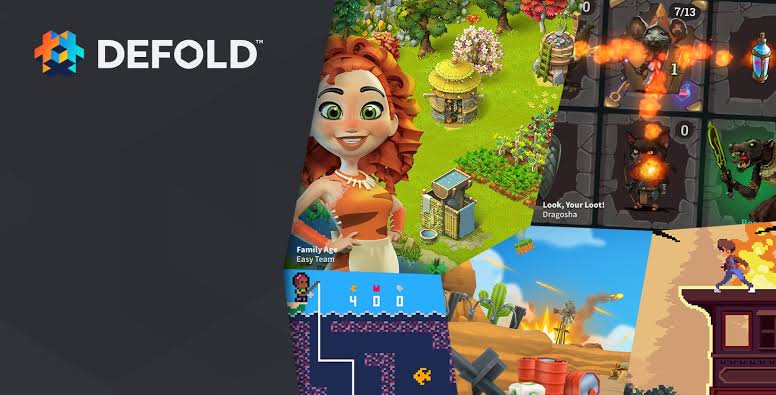
Defold is easy to overlook because its community and asset ecosystem are smaller, but its priorities are unusually clear. It uses Lua, keeps the engine footprint small, supports hot reload, and targets desktop, mobile, web, and consoles. The official Defold overview states that the engine has no licensing fee, royalty, or runtime fee.
The editor combines scenes, components, collections, and scripts, so this is not a no-code replacement. I would consider it when fast builds, mobile or HTML5 delivery, and control through a lightweight scripting language matter more than having the largest marketplace.
For a developer who likes writing GML but dislikes the idea of moving into a much larger editor, Defold can be a more proportionate change than Unity. The cost is that fewer tutorials, extensions, and ready-made systems exist for uncommon problems.
Main trade-off: You get a lean, predictable engine and deployment model, but a smaller ecosystem and less beginner-oriented visual guidance.
7. SoonLab: The Best Alternative When You Need a Prototype
Some searches for GameMaker Studio or GameMaker Studio 2 alternatives hide a different problem: the developer does not want to spend the next few days rebuilding movement, collisions, UI, and placeholder content just to learn whether an idea is fun.
In that case, I would try a prompt-to-play workflow before changing production engines. SoonLab turns a written game idea into a playable browser game, then lets you revise the result through follow-up instructions. It is useful for comparing mechanics, communicating a concept, and collecting early feedback on a 2D or 3D idea.
Turn your idea into aplayable game
Describe the game you want to make, and SoonLab will help you start building it.
SoonLab is not a direct replacement for GameMaker, Godot, Unity, or Unreal. It does not offer the same low-level code, debugging, or platform pipeline. A downloaded HTML game also should not be treated as a project that can be imported directly into those engines for normal editing.
I would use SoonLab before production when the expensive question is “Is this concept worth building?” Once the answer is yes, I would choose the engine based on the final game’s code, platform, performance, collaboration, and publishing needs. A focused game prototype maker workflow is also useful when the test needs to stay deliberately small.
Main trade-off: You reach a playable concept faster, but it is not a substitute for the control and production pipeline of a traditional engine.
Should You Actually Leave GameMaker?
I would switch only if I could finish this sentence: “My current project needs ___, and GameMaker is making that need materially harder.” A clear answer might be built-in 3D tools, open-source access, C#, a visual event workflow, a specific platform pipeline, or faster concept validation.
Price alone is no longer a simple reason to leave. Under GameMaker’s current licensing, non-commercial use is free and a Professional commercial license is a one-time US$99.99 purchase; console export requires Enterprise access. That may be cheaper than spending weeks migrating a project that already works.
Changing engines also does not convert a project automatically. GML code, room structure, objects, shaders, extensions, platform services, and build scripts may all need to be recreated. Assets such as images and audio can often move, but the game logic and editor setup usually cannot.
If the project is early, switching is much cheaper. If it is late, I would usually finish the current game and test the alternative on the next small project.
How to Choose the Right GameMaker Studio Alternatives?
- 1. Name the constraint. Decide whether the issue is 3D, code structure, visual scripting, licensing, export targets, collaboration, performance, or prototype speed.
- 2. Remove options that do not solve it. If you need advanced 3D, Construct and GDevelop should not stay on the shortlist. If you need a simple 2D workflow, Unreal should leave it.
- 3. Build the same tiny vertical slice. Use one room or level, one player action, one enemy or obstacle, a score or health state, UI, sound, and a restart.
- 4. Export it to the real target. An editor demo tells you very little about web performance, mobile controls, store services, or console requirements.
- 5. Count migration work honestly. List the code, extensions, shaders, assets, platform integrations, and team knowledge that cannot move with you.
The best engine is not the one that wins a feature comparison. It is the one whose missing features do not threaten this project—and whose workflow you can still tolerate after the prototype becomes production.
FAQs About Alternatives to GameMaker Studio
What is the best alternative to GameMaker?
Godot is the best overall alternative for most developers because it supports dedicated 2D development, capable 3D, GDScript and C#, and an open-source license. Construct 3 may be better for visual 2D work, while Unity is stronger when C# and a larger commercial ecosystem matter.
Is there a free alternative to GameMaker?
Yes. Among free GameMaker alternatives, Godot is the strongest general-purpose choice and is open source for commercial and non-commercial use. GDevelop is another open-source option with a visual event system, and Defold is free with no engine royalties. Remember that platform accounts, console porting, assets, services, and distribution can still create costs.
Is Godot better than GameMaker?
Godot is better when you need open-source access, built-in 3D tools, reusable scene architecture, or more language choices. GameMaker can still be better for reaching a polished 2D game quickly through a focused object-and-event workflow.
Should I switch from GameMaker to Godot?
Switch if Godot solves a concrete problem in a new or early project. Do not restart a healthy project only because Godot is free or popular. First rebuild one small vertical slice and compare development speed, debugging, structure, and export work.
What is easier than GameMaker?
For visual logic, GDevelop or Construct 3 may feel easier because they reduce the need to write code. They do not remove game-design or project-organization work. For prompt-based concept testing, SoonLab is faster, but it is not a full production engine.
What should I use instead of GameMaker for 3D games?
I would start with Godot for smaller indie 3D projects, Unity when C# and ecosystem depth matter, and Unreal Engine for high-fidelity 3D that can justify a heavier pipeline. GameMaker can produce 3D, but it is rarely the most efficient starting point for a new 3D-first game.
Can I move a GameMaker project directly to another engine?
No practical one-click migration exists. You can reuse suitable source assets, data, and design documents, but engine-specific code, object behavior, scenes or rooms, shaders, extensions, and publishing integrations normally need to be rebuilt.
Final Recommendation
Among the current GameMaker alternatives, Godot is the strongest default for a developer who wants another traditional engine. Choose Construct 3 or GDevelop when visual 2D creation matters more than code. Choose Unity for C# and ecosystem depth, Unreal for a genuinely demanding 3D project, and Defold for a lean code-first workflow.
If none of those choices addresses the real problem, do not migrate yet. Finish the game in GameMaker—or use SoonLab to validate the next idea before committing it to any engine. A clear prototype is a better reason to choose a tool than a longer feature list.