
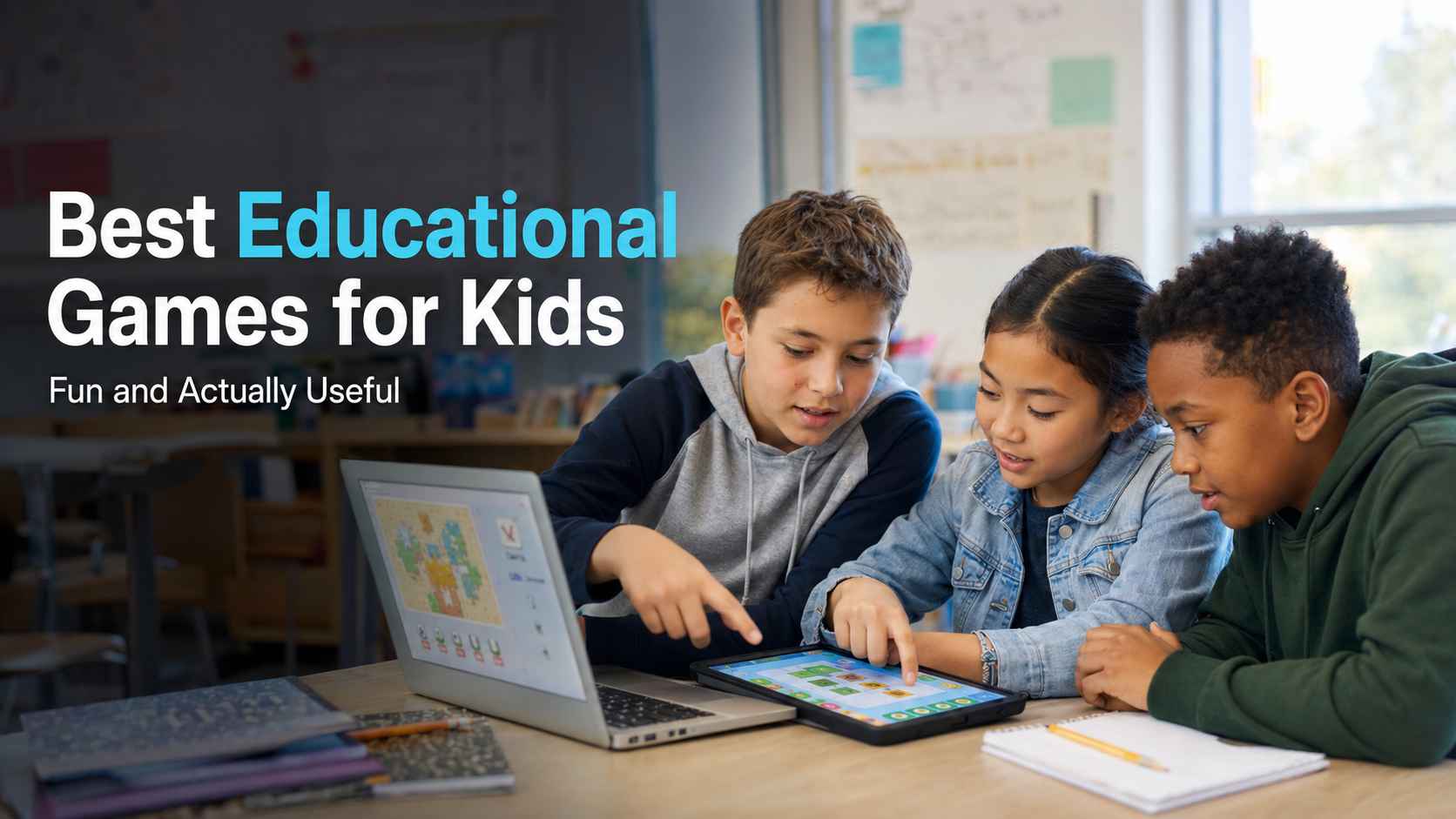
I have seen many products called "educational games" that are really worksheets with points, badges, or cartoon characters added on top. A child may finish more questions, but that does not always mean the child understands more.
The games I recommend here offer something better. Solving a problem, testing an idea, building something, or making a decision is part of the play itself. The child has a reason to think because thinking helps the game move forward.
I reviewed these educational games for kids by age, subject, cost, play style, setup, and learning value. I also checked independent expert reviews and parent or student feedback where enough was available. My goal is not to tell you that every child needs more screen time. It is to help you decide whether one of these games fits your child or students—and why.
 Quick Summary
If I were choosing for a young child, I would start with Khan Academy Kids because it is broad, easy to use, and completely free. For a child who needs more math practice but dislikes worksheets, I would try Prodigy Math. For creative projects, I would choose Minecraft Education. For coding, I would start with Code.org and move to Scratch when the learner is ready to create more freely.
12 Best Educational Games for Kids in 2026
I focused on three things: whether learning is part of the gameplay, whether the challenge and feedback help children improve, and whether the age range, cost, and setup are practical. I also checked independent reviews where useful. Popularity and star ratings can show that a game is enjoyable, but they do not prove that it will help every learner.
1. Khan Academy Kids
Best for: Free early learning
Suggested age: 2–8
Cost: Free, with no ads or subscriptions
Khan Academy Kids brings early reading, writing, math, social-emotional learning, and creative activities into one child-friendly app. Short tasks and stories make it easy to use at home or in an early-years classroom.
This is my strongest general recommendation for families with young children because there is no subscription pressure and the activities go beyond repeated ABC and number drills. Children can move between guided lessons, books, drawing, songs, and creative activities, so the experience does not feel like one long worksheet.
Independent feedback supports that view. Common Sense Media's review gives the app high marks for educational value and ease of play. Its summary of 19 parent reviews highlights engaging lessons and age-adjusted difficulty, although some parents also report technical problems. Nineteen reviews is a small sample, so I treat it as useful context rather than final proof.
Best fit: Preschool and early elementary learners who need broad practice without ads or purchases. Older children who need deeper work in one subject should choose a more focused option.
2. Prodigy Math
Best for: Math practice inside a fantasy adventure
Suggested grade: 1–8
Cost: Educational content is free; optional memberships add extra features
Prodigy Math turns curriculum-aligned math practice into quests and fantasy battles. Children answer questions to continue through the game world, while parents and teachers can use progress tools to see the skills being practiced.
I recommend Prodigy mainly for practice. The RPG structure gives repeated math questions a reason to continue, which can help children who resist a standard problem sheet but enjoy collecting, exploring, and progressing through a fantasy world.
Best fit: Children in grades 1–8 who understand the basic concept and need more repetition. It is less suitable when a child needs a new idea explained from the beginning.
That limitation is reflected in a large pool of independent feedback. Common Sense Media's Prodigy review, which includes links to 494 parent and 646 child reviews, concludes that the game is "best suited for practice rather than instruction." Reviewers also warn that battles, pets, upgrades, and membership prompts can pull attention away from math.
My advice is simple: let the child play, but ask them to explain one or two answers afterward. If they can win but cannot explain the math, the game is creating activity rather than understanding.
3. Minecraft Education
Best for: Creative projects across several subjects
Suggested age: Elementary school and up
Cost: Requires a license or access through an eligible school or organization
Minecraft Education uses a familiar block-building world for lessons in science, math, computer science, history, language, art, and more. Students can explore prepared lessons or work together on a teacher-designed challenge.
Minecraft Education is one of my favorite choices for project-based learning because students learn by building, testing, planning, and collaborating. A lesson can become a place they explore or a system they construct—from modeling a habitat to recreating a historical setting.
Best fit: Students who enjoy making things and teachers who can frame a clear challenge. I would not use it as unstructured "learning time." The task still needs a goal, useful limits, and a way for students to explain what they made or discovered. If Minecraft Education is not the right fit, explore these games like Minecraft for more building, exploration, and creative-play options.
Feedback on Minecraft more broadly helps explain both its appeal and its risk. In Common Sense Media's current summary of 403 parent reviews and 1,990 child reviews, creativity is a repeated strength, while some families raise concerns about excessive play and difficult behavior when limits are unclear. That is why I see Minecraft Education as a guided project tool, not digital free time.
4. DragonBox
Best for: Understanding math through visual puzzles
Suggested age: 4 and up, depending on the app
Cost: Paid apps
DragonBox offers focused math games for numbers, multiplication, algebra, and geometry. Instead of starting with formal rules, many activities let children manipulate visual objects and discover patterns through play.
DragonBox stands out because the learning action is built into the puzzle. Children experiment, notice relationships, and develop an intuitive sense of a concept before meeting more formal notation. I prefer this approach to a game that simply places a standard equation between two unrelated animations.
Best fit: Visual learners and children who enjoy puzzles. DragonBox is not a complete math course, and each paid app covers a focused area, so check the topic and age range before buying.
5. PBS Kids Games
Best for: Short early-learning games with familiar characters
Suggested age: Preschool and early elementary
Cost: Free
PBS Kids Games includes browser and app-based activities connected to familiar PBS Kids programs. Topics include reading, math, science, problem-solving, feelings, and everyday routines.
I recommend PBS Kids Games when a young child needs a safe, low-pressure starting point. Familiar characters reduce the barrier to beginning, and most games are short enough to fit into a home routine or classroom station.
Best fit: Preschool and early elementary learners who enjoy PBS characters. Learning depth varies across the collection, so choose a specific game for the skill you want to support.
6. Code.org
Best for: Structured coding and computer science lessons
Suggested grade: K–12
Cost: Free
Code.org provides coding puzzles, creative projects, and longer computer science courses for different ages and experience levels. Many beginner activities use visual blocks, so students can focus on sequence, logic, loops, and events without typing complex code.
Code.org is the coding option I would choose when a learner needs structure. Students solve one manageable problem, receive immediate feedback, and use the same idea in a slightly harder challenge. Teachers can also select a course that fits the class level instead of designing a coding sequence from zero.
Best fit: Beginners who benefit from clear steps. Some activities feel more like a course than a game, so creative learners may want to move to Scratch after learning basic events, sequences, and loops.
7. Scratch
Best for: Creating games, stories, and animations
Suggested age: Mainly 8–16
Cost: Free
Scratch lets children build interactive projects with visual coding blocks. Instead of only playing someone else's educational game, they can design rules, animate characters, add scores, and debug their own ideas.
Scratch is my top choice for children who are ready to stop only consuming games and start making them. Creating a project combines logic with storytelling, art, systems thinking, and persistence. When something fails, the child has a meaningful reason to debug it: they want their own idea to work.
Best fit: Learners from about age eight who want to create rather than only play. Beginners may need a small starting challenge, such as "make a character collect five objects."
I would also separate the coding tool from its public community. Common Sense Media's Scratch review recognizes strong educational and creative value, but its summary of 89 parent and 428 child reviews raises concerns about community moderation and inappropriate user-generated content. For a younger learner, I would use the offline editor or supervise public browsing and sharing.
8. Duolingo ABC
Best for: Foundational reading practice
Suggested age: 3–7
Cost: Free
Duolingo ABC offers short activities and stories that support early literacy. Lessons cover skills such as letter recognition, phonics, vocabulary, and reading comprehension.
I recommend Duolingo ABC for short, focused literacy practice. Clear audio, visual cues, and repetition help a young child work on one skill at a time without a long lesson.
Best fit: Children learning letters, sounds, and early reading. I would use it alongside shared reading and conversation, not as a replacement for them.
9. iCivics
Best for: Learning how government and civic systems work
Suggested grade: Mainly middle and high school
Cost: Free
iCivics places students inside civic roles and systems. Depending on the game, a player may argue a court case, run a campaign, manage public services, or decide whether a person has a constitutional right.
iCivics is the strongest option on this list for turning abstract civic terms into decisions with visible results. Students do not only memorize how a system is supposed to work. They take a role and see how rights, rules, budgets, and public choices affect other parts of that system.
Best fit: Middle and high school students, especially when a teacher can lead a short discussion afterward. Ask students to explain their decisions and the trade-offs they faced.
10. National Geographic Kids Games
Best for: Informal science, animal, geography, and nature discovery
Suggested age: Elementary school
Cost: Free
National Geographic Kids Games includes quizzes, puzzles, and short activities about animals, science, space, history, and the natural world.
I recommend this collection for curiosity rather than formal instruction. A quick animal or science game can lead to a fact page, a new question, or a conversation about a place the child did not know before.
Best fit: Elementary-age children who enjoy nature, animals, space, or quick quizzes. I would use it to spark further reading or a small research task, not as a complete curriculum.
11. ABCya
Best for: Quick browser-based practice across many subjects
Suggested grade: Pre-K–Grade 6
Cost: Free access with premium options
ABCya offers hundreds of short games covering math, reading, typing, logic, strategy, and seasonal topics. Games can be browsed by grade and subject.
I recommend ABCya when a parent or teacher needs a quick browser activity for a specific grade or skill. Its large library and simple access are the main advantages.
Best fit: Short practice sessions from Pre-K through Grade 6. Preview the exact game and check whether the player must use the target skill to succeed—or is simply answering questions for points.
12. Osmo
Best for: Combining physical play with digital feedback
Suggested age: Mainly 3–12, depending on the kit and game
Cost: Paid kit; requires a compatible device
Osmo uses physical pieces, drawing, letters, numbers, or objects with an app that responds to what the child does in front of the screen.
Osmo is the option I would consider for a child who learns better by touching and moving real objects. Physical pieces can make spelling, drawing, math, and coding feel more concrete than tapping a flat screen.
Best fit: Families or classrooms that already have a compatible device and can justify the cost. Check the required base, pieces, app, and device before buying.
The value also depends on the individual kit. For example, Common Sense Media's expert Osmo Coding review praises the hands-on connection between physical blocks and coding logic, while also noting that the required system and pieces are expensive. That is a fair summary of my view: distinctive and useful, but not necessary for every family.
Why I Believe Educational Games Can Help
The research is encouraging, but it needs to be interpreted carefully. A 2024 systematic review and meta-analysis of game-based learning in early childhood reported positive effects on cognitive development, motivation, and engagement. The reported effect sizes were 0.46 for cognitive outcomes, 0.40 for motivation, and 0.44 for engagement.
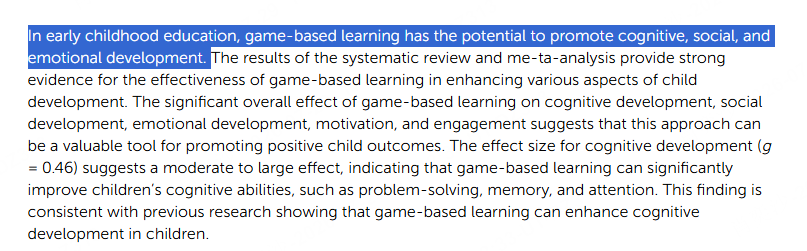
Those numbers do not prove that every app works. They tell me that well-designed game-based learning can help, especially when the activity fits the learner and has a real educational purpose.
Adult involvement also matters. A separate 2024 meta-analysis covering 17 studies and 1,288 children ages 0–6 found a small positive relationship between learning and using digital media with an adult. That is one reason I recommend playing alongside a younger child at least once instead of simply handing over a device.
How to Choose the Right Educational Game for Your Child or Class
I use this short checklist before recommending a game:
- Set one learning goal. "Learn math" is too broad. Practicing multiplication or understanding fractions gives you a clearer way to judge the game.
- Match the learner, not only the age label. Consider reading level, prior knowledge, motor skills, and whether the child prefers stories, puzzles, building, or competition.
- Check access and safety. Review the real cost, device requirements, ads, purchases, privacy settings, chat, and public sharing before the child starts.
- Play together once. Ask what the child is trying to do, what changed after a mistake, and whether the same idea works outside the game.
The American Academy of Pediatrics' media guidance also recommends considering the child, the content, how media affects them, and what it replaces. Even a useful learning game should leave room for sleep, movement, reading, relationships, and offline play.
Cannot Find the Right Learning Game? Make One
I would choose an existing game first when its subject, age range, and activity already fit the goal. It is faster, and mature products usually have more polished content. But sometimes a parent or teacher needs something more specific:
- a vocabulary game using this week's word list;
- a history challenge based on one class topic;
- a matching activity for a particular set of images;
- a short science simulation with your own rules;
- or a quiz that feels more like a playable adventure.
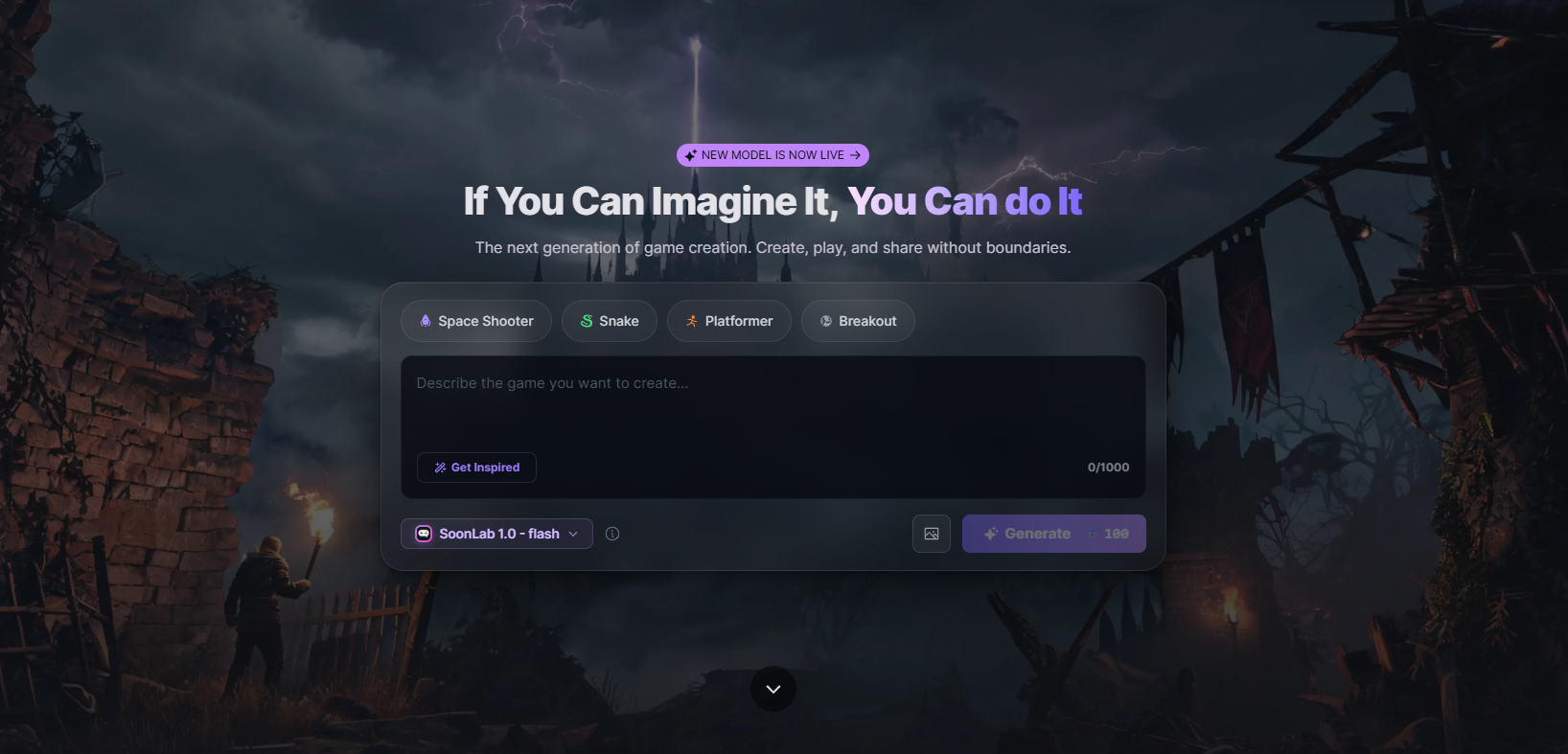
That is where I would consider SoonLab's AI educational game maker. You describe the lesson, player action, goal, feedback, and visual style in plain language. SoonLab then creates a playable browser game that you can test and refine without writing code.
Turn your idea into aplayable game
Describe the game you want to make, and SoonLab will help you start building it.
For example:
Create a short ecosystem game for students ages 10–12. The player places plants and animals into a pond food web. Give immediate feedback when a connection is correct, explain incorrect choices in one sentence, add a progress bar, and end with a five-question challenge.
I recommend starting with one learning objective and one simple game loop. Always test the result yourself before sharing it with students, then revise unclear instructions, incorrect content, or weak feedback. An AI-generated game still needs adult review.
If your lesson is based on pairs, terms, images, or definitions, you can also use SoonLab's matching game maker.
FAQs
What are the best educational games for kids?
My choice depends on the goal. I recommend Khan Academy Kids for broad early learning, Prodigy Math for repeated math practice, Minecraft Education for guided creative projects, Code.org for structured coding, Scratch for game creation, and iCivics for civic learning.
What educational games are free?
Khan Academy Kids, PBS Kids Games, Code.org, Scratch, Duolingo ABC, iCivics, and National Geographic Kids offer free learning experiences. Prodigy provides free educational content with optional paid features. Always check current access terms before choosing a product for a class.
What is the best educational math game?
For repeated curriculum-aligned practice, I would choose Prodigy Math. For visual puzzles and concept discovery, I would choose DragonBox. The decision depends on whether the child needs practice, a new way to understand the concept, or both.
Are educational games good for children?
Yes, but I would not assume that every game with an educational label is beneficial. It can help when the game fits the child, the learning goal is clear, and play does not replace sleep, movement, reading, relationships, or other important activities.
How can I tell whether a game is truly educational?
I watch what the child must do to succeed. If the target skill is part of solving the problem, making a decision, building, or creating, the learning is connected to play. If the child only answers a quiz to unlock an unrelated reward, I treat it as practice—not a rich learning experience.
How much screen time should children spend on learning games?
There is no single number that fits every child and situation. Consider the quality of the content, the child's response, the purpose of use, and what the screen time replaces. A family media plan can help set practical boundaries for school days, weekends, bedrooms, and shared family time.
Can children create their own educational games?
Yes. Scratch lets children build games with visual code. With SoonLab, a child, parent, or teacher can describe a game in plain language and generate a playable version without coding. Creating a game can help learners organize knowledge, write clear rules, test ideas, and improve a project after feedback.
Final Thoughts
I do not recommend educational games simply to keep children busy. I recommend them when they give a learner a reason to think, experiment, create, and try again.
Choose one game that matches a clear learning goal and play it with the child at least once. Then look beyond the score. Ask what they discovered, what strategy changed, and whether they can use the idea somewhere new.
For me, that is the difference between a game that contains questions and a game that genuinely supports learning.