
If you want to make a traditional 2D game and start quickly, GameMaker is usually the easier choice. If you need a free, open-source engine for both 2D and 3D projects, Godot offers more flexibility for long-term development.
This GameMaker vs Godot comparison covers ease of use, 2D and 3D development, programming languages, pricing, export options, and project fit. By the end, you should have a clearer idea of which engine is right for your skills, game type, and future plans.
GameMaker vs Godot at a Glance
| Category | GameMaker | Godot |
|---|---|---|
| Best for | Focused 2D development | Flexible 2D and 3D development |
| Beginner experience | Faster initial setup | Simple after learning nodes and scenes |
| Main language | GML | GDScript |
| Other coding options | GML Visual | C# and C++ extensions |
| 2D development | Main strength | Dedicated 2D toolset |
| 3D development | Limited and not the main focus | Built-in 3D engine |
| License | Free for non-commercial use; paid commercial license | Free and open source under the MIT license |
| Best first choice | A small 2D game you want to finish quickly | A project that may grow in scope or move into 3D |
Quick verdict: choose GameMaker for a direct route into 2D development. Choose Godot when flexibility, open-source access, or 3D support matters more. If you are comparing more than these two options, SoonLab's guide to the best game engines puts them in a wider context.
What Are GameMaker and Godot?
What Is GameMaker?
GameMaker is a game engine built mainly for 2D development. A project is organized around assets such as sprites, objects, rooms, sounds, and scripts. Objects respond to events, which makes it easy to connect player input, movement, collisions, and game rules.
You can write code in GameMaker Language, usually called GML, or use GML Visual for an action-based interface. GameMaker works especially well for platformers, top-down shooters, arcade games, pixel games, and 2D RPGs.
 Also Read:
What Is Godot?
Godot is a free, open-source engine for 2D and 3D games. It builds projects from nodes, which handle jobs such as displaying a sprite, playing audio, detecting collisions, or controlling a camera. Related nodes can be saved together as reusable scenes.
Most beginners start with GDScript, a language designed for Godot. The engine also supports C# and native extensions. This wider technical range makes Godot useful for developers who want to begin with a small game but keep more options open.
GameMaker vs Godot: Key Differences
1. Ease of Use and Learning Curve
GameMaker often feels easier during the first few hours. You can import a sprite, create an object, place it in a room, and add movement or collision through events. For a basic 2D game, this direct workflow removes many early setup decisions.
Godot has a different learning curve. Its interface is clean, but you first need to understand nodes, scenes, the scene tree, and signals. These ideas may feel abstract at first. Once they make sense, they give you a clear way to divide a game into reusable characters, levels, menus, and other systems.
This is why community answers often disagree about which engine is easier. In a recent GameMaker vs Godot discussion among new developers, some users favored GameMaker for people with little coding experience, while others recommended trying both. The easiest engine is often the one whose structure matches how you think.
Winner for the fastest start: GameMaker. Godot remains beginner-friendly, but it asks you to learn its project structure earlier.
2. 2D Game Development
Both engines are strong choices for 2D games, but GameMaker has the more focused workflow. Sprites, rooms, objects, animation, collisions, and events sit at the center of the editor. This makes it easy to build the core loop of a platformer, top-down shooter, arcade game, or 2D RPG.
The results are easy to see in games such as UNDERTALE, Hotline Miami, Katana ZERO, and Hyper Light Drifter. These games use very different combat, movement, storytelling, and visual styles, but they all fit GameMaker’s strength in responsive 2D gameplay. The official GameMaker showcase also includes card games, farming RPGs, puzzle games, and other 2D projects, so the engine is not limited to pixel platformers.

UNDERTALE, a well-known 2D game made with GameMaker
Godot also has a dedicated 2D renderer, physics, tilemaps, animation tools, lighting, and navigation. Its node system becomes especially useful when a project contains many reusable enemies, weapons, levels, or interface elements.
Games such as Brotato, Dome Keeper, The Case of the Golden Idol, and Cassette Beasts show the range of Godot’s 2D tools. Brotato manages large groups of enemies, weapons, and upgrades, while Cassette Beasts combines exploration, turn-based battles, menus, and many reusable creature systems. These are the kinds of projects where Godot’s modular scene structure can be helpful.
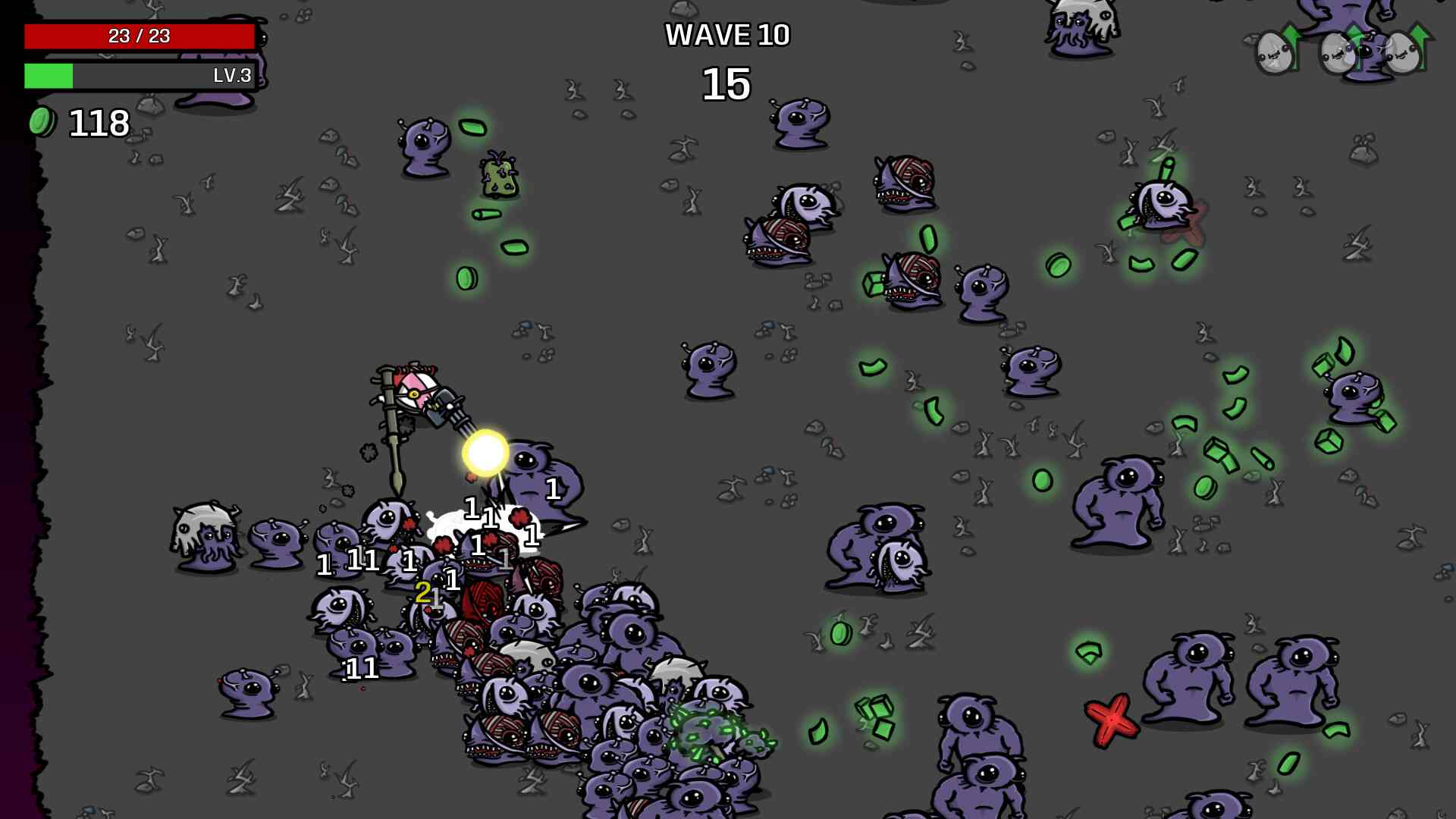
Brotato, a 2D game made with Godot
For a short pixel platformer or arcade game, I would choose GameMaker when speed and simplicity are the main goals. For a larger 2D RPG or simulation with many connected systems, I would lean toward Godot because its scene structure gives the project more room to grow.
If you have not chosen a genre yet, this guide to video game genres can help you define the mechanics your engine will need. You can also explore a focused 2D game maker when your immediate goal is to test a simple playable idea.
Winner for focused 2D production: GameMaker. For larger or more modular 2D projects, the choice is much closer.
3. 3D Game Development
Godot is the clear choice if you plan to make a 3D game. It includes a 3D editor, physics, lighting, animation, materials, shaders, cameras, and navigation as part of its normal workflow. You can also combine 2D interfaces with 3D scenes in the same project.
The difference becomes clearer when you look at released games. Pingo Adventure is a 3D platformer with physics-based bridges, ropes, plants, puzzles, and character customization. Cruelty Squad uses Godot for a very different first-person experience, while TailQuest Defense combines 3D environments with action and tower-defense systems. The official Godot showcase includes both 2D and 3D projects across desktop, mobile, console, web, and VR.
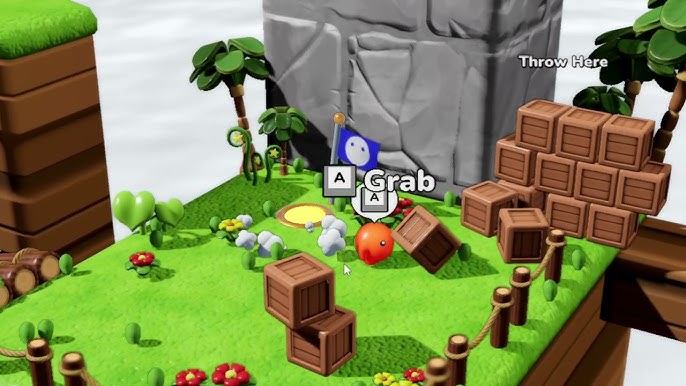
Pingo Adventure, 3D platformer created with Godot
GameMaker can create 3D effects and even complete 3D games. Post Void, for example, is a fast first-person shooter made with GameMaker, while Buck Up and Drive! uses fully 3D environments for an arcade driving game. These examples show that 3D is possible, but developers need to handle more of the camera, models, matrices, collisions, and rendering workflow themselves.
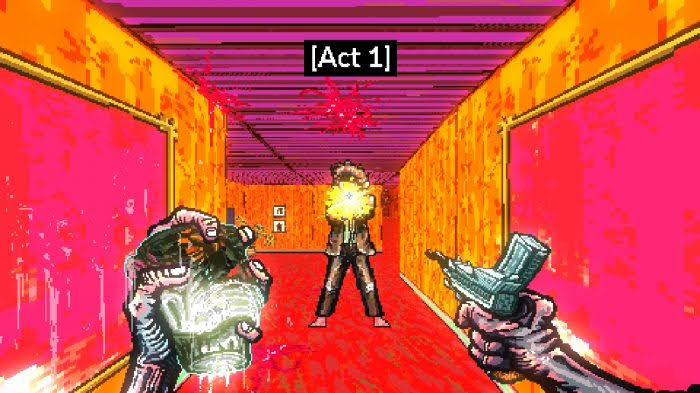
Post Void, 3D game created with GameMaker Studio 2
For most beginners, choosing GameMaker for a full 3D project adds technical work without offering a clear advantage. Godot provides the main 3D systems inside the editor, so you can spend more time building the game rather than creating the basic 3D workflow.
Winner for 3D: Godot. If you are also considering a larger commercial engine, the Godot vs Unity comparison covers the next decision.
4. GML vs GDScript
GML is designed around the way GameMaker handles objects and events. It is approachable, forgiving, and well suited to short scripts. A player object might use separate events for movement, collisions, taking damage, and drawing an interface. This makes the relationship between an object and its behavior easy to follow.
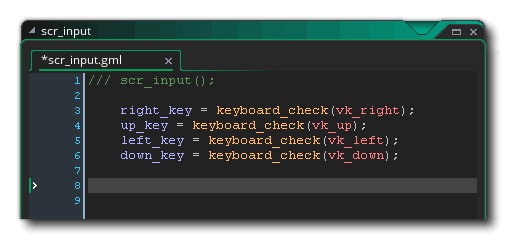
GML code inside GameMaker’s scripting workflow
GML Visual can also help you understand the flow of an action without starting from a blank code editor. However, larger games such as RPGs and simulations still benefit from written code because they contain more data, repeated systems, and interactions.
GDScript is closely tied to Godot’s nodes and scenes. A character scene, for example, may contain a sprite or 3D model, collision shape, animation player, camera, and script. The script controls the character, while each child node handles a more specific job.
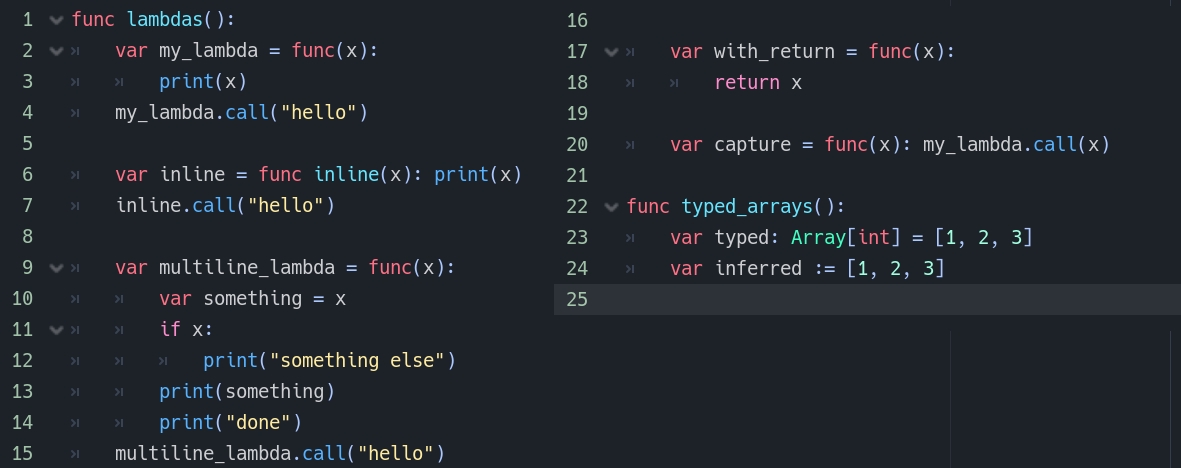
GDScript, Godot’s tightly integrated scripting language
Its syntax is compact and may look familiar to people who have seen Python, although it is a separate language. The official Godot scripting guide recommends GDScript to beginners because it has the closest integration with the engine. Developers who already use .NET can choose C#, while lower-level extensions can use C++.
Neither language locks you into poor programming habits. Skills such as working with variables, functions, state, events, data structures, and debugging can carry into other engines and programming languages.
Choose GML if you want the shortest path into a GameMaker project. Choose GDScript if you like Godot’s scene system or want a simple language inside a more flexible engine. If you plan to use coding assistants later, SoonLab’s guide to AI agents for Godot explains the difference between chat tools, editor plugins, and project-connected agents.
5. Built-In Tools and Customization
GameMaker gives you a compact set of tools centered on 2D production. It is easy to see where sprites, rooms, objects, sequences, and scripts belong. This helps small teams move quickly because the editor already guides them toward a familiar game structure.
A platform game, for example, can use rooms for levels, objects for the player and enemies, sprites for animation, and events for movement and collisions. This workflow works well until the game needs a less common system. Advanced 3D rendering, complex dialogue tools, or unusual level editors may require custom GML or third-party extensions.
Godot is more modular. Nodes cover many common tasks, while scenes let you save and reuse complete features. An enemy scene can contain its graphics, collision, animation, sound, and behavior, then appear many times across different levels. Changing the original scene can update every instance.
The editor can also be extended with plugins and custom tools. This gives developers more control, but it creates more possible ways to structure the same feature. A beginner may spend time deciding how scenes should connect before the game itself starts to take shape.
More built-in options do not always mean faster development. A small arcade game may benefit from GameMaker’s limits because there are fewer architectural decisions. A complex RPG, simulation, or 3D project may benefit from Godot because the engine can be shaped around the game.
6. Pricing, Licensing, and Commercial Use
Godot is free and open source under the MIT license. You can use it for personal and commercial games without paying royalties to the engine. You can also inspect and modify the source code, although most small developers will never need to do that.
GameMaker is free for non-commercial use on non-console platforms. According to the current GameMaker license FAQ, selling a game requires a one-time Professional license, while console export requires an Enterprise subscription. Prices and plan details can change, so check the official terms before planning a commercial release.
The practical difference is predictability. Godot removes engine license costs and gives you source access. GameMaker charges for commercial use but provides a more guided 2D environment. Paying for the tool may still be reasonable if its workflow helps you finish faster.
Winner for cost and source control: Godot. GameMaker remains accessible for learning and non-commercial projects.
7. Export Platforms and Publishing
Both engines can target desktop, mobile, and web platforms, but publishing is not a one-click process. You still need to test controls, performance, screen sizes, platform services, store rules, and device-specific behavior.
GameMaker’s Professional license covers common non-console targets, including desktop, HTML5, Android, and iOS. Console exports sit under its Enterprise plan. Games such as UNDERTALE, Katana ZERO, and Post Void have reached several platforms, showing that GameMaker projects can move beyond PC when the team has the right publishing and porting support.
Godot provides standard export workflows for desktop, web, Android, and iOS. Its showcase also includes games released across PC, mobile, PlayStation, Xbox, and Nintendo Switch. Console publishing usually requires approved platform access and help from an authorized third-party provider.
Choose your target platform before production begins. A browser game, mobile game, Steam release, and console project can require very different input, performance, interface, and business systems even when the core gameplay is the same.
8. Community, Tutorials, and Assets
GameMaker has a long history in 2D indie development. Its documentation and tutorials often move directly from a small idea to a working feature. If you want to create platform movement, an inventory, or a top-down combat system, you can usually find examples built around GameMaker’s object-and-event workflow.
It also has an established marketplace and a large archive of community solutions. The main limitation is age: an older tutorial may use a previous version of GML, the editor, or GameMaker’s licensing system.
Godot has active documentation, an asset library, community plugins, and a growing collection of courses and videos. You can find ready-made dialogue systems, terrain tools, shaders, inventory frameworks, and integrations for services such as Steam.
The open-source community moves quickly, which is useful for new features and fixes. It also means tutorials made for Godot 3 may not match a current Godot 4 project. Node names, methods, rendering systems, and recommended workflows may have changed.
Before following any tutorial or installing a plugin, check the engine version, update date, and recent user feedback. The best resource is not always the most popular one; it is the one that matches your current version and the type of game you are building.
Which Engine Is Better for Different Developers?
Choose GameMaker If You...
- Want to make a traditional 2D game.
- Prefer a focused editor with fewer early setup decisions.
- Have little coding experience and want a gentle first step.
- Plan to build a platformer, arcade game, pixel game, or top-down action game.
- Care more about finishing one small game than keeping every future option open.
Choose Godot If You...
- Want to make both 2D and 3D games.
- Prefer free, open-source software with no engine royalties.
- Already understand basic programming or want to learn it.
- Need reusable scenes, a modular project structure, or custom editor tools.
- Expect your project to grow in scope over time.
Try Both If You Are Still Unsure
Do not compare the engines by watching two unrelated tutorials. Build the same tiny project in each one. Add a player that can move, one enemy, a collision, a health counter, and a restart button. Then export it.
This test reveals more than a feature list. You will see which editor feels clearer, which errors you can solve, and whether you enjoy the way the engine organizes a game. Keep the test small enough to finish in a day or two. If you need an idea, start with one of these easy games to make for beginners.
GameMaker vs Godot for Common Game Types
| Game type | Recommended starting point | Why |
|---|---|---|
| Pixel platformer | GameMaker | Fast, focused 2D workflow |
| 2D action RPG | Either | GameMaker starts faster; Godot scales well |
| Top-down shooter | Either | Both handle core movement and combat well |
| Large 2D simulation | Godot | Reusable scenes and modular systems help organization |
| Simple browser prototype | GameMaker, Godot, or SoonLab | The best choice depends on how much code and control you need |
| 3D platformer | Godot | Built-in 3D editor and systems |
These are starting points, not hard limits. A skilled developer can make a complex 2D game in either engine. The recommendation changes when a project needs a specific plugin, console partner, networking system, or team workflow.
What If You Want a Playable Game Faster?
GameMaker and Godot give developers detailed control over code, assets, systems, and publishing. That control is valuable for long-term development, but even a small prototype usually requires project setup, scripting, asset preparation, and debugging before it becomes playable.
AI game maker SoonLab offers a faster prompt-to-game workflow. Describe the game you want to make, including its genre, core mechanics, controls, visual style, and win or loss conditions. The AI can then generate a directly playable 2D or 3D browser game, which you can test and improve with follow-up prompts.
Turn your idea into aplayable game
Describe the game you want to make, and SoonLab will help you start building it.
This makes SoonLab useful for more than simple idea validation. Beginners can create small and mid-sized games without learning an engine first. Professional developers can use it to turn a concept into a playable prototype, compare different mechanics, and collect early feedback before spending time building the full project in GameMaker or Godot.
SoonLab does not provide the same level of code control or production workflow as a traditional engine. However, when speed matters, it can reduce the time between describing an idea and playing it. Once the direction is clear, developers can continue refining the game in SoonLab or use the prototype as a reference for a more advanced GameMaker or Godot project.
FAQs
Is Godot better than GameMaker?
Godot is better for 3D development, open-source control, and projects that need more technical flexibility. GameMaker is often better for beginners who want a direct and focused way to build a 2D game. The better engine depends on the project.
Is GameMaker or Godot easier for beginners?
GameMaker is usually easier at the very beginning because its 2D workflow is direct and GML Visual can reduce the first coding barrier. Godot is also beginner-friendly, but you need to understand nodes, scenes, and signals before its structure feels natural.
Is GameMaker or Godot better for 2D games?
Both are strong 2D engines. Choose GameMaker for a smaller traditional 2D game and a faster start. Choose Godot when the project needs a more modular structure, open-source tools, or may later include 3D elements.
Can GameMaker make 3D games?
GameMaker can produce 3D graphics and games, but 3D is not its main focus. Developers need to build more of the 3D workflow themselves. Godot is the more practical choice for most new 3D projects.
Is Godot completely free for commercial games?
Yes. Godot uses the MIT license and can be used for commercial games without engine royalties. You still need to follow the license notice requirements and pay any separate costs related to stores, platforms, third-party assets, or console porting.
Should I switch from GameMaker to Godot?
Switch if Godot solves a real limit in your current project, such as the need for stronger 3D tools, source access, or a different project structure. Do not switch only because another engine is receiving more attention. Finishing a good game in the tool you know is often better than restarting in a new one.
Final Verdict
In the GameMaker vs Godot comparison, GameMaker is the better choice for beginners who want a faster, more focused path to building 2D games. Godot is the stronger option when you need 3D support, open-source access, broader programming choices, or more control over a growing project.
If you already know one of these engines and it supports your game, switching may only slow you down. If you are still deciding, build the same small prototype in both and choose the workflow that feels clearer.
If your priority is getting a playable result without spending time on setup and scripting, you can also create a 2D or 3D game from a prompt with SoonLab. It can help beginners turn an idea into a playable game and give experienced developers a faster way to test mechanics before starting full production in GameMaker or Godot.