
The best AI agent for Godot is not necessarily the model that writes the most impressive-looking GDScript. It is the setup that can understand your project, make a controlled change, and help you verify whether that change actually works.
That distinction matters because “Godot AI” can mean several different things. You may want a chatbot that explains signals and nodes. You may want an editor plugin that can inspect scenes. Or you may want an MCP setup that lets Claude Code or Cursor run your game, read errors, and keep iterating with real project feedback.
For most Godot developers, an MCP-connected coding agent is the strongest option when you already have a project and want help with implementation. An editor-native plugin is easier when you want AI inside Godot itself. A normal chat model is still useful for learning GDScript or reviewing a small script, but it works with less context.
This guide explains the difference, which tools fit each job, and what AI can realistically help you do in a Godot workflow.
Quick Picks: Which Godot AI Agent Should You Choose?
| Best for | Recommended setup | Why it fits |
|---|---|---|
| Working in an existing Godot project | Claude Code or Cursor with Godot MCP | Connects an AI coding agent to project information, runtime output, and editor actions. |
| Keeping AI inside the Godot editor | Ziva or AI Assistant Hub | Offers an editor-side workflow for GDScript, scenes, and project tasks. |
| Learning GDScript or solving one code problem | A general AI coding assistant | Fast for explanations, snippets, refactoring ideas, and debugging questions. |
| Testing a game idea before starting an engine project | SoonLab | Useful for creating and sharing a browser-playable prototype from a prompt. |
 Also Read
What Is a Godot AI Agent?
A Godot AI agent is an AI assistant that does more than answer questions about code. Depending on the tool, it may inspect project files, understand scenes and nodes, edit scripts, create resources, run the game, or read debugging output.
The important word is context. A normal AI chat can suggest a movement script, but it does not automatically know your node names, scene structure, input actions, Godot version, or the error you see after pressing Play. An agent connected to your project can work with more of that information.
This does not mean it should make unrestricted changes. A useful Godot AI agent should make its actions reviewable. You still need to check scripts, test gameplay, and keep version control in place. AI can speed up repetitive work, but it cannot reliably make every design or technical decision for you.
AI Model vs Editor Plugin vs Godot MCP
These options often get mixed together, even though they solve different problems.
1. AI models help with questions and code
Claude, ChatGPT, Gemini, and other coding models can explain Godot concepts, generate GDScript examples, review a function, or suggest a debugging path. This is often enough when you are learning a feature or working on a small isolated task.
The limitation is that the model only sees what you provide. If you paste an incomplete script or do not mention your Godot version, it may make assumptions. Godot users regularly point out that AI can produce unnecessarily complex answers or mix old Godot 3 patterns into a Godot 4 project. In one Godot community discussion, developers also stressed that clear node names, relevant code context, and explicit requests for readable code can materially improve the output.
2. Editor plugins keep the assistant inside Godot
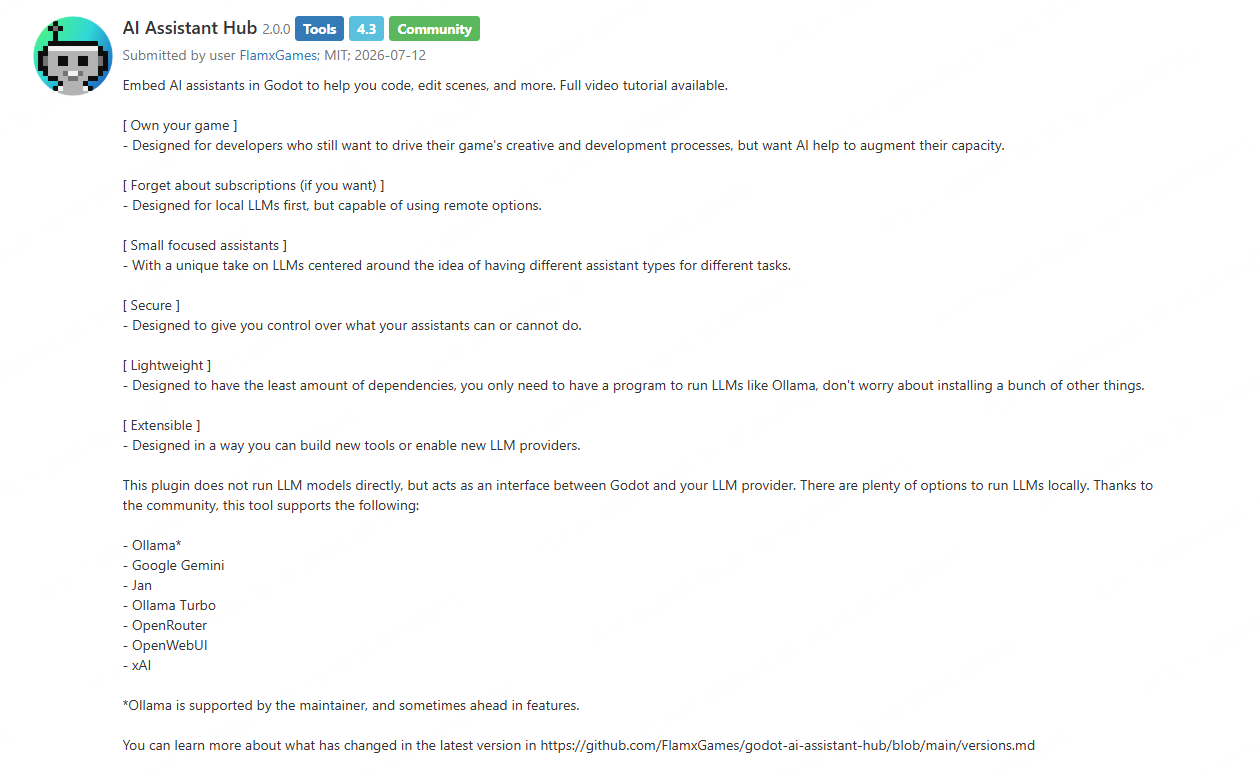
Editor plugins are useful when you want an AI panel close to the scene and script work you are already doing. They can reduce context switching and may offer direct scene or project actions.
AI Assistant Hub, for example, is designed as an interface between Godot and LLM providers. It supports local-first workflows through Ollama as well as several remote providers, and it lets developers create focused assistants for different tasks. That makes it a reasonable choice if local-model support and control over permissions matter to you.
Ziva is another editor-oriented option. Its Godot Asset Library listing describes features such as project editing, scene-tree interaction, asset generation, and basic testing, with support for multiple model providers. Before adopting any plugin, check the current Godot version it supports, its permissions, and whether its feature set is stable enough for your project.
3. Godot MCP connects your coding agent to the project
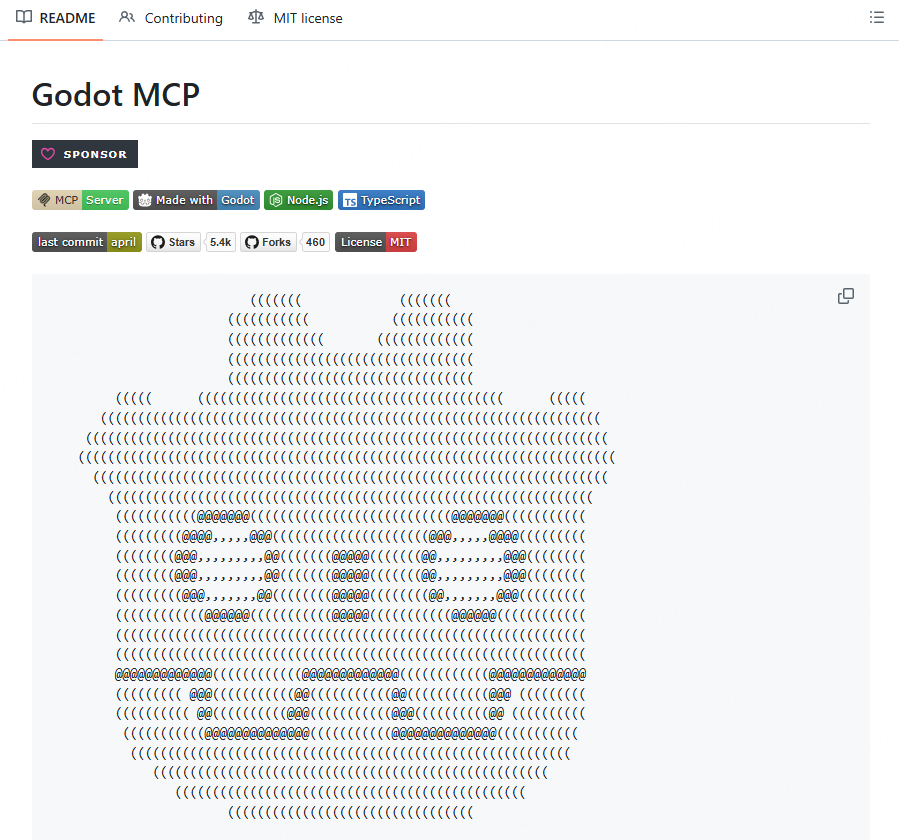
Model Context Protocol, usually shortened to MCP, gives a compatible AI client access to defined tools. In a Godot workflow, that can mean launching the editor, running a project, collecting debug output, inspecting the project structure, and creating or editing scenes.
The open-source Godot MCP project, for instance, documents tools for launching Godot, running a project in debug mode, retrieving console output, analyzing project information, and managing scenes. This feedback loop is the reason many developers prefer MCP over pasting code between a browser chat and the editor.
Best AI Agents for Godot
1. Claude Code or Cursor with a Godot MCP Server

This is the best route for developers who already work comfortably in a code editor and want an agent that can take more complete implementation tasks. With a Godot MCP server connected, you can ask the agent to inspect the project, make a targeted change, run the game, and use the output to diagnose what happened.
It is especially useful for work such as adding a new UI flow, fixing a recurring error, wiring a simple gameplay interaction, or tracing why a scene does not load as expected. It is less useful when the request is vague, such as “make my game fun.” The agent still needs a clear goal, constraints, and a way to verify success.
 Choose If
 Watch Out For
2. Ziva
Ziva is built specifically around the idea of an AI agent that works with the Godot editor. It is a better fit than a generic coding chatbot when you want the assistant to understand Godot-specific concepts such as scenes, nodes, scripts, and editor errors.
Its strongest appeal is convenience. Instead of manually describing your scene tree or copying errors elsewhere, you can work closer to the editor. It may be a good choice for solo developers who want AI help without assembling their own MCP workflow first.
Choose If Watch Out For3. AI Assistant Hub
AI Assistant Hub is a good option for developers who prefer a more flexible, local-first setup. Rather than locking you into one model, it acts as a bridge between Godot and providers such as Ollama, Gemini, OpenRouter, and others.
That flexibility matters if your priority is experimenting with smaller local models, managing costs, or deciding exactly which assistant is allowed to perform which job. It is also a useful reminder that “best AI for Godot” is not one universal answer. The best setup for a hobby project can be very different from the best setup for a commercial game with private code.
Choose If Watch Out For4. A General AI Coding Assistant
A normal coding assistant remains useful for Godot, especially when your task is narrow. It can help explain a signal, turn a rough idea into a small GDScript example, clarify pathfinding logic, or review code you already wrote.
This is often the right place to start if you are new to the engine. Learn the basics of nodes, scenes, signals, and state before asking an agent to make broad changes. Our guide to the best game engines can also help if you are still deciding whether Godot is the right foundation for the kind of game you want to build.
Choose If Watch Out ForWhat Should You Test Before Choosing a Godot AI Agent?
Do not choose an agent because it produces a good-looking demo in a video. Give it a small task that resembles your actual work.
- Ask it to explain your existing scene tree without inventing missing nodes.
- Ask it to add one focused mechanic, such as a double jump or a health bar.
- Check whether it uses Godot 4 syntax and respects your existing naming style.
- Run the project and see whether the tool can identify a real error.
- Review whether its changes are easy to inspect, undo, and maintain.
If an agent cannot reliably complete a small, controlled task, it will not become more trustworthy simply because the project gets larger.
When SoonLab Makes More Sense Than a Godot AI Agent
A Godot AI agent helps you build inside Godot. SoonLab solves an earlier problem: finding out whether an idea is worth building in the first place.
If you want to test a simple core loop, create a small browser game from a prompt, and let someone play it quickly, you can create a game with SoonLab before opening a full engine project. This is useful for trying a platformer rule, puzzle concept, story hook, or arcade loop without setting up scenes, scripts, and export settings on day one.
Turn your idea into aplayable game
Describe the game you want to make, and SoonLab will help you start building it.
It is not a replacement for Godot when you need source-level control, a complex custom system, native-platform workflows, or a long-term production pipeline. But it can help you move from “I have an idea” to “someone can play the idea” faster. If you need inspiration before that first prototype, start with these AI game prompts or explore practical easy games to make.
Once a concept proves interesting, you can rebuild it in Godot with the level of control your project needs. For browser-first experiments, our guide on how to make a web browser game explains the tradeoff between quick sharing and a full engine workflow.
How to Get Better Results From AI in Godot
Even the best AI agent needs a good brief. Start by describing the current state of the project, the exact change you want, and how you will know the change works.
For example, do not ask: “Make enemy AI better.” Ask: “In this Godot 4 2D platformer, update the enemy so it patrols between these two Marker2D nodes, pauses for one second at each end, and stops moving when the player enters the detection Area2D. Keep the existing state machine and explain every changed file.”
That level of detail reduces guesswork. It also makes it easier for you to review the result. If you are still deciding on a mechanic rather than implementing it, a quick playable prototype can be more useful than starting with a large technical prompt. You can also compare different 2D game engine workflows before committing to a full project.
FAQs
What is the best AI agent for Godot?
For developers with an existing project, Claude Code or Cursor connected through a Godot MCP server is often the most capable setup because it can work with project context and runtime feedback. If you prefer AI inside the editor, a Godot-specific plugin such as Ziva or AI Assistant Hub may be easier to start with.
Can AI create a full Godot game?
AI can help create scripts, scenes, UI elements, and early prototypes, but it cannot reliably replace design decisions, technical review, testing, asset direction, and long-term maintenance. Treat its output as work to review, not finished production work.
Is MCP useful for Godot?
Yes. MCP is useful when it gives an AI agent controlled access to actions such as launching a project, reading debug output, inspecting project files, or editing scenes. That makes it more practical than a standalone chat for multi-step debugging and implementation work.
Can I use SoonLab with Godot?
SoonLab does not function as a Godot editor plugin or a Godot project exporter. It is better used to create and share an early browser-playable prototype before you decide whether to build a deeper version in Godot.
Conclusion
For an existing Godot project, start with an MCP-connected agent if you want AI to help inspect, run, and debug real work. Choose an editor plugin if you want a simpler Godot-native experience. Use a general coding model for learning and focused code questions.
Do not expect any AI agent to replace project ownership. The useful setup is the one that gives you faster feedback while keeping every important decision visible and testable.
And if you are still at the idea stage, build a quick playable version first. SoonLab can help you turn a concept into a browser prototype, while Godot remains the stronger next step when that concept needs deeper systems and long-term control.