
GDevelop is a beginner-friendly game engine that helps you create playable games without traditional coding. Instead of writing every system in a programming language, you build game logic with visual events, conditions, actions, and ready-made behaviors.
This makes GDevelop a practical starting point for students, hobbyists, teachers, and first-time game creators. You can use it to build 2D and 3D games, test them with live preview, and publish them to the web, desktop, mobile devices, and game stores.
However, beginners often make one mistake: they start with a game idea that is too large.
Your first project should not be an open-world RPG with dozens of characters and complex systems. Start with one small game loop that you can finish, test, and share.
This GDevelop tutorial for beginners walks you through a simple seven-step workflow for creating your first playable game. It also explains common beginner mistakes, the best GDevelop alternatives, and whether GDevelop is worth using in 2026.
What Is GDevelop?
GDevelop is an open-source, no-code and AI-assisted game engine. It uses a visual event system based on simple logic:
- If a condition happens, perform an action.
- If the player touches a coin, add one point.
- If the player touches an enemy, restart the level.
- If the score reaches ten, show a win message.
This event-based approach helps beginners understand how games work without learning a full programming language first.
According to GDevelop's official website, the engine supports 2D and 3D games and can publish to the web, Android, iOS, desktop platforms, and stores such as Steam. The editor and engine are free and open-source under the MIT license, while some cloud, AI, collaboration, and publishing services have plan-based limits.
Is GDevelop Good for Beginners?
Yes, GDevelop is good for beginners because it makes the main parts of game development easier to see and understand.
Instead of hiding everything behind code, GDevelop lets you work directly with scenes, objects, behaviors, and events. You can see the player object, attach movement behavior, create a condition, and immediately preview the result.
GDevelop is especially useful for beginner projects such as:
- Jeopardy games.
- Platformers.
- Puzzle games.
- Block Breaker games.
- Clicker games.
- Quiz games.
- Endless runners.
- Browser games.
- Simple mobile games.
GDevelop is not a one-click game generator. You still need to create rules, test the gameplay, fix problems, and improve the experience. That process helps you learn real game-development logic without starting with traditional programming.
A Simple GDevelop Tutorial Workflow
The best way to learn GDevelop is to finish a small project. Use the following workflow to create a simple game without becoming overwhelmed.
STEP 1 Choose a Small Template
Start with a template instead of a blank project. A template gives you working objects, events, and scenes that you can study and change.
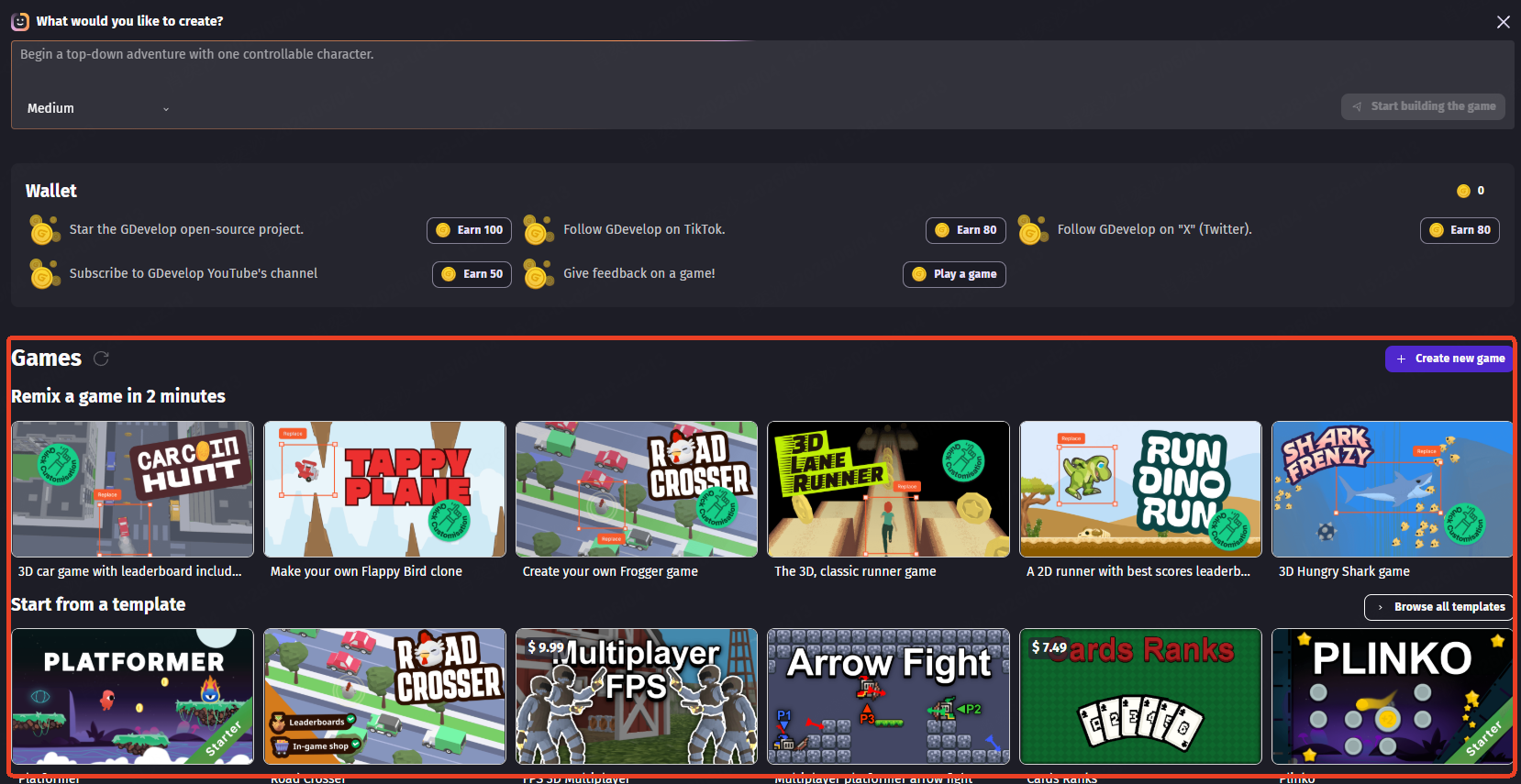
Good beginner templates include:
- Platformer.
- Top-down game.
- Puzzle game.
- Clicker game.
- Quiz game.
Choose a template that is close to your idea. If you want to make a game about a robot collecting batteries, a platformer template is more useful than starting with an empty scene.
STEP 2 Add or Replace Game Objects
Objects are the things inside your game. Common objects include the player, enemies, coins, platforms, buttons, backgrounds, and score text.
Start by replacing the template's default art with your own images, free assets, or simple shapes. This makes the project feel personal without forcing you to rebuild the game logic.
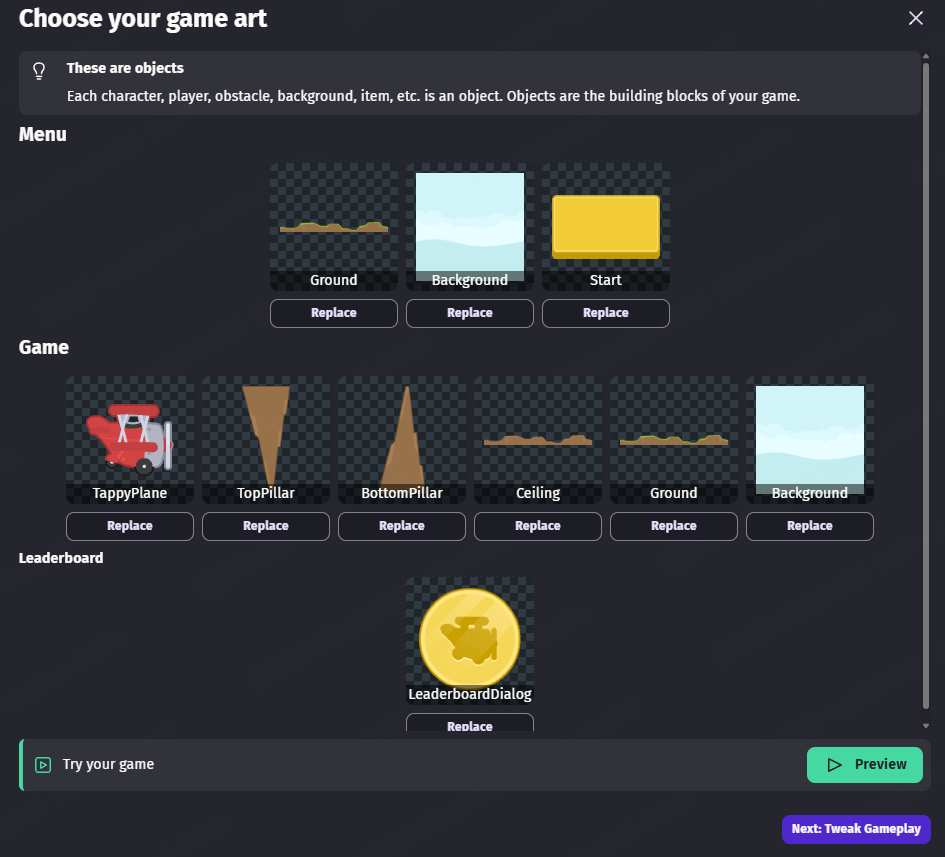
For example, you could replace a template's character with a robot, turn coins into batteries, and change the background to a space station. Keep the first version simple. A clear game with basic visuals is better than an unfinished game with too many assets.
STEP 3 Set Up Player Controls
Next, make sure the player can move and interact with the game.
Depending on your project, player controls may include:
- Left and right movement.
- Jumping.
- Mouse clicks.
- Keyboard input.
- Touch controls.
- Virtual joysticks.
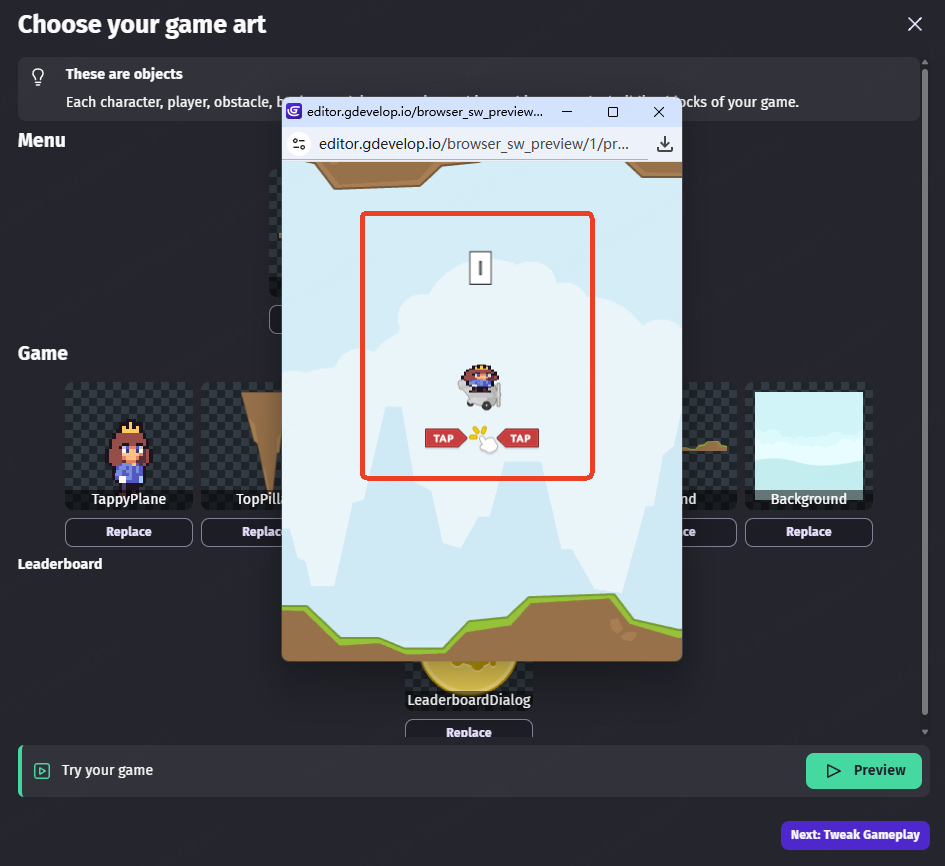
Test the controls before adding more features. Player movement affects almost every part of the game. If movement feels confusing or frustrating, the rest of the game will be harder to enjoy.
STEP 4 Create Basic Events
Events are the heart of GDevelop. They control what happens when the player performs an action or when something changes in the game.
Start with three simple events:
- If the player touches a coin, delete the coin and add one point.
- If the player touches an enemy, restart the scene or remove one life.
- If the score reaches ten, show a win message.
These events create a complete game loop: collect items, avoid danger, and reach a goal.
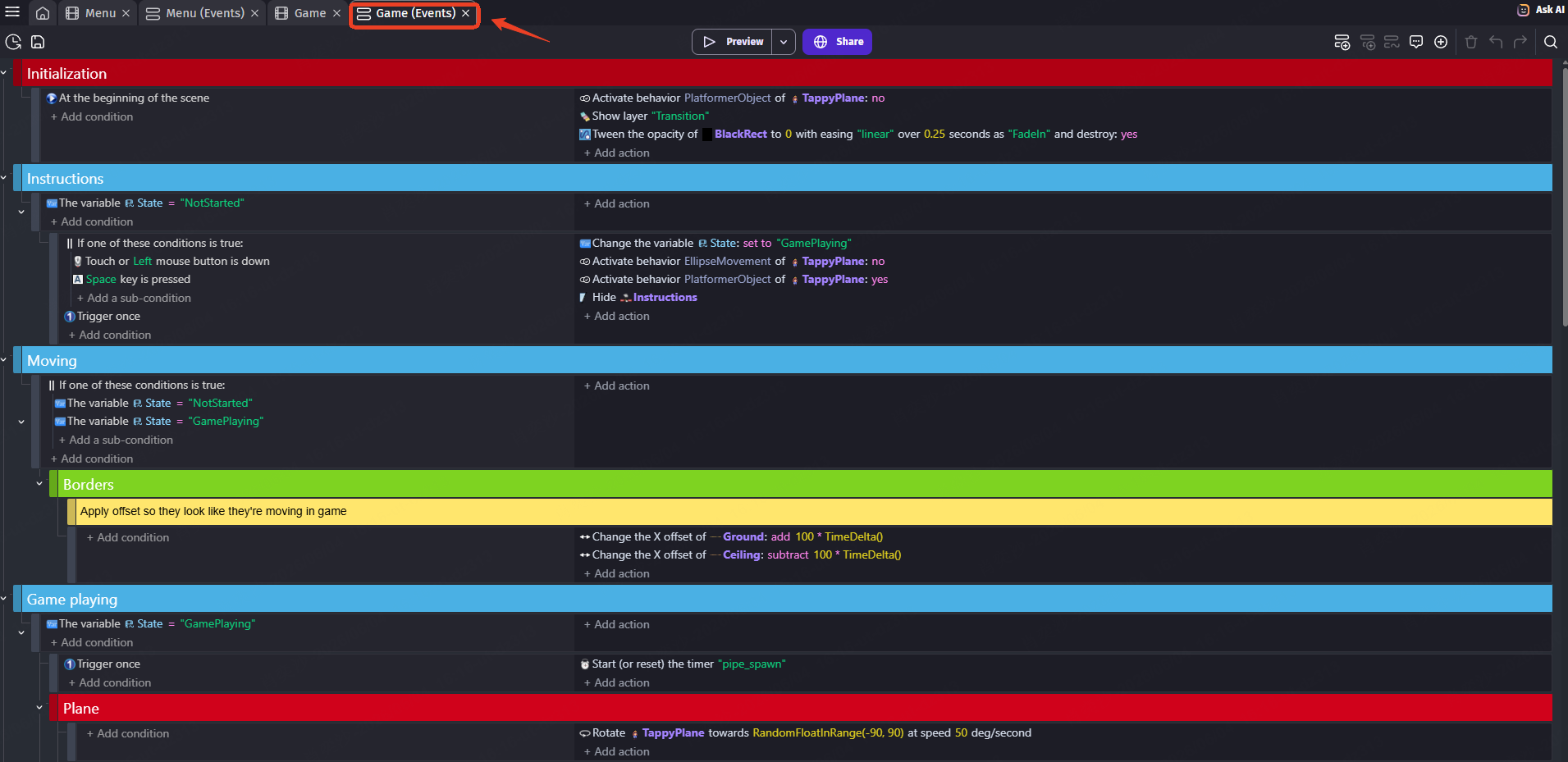
Avoid creating many complicated events at once. Build one feature, preview it, and confirm that it works before adding the next feature.
STEP 5 Test the Game Often
Use preview mode throughout the project. Do not wait until the end to test your game.
Frequent testing helps you find problems early, such as:
- Controls feeling too slow.
- Enemies moving too quickly.
- Coins not increasing the score.
- Buttons not working.
- Levels being too difficult.
- The player not understanding how to win.
Test after every meaningful change. This makes problems easier to find because you know which recent change probably caused them.
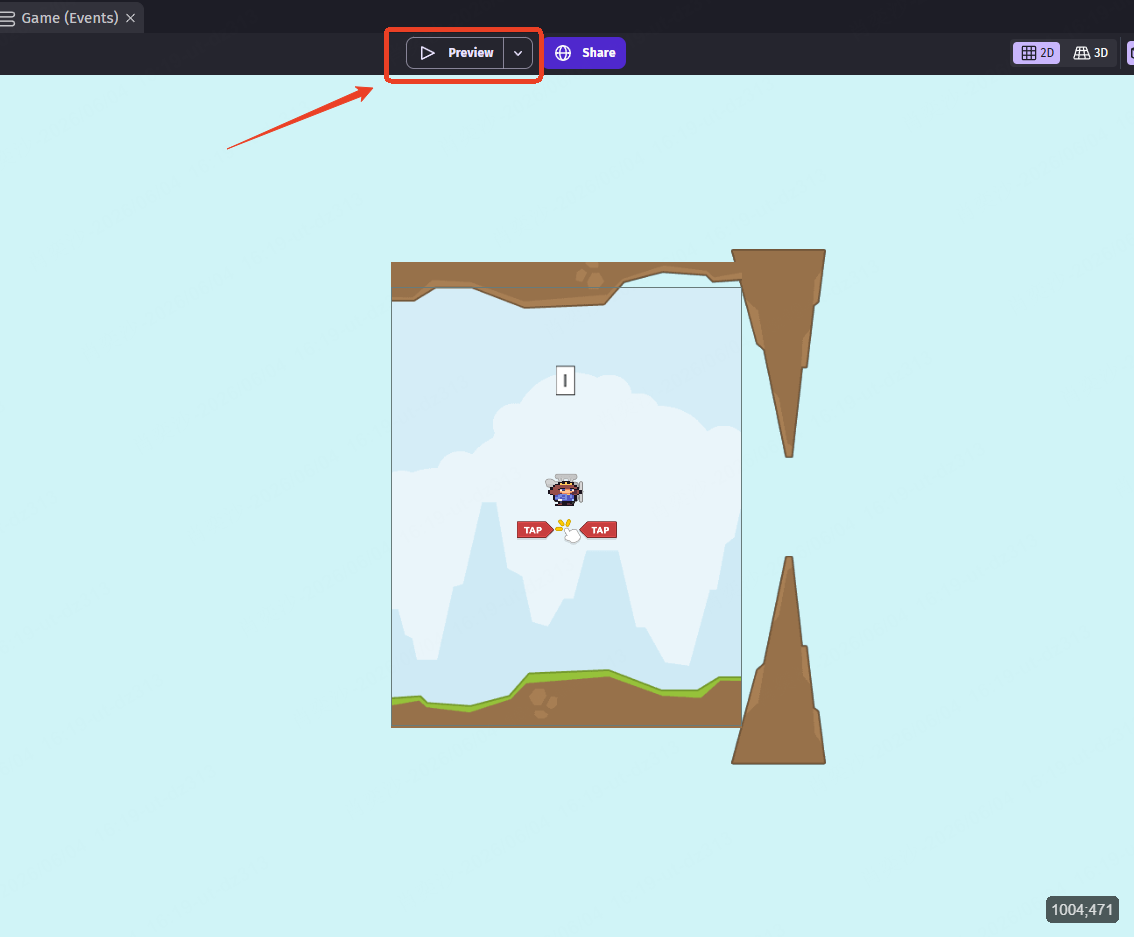
STEP 6 Adjust the Difficulty and Game Feel
Once the main game loop works, improve how the game feels.
You can adjust:
- Player speed.
- Jump height.
- Enemy speed.
- Number of obstacles.
- Score requirements.
- Level length.
- Sound effects.
- Visual feedback.
Small changes can make a simple game much more enjoyable. For example, adding a sound when the player collects a coin makes the action feel more rewarding. Making the first level easier gives new players time to learn the controls.
STEP 7 Export or Publish the Game
When the game is stable and playable, publish it.
For beginners, web publishing is often the easiest first step. A browser game is simple to share, and other people can play it without installing anything.
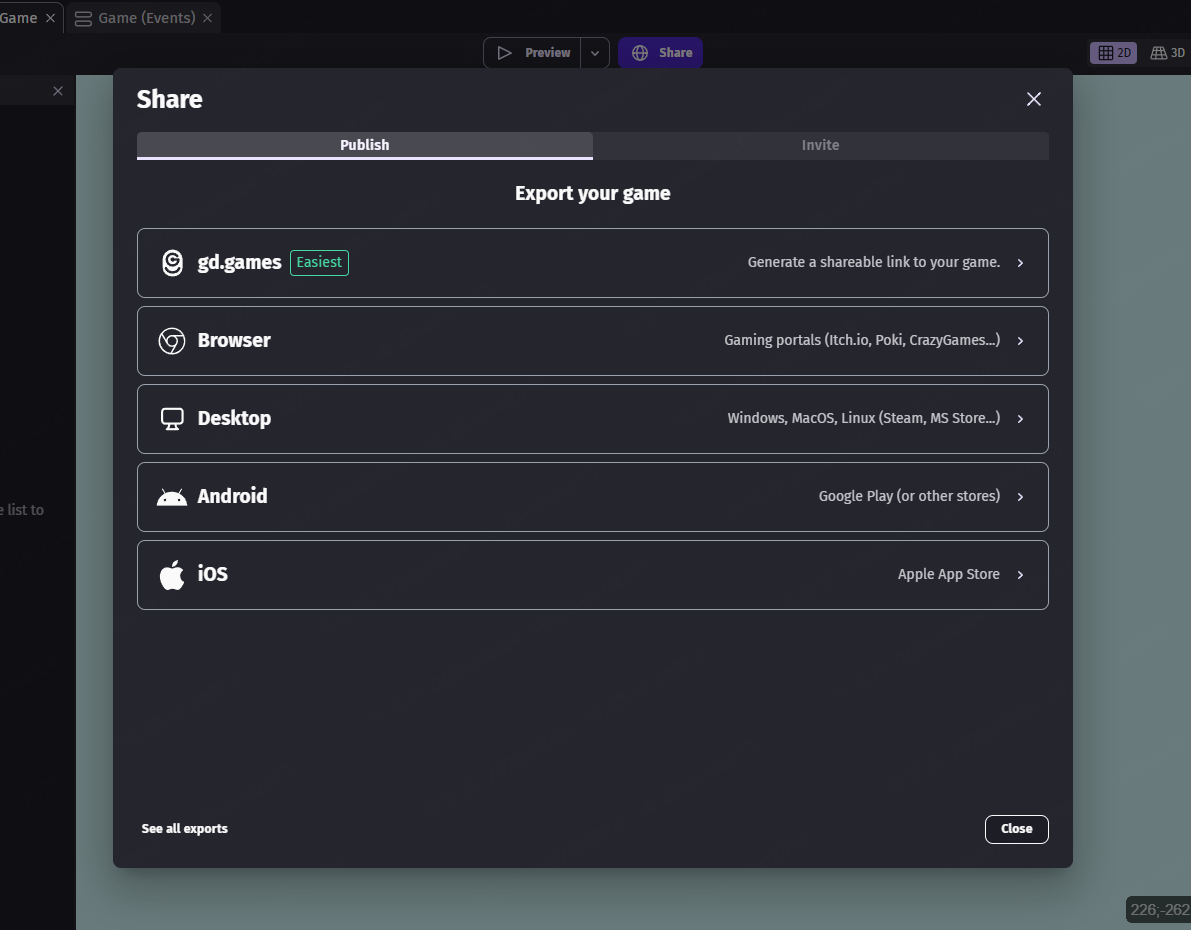
Before publishing, complete a final check:
- The game starts correctly.
- The controls are explained.
- The player has a clear goal.
- The game has a win or end condition.
- Restart buttons work.
- Important text is easy to read.
- The game has been tested on the target device.
The goal of your first GDevelop project should not be perfection. The goal is to finish something playable and learn from the process.
Common GDevelop Beginner Mistakes
Beginners can save time by avoiding a few common mistakes.
Issue 1: Starting With a Project That Is Too Large
A small finished game teaches you more than a large unfinished game. Start with one level, one main mechanic, and one clear goal.
Issue 2: Adding Features Before Testing the Core Loop
Do not add shops, achievements, character upgrades, or multiple levels before the basic game is fun. First confirm that movement, goals, obstacles, and scoring work.
Best GDevelop Alternatives
GDevelop is a strong beginner tool, but it is not the best choice for every goal. The options below provide a quick overview. For a detailed comparison of their workflows, 2D and 3D support, publishing options, free access, and limitations, read our guide to the best GDevelop alternatives.
1. Scratch
Scratch is best for children, classrooms, and absolute beginners. Its block-based system is easy to understand and works well for learning basic logic.
Choose Scratch if you are completely new to game creation or teaching younger students.
2. Construct
Construct is a strong option for polished 2D browser games. It uses visual logic and offers a mature workflow for building 2D projects.
Choose Construct if you want a focused 2D game maker and are comfortable with its pricing model.
3. Godot
Godot is a free and open-source engine with strong 2D and 3D support. It gives you more control than GDevelop but usually requires more scripting.
Choose Godot if you want to learn coding and build more advanced projects over time.
4. Unity
Unity is a professional game engine used for 2D, 3D, mobile, desktop, VR, and many other project types. It is powerful, but beginners must be ready to learn C# and a more complex editor.
Choose Unity if you want professional-level control and are willing to accept a steeper learning curve.
 Expert Tip
If you are still unsure which engine fits your needs, read our full Godot vs Unity comparison to understand their differences in coding, workflow, 2D/3D support, and beginner learning curve.
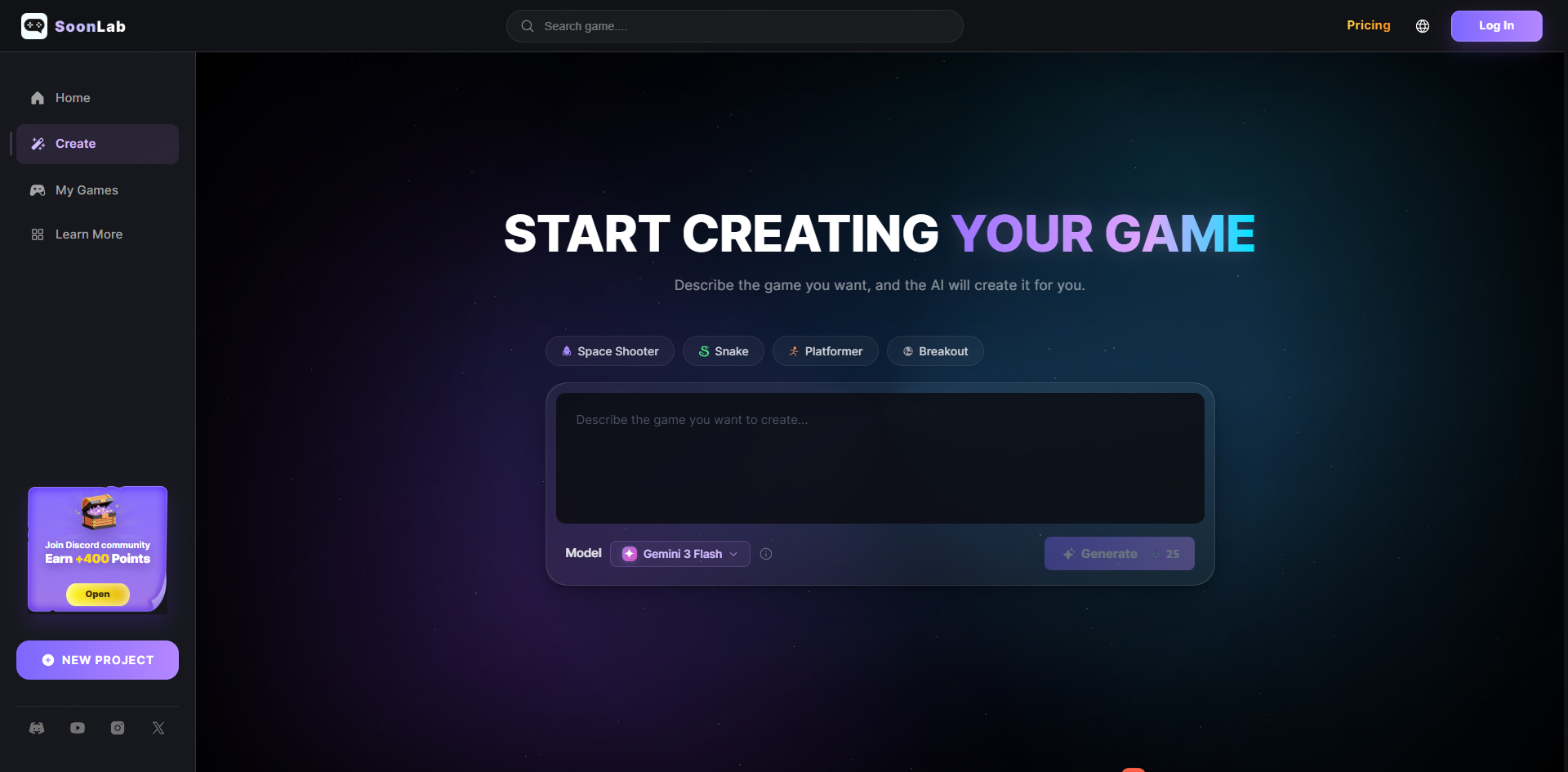
5. AI game maker SoonLab
AI game makers are useful when you want to create a playable prototype from a prompt. They can be faster than traditional game engines for testing an idea, but they may offer less control over the final systems.
Choose an AI game maker such as SoonLab if you want a simple prompt-to-play workflow. Choose GDevelop if you want to build game logic visually and understand how each part works.
Is GDevelop Worth Using in 2026?
Yes, GDevelop is worth using in 2026, especially for beginners who want to create 2D games without traditional coding.
It is a good choice for students, hobbyists, teachers, indie creators, and anyone who wants to understand game logic visually. It provides a useful middle ground between simple educational tools and advanced engines that require more programming.
GDevelop is not a magic game generator. It will not design your entire game or replace advanced engines for every serious 3D project. However, it can help you build real game logic, complete a playable project, and publish it to multiple platforms.
The best way to think about GDevelop is this:
GDevelop is a bridge between no-code creativity and real game-development logic.
If you want to learn how games work and finish your first playable project, GDevelop is one of the best beginner-friendly engines to try. If you want instant prompt-to-game creation, an AI game maker such as SoonLab may be a better starting point.
FAQs About GDevelop
Is GDevelop really free?
Yes. GDevelop's core editor and game engine are free and open-source under the MIT license. Some cloud storage, AI credits, collaboration tools, and automated publishing services have plan-based limits.
Can you make a game without coding in GDevelop?
Yes. You can create games in GDevelop with visual events, conditions, actions, and ready-made behaviors. JavaScript is available for advanced customization, but it is not required for a basic game.
Is GDevelop good for 2D games?
Yes. GDevelop is especially strong for beginner-friendly 2D projects such as platformers, puzzles, clickers, quiz games, top-down games, and browser games.
Can GDevelop make 3D games?
Yes. GDevelop supports 3D game creation, lighting, physics, particles, and other 3D features. Beginners focused on advanced 3D development may still prefer engines such as Godot, Unity, or Unreal Engine.
Is GDevelop better than Scratch?
GDevelop is usually better for creating more complete, exportable games. Scratch is often better for children and absolute beginners learning basic programming logic.
Is GDevelop better than Unity?
GDevelop is easier for beginners who want to create a simple game without coding. Unity is more powerful for advanced and professional development but has a steeper learning curve.
Is GDevelop good for browser games?
Yes. GDevelop supports HTML5 exports and publishing to the web, making it a strong choice for small, shareable browser games.
Conclusion
This GDevelop tutorial gives you a simple starting point for making your first game without coding. Instead of trying to build a large project at once, focus on one small idea, one core mechanic, and one playable level. This will help you understand the basic GDevelop workflow, including scenes, objects, events, movement, collisions, and game goals.
Once your first game works, you can improve it step by step with better visuals, sound effects, menus, scoring, enemies, and more levels. The key is to finish a simple playable game first, then build your skills through practice.
If you want to explore an even faster way to turn ideas into playable games, you can also try SoonLab. With SoonLab, you can create game prototypes from prompts, test ideas quickly, and get inspiration before building a more customized version in GDevelop. Together, GDevelop and SoonLab can help beginners move from "I have an idea" to "I made my first game" more easily.