
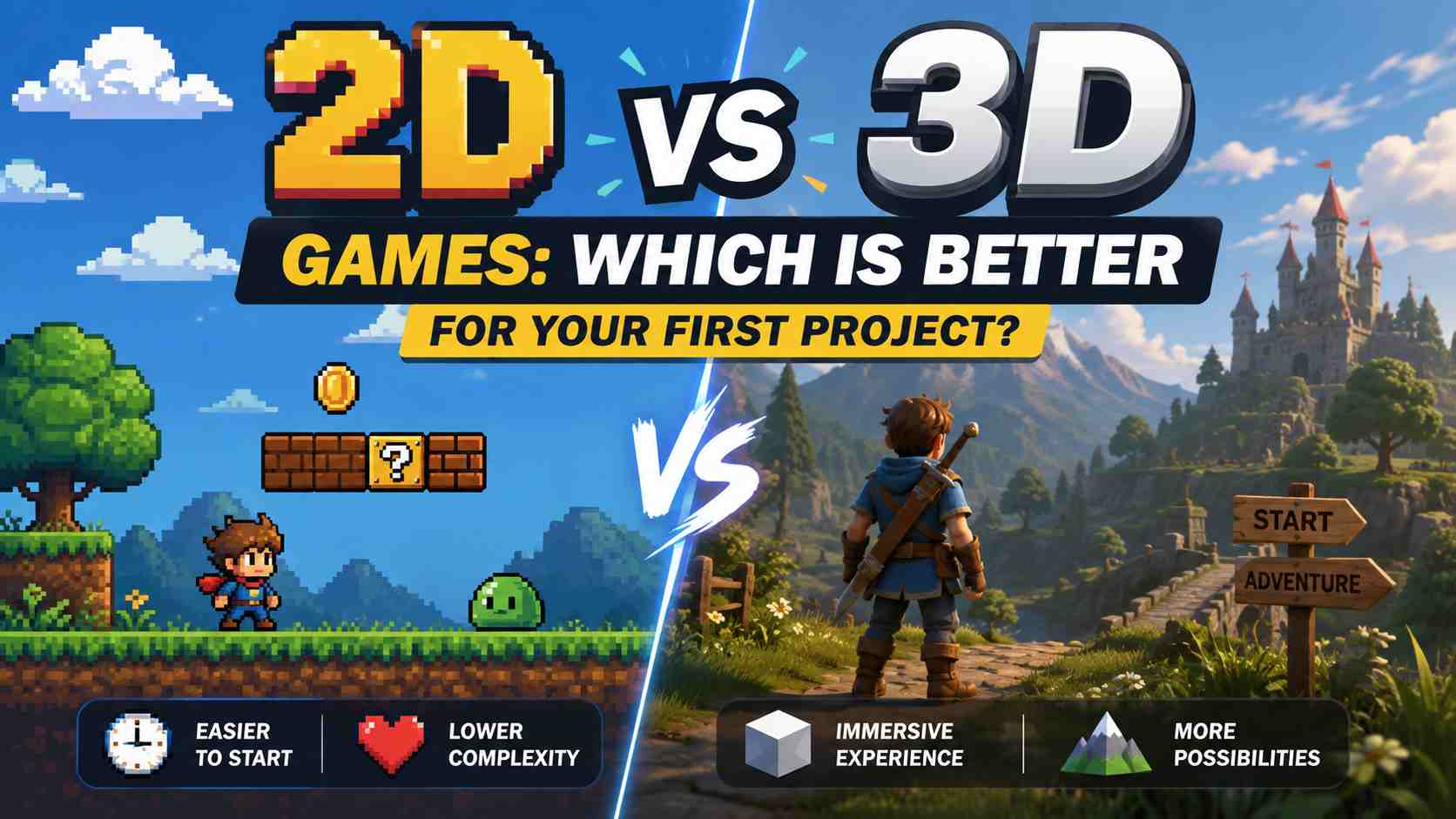
For most beginners and small teams, a focused 2D game is easier to finish. It usually needs a simpler camera, fewer movement rules, and less complex level testing. However, 3D is the better choice when depth, free movement, aiming, driving, or exploration is central to the experience.
The choice is not simply about which style looks better. It affects art production, animation, physics, controls, performance, and the amount of content you need to build. This 2D vs 3D games comparison will help you choose the format that supports your idea without creating unnecessary work.
2D vs 3D Games at a Glance
| Factor | 2D Games | 3D Games |
|---|---|---|
| Movement | Usually uses two axes | Uses three axes and depth |
| Art | Sprites, tiles, illustrations, or vectors | Models, materials, textures, lighting, and environments |
| Animation | Frame-by-frame or skeletal 2D animation | Rigged models with reusable animation clips |
| Camera | Often fixed or follows a flat play area | May rotate, zoom, follow, collide, and change perspective |
| Physics | Fewer directions and simpler collision shapes | More spatial relationships, surfaces, and collision cases |
| Performance | Often easier to run on modest hardware | Usually needs more rendering and asset optimization |
| Good first projects | Puzzle, platformer, card, maze, or top-down arcade game | Small driving course, first-person maze, or low-poly platformer |
Short answer: choose 2D if your game works on a flat plane and your priority is finishing a clear, playable first project. Choose 3D if the player must understand or use depth for the main mechanic. Neither format is automatically better, and neither guarantees a good game.
What Is the Difference Between 2D and 3D Games?
A 2D game usually places movement and gameplay on two axes: horizontal and vertical. Its characters and environments may be built from sprites, tiles, vectors, or hand-drawn images. Side-scrolling platformers, top-down puzzles, card games, and many arcade games use this structure.
A 3D game adds depth as a working part of the world. Characters and objects have three-dimensional positions, and the camera can view them from different angles. First-person shooters, third-person adventures, driving games, and 3D exploration games often depend on this extra axis.
Graphics and gameplay do not always use the same dimension. A game can use 3D models while restricting movement to a side-scrolling path, or use flat artwork inside a scene with perspective. Unity's guide to 2D and 3D projects describes several of these hybrid arrangements. That is why the player's movement, camera, and interaction matter more than whether the artwork looks flat or realistic.
2D vs 3D Game Development: Seven Costs to Compare
1. Art and Asset Production
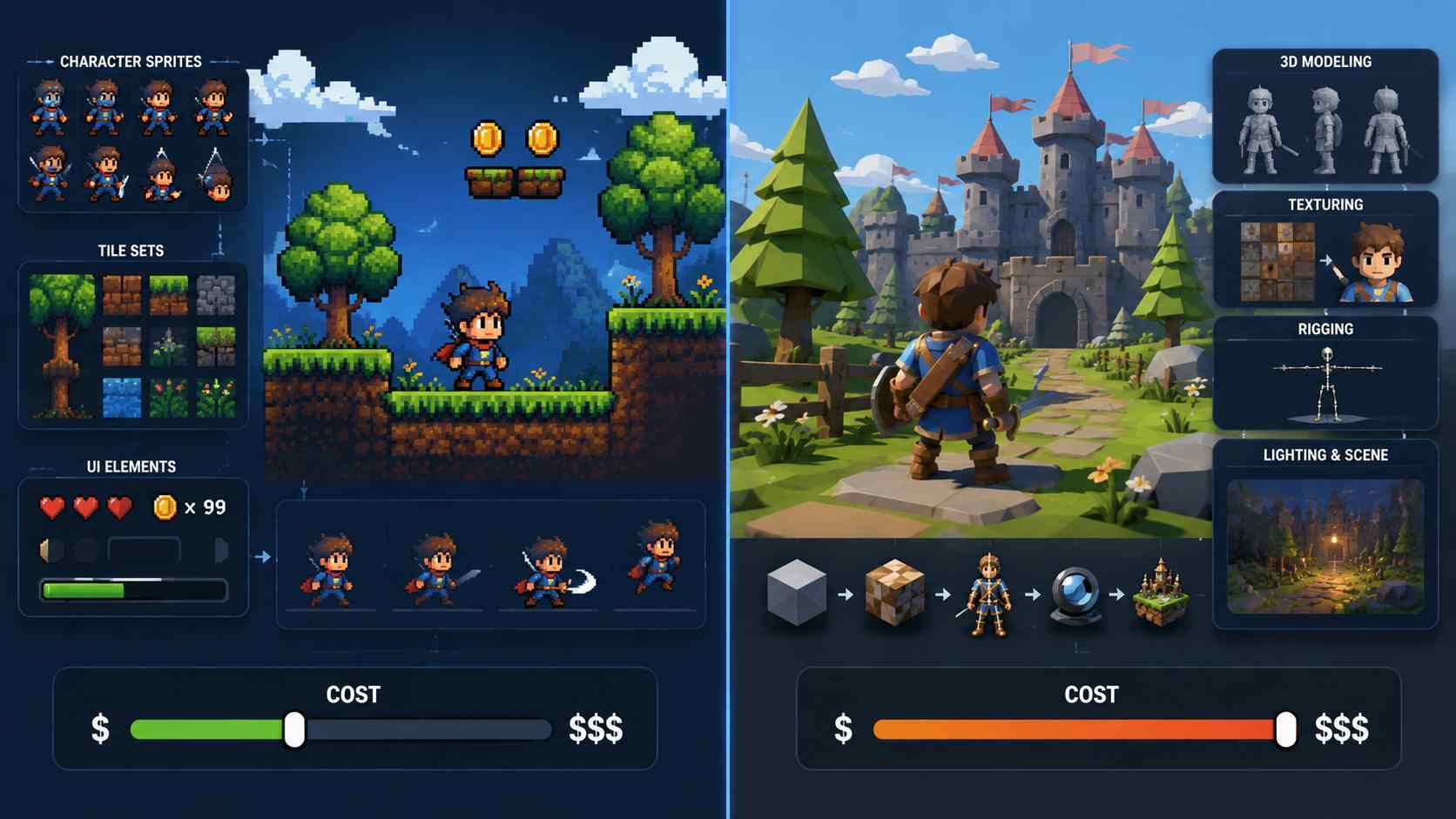
2D games use assets such as character sprites, background layers, interface elements, and tile sets. A small game can reuse a limited set of tiles and animations across many levels. This makes a simple 2D style practical for a solo developer or a team without a 3D artist.
However, polished 2D art can be expensive. A hand-drawn character may need separate frames for every action, direction, costume, and weapon. Detailed backgrounds can also be difficult to reuse when the camera or scene changes.
3D production usually adds modeling, UV mapping, textures, materials, rigging, lighting, and scene assembly. One model can be viewed from many angles, which makes it more reusable, but each asset needs a reliable production pipeline. A low-poly style and a small environment can control this cost. A large realistic world cannot.
Decision: compare the number of assets and animations you need, not just whether they are 2D or 3D. A clean low-poly room may be easier to produce than hundreds of hand-drawn animation frames.
2. Animation
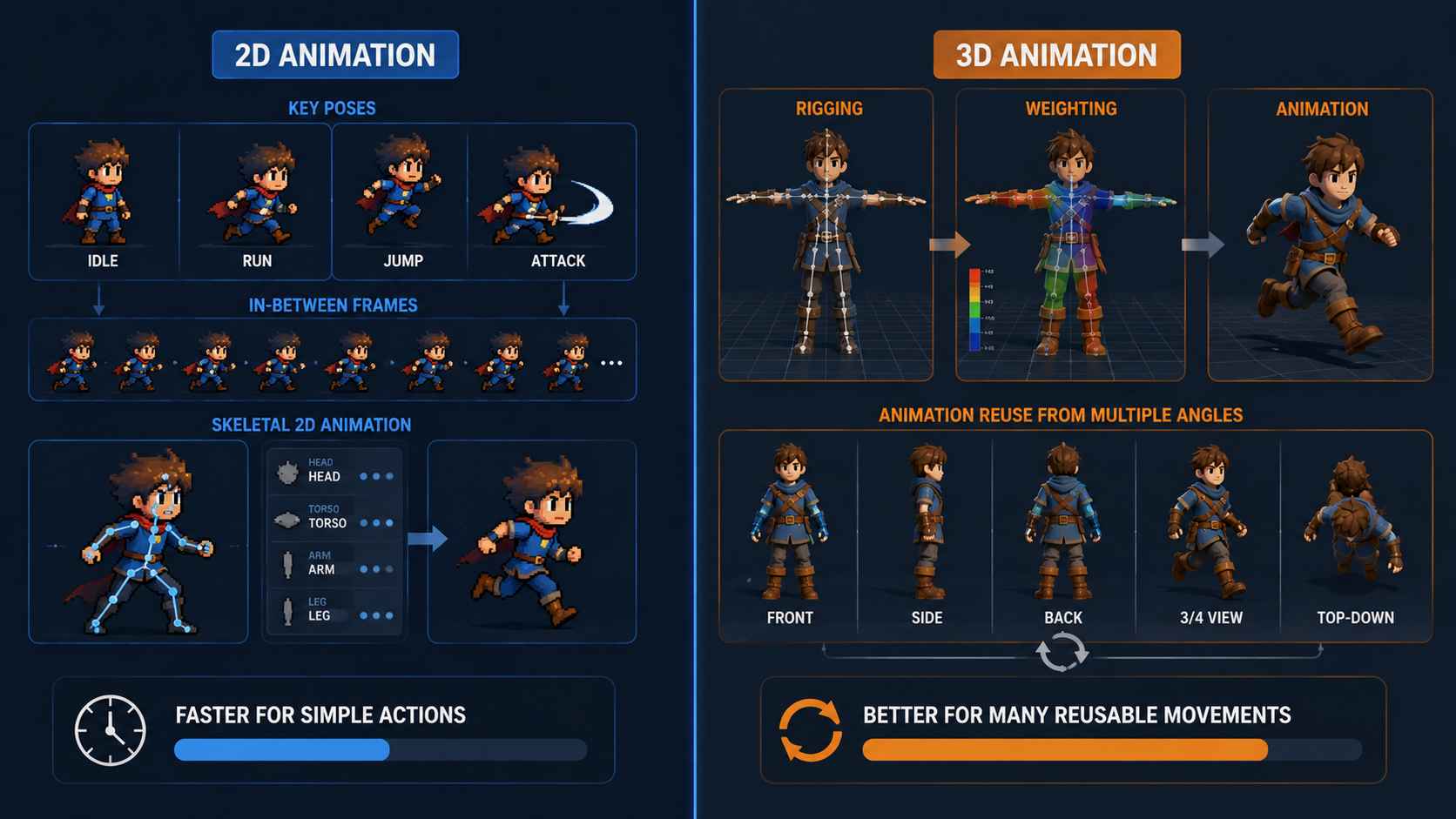
Traditional 2D animation often requires an artist to draw key poses and additional frames for each action. Skeletal 2D animation can reduce that work by moving connected parts, but it may not suit every visual style.
In 3D, a rigged character can reuse one walk, run, or jump animation from multiple camera angles. The engine can blend between poses, which helps movement look continuous. The setup is heavier: the model must be rigged, weighted, and tested before those benefits appear.
Decision: 2D is often faster when the character has a few simple actions. 3D becomes more attractive when the same character needs many reusable movements or must be seen from changing angles.
3. Camera and Level Design
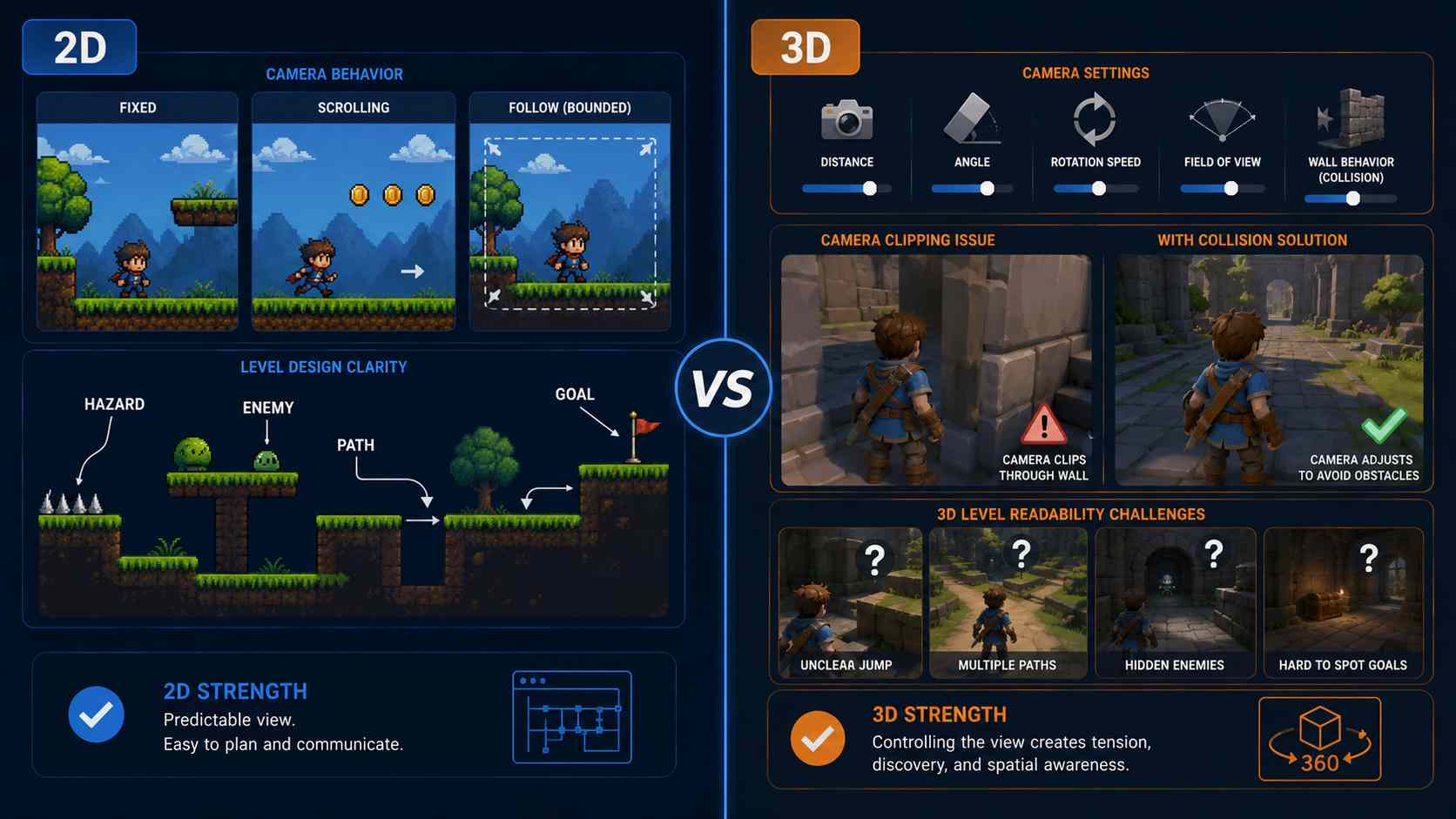
A 2D camera may remain fixed, scroll along one direction, or follow the player within simple limits. The designer can predict what the player sees and place hazards, enemies, and goals clearly.
A 3D camera is part of the gameplay. You must decide its distance, angle, rotation speed, field of view, and behavior near walls. In a third-person game, the camera can clip through geometry or hide the player unless the game includes a system to prevent it. The Godot documentation on third-person cameras demonstrates this problem and the extra setup used to solve it.
Level design also becomes harder to read in 3D. A jump that looks possible from one angle may be unclear from another. Doors, paths, enemies, and interactive objects need stronger landmarks, lighting, or interface guidance.
Decision: if the camera only shows the action, 2D is simpler. If controlling the view, searching around corners, or judging distance creates the experience, use 3D and treat the camera as a core mechanic.
4. Physics and Collision
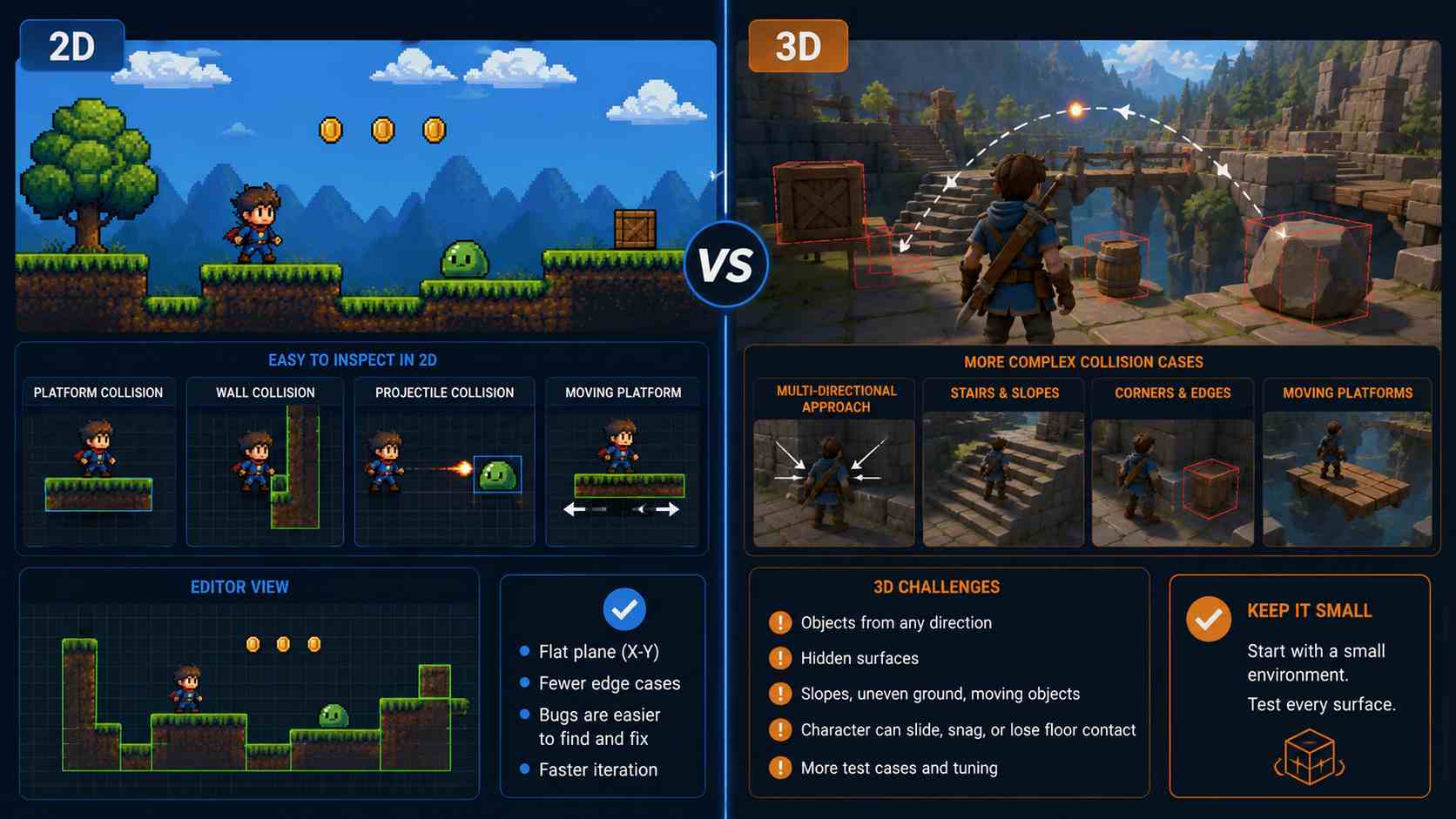
Both formats can include gravity, momentum, joints, projectiles, and complex collision rules. The difference is the space in which those systems operate.
In 2D, collision shapes and movement are easier to inspect because they share a flat plane. When a character misses a platform or passes through a wall, the cause is often visible in the editor.
In 3D, objects can approach from more directions, rotate across more axes, or collide with surfaces the camera cannot see. Stairs, slopes, corners, moving platforms, and uneven ground create additional test cases. Character movement may also need special handling so the player does not slide, snag on geometry, or lose contact with the floor.
Decision: 2D is usually safer for a first physics-based game. Choose 3D when spatial movement itself creates the fun, then keep the first environment small enough to test every surface.
5. Performance and Browser Compatibility
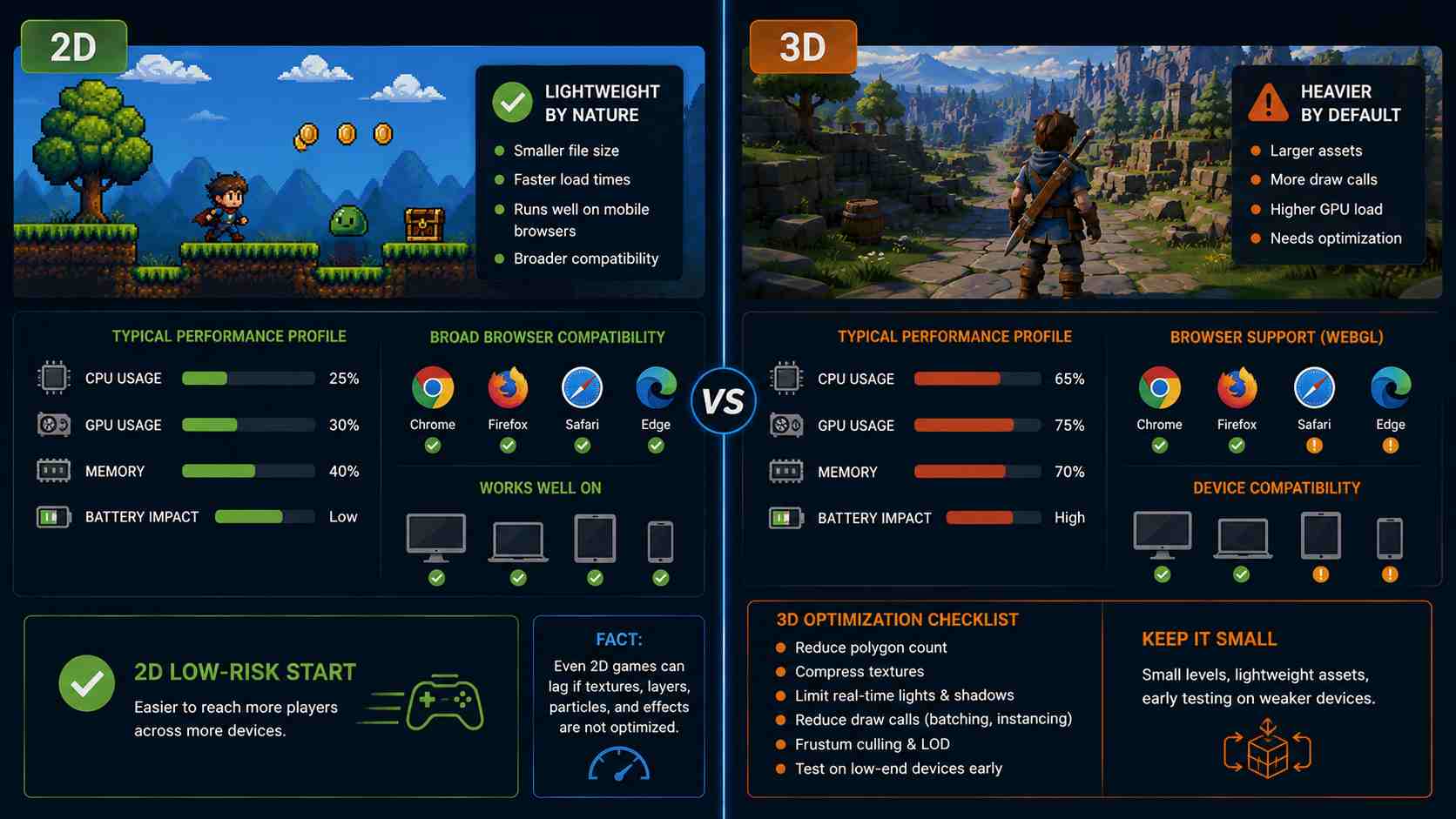
Simple 2D games often load quickly and run well across desktop and mobile browsers. Their scenes may contain fewer large models, materials, lights, shadows, and post-processing effects. That gives a small team more room to focus on the game loop.
Still, 2D does not guarantee good performance. Large textures, many transparent layers, particles, and complex effects can overload a scene. A carefully optimized low-poly 3D game can perform better than an inefficient 2D game.
3D browser games require closer control over model size, texture resolution, lighting, shadows, visible objects, and rendering work. For example, Unity's rendering documentation explains that reducing draw calls can improve frame times and reduce device heat and battery use.
Decision: if you need broad browser and mobile compatibility, 2D is the lower-risk starting point. If the idea needs 3D, use a small level, lightweight assets, limited real-time lighting, and early testing on weaker devices.
6. Controls and Player Onboarding
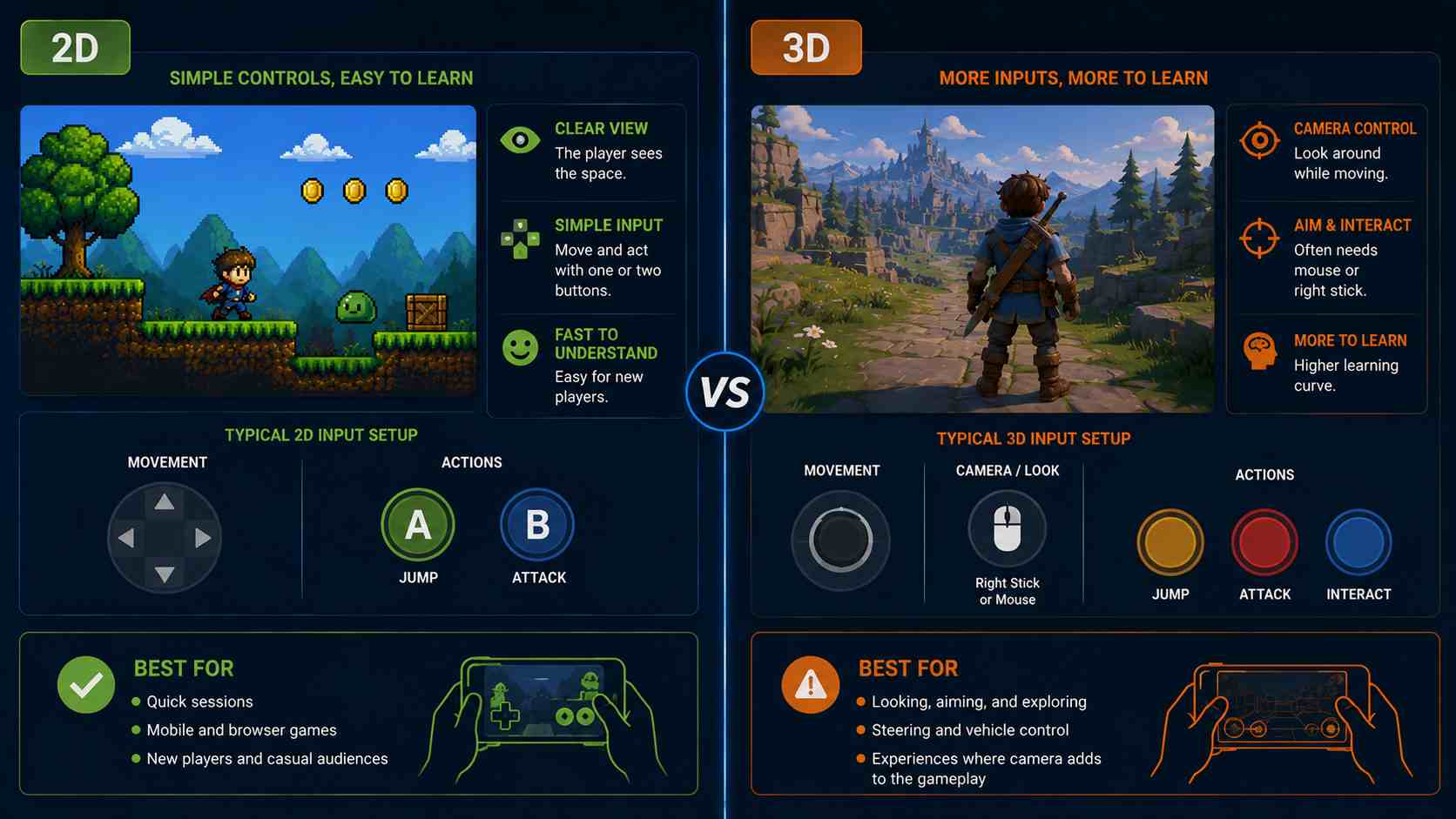
A 2D game can often work with a directional pad and one or two action buttons. The player sees the available space and understands how input maps to movement. This is especially useful for mobile games, quick browser sessions, and games designed for new players.
Many 3D games ask the player to control movement and the camera at the same time. First-person aiming may require a mouse or right stick. Touch controls need separate areas for movement, looking, and actions, which can make a small screen feel crowded.
Decision: choose 2D when instant readability and simple input are priorities. Choose 3D when looking, aiming, steering, or exploring is worth the added learning curve.
7. Suitable Game Types
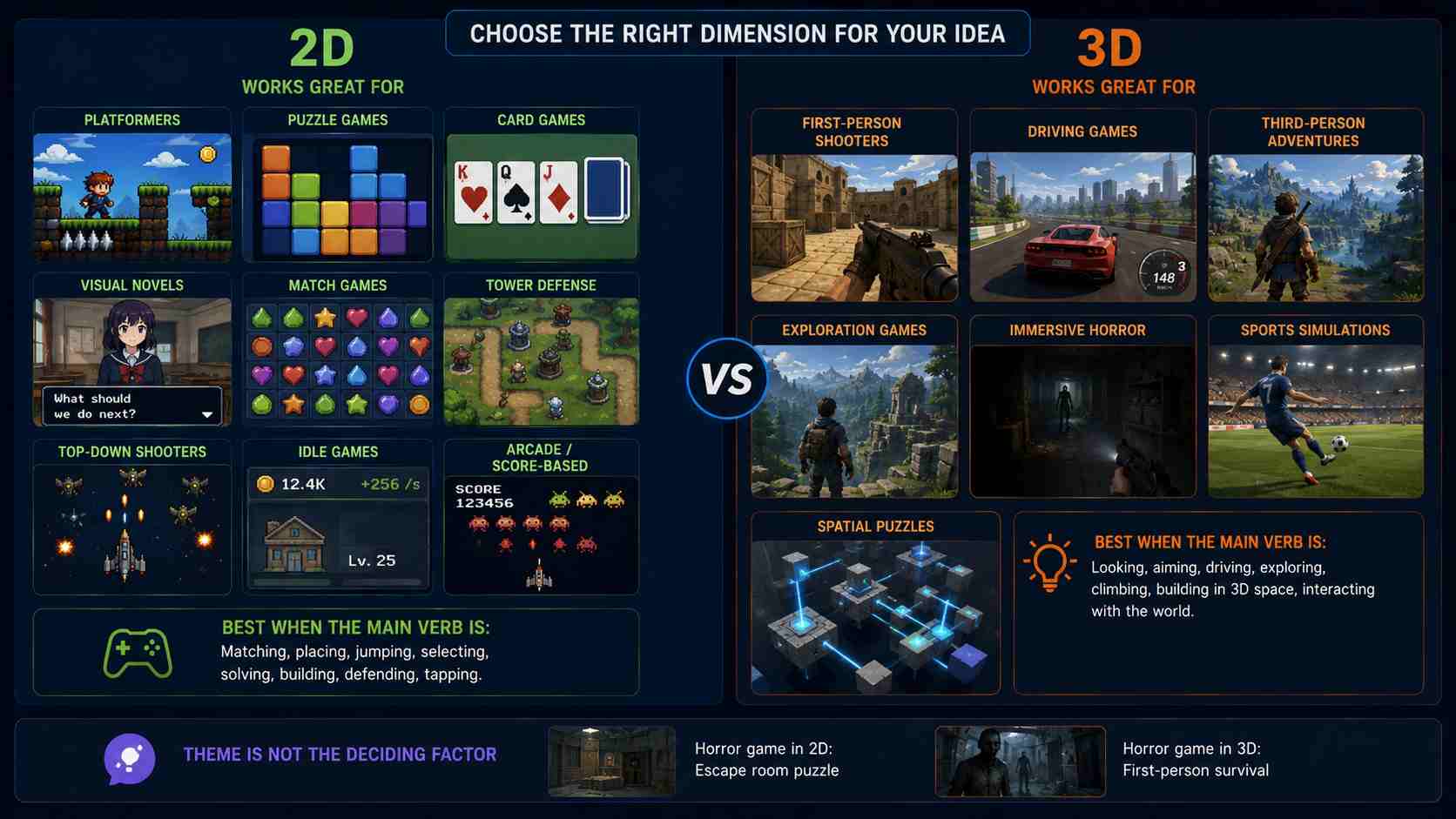
Some ideas have a natural dimensional fit, although these are guides rather than strict rules.
- 2D often suits: platformers, puzzle games, card games, visual novels, match games, tower defense, top-down shooters, idle games, and score-based arcade games.
- 3D often suits: first-person shooters, driving games, third-person adventures, exploration games, immersive horror, sports simulations, and games built around spatial puzzles.
Start with the player's main verb. Matching, placing, jumping, and selecting can work clearly in 2D. Looking, aiming, driving, climbing, and exploring often gain more from 3D. The theme alone should not make the decision: a horror game can be a 2D escape puzzle or a 3D first-person experience.
Are 2D or 3D Games Easier to Make?
For a beginner's first complete game, 2D is usually easier. You can learn the main development concepts—input, game states, collision, scoring, feedback, and win conditions—without solving a free-moving camera or building a full 3D asset pipeline.
That does not mean every 2D game is easy. A large RPG with detailed pixel animation, many characters, and hundreds of maps is much harder than a one-room low-poly 3D game. Scope has a greater effect on difficulty than dimension alone.
A useful first 2D project might have one screen, one main action, one obstacle type, and one clear ending. You can use a 2D game maker to turn that small idea into a playable browser game and check whether the loop is fun before expanding it.
If your idea depends on depth, do not build a 2D version only because it seems easier. Start with a very small 3D prototype instead: one room or track, one camera view, basic movement, one challenge, and a clear finish. SoonLab's AI 3D game maker can help you test this type of focused concept without first building every system by hand.
How to Choose Between a 2D and 3D Game
Use the following questions before choosing an art style or engine:
- Does the main mechanic require depth? If players must aim into a scene, move around objects, explore freely, or judge distance, choose 3D. If the game remains clear on a flat plane, choose 2D.
- What can your team produce consistently? Choose the format that matches your available art, animation, programming, and level-design skills.
- How many unique assets are required? Count characters, movements, environments, props, and effects. A smaller asset list is more useful than a vague promise to keep the game simple.
- Where will people play? For a quick mobile or browser game, simple controls and low loading demands matter. For a desktop exploration game, a more complex camera may be acceptable.
- Can you test the main loop in one level? If not, the idea is probably too large regardless of dimension.
If your answers remain mixed, prototype the same mechanic in its simplest 2D and 3D forms. Do not compare polished art. Compare how quickly players understand the controls, goal, challenge, and feedback. The better format is the one that makes the central action clearer and more satisfying.
What Are 2.5D Games?
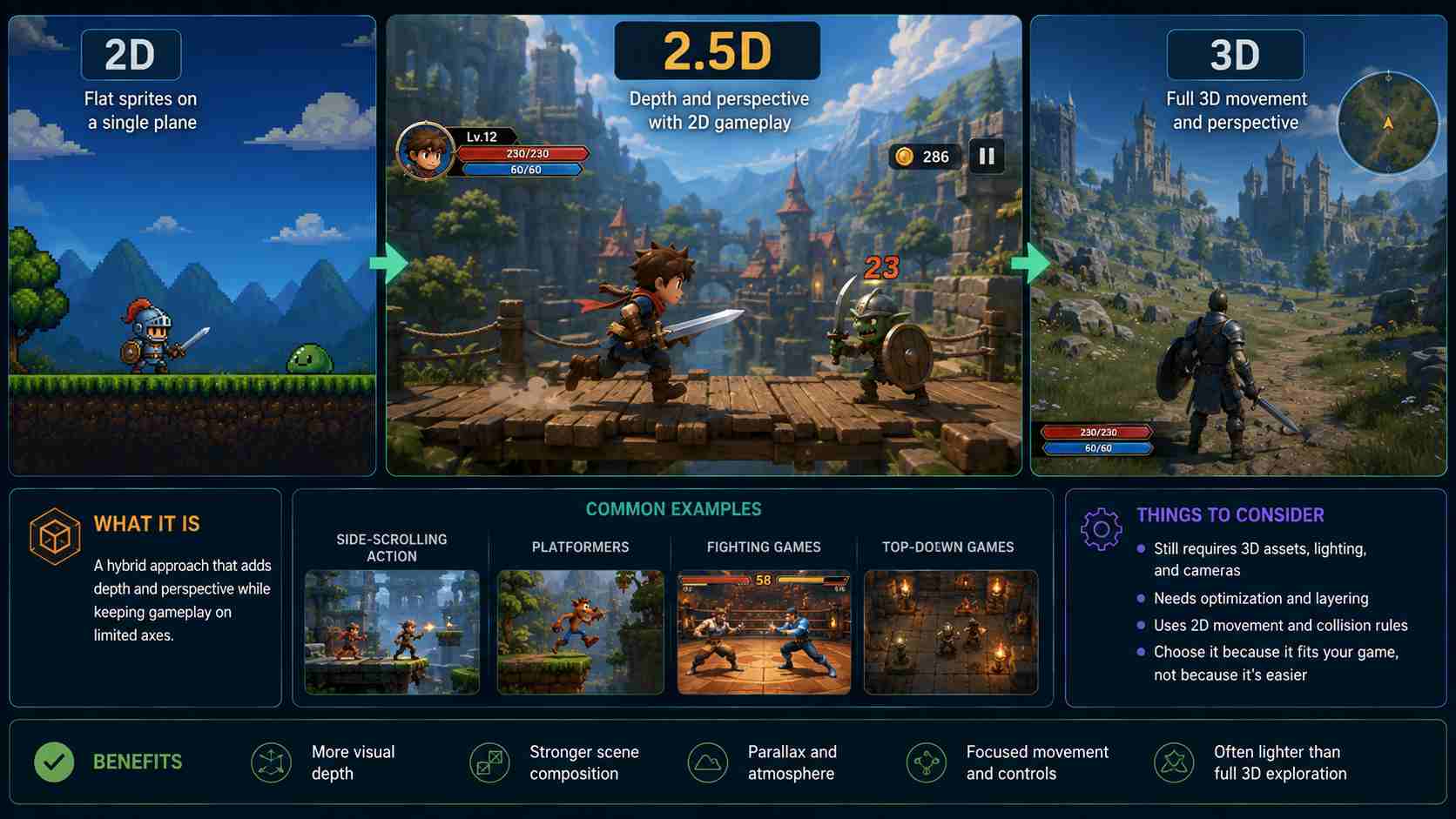
2.5D describes a hybrid presentation rather than one fixed technology. A game may use 3D characters and environments while limiting gameplay to two axes. Another game may use flat sprites arranged at different depths to create perspective and parallax.
This approach can provide visual depth without requiring unrestricted movement. It works well for side-scrolling action, platformers, fighting games, and top-down experiences that need strong scene composition.
However, 2.5D is not automatically a shortcut. You may still need 3D models, lighting, cameras, and optimization while following 2D movement and collision rules. Choose it because the hybrid presentation supports the game, not because it sounds like an easy compromise.
Prototype Before You Commit
You do not need a complete art pipeline to decide between 2D and 3D game development. Build the smallest playable version that can answer one question: does the core action feel better on a flat plane or in a space with depth?
Use placeholder visuals. Add only the player, one challenge, basic controls, feedback, and a win or fail state. Test the camera, movement, and collision before creating more levels or final artwork. If players struggle to understand the goal, adding detail will not solve the underlying problem.
SoonLab can turn a focused description into a playable browser prototype. It is useful for testing a game loop quickly, but it does not replace the deeper control of a traditional engine for a large commercial production. When you are ready to compare the idea in practice, create a small playable game from your prompt, test it, and refine one problem at a time.
Turn your idea into aplayable game
Describe the game you want to make, and SoonLab will help you start building it.
2D vs 3D Games FAQs
Are 2D games cheaper to make than 3D games?
They often are, especially when the game uses a small sprite set, simple animation, and fixed camera views. A highly polished 2D game with extensive hand-drawn animation can cost more than a small low-poly 3D project. Scope, quality, and asset reuse matter more than dimension alone.
Should a beginner start with a 2D or 3D game?
Most beginners should start with a small 2D game because it reduces camera, control, and collision complexity. Start with 3D only when depth is essential to the main mechanic, and limit the first version to one small environment.
Can a game combine 2D and 3D graphics?
Yes. A game can use 3D models with movement restricted to two axes, or place 2D sprites inside a scene with depth and perspective. These hybrid approaches are often described as 2.5D.
Do 2D games perform better in browsers?
Simple 2D games are usually easier to optimize for a wide range of browsers and mobile devices. Performance still depends on texture size, effects, object count, code, and rendering choices. A lightweight 3D game can run well, while an inefficient 2D game can still load slowly or drop frames.
Is 3D better for immersion?
3D can create a stronger sense of physical space because players can look and move through an environment. Immersion can also come from sound, rules, pacing, story, and responsive controls, so 2D games are not inherently less engaging.
Can I change a 2D game into a 3D game later?
It is possible, but it is rarely a simple visual upgrade. Cameras, movement, collisions, levels, controls, assets, and performance may all need to change. Prototype both approaches early if you think depth may become important.
Final Verdict
In the 2D games vs 3D games decision, choose the simplest format that preserves the reason your game is fun. For most beginners, that means starting in 2D and learning to finish one clear game loop. Choose 3D when depth, camera movement, aiming, driving, or exploration is essential rather than decorative.
Keep the first version small in either format. A finished one-level prototype will teach you more than a large project filled with unfinished systems. Test the controls, camera, collision, and goal first; then invest in art, animation, and additional content after the format proves itself.