
If you are learning how to make an indie game, your first goal should not be a giant open world, a full Steam launch, or a perfect art style. Your first goal should be a small, playable game with a clear idea, simple rules, and a complete experience from start to finish.
AI can make this process easier because it helps you move from idea to playable game faster. Instead of spending weeks planning every system, you can describe the genre, player role, goal, controls, challenge, and win condition, then test whether the game is actually fun.
The best first indie game is not the biggest one. It is the smallest complete version of your idea that someone can play, understand, and finish.
In this blog, I'll introduce what an indie game is, how to make an indie game by yourself, and provide more tips to help you create your first indie game. Let's go!
Turn your idea into aplayable game
Describe the game you want to make, and SoonLab will help you start building it.
What Is an Indie Game?
An indie game is usually created by a solo developer, small team, student creator, or independent studio without the same budget, publishing support, or production pipeline as a large game company. But the indie game meaning is not only “independent.” It also implies creative control, focused scope, personal style, and a willingness to try ideas that large studios may avoid.
A practical indie game definition for beginners is this: an indie game is a small-team game built around a focused creative idea, often with limited resources and a strong need to make smart design choices. A tiny horror game, a one-room puzzle adventure, a pixel art platformer, a short RPG, or a browser game can all be indie games if they are built around a clear experience.
| Indie Game Trait | What It Means for Beginners |
|---|---|
| Small team or solo creator | You need to keep the game scope realistic and avoid building too many systems at once. |
| Focused creative idea | Your game should be easy to explain in one sentence before you expand it. |
| Limited resources | You can use simple art, short levels, reusable mechanics, and AI tools for game development to move faster. |
| Personal style | The game does not need to look like a AAA release. It needs a clear mood, rule, or interaction that feels intentional. |
| Fast iteration | You should build a playable core loop early, playtest often, and improve based on real feedback instead of guessing. |
Why Your First Indie Game Should Be Small
Many beginners start with an idea that is too large: an open world RPG, a multiplayer survival game, a farming simulator with hundreds of items, or a story game with dozens of characters. These ideas can be exciting, but they are difficult to finish as a first project.
A small indie game is easier to complete because every part has a clear purpose. You can design one main action, one challenge, one win condition, and one short play session. That makes it easier to test the game, improve it, and decide whether the idea deserves a bigger version later.
This does not mean your idea has to be boring. Some of the most memorable indie games are built around one strong rule, one unusual mood, or one simple interaction. The key is to make the game feel complete at a small scale.
You can see the same design principle in many friendslop games: the main task is simple, while teamwork, bad timing, and player mistakes make every round feel different.
What Is a Good First Indie Game Scope?
A good first indie game should be small enough for a player to understand quickly and finish in one short session. For most beginners, that means:
- One playable level, room, map, or scene
- One main character or player role
- One core action players repeat
- One main enemy, puzzle type, resource, or obstacle
- One clear win condition
- One simple fail condition or time pressure
- One reason to replay, such as a better score, faster time, or alternate path
If your game needs a large world, deep economy, many characters, complex combat, and a long story before it becomes fun, it is too large for a first indie game.
How to Make an Indie Game: 5 Beginner-Friendly Methods
There is no single correct way to make an indie game. A solo game developer can start with a professional engine, a 2D game maker, a starter template, web tools, or an AI game maker. The right choice depends on what you want to learn, how much coding you can handle, and how quickly you need a playable prototype.
If this is your first project, avoid choosing a tool only because it is popular. Choose the method that helps you finish a small, playable version first. A tiny game that people can test is more valuable than a huge idea that never becomes playable.
| Method | Best For | Good First Project | Main Risk |
|---|---|---|---|
| Traditional game engine | Creators who want long-term control and professional skills | Small 2D platformer, 3D room escape, simple action game | Learning curve can slow down the first quick game prototype |
| 2D game maker or low-code tool | Beginners making 2D games with less setup | Puzzle game, RPG prototype, idle game, arcade game | Some custom mechanics may be harder to build |
| Templates and asset packs | Creators who want to start from a working foundation | Platformer template, horror kit, RPG starter map | The game may feel generic without a clear design twist |
| Browser game tools | Creators who want a shareable web game | Quiz game, arcade game, puzzle game, interactive story | Still requires coding and web development basics |
| AI game maker | Non-coders and beginners who need a fast playable prototype | Prompt-based platformer, survival game, puzzle prototype | AI helps you start, but you still need design judgment |
Method 1: Use a Traditional Game Engine
Traditional game engines such as Unity, Godot, and Unreal Engine are powerful choices for indie game development. They give you control over scenes, physics, animation, scripting, UI, input, performance, and publishing. If your long-term goal is a polished commercial game, this path is worth learning.
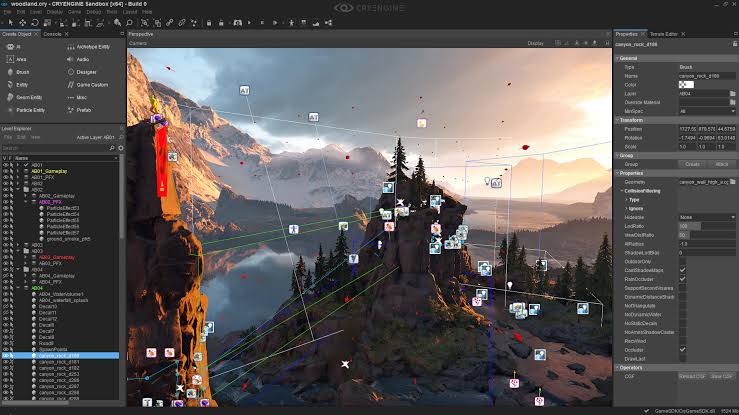
This method is best for creators who are serious about building deeper technical skills. It works well for 3D adventure games, action games, platformers, simulation games, and projects that may later grow into a Steam launch. A traditional engine also gives you more room to customize systems instead of staying inside a beginner-friendly template.
The challenge is that engines can make beginners feel busy before the game is fun. You may spend hours learning the interface, importing assets, fixing scripts, or adjusting project settings before you have tested the core game loop. That is why your first engine project should be extremely small.
Beginner workflow:
- Choose one engine and one game genre. For example, use Godot for a small 2D platformer or Unity for a simple top-down game.
- Build one playable scene before making menus, story, shops, inventory, or extra levels.
- Create only one player action, one obstacle, one goal, and one fail condition.
- Test the game loop with placeholder art before polishing the visuals.
- Expand only after the first version feels playable.
Choose this method if: you want professional development experience, long-term flexibility, and full control over the final game.
Skip this method for now if: you mainly want to test whether an indie game idea is fun and you do not want to spend days learning engine setup before playtesting.
Method 2: Use a 2D Game Maker or Low-Code Tool
A 2D game maker or low-code tool is often easier than a full engine for a first indie game. Tools such as GameMaker, Construct, GDevelop, and RPG Maker are designed to help creators build games with less technical setup. They usually provide built-in systems for sprites, levels, collisions, events, animations, and basic game logic.
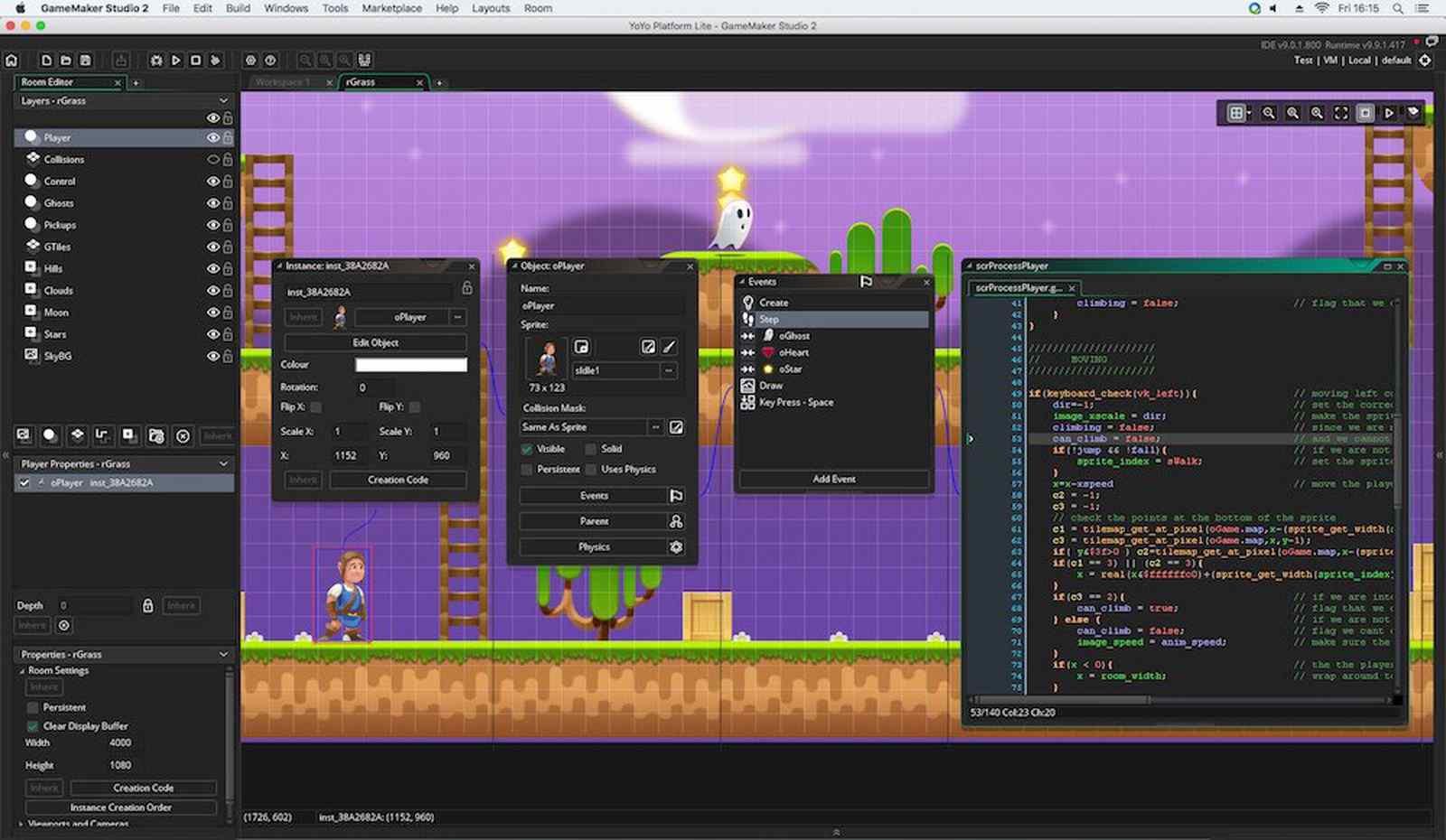
This method is a strong fit for platformers, puzzle games, RPG prototypes, idle games, visual novels, top-down adventures, and simple arcade games. You still make design decisions, but you do not have to build every system from scratch. That makes it easier to focus on level design, player feedback, pacing, and whether the game feels satisfying.
The tradeoff is flexibility. Low-code tools are easier to start with, but unusual mechanics or advanced systems may still require scripting, plugins, or workarounds. Before choosing one, check whether the tool supports the exact genre you want to make.
Beginner workflow:
- Pick a tool based on your genre, not just popularity. RPG Maker is useful for classic RPGs, while GDevelop or Construct may be better for small arcade-style games.
- Start with one level or one room. Do not create a full world map first.
- Use built-in events or visual logic to create movement, scoring, win conditions, and failure states.
- Playtest with simple shapes or temporary sprites before spending time on final art.
- Add polish only after the basic loop is clear.
Choose this method if: you want to make a 2D game faster than a traditional engine allows, while still learning real game design logic.
Skip this method for now if: your idea depends on complex 3D systems, unusual physics, heavy multiplayer, or deep custom code.
Method 3: Start With Templates, Asset Packs, or Starter Kits
Another practical way to make an indie game is to begin with templates, asset packs, or starter kits. Instead of creating every sprite, sound effect, menu, controller, and mechanic from zero, you use an existing foundation and customize it into your own game.
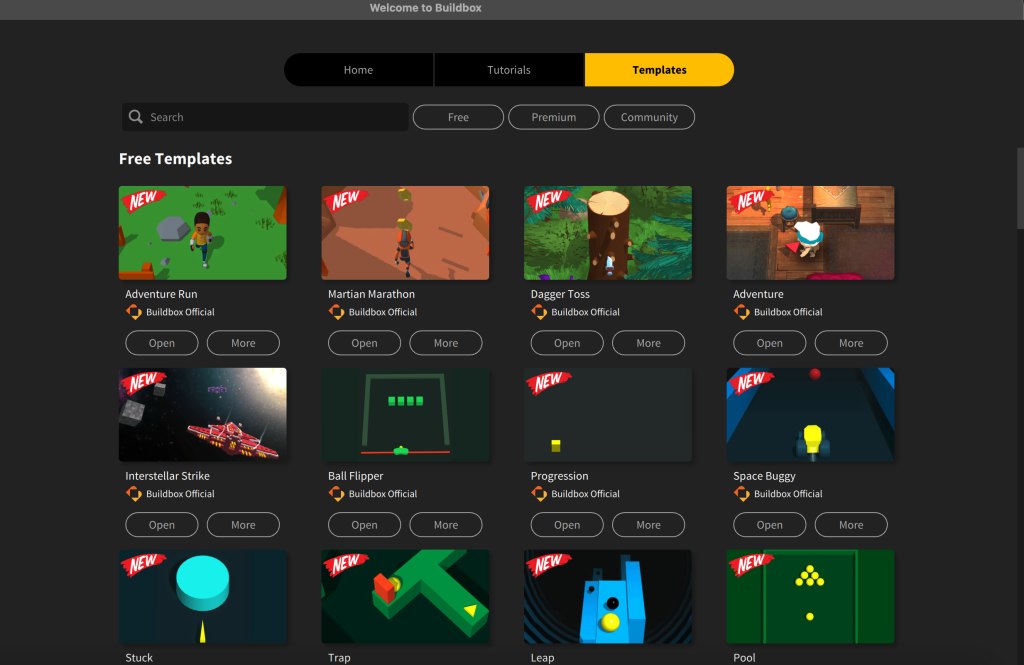
This method is useful when you already know the genre you want to explore. For example, you might start with a platformer template, a top-down RPG kit, a horror game prototype, a puzzle game starter project, or a pixel art asset pack. This can save time, especially if you are not confident with art, animation, or basic systems yet.
The danger is making something that feels like a template with a new title. A good indie game needs a point of view. Even if you use starter assets, you should change the pacing, level design, rules, characters, goals, or core mechanic so the game has a reason to exist.
Beginner workflow:
- Choose a starter kit that matches your target genre closely.
- Play the template before editing it, so you understand what already works.
- Change one major design element, such as the win condition, enemy behavior, level structure, or resource system.
- Replace or modify assets gradually instead of trying to remake everything at once.
- Test whether your changes create a new experience, not just a reskinned version of the original template.
Choose this method if: you want to learn by modifying a working project and you need help with art, UI, sound, or basic mechanics.
Skip this method for now if: you are not willing to add your own design twist. A template should be a starting point, not the whole game.
Method 4: Build a Simple Browser Game With Web Tools
A browser game workflow is useful if you want your indie game to be easy to test and share. Players can open the game through a link instead of downloading a build. This is especially helpful for small prototypes, classroom projects, social media experiments, and early playtesting.
You can build browser games with HTML, CSS, JavaScript, Phaser, Kaboom.js, or similar web-based frameworks. This method works well for hide-and-seek games, puzzle games, arcade games, idle games, interactive stories, rhythm dodge games, and small experimental mechanics. It is not always the fastest path for a complete commercial game, but it is excellent for quick feedback.
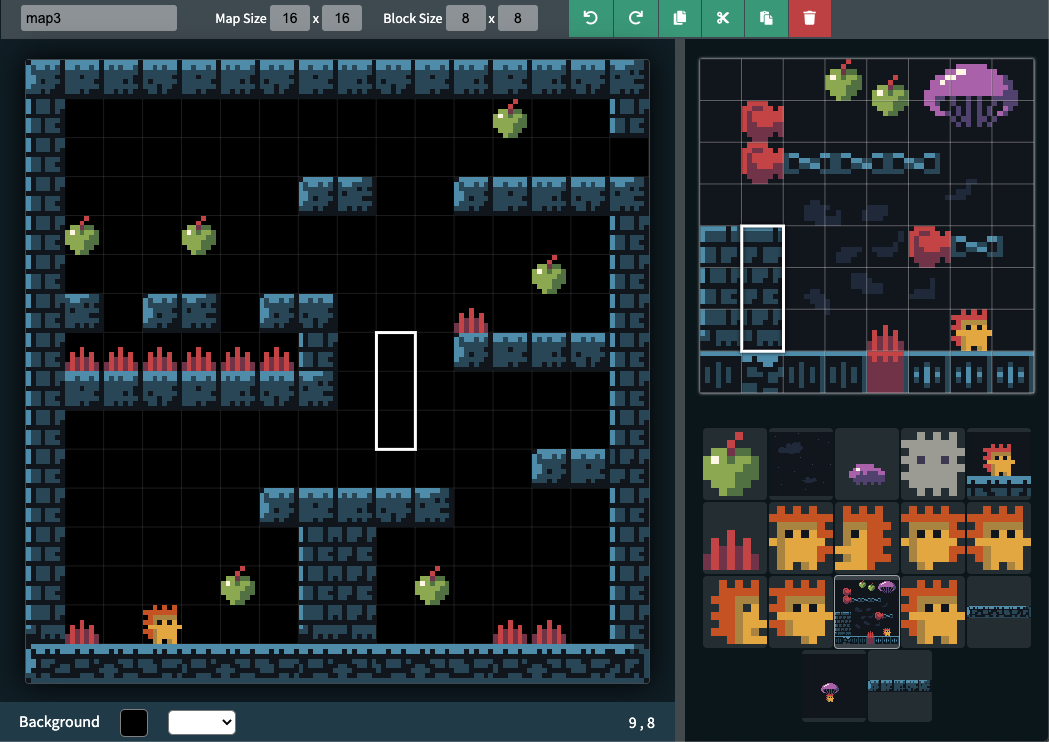
The challenge is that you still need coding knowledge. Even a small web game may involve files, canvas rendering, input handling, collision logic, responsive layout, audio, browser testing, and hosting. If you enjoy learning through small technical projects, this path can be rewarding.
Beginner workflow:
- Start with one screen and one interaction, such as clicking targets, dodging objects, answering questions, or collecting items.
- Use simple shapes before adding final sprites or animation.
- Add a clear score, timer, win condition, or fail condition.
- Test the game on desktop and mobile if you expect people to play in a browser.
- Share the link with a few players and watch where they get confused.
Choose this method if: you want a lightweight browser game, you are willing to learn JavaScript, and easy sharing matters more than advanced engine features.
Skip this method for now if: you do not want to code yet or you need complex 3D, advanced tools, or large-scale content management.
Method 5: Use an AI Game Maker Like SoonLab
An AI game maker is useful when you have an idea but do not know how to turn it into a playable prototype. Instead of starting with engine setup, scripting, or a blank project, you describe the game in natural language. The goal is not to skip all design work. The goal is to reach a playable version faster so you can test the idea.
SoonLab fits this early-stage workflow because it helps creators move from prompt to browser-playable game. You can describe the genre, player role, controls, goal, obstacles, win condition, fail condition, visual style, and even game sound effects. Then you can play the result, identify what feels weak, and improve the prompt or regenerate a better version.
Turn your idea into aplayable game
Describe the game you want to make, and SoonLab will help you start building it.
This method is especially helpful for non-coders, students, solo creators, and content creators who want to test indie game ideas before investing weeks in production. It is also useful if you are comparing several concepts and want to know which one has the strongest core loop.
Beginner workflow:
- Write the game idea in one sentence. And add the player goal, controls, main challenge, win condition, and fail condition.
- Generate a small playable browser game.
- Play it like a real player and check whether the core loop is understandable.
- Revise the prompt based on what feels unclear, too easy, too hard, or not fun yet.
You can play the game I made with SoonLab:
Here is a beginner-friendly prompt structure you can adapt:
Choose this method if: you want to test an indie game idea quickly, avoid coding at the start, and share a browser-playable prototype for feedback.
Skip this method for now if: you already need a highly customized commercial build, advanced engine systems, or full manual control over every technical detail.
Which Method Should You Choose to Start Making Indie Games?
If you want to learn professional game development, start with Unity, Godot, Unreal Engine, or GameMaker and keep the first project tiny. If you want to make a 2D game without heavy setup, use a low-code game maker. If you want to move faster visually, start from templates and customize them with a clear design twist.
If your main goal is to validate an idea, a browser game workflow or an AI game maker may be the better starting point. They help you reach playtesting faster, which is often what beginners need most. You can always move to a traditional engine later if the prototype proves the idea is worth expanding.
If you are learning how to make an indie game, the best method is the one that gets you to a small playable version soonest. Do not wait until the art is perfect, the story is complete, or the world is fully planned. Build the smallest version, test the core loop, learn from real play, and then decide what the game should become.
Indie Game Ideas That Work Well for Beginners
The best indie game ideas for a first prototype are small, readable, and easy to test in under five minutes. They should prove one mechanic, not simulate a whole world.
| Idea | Why It Works | Prompt Angle |
|---|---|---|
| Tiny horror escape | Clear goal, strong mood, simple chase pressure | Escape a dark house while avoiding one creature |
| Idle shop simulator | Easy loop: earn, upgrade, repeat | Sell potions and buy shelves to increase income |
| One-room RPG | Small map with combat, item, and exit logic | Defeat one slime, find a key, open the door |
| Puzzle adventure | Tests logic without large content needs | Push blocks, activate switches, reach the exit |
| Mini platformer | Tests controls and level feel quickly | Jump over spikes and collect stars |
| Boss rush | One enemy creates a complete challenge | Dodge three attack patterns and strike back |
| Cozy farming loop | Simple cycle of plant, wait, collect, upgrade | Grow crops before sunset |
| Top-down survival game | Good for resource pressure and enemy movement | Gather food while avoiding patrols |
| Simple detective mystery | Works with clues, choices, and one ending | Find three clues and accuse the right suspect |
| Rhythm dodge game | Tests timing and feedback | Dodge obstacles to the beat |
If you want a genre-specific example, start with an indie horror game, because horror prototypes can work with small maps, simple rules, and strong atmosphere.
Common Mistakes to Avoid When Making Your First Indie Game
1. Starting with a game that is too large
Fix it by cutting the idea down to one room, one level, one enemy, or one puzzle.
2. Building lore before building gameplay
Worldbuilding is fun, but it should support the core loop. Build a playable scene first.
3. Making art before testing controls
Placeholder art is enough for early testing. Controls and feedback matter more.
4. Adding too many mechanics
Use one main mechanic until players understand and enjoy it.
5. Skipping playtesting
Watch someone play without explaining everything. Their confusion is useful data.
6. Treating a prototype like a finished game
A prototype is allowed to be rough. Its job is to answer a design question.
7. Choosing tools before understanding the core loop
Pick tools after you know what the game needs to do, not before.
8. Not knowing when to stop revising
If every test creates a new direction, write down the strongest fun signal and build around that.
FAQs About Making an Indie Game
Can I make an indie game without coding?
Yes. No-code tools and an AI game maker such as SoonLab can help beginners create a playable prototype before learning a full engine or programming language. If your goal is a complex commercial game, you may still need code, engine skills, or collaborators later. The first step is to test whether the idea works.
How long does it take to make an indie game?
It depends on scope. A small prototype can be made quickly, while a complete commercial game can take months or years. Beginners should start with a small playable version instead of planning a full release immediately.
Do I need Unity or Unreal to make an indie game?
Not always. Unity, Unreal, Godot, and GameMaker are powerful if you are preparing for full development, complex systems, or commercial publishing. If your goal is idea validation, a browser prototype workflow can help you test the game loop earlier.
What is the best first indie game idea?
The best first idea is small, clear, and testable. Try a one-room puzzle, mini platformer, idle game, simple horror escape, or tiny survival loop. The idea should be playable in a few minutes and easy to rebuild.
Can AI make a full indie game?
AI can help generate prototypes, code ideas, placeholder assets, prompts, and iteration directions. It should not be understood as a tool that automatically finishes every design decision. AI can speed up early prototyping, but it should not replace playtesting or design judgment.
Conclusion
Learning how to make an indie game is easier when you stop trying to build the whole dream at once. Start with one idea, one loop, one challenge, and one playable prototype.
Traditional engines matter when you are ready for long-term development. But before that, use the fastest method you can to test whether the core loop is fun. Try SoonLab and turn your indie game idea into a playable browser prototype.