
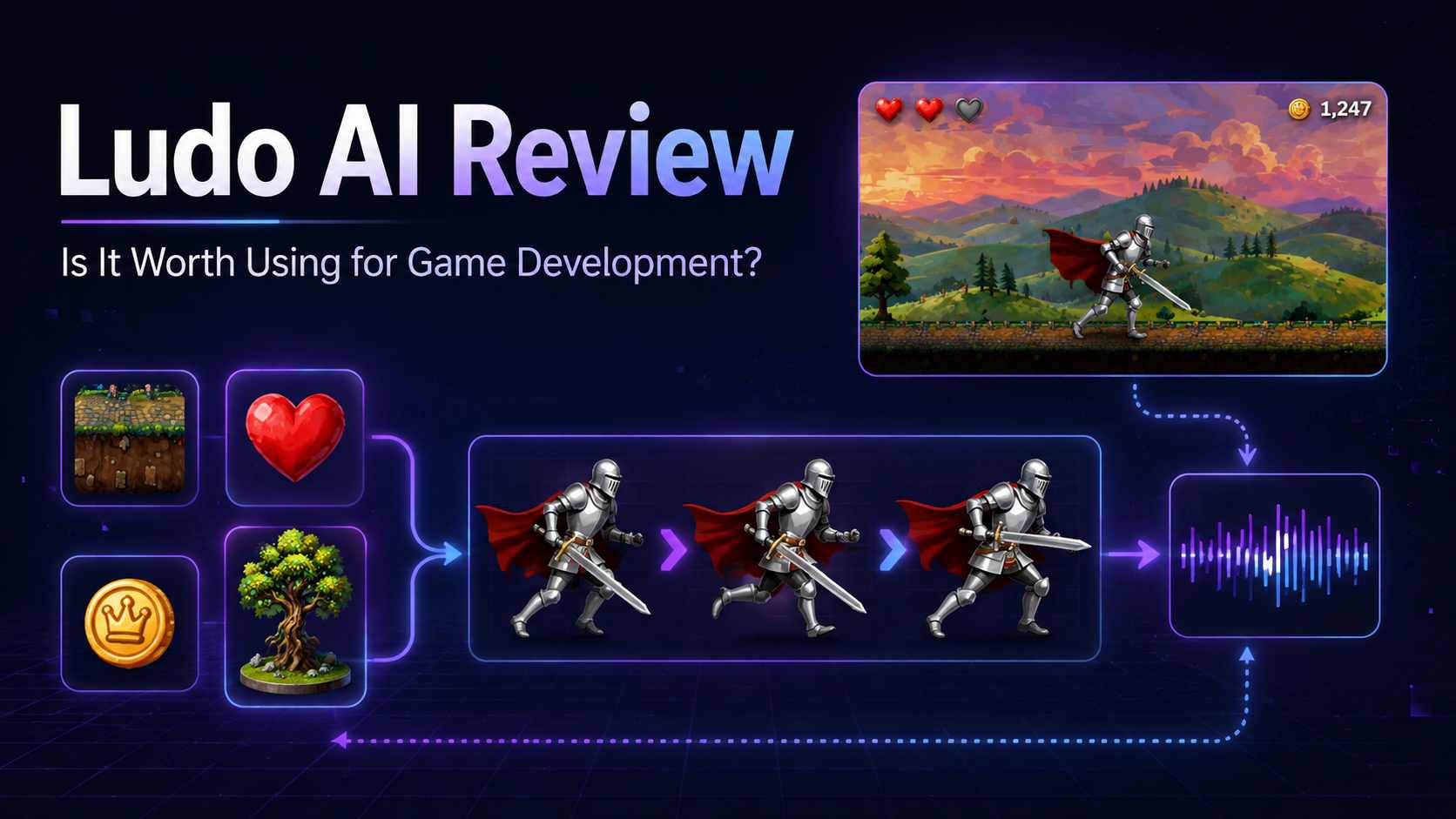
Ludo AI is worth trying if your main bottleneck is creating game assets, especially animated sprite sheets, or turning an early idea into a more organized concept. It combines sprites, images, 3D models, audio, video, game ideation, and simple playable prototypes in one workspace.
It is less convincing as a complete AI game maker. Ludo can generate a basic browser prototype, but the result still needs direction, testing, cleanup, and often a separate engine or development workflow. I would describe it as an AI-assisted pre-production and asset platform rather than a one-prompt solution for making a polished game.
The real question is whether those outputs save enough time after editing and inspection. This Ludo AI review focuses on that decision: which features are genuinely useful, where the workflow falls short, what users report, how the credits work, and who should consider paying for it.
Ludo AI Review: The Quick Verdict
| Question | Short answer |
|---|---|
| Best for | Sprite animation, game assets, concept development, and rapid pre-production |
| Less suitable for | Finished games, exact production art without cleanup, and developers who need full engine control |
| Can it make a playable game? | It can generate simple shareable 2D or 3D web prototypes, but not a polished complete game |
| Is Ludo AI free? | New users receive 30 free credits without entering a credit card |
| Starting paid price | $20 per month for Indie, or $15 per month when billed annually |
My recommendation: use the free credits on one task from a real project. Generate the walk cycle, attack animation, 3D prop, or small prototype you would otherwise have to make elsewhere. The result matters less than how much usable work remains after you inspect and clean it up.
 Also Read:
What Is Ludo AI?

Ludo.ai is an AI-assisted game development platform from Jet Play. It began with game ideation and research, but now covers game concepts, market research, sprites, other 2D assets, 3D models, audio, video, development guidance, and simple playable prototypes.
I would not describe Ludo as a full game engine or simply another AI art tool. It sits between those categories: a workspace for shaping an idea, producing the materials around it, and testing a lightweight version before moving into a deeper production workflow. It can shorten the distance between an idea and something visible or testable, but it does not remove the need for design judgment, technical review, debugging, or playtesting.
Which Ludo AI Features Are Actually Worth Using?
1. Sprite Generator and Sprite Sheet Animation
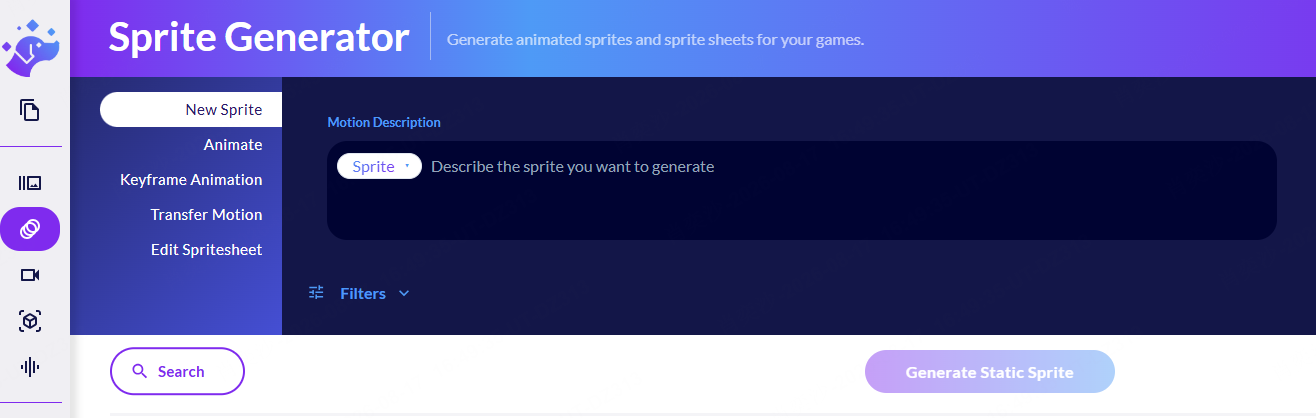
If I had to choose one reason to try Ludo, it would be the Sprite Generator. You can upload or generate a static character, adjust its pose, animate actions such as walking or attacking, and export the result as a sprite sheet, separate frames, a GIF, a video, or a JSON-supported asset.
Ludo supports more than 30 visual styles and offers controls for keyframes, motion transfer, text-based animation editing, loops, frame counts, trimming, and sprite size. This is more useful than receiving one attractive character image and then moving through several separate tools to make it usable in a game.
This is also where I would be most careful. An animation can look smooth in the preview while individual frames contain shifting details, changing proportions, broken silhouettes, or feet that no longer touch the same ground line. Pixel art makes these problems even harder to hide. In one discussion about Ludo’s sprite generator, developers disagreed over whether its results counted as true pixel art and whether players would notice the imperfections. My view is that players may not name the technical problem, but they can still feel when an animation looks unstable.
I would use Ludo sprites for prototypes, animation exploration, and a faster first production pass. I would not assume that every generated sheet can ship untouched. Check the downloaded frames and test the loop inside your engine. If you are still deciding where those assets will be used, compare the control offered by these 2D game engines before building the rest of your workflow around the generated sheet.
2. Image, 3D, Audio, and Video Generation
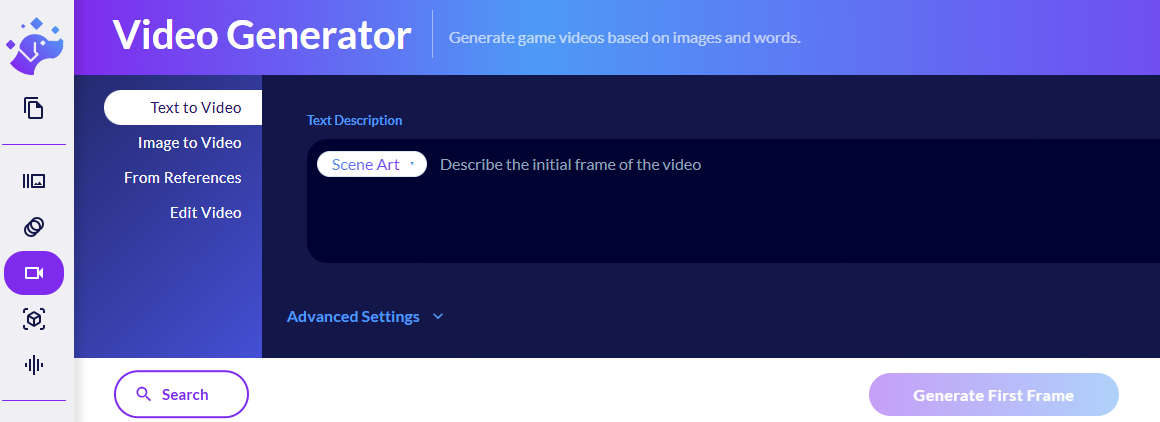
The wider asset suite is appealing for one main reason: convenience. You can create concept art, UI elements, backgrounds, textured 3D models, music, sound effects, voices, and short videos without managing a separate subscription and workspace for every asset type.
The 3D Generator is particularly broad, with text-to-3D and image-to-3D, PBR textures, polygon controls, rigging, animation, and several export formats. I would choose this part of Ludo when keeping early asset creation together matters more than having the deepest possible control over every model, image, sound, and animation.
The tradeoff is consistency. A character, environment, sound effect, and UI element can all look acceptable on their own while still feeling as if they came from different games. Reference images and repeated editing can reduce that drift, but projects with a locked visual identity, precise topology, or highly controlled voice performance may still need a specialist tool. The same distinction applies to 3D: Ludo is useful when you need a model or animation asset, while an AI 3D game maker is the more direct route when you want an explorable scene with controls, physics, challenges, and an ending.
3. Game Ideator, Projects, and Ask Ludo
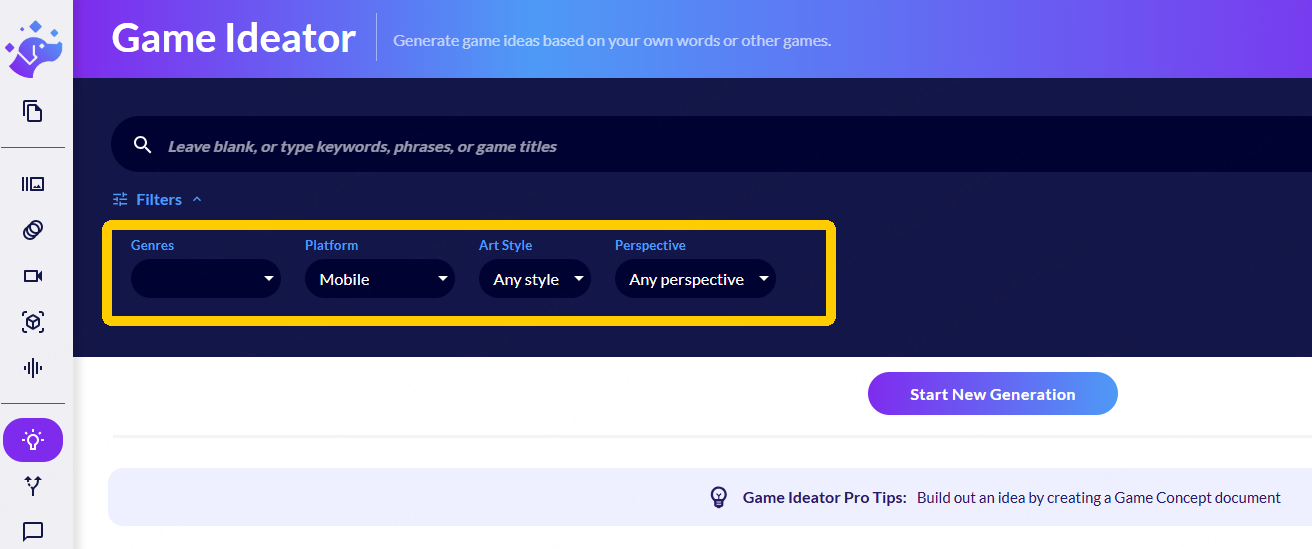
The Game Ideator is useful when you already have half an idea. You can provide a theme, genre, platform, existing title, or a few keywords, then move a promising direction into the Project workspace to develop mechanics, characters, story, visual direction, and a game design document. Ask Ludo gives you a conversational way to question or expand those ideas.
I can see the value when a concept feels interesting but too vague to build. “A cozy delivery game,” for example, does not explain how the player moves, what makes a delivery difficult, or why one run should feel different from the next. Ludo can help explore possible settings, progression systems, failure rules, and visual directions before you commit to one version.
What it cannot reliably provide is the reason your game should exist. A developer in a GameDevelopment discussion criticized Ludo’s ideas as derivative. That is one opinion, but the concern behind it is fair: ten acceptable concepts can make you feel productive while leaving you no closer to the one mechanic that gives the game its identity. I would use the Ideator to challenge an existing concept, not to make the final creative decision for me.
4. Playable Generator
The Playable Generator is the easiest Ludo feature to overestimate. It can turn a written description into a simple 2D prototype using PixiJS or a 3D prototype using Three.js. You can preview the result, inspect code changes, request revisions, add 2D assets, capture screenshots, and share the prototype by link.
Ludo introduced it in a May 2025 product update, although an older FAQ still says the platform does not create playable prototypes. The newer information is the better guide: Ludo can now create an interactive sketch, but I would not treat that sketch as a nearly finished game.
The credit system makes me more cautious. One user in a Reddit discussion about Ludo prototypes reported that a simple game remained buggy while every attempted fix consumed another five credits. One report cannot represent the whole product, but it highlights a real frustration: paying to add a feature feels reasonable, while paying repeatedly because the previous generation did not work feels very different. Keep the first prototype to one action, one obstacle, one progress rule, and one ending. If playable creation is your main goal, a dedicated no-code game maker may fit that workflow more directly.
5. API, MCP, and Unity Integration
Ludo’s API, MCP, and Unity integrations are valuable when you already have a working development pipeline. Pro and Studio users can connect Ludo to tools such as Claude and Cursor or generate sprites, images, 3D models, sound effects, music, and voice lines from inside Unity.
For an experienced developer, that can reduce repetitive exporting, downloading, and file organization. For a beginner, the same automation can hide mistakes. Faster generation does not help if you cannot tell whether the animation is aligned, the model is too heavy, or the output fits the project. I would ignore these integrations until moving assets between tools becomes a real bottleneck.
Is Ludo AI Free? Pricing and Credit Limits
Ludo AI is free to try. New users currently receive 30 credits without a credit card. That is enough to test the interface and run a few modest generations, but not enough to judge an entire production workflow.
The current paid plans are:
| Plan | Monthly price | Annual equivalent | Best for |
|---|---|---|---|
| Free trial | $0 | 30 one-time credits | Testing one real workflow |
| Indie | $20/month | $15/month, billed annually | Individuals with a small number of active projects |
| Pro | $50/month | $35/month, billed annually | Solo developers who need unlimited core generation plus API and MCP access |
| Studio | $350/month | $300/month, billed annually | Teams that need 10 seats, collaboration, and a larger generation queue |
| Enterprise | Custom | Custom | Large teams needing tailored integrations and support |
The word “unlimited” needs context. Pro and Studio include unlimited use for core ideation, game concepts, and image generation, while higher-compute actions still consume credits. A playable iteration costs 5 credits, sprite animation can cost roughly 4 to 16 credits, and video generation varies more widely by model and duration.
Before buying an annual plan, use the free credits on the feature you expect to use most often. A successful low-cost image generation does not tell you whether repeated sprite animation, video, or prototype revisions will fit your budget.
What Do Real Users Say About Ludo AI?
Public feedback is positive in some places but too limited to support an easy “users love it” conclusion. Capterra currently lists a 4.8 rating based on only eight reviews. Reviewers mention ease of use and an entertaining experience, while some comments refer to slower starts or uneven results. That is a useful signal, but the sample is too small to represent the whole user base.
Ludo’s own developer case studies show where the platform can fit into real production. The published projects include complete character animation sets, enemy rosters, and large groups of game assets. These are selected marketing examples rather than independent reviews, but they demonstrate a more serious use case than generating isolated demo images.
- Speed is the clearest benefit. Moving from a static character to several animation ideas can be much faster than drawing every test frame.
- Inspection and cleanup still matter. Frame consistency, pixel accuracy, alignment, style drift, and 3D quality remain practical concerns.
- Credits change how experimentation feels. A successful generation feels efficient; repeated failed generations can make the same workflow feel expensive.
The fairest conclusion is that Ludo saves the most time for someone who already knows what “good enough” looks like. Speed becomes an advantage only when you can reject weak outputs and refine promising ones.
Ludo AI Pros and Cons
What Ludo AI Does Well
- Strong sprite workflow: pose controls, animation tools, editing, and engine-friendly exports go beyond a general image generator.
- Broad asset coverage: sprites, UI, 3D, audio, video, and concept tools live in one workspace.
- Useful pre-production support: developers can explore a concept, create placeholders, and test a small loop before committing more time.
- Pipeline integration: API, MCP, and Unity options help experienced teams bring generation closer to development.
Where Ludo AI Falls Short
- It is not a complete game studio: playable output is best treated as a prototype, not a polished release.
- Quality can vary: animation frames, pixel art, 3D geometry, and cross-asset consistency may need manual correction.
- Failed iteration still costs credits: fixing a weak generation can consume the same credits as a productive change.
- Generated concepts can feel familiar: Ludo creates options quickly, but originality still depends on the developer.
Should You Use Ludo AI to Make a Game?
Ludo AI makes the most sense when the hardest part of your project is producing the materials around a game. Its strongest uses are sprites, sprite sheets, concept art, 3D models, audio, video, and design documents. It can create a lightweight prototype, but I would still choose it mainly for asset generation and early pre-production.
If your goal is to describe a game and receive something you can play, test, and continue improving, a dedicated AI game generator such as SoonLab is a more direct fit. SoonLab is built around a prompt-to-play workflow: define the gameplay, controls, visual style, level structure, and win or fail conditions, then generate a playable 2D or 3D browser game. A clear prompt can include multiple levels, checkpoints, enemies, scoring, and progression, followed by further changes through follow-up prompts.
Turn your idea into aplayable game
Describe the game you want to make, and SoonLab will help you start building it.
| Need | Ludo AI | SoonLab |
|---|---|---|
| Main output | Game assets, concepts, documents, and simple prototypes | Playable 2D or 3D browser games |
| Best starting point | A character, asset need, art direction, or concept | A game loop, rules, controls, and goal |
| Sprite sheets | Dedicated generation and animation workflow | Not the core reason to choose the platform |
| Playable creation | Lightweight PixiJS or Three.js prototype generation | Core prompt-to-play workflow with follow-up editing |
| Best fit | Developers building an asset pipeline or preparing a larger project | Beginners and creators who want to make, play, and share a game without coding |
My recommendation is simple: choose Ludo when you need the pieces that go into a game; choose SoonLab when you want the game idea itself to become playable.
If you’re still unfamiliar with SoonLab, play the game I created using prompts in SoonLab:
FAQs
What is Ludo AI used for?
Ludo AI is mainly used for game ideation, market research, game design documents, sprites, other 2D assets, 3D models, audio, video, development guidance, and lightweight playable prototypes.
Is Ludo AI free?
Ludo AI currently gives new users 30 free credits without requiring a credit card. Paid plans start at $20 per month, or $15 per month when the Indie plan is billed annually.
Can Ludo AI make a full game?
Not by itself. Ludo can generate a simple 2D or 3D browser prototype and many of the assets a game needs. A finished game still requires design decisions, debugging, integration, playtesting, polish, and often a separate development engine or workflow.
Is the Ludo.ai Sprite Generator good?
It is one of Ludo’s most useful features because it combines sprite creation, pose adjustment, animation, editing, and engine-friendly export. It works best for prototypes and accelerating animation work. Inspect and correct individual frames before using the output as final production art, particularly for strict pixel art.
Can I use Ludo AI assets commercially?
Ludo’s current documentation states that users retain ownership and may use, share, or monetize generated content. That does not guarantee that every output is unique or free from third-party intellectual property issues. Review the latest terms, avoid prompts based on protected characters or brands, and carry out additional checks before a commercial release. The same distinction between platform permission and third-party rights also applies more broadly to the commercial use of AI-generated games.
Does Ludo AI require coding?
No coding is required to use the ideation, asset, or playable generation interfaces. Coding and game development knowledge still help when you need to inspect generated code, import assets into an engine, fix technical problems, or turn the prototype into a larger game.
Final Verdict
Ludo AI is worth trying, and may be worth paying for, when sprite animation or broader asset production is a real bottleneck. Its strongest value is not making creative decisions for you. It is reducing the number of steps and separate tools needed to move from an idea to assets you can evaluate inside a project.
Use the free credits on the hardest asset you currently need. If the exported result still saves time after inspection and cleanup, a paid plan may make sense. If you spend more time repairing generations than using them, choose a more focused tool. Ludo works best when it accelerates decisions you already know how to make.