
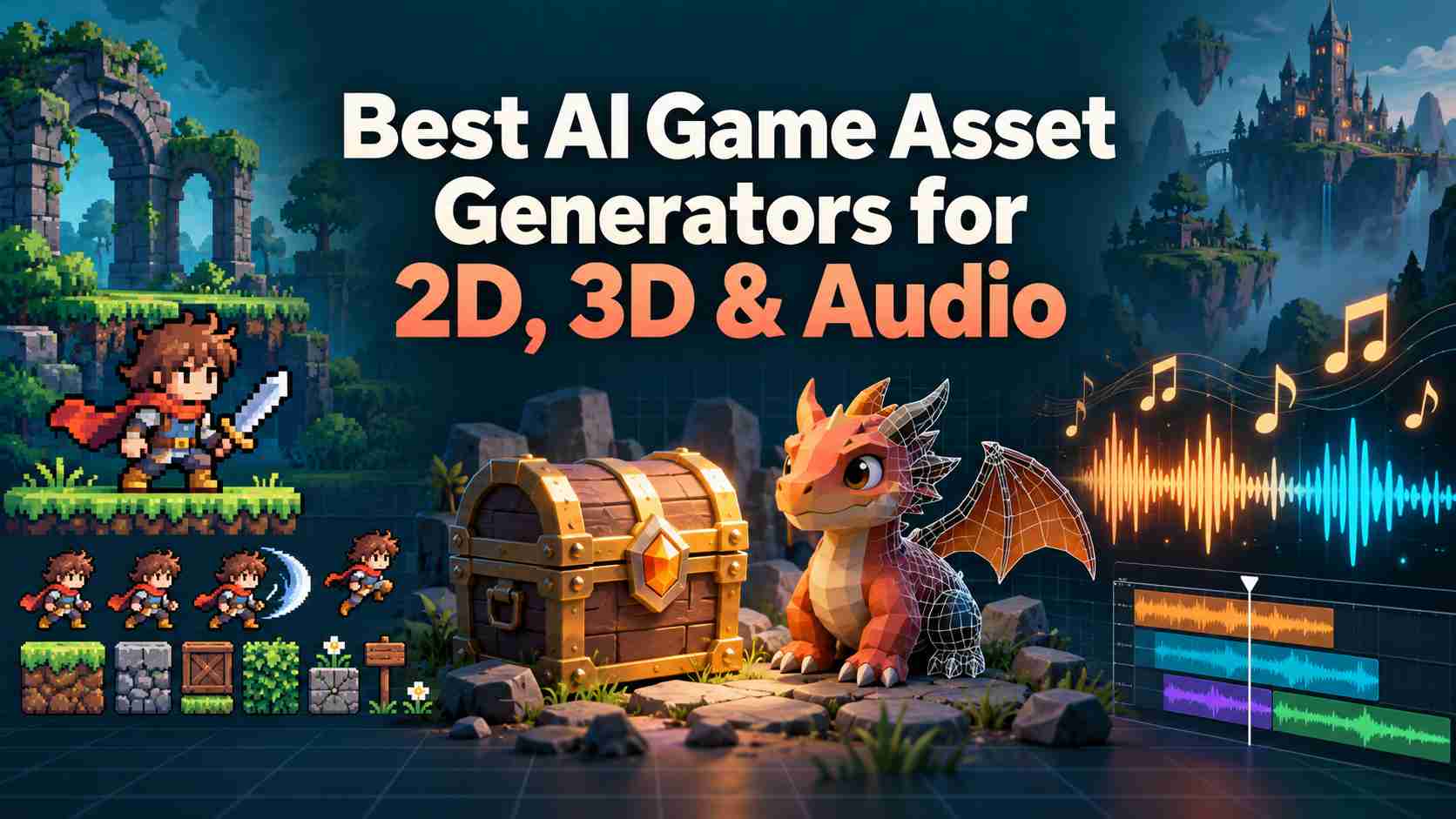
Choose SoonLab to generate your full game assets before building a playable game, Scenario for a consistent 2D art style, PixelLab for pixel-art characters and tiles, Ludo AI for animated sprite sheets, and Meshy for 3D models. Leonardo AI suits static illustrations and backgrounds, Recraft handles vector icons and UI artwork, and ElevenLabs fills the sound-effects gap.
The best AI game asset generators solve different parts of production. A beautiful character portrait does not give you a walk cycle. A rotating 3D preview does not tell you whether the model will bend correctly. Choose around the files your game needs and the editing you can handle.
If you are still choosing a visual format, start with the production differences between 2D and 3D games. That decision changes your asset workload more than any subscription does.
Best AI Game Asset Generators at a Glance
| Tool | Best for | Cost model |
|---|---|---|
| SoonLab | Characters, backgrounds, items, sound effects, and music | Built-in asset library free for creators; game generation uses Points; paid plans available |
| Scenario | Matching 2D characters, items, and icons; image files | Free evaluation credits; paid credit subscriptions |
| PixelLab | Pixel sprites, directional views, animations, and tiles | Limited trial; subscriptions; metered API |
| Ludo.ai | Animated 2D sprites; PNG sheets, frames, and JSON | 30 trial credits; Indie $20/month or $180/year |
| Meshy | 3D items and characters; GLB, FBX, and OBJ | 100 free credits/month; paid credit plans; download restrictions |
| Leonardo.Ai | Static portraits, backgrounds, and item art; raster images | 150 free tokens/day; paid subscriptions |
| Recraft | Inventory icons and UI artwork; SVG and PNG | Free exploration; paid credit subscriptions for commercial assets |
| ElevenLabs | Impacts, ambience, and UI sounds; MP3 and WAV options | 10,000 free credits/month; paid Starter listed at $6/month |
8 AI Tools for Game Asset Creation
1. SoonLab: Best for Building a Game
SoonLab connects asset creation with playable browser-game building. It suits creators who want to develop their characters, world, and audio as part of making a game.
Before generating the game, you can review and confirm characters, backgrounds, items, sound effects, and music. You can also use its library of over 10,000 professional 2D and 3D assets, available free to creators. If you are building in another engine and need ready-made files, free game asset websites offer another way to find sprites, models, UI, and audio.

Think about where each track will play: a quiet village, a tense battle, or the main menu. When making music for your game, start with a short loop and test whether its mood and pace fit the scene.
- Review the proposed art and audio before building the game.
- Access over 10,000 free 2D and 3D assets.
- Develop assets and a playable game on the same platform.
- Standalone asset downloads and export formats need checking if you work in another engine.
- Free library access does not automatically permit separate asset redistribution.
Cost and commercial use: The asset library is free to use, while game generation uses Points. The SoonLab pricing page lists commercial-use rights and code viewing and export among paid-plan benefits. Check your plan and the applicable terms before publishing a game or distributing assets separately.
2. Scenario: Best for Consistent 2D Game Art
Scenario is a good choice for teams that want game assets in the same art style. For a card game, this could mean matching item images, enemy portraits, and reward icons.

Its main feature is custom model training. You provide artwork you have the right to use, and train a model to follow that style. This reduces the need to explain the style in every prompt. Training is available on Pro and higher plans. Supported image formats include PNG, JPEG, and WebP.
- Train a model to follow your game's art style.
- Create matching portraits, icons, and item images.
- Supports PNG, JPEG, and WebP images.
- Training needs Pro or higher and examples with a clear, shared style.
- You still need to check sizes, viewing angles, outlines, and lighting.
- Images may need editing. Matching art styles does not mean animation frames will line up correctly.
Cost and commercial use: Scenario offers free credits and paid plans. Its pricing page says free outputs are for personal use or testing, while paid plans include commercial use. The general terms describe ownership more broadly. Choose a plan that clearly allows your intended use. Before using free outputs in a commercial game, ask Scenario to confirm permission in writing.
3. PixelLab: Best for Pixel-Art Characters and Tiles
PixelLab is a good choice for pixel-art RPGs and top-down games. It helps create small character sprites, views from different directions, animations, and map tiles.
When making sprites for a game, decide on the character size, facing directions, and actions first. PixelLab can generate four- and eight-direction views, use reference images to guide the style, and edit parts of an image. Its Aseprite extension lets you generate and edit assets inside the pixel editor, then export them for your game.

- Create character views facing four or eight directions.
- Supports animations, map tiles, and UI art.
- Generate and edit assets inside Aseprite.
- Hands, held items, and foot positions may need fixing across views.
- Tiles need testing to make sure their edges fit together.
- The Aseprite extension works in an art editor, not directly in a game engine.
Cost and commercial use: PixelLab offers a limited trial and paid subscriptions, with separate pricing for API use. Check the credits and features included in your plan before paying. Its FAQ allows commercial use of generated images, but does not allow using them to train new models.
4. Ludo.ai: Best for Animated Sprite Sheets
Ludo.ai is a good choice when you have a character image and want to animate it. You can create actions such as standing, walking, or attacking. It supports different art styles, not just pixel art.

You can describe the movement, provide key poses, or use an existing animation to guide it. Download options include PNG sprite sheets, separate frames, GIFs, and sheets with TexturePacker-format JSON. This gives you image files to edit and import into your game, rather than just a video preview.
- Turn a character image into animations in different art styles.
- Guide movement with text, key poses, or an animation reference.
- Download sprite sheets, separate frames, GIFs, and frame-layout data.
- Check that held items stay in place and animation loops play smoothly.
- Your game engine must support the exported JSON format or use a suitable importer.
- Animation speed, character alignment, and collision areas still need setup in your engine.
Cost and commercial use: Ludo.ai lists 30 trial credits. The Indie plan costs $20 per month, or $180 per year when billed annually. New animations use credits. Its terms allow personal and commercial use under their conditions. A separate Unity plugin requires a supported plan and API access; you do not need it to download sprite sheets.
5. Meshy: Best for 3D Models and Texturing
Meshy is a good starting point for creating 3D items, creatures, and objects for game environments. You can generate models from text or images, add textures, adjust the mesh, and add a skeleton for animation.

It supports formats such as GLB, FBX, and OBJ. Choose a format your game engine can use, then check that the file includes the textures and animation data you need. A static item and an animated character need different export settings.
- Create 3D models from text descriptions or images.
- Generate textures and prepare supported models for animation.
- Export common 3D formats, including GLB, FBX, and OBJ.
- Models may need repairs in Blender or another 3D editor.
- Check texture edges and test how character joints bend.
- Free downloads are limited; some model versions require a paid plan.
Cost and commercial use: Meshy's free plan lists 100 monthly credits and 10 monthly downloads for Meshy 6 Lite models. Downloads for Meshy 6 and Meshy 7 require a paid plan. Free outputs use the CC BY 4.0 license, which requires attribution. Paid plans offer a separate private license. Check both the download limits and license for your chosen plan.
Before creating a full set of models, test one export in your game engine. If you are still choosing an engine, compare these 3D game engines to find one that fits your project.
6. Leonardo.Ai: Best for Static Illustrations and Backgrounds
Leonardo.Ai is a good choice for card art, character portraits, and game backgrounds. It also helps you explore different looks before choosing an art style for your game.

You can generate and edit images, remove backgrounds, or create images with a transparent background using supported models. Save transparent assets as PNG files rather than JPEGs.
- A useful option for card art, portraits, and backgrounds.
- Generate and edit images while exploring different art styles.
- Supports background removal and transparent images with compatible models.
- Character images still need extra poses and animation for use as moving sprites.
- Backgrounds may need cropping or separate layers to move at different speeds.
- Free-plan creations are public; private generation requires a paid plan.
Cost and commercial use: The free plan includes 150 fast tokens per day, and creations are public. Paid plans offer higher allowances and private generation. Free users can use outputs commercially under Leonardo's license, but Leonardo retains ownership under its terms. Paid users own their outputs under those terms, though public images still carry reuse permissions. Use private generation for artwork you need to keep confidential.
7. Recraft: Best for Vector Icons and UI Artwork
Recraft is a good choice for inventory icons, menu graphics, and other game UI artwork. It suits projects that need clear symbols and a matching visual style.
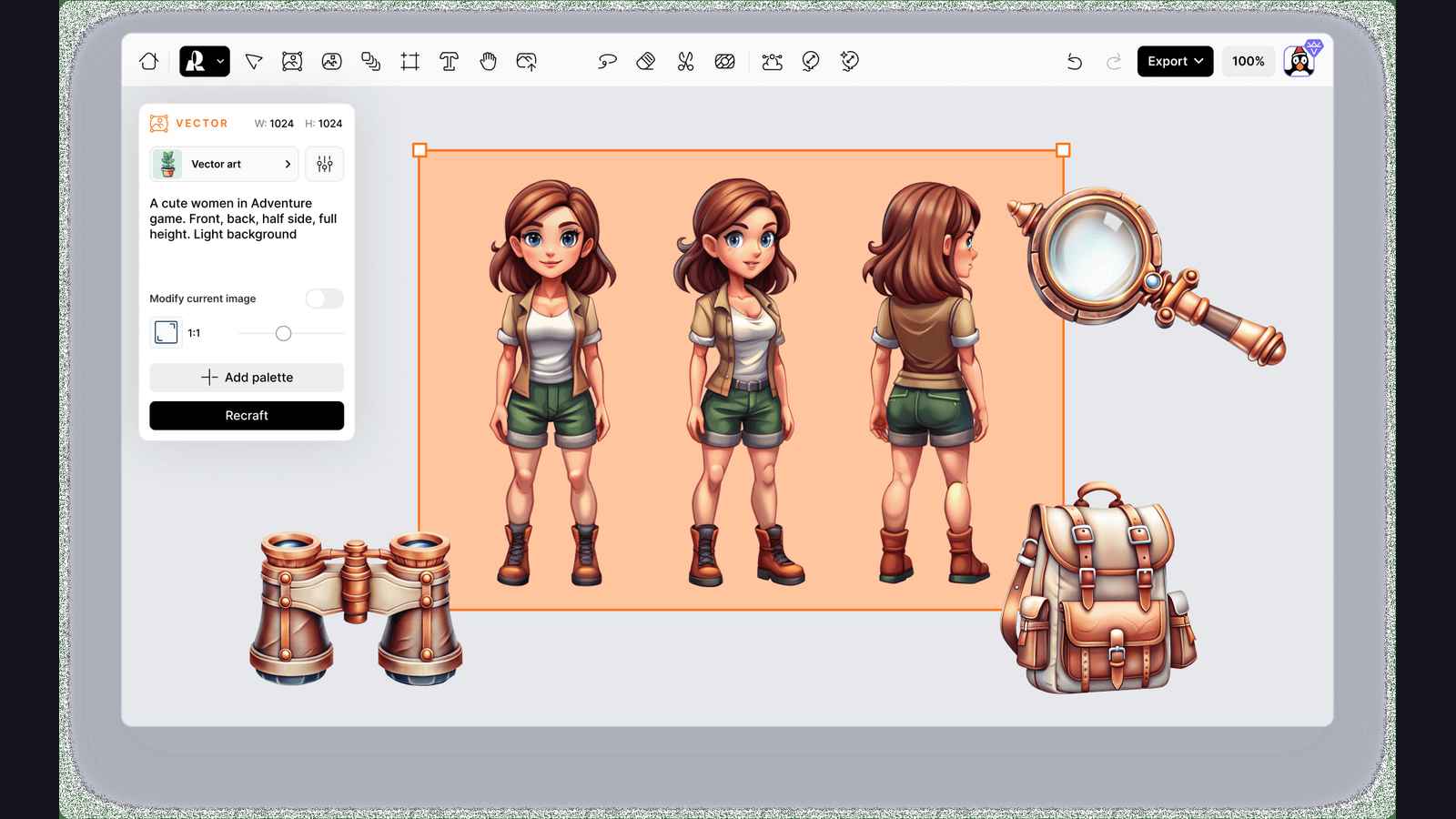
Its vector models create editable SVG files, not just images that look like vector art. You can change shapes and colors, then export a PNG at the size your game needs. You can also use SVG files if your tools support them.
- Create editable SVG icons and UI artwork.
- Adjust shapes and colors to match your game.
- Resize vector art without losing sharp edges.
- Icons still need checks for matching line thickness and clarity at small sizes.
- Hover and disabled button states need separate setup.
- Free-plan assets cannot be used commercially.
Cost and commercial use: Recraft offers free credits and paid plans. Credit limits and generation costs vary by plan and task. Free-plan assets are for personal use only. For a commercial game, generate your final assets on a paid plan that includes the rights you need.
8. ElevenLabs: Best for Sound Effects and Ambience
ElevenLabs is a useful choice for sounds such as opening a chest, robot footsteps, menu clicks, and background wind. It helps add sound to a game that already has its art and models.

You can control sound length, create loops, and download effects as MP3 or WAV files. Download options vary by tool. For example, the API supports 48 kHz WAV files for effects that do not loop.
- Create sound effects from text descriptions.
- Control sound length and generate background loops.
- Download audio files to edit and use in your game.
- Clips may need trimming and volume adjustments.
- Loops and frequently repeated sounds need testing in the game.
- Commercial use requires a suitable paid plan; music has separate usage rules.
Cost and commercial use: The Free plan lists 10,000 monthly credits. Starter costs $6 per month and includes a commercial license. Free use is limited to noncommercial projects under the terms for US users. Generate sounds for a commercial release on a suitable paid plan, and check the separate terms if you also want to create music.
How to Choose the Right AI Game Asset Generator
Test a small set of assets before choosing a tool. For a top-down character, try four directions and one walking animation. For a 3D room, try a chair and a table. Check whether the results look right together and work in your game.
- Decide what you need. Set the image size, colors, viewing angle, lighting, and file format. Use the same requirements for each asset.
- Check the results closely. Test transparent images on light and dark backgrounds. Watch the full animation. For 3D models, check the shape and details from several angles.
- Try the files in your game. Check size, position, textures, and animation playback. Import one example before generating a larger set.
- Count the editing time. Compare the total cost of generation, retries, fixes, and testing. A cheap image may take longer to prepare for your game.
Matching styles matter as much as individual image quality. Place characters, objects, and backgrounds in one scene to check their colors, scale, and perspective. For map tiles, make sure the edges fit together without visible gaps.
For 3D textures, check which files your model needs. A color image that repeats smoothly may still need extra maps to control how rough or shiny the surface looks. Test it under your game's lighting.
What to Check Before Using AI Assets Commercially
Before adding an asset to a paid game, check the rules for the plan you used to generate it. Free and paid plans may have different permissions.
- Commercial use: Does the plan allow you to use the asset in a game you sell?
- Required credit: Do you need to name the tool or include a license notice?
- Reference images: Do you have permission to use the images you uploaded?
- Sharing assets: Can you include the asset in a finished game, sell it separately, or both?
Save a copy of the terms, your plan details, and the generation date. Permission from an AI tool does not automatically give you rights to someone else's character, logo, or artwork.
Commercial permission and copyright protection are also different. In the US, paying for an AI tool does not by itself make a fully AI-generated image eligible for copyright. Human-created parts and creative edits may qualify, depending on the work.
For more guidance, read our guide to selling AI-generated games. Check your chosen store's or publisher's rules before release, too.
Choose Assets for Your Project or Build the Game in One Place
The best AI game asset generator depends on what you need next. Choose PixelLab for pixel-art characters and tiles, Ludo.ai for sprite animations, Meshy for 3D models, or ElevenLabs for sound effects.
If you already use Unity, Godot, or Unreal, start with the file formats your project needs. Test one asset in the engine before paying for a larger batch. If you have not chosen an engine yet, our game engine comparison can help.
If you want to develop your assets and game together, SoonLab lets you review the proposed art and audio before generating a playable browser game. Start with one character, one scene, and one clear action.
Turn your idea into aplayable game
Describe the game you want to make, and SoonLab will help you start building it.
FAQs About AI to Generate Game Assets
Which AI Tool Is Best For Generating Game Assets?
Choose based on the assets you need. Scenario suits matching 2D artwork, PixelLab focuses on pixel-art characters and tiles, and Ludo.ai helps create sprite animations. Meshy is a good starting point for 3D models, while ElevenLabs handles sound effects. Choose SoonLab if you want to review assets and build a playable game on the same platform.
How Do I Create Game Assets With AI?
Choose an asset type, then set its style, size, viewing angle, and file format. Describe what you need and add a reference image if the tool supports it. Generate a few options, fix any issues, and test one asset in your game before making a full set. Use the same references and settings to help the assets look right together.
Can I Use AI-Generated Assets In My Game?
Yes, if the tool's terms and your plan allow your intended use. Check whether commercial use is included, whether credit is required, and whether you have permission to use any uploaded reference images. Using an asset in a finished game and selling the asset file separately may have different rules.
What Is The Best Free AI Game Asset Generator?
For static 2D art, Leonardo.Ai offers free daily tokens. For 3D models, Meshy provides limited free downloads with attribution. SoonLab also gives creators free access to over 10,000 built-in 2D and 3D assets for its game-building workflow, though this is an existing library rather than free AI generation. Compare generation limits, download access, and commercial permissions before choosing.
Can AI Make 3D Game Assets?
Yes. Tools such as Meshy can create 3D models from text or images and add textures. You may still need to fix the model, reduce its detail for better performance, or adjust it for animation. Test the exported file in your game engine before generating more assets.
Can I Make Consistent Sprites With A General AI Image Generator?
You can create a starting design, but keeping the same character across poses and animation frames takes more work. Use the same reference image, colors, size, and viewing angle. A sprite-focused tool or manual editing may help finish the set. Play the full animation at its actual game size to spot unwanted changes.
Does Upgrading My Plan Give Commercial Rights To Earlier Free Assets?
Not necessarily. Some tools base your rights on the plan you used when generating the asset. Check whether an upgrade covers earlier outputs. If the terms are unclear, ask the provider before using those files commercially. You may need to generate new versions on a suitable paid plan.
Can I Sell AI-Generated Files As An Asset Pack?
Only if the tool's terms allow it. Permission to use an asset in a game does not always include permission to sell the raw file. Check the rules for resale, redistribution, and any third-party models used. Do not promise buyers exclusive rights unless you can support that claim.
Conclusion
The best AI game asset generator depends on what you need to create. This guide covers tools for matching 2D art, pixel characters, sprite animations, 3D models, UI icons, and sound effects. Start with one asset, check how much editing it needs, and test it in your game before creating a full set.
If you want to develop your assets and game in one place, try SoonLab. Review the proposed art and audio, then turn your idea into a playable browser game. Start with one character, one scene, and one simple action, then build from there.