
Roblox combines several ideas in one platform. You can explore user-created games, customize an avatar, meet friends, and build your own experiences.
That also makes finding a replacement difficult. Some games like Roblox focus on creation, while others are better for building, multiplayer competition, or child-friendly social play.
We compared the strongest alternatives by game variety, creation tools, multiplayer features, price, device support, and safety controls. No option replaces every part of Roblox, but several are better for specific types of players.
What Is the Best Game Like Roblox?
Fortnite Creative is the closest overall alternative for players who want both user-created games and a large multiplayer audience. Minecraft is better for building and exploration, while Rec Room is the closest match for social user-generated worlds.
Younger players may prefer Animal Jam or LEGO Worlds. Core and Garry's Mod offer more advanced tools for creators, while Bloxd.io is the easiest browser option.
Games Like Roblox: Quick Comparison
The recommended ages below are editorial guidance. They do not replace official age ratings or parental review.
| Game | Best for | Free to play | Create games or content | Multiplayer | Platforms | Recommended age |
|---|---|---|---|---|---|---|
| Fortnite Creative | User-created multiplayer games | Yes | Yes | Yes | PC, console, Android, and some iOS regions | 13+ |
| Minecraft | Building and private worlds | No | Worlds, add-ons, and servers | Yes | PC, mobile, and console | 10+ |
| Rec Room | Social user-created rooms | Yes | Yes | Yes | PC, mobile, console, and VR | 10+ with controls |
| Core | Advanced game creation | Yes | Yes | Yes | Windows PC | 13+ |
| Mini World: CREATA | Free mobile sandbox creation | Yes | Yes | Yes | PC, iOS, and Android | 10+ with supervision |
| Blockman GO | Mobile minigames and social play | Yes | Limited room creation | Yes | iOS and Android | 10+ with supervision |
| Fancade | Simple visual game creation | Yes | Yes | Limited competitive play | Mobile, Windows, and browser | 9+ |
| Bloxd.io | No-download browser play | Yes | Worlds and builds | Yes | Modern web browsers | 13+ or parental consent |
| Trove | Voxel MMO adventures | Yes | Buildings and club worlds | Yes | PC, PlayStation, Xbox, and Switch | 10+ |
| Garry's Mod | Mods and physics experiments | No | Yes | Yes | Windows, macOS, and Linux | Teens |
| Terraria | Survival, crafting, and progression | No | Worlds and mods | Yes | PC, mobile, and console | 10+ |
| LEGO Worlds | Structured family building | No | Custom worlds | Yes | PC, PlayStation, Xbox, and Switch | 7+ with guidance |
| Animal Jam | Child-focused social play | Yes | Dens and avatar content | Yes | PC, Mac, iOS, and Android | 7+ with controls |
13 Best Games Like Roblox
1. Fortnite Creative
- Best for: User-created multiplayer games
- Platforms: PC, PlayStation, Xbox, Nintendo Switch, Android, and region-dependent iOS access
- Price: Free-to-play with optional purchases
- Multiplayer: Yes
- Creation features: Fortnite Creative and Unreal Editor for Fortnite
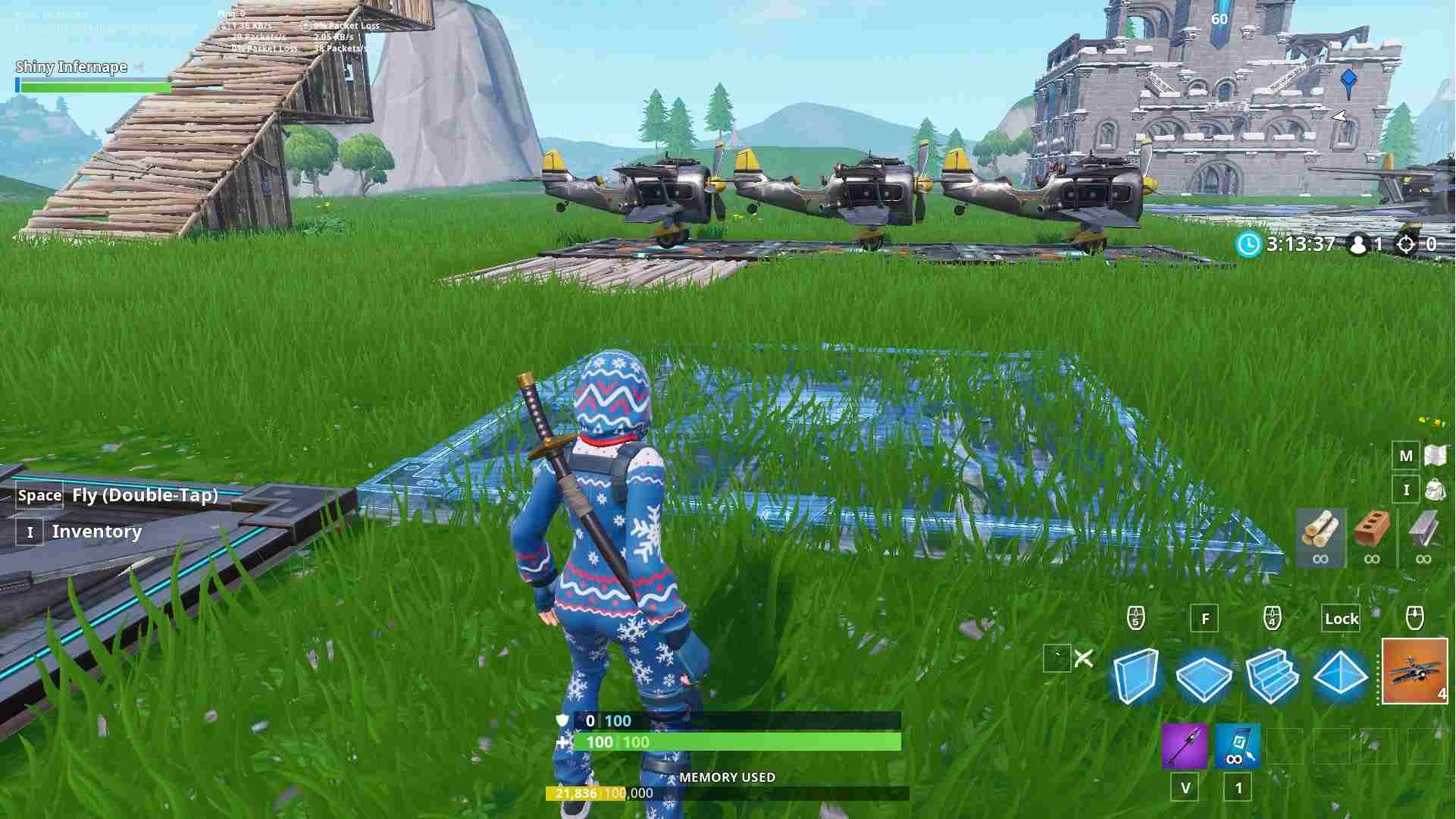
Fortnite is the closest game like Roblox if you want to move between many community-created experiences. Its Discover section includes combat arenas, parkour courses, party hide-and-seek games, survival maps, and social spaces.
Creation tools are more advanced than Roblox's basic in-experience building. Unreal Editor for Fortnite gives creators professional tools, while Creative mode is easier to start with.
The main limitation is tone. Fortnite has a stronger focus on action, and its tools may feel complex to beginners. Individual islands also receive different content ratings, so parents should review the rating of each experience.
2. Minecraft
- Best for: Building, exploration, and private play
- Platforms: Windows, macOS, Linux, iOS, Android, PlayStation, Xbox, and Nintendo Switch
- Price: Paid, with some trials and subscription options
- Multiplayer: Yes
- Creation features: World building, commands, add-ons, mods, and servers
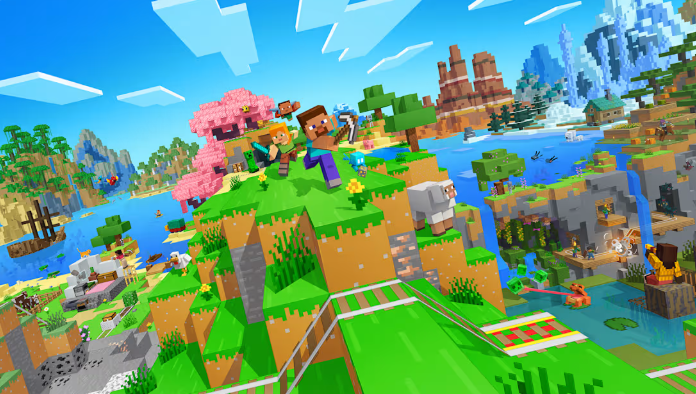
Minecraft does not offer one central library of unrelated games in the same way as Roblox. Instead, it gives players a flexible world that can become a survival adventure, creative building space, or multiplayer server.
It is one of the best games that are like Roblox for players who mainly enjoy building and exploration. Families can also create private worlds or Realms for known friends rather than joining public servers.
Minecraft's greatest strength is creative freedom. Its limitation is that building a complete minigame often requires commands, add-ons, mods, or server knowledge.
3. Rec Room
- Best for: Social games and user-created rooms
- Platforms: PC, mobile, PlayStation, Xbox, Nintendo Switch, and supported VR headsets
- Price: Free-to-play with optional purchases
- Multiplayer: Yes
- Creation features: Maker Pen and Rec Room Studio
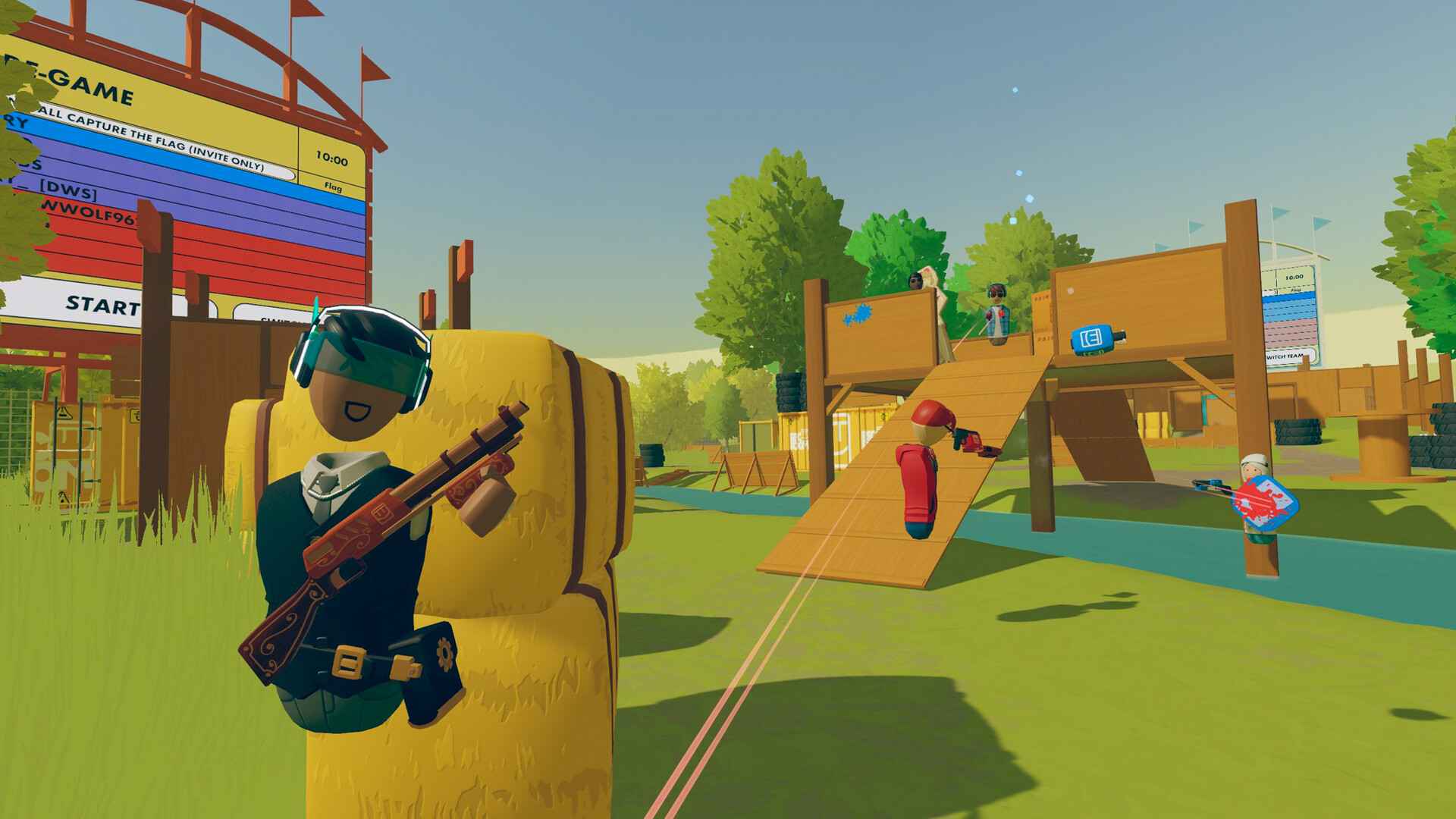
Rec Room combines avatars, social spaces, and community-created games. Players can find paintball, puzzles, sports, horror rooms, and casual hangouts, making it one of the most direct Roblox-like games.
Its Maker Pen lets players create inside Rec Room. More experienced creators can use Rec Room Studio for detailed rooms and interactive content.
Because Rec Room is social by default, safety settings matter. Junior accounts for players under 13 disable voice and text chat and block rooms marked 13+. Older users can access public communication features, so families should review account settings before play.
4. Core
- Best for: PC creators who want stronger development tools
- Platforms: Windows PC
- Price: Free
- Multiplayer: Yes
- Creation features: Full game editor, templates, assets, and Lua scripting
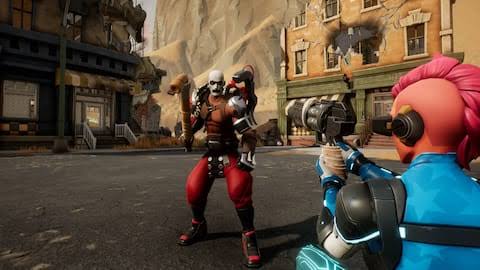
Core follows a play-and-create model similar to Roblox. Users can move between community-built shooters, RPGs, racing games, and social worlds, then download the editor to build their own experience.
The editor includes templates and ready-made assets, which reduce the work needed to create a multiplayer game. Lua scripting also gives advanced creators more control.
Core is less accessible than Roblox because it is limited to Windows PC and expects more development knowledge. It is better for aspiring creators than for families seeking a simple cross-platform game library.
5. Mini World: CREATA
- Best for: Free sandbox building on mobile
- Platforms: Windows, iOS, and Android
- Price: Free-to-play with optional purchases
- Multiplayer: Yes
- Creation features: In-game editor, custom maps, and community gallery
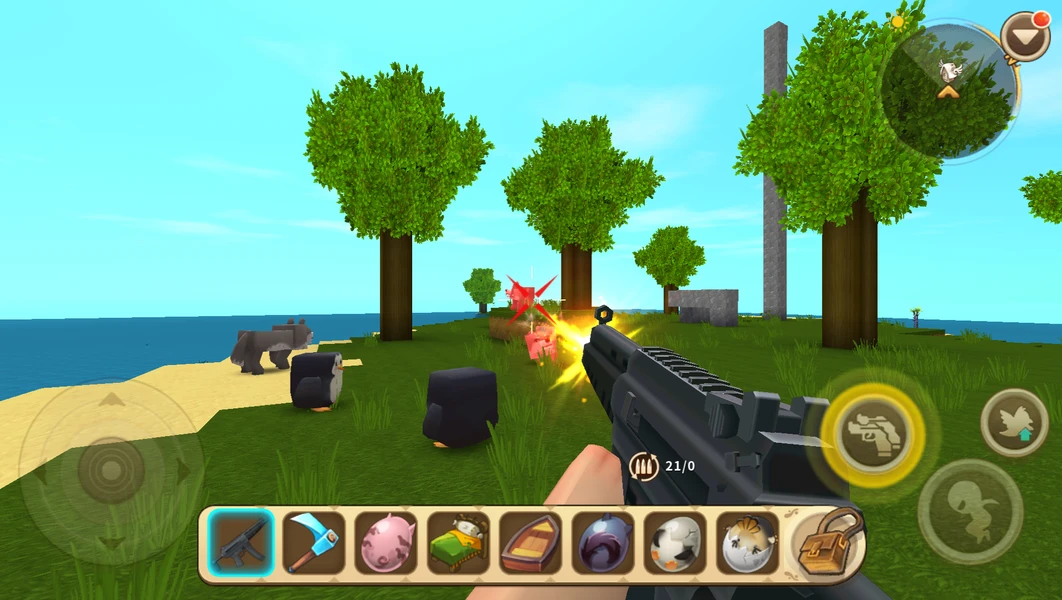
Mini World: CREATA combines survival, creative building, and community-made minigames. Players can build with blocks, create mechanisms, or use the game editor to design parkour and platformer games, puzzles, strategy games, and action maps.
It is a strong choice for anyone searching for free games like Roblox on mobile. It also supports offline single-player play, although community games and online multiplayer require an internet connection.
The platform has public community content and online interaction. Younger players should use it with parental guidance rather than treating its bright visual style as proof that every shared experience is child-friendly.
6. Blockman GO
- Best for: Roblox-style minigames on mobile
- Platforms: iOS and Android
- Price: Free-to-play with ads and in-app purchases
- Multiplayer: Yes
- Creation features: Custom sandbox rooms rather than a full game editor
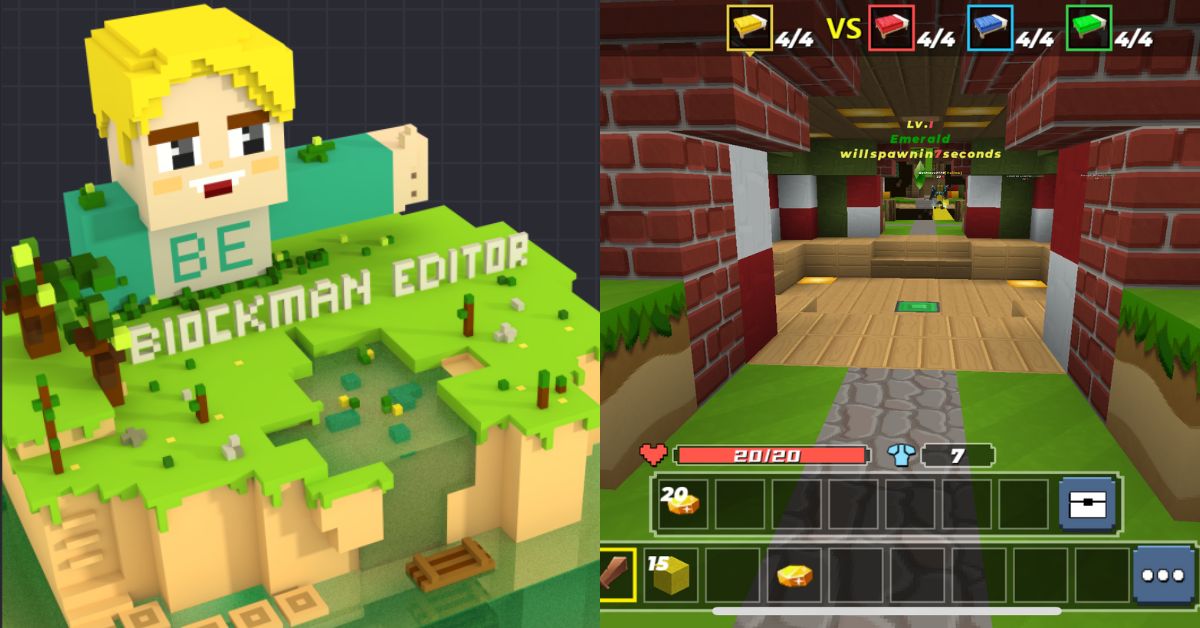
Blockman GO brings many block-style minigames into one mobile app. Its library includes Bed Wars, Sky Block, parkour, survival, and competitive modes. Players can also customize avatars and communicate with others.
This makes it one of the closest mobile games like Roblox for users who care more about switching between minigames than developing complex experiences.
However, Blockman GO includes text chat, voice rooms, social networking, and purchases that can include random items. Its Google Play listing rates it 10+, but active supervision and purchase controls remain important.
7. Fancade
- Best for: Making small games without code
- Platforms: iOS, Android, Windows, and browser
- Price: Free with ads and optional purchases
- Multiplayer: Competitive scores rather than a large live social world
- Creation features: Drag-and-drop building and visual scripting
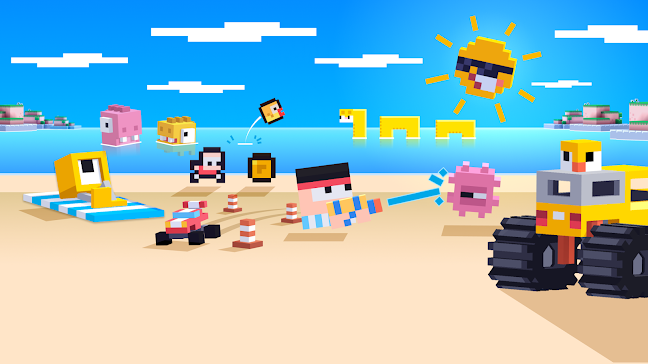
Fancade lets users play thousands of short games or create their own with a visual system. Its community makes racing games, platformers, puzzles, and physics experiments using the same tools included in the app. It is a useful starting point for anyone learning how to create a game without coding.
The creation process is simpler than Roblox Studio and works well for small ideas. Shared games can also open in a browser, making Fancade useful for quick no-download play.
Fancade is not a full social world. Its multiplayer features focus more on scores and challenges than exploring live spaces with a large group of friends.
8. Bloxd.io
- Best for: Instant browser-based multiplayer
- Platforms: Modern browsers on computers, Chromebooks, tablets, and phones
- Price: Free
- Multiplayer: Yes
- Creation features: Persistent worlds, private plots, and block-building tools
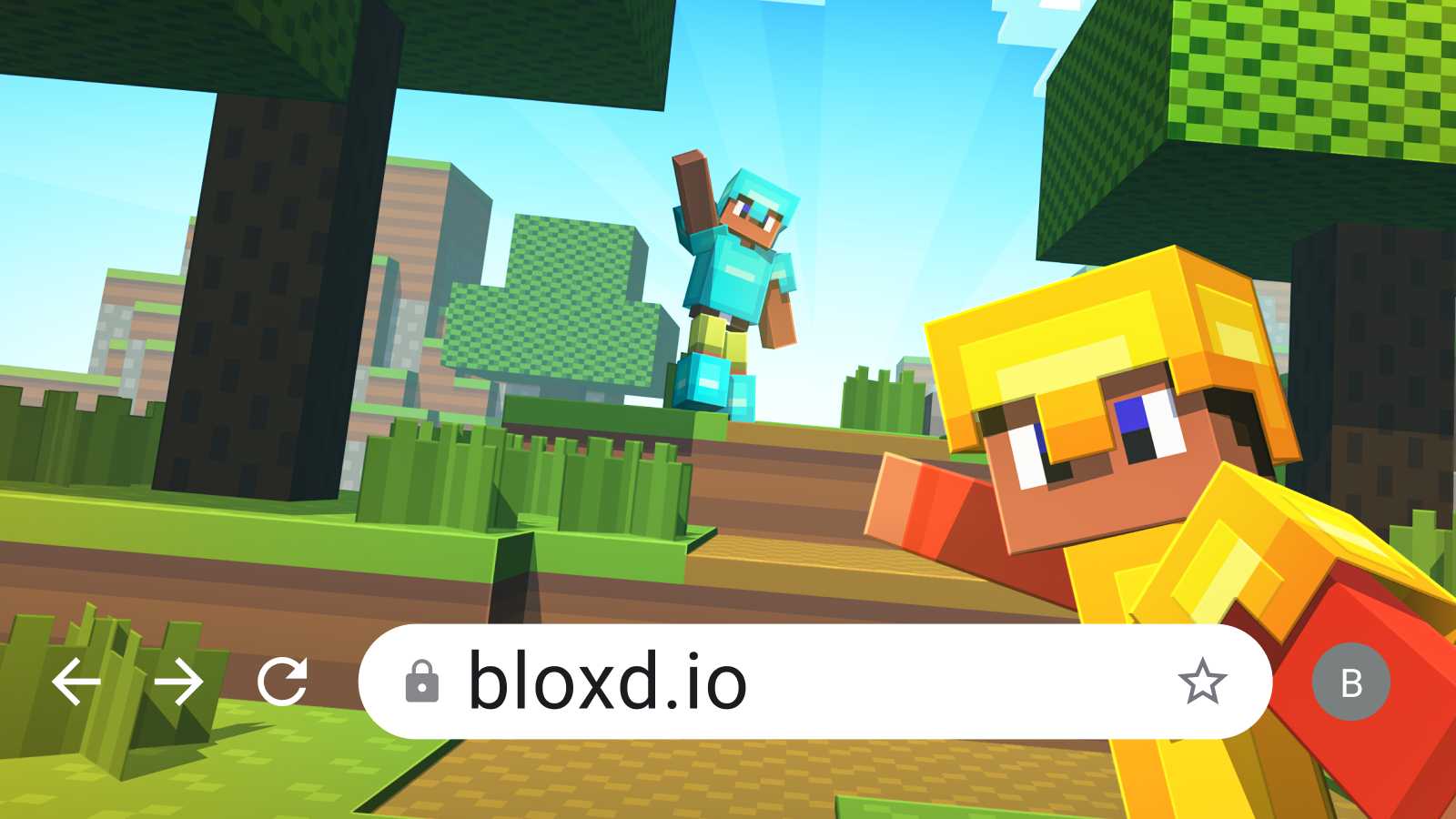
Bloxd.io is one of the easiest games like Roblox online. You can open it in a browser and enter block-based modes such as Bed Wars, parkour, survival, hide-and-seek, and peaceful building.
Players can also create worlds or claim plots to build and share. No download is required, which makes it suitable for Chromebooks and devices with limited storage.
It does not offer a complete development editor comparable to Roblox Studio. Public lobbies also include interaction with other players. Bloxd.io's terms require users to be at least 13 or have permission from a parent or guardian.
9. Trove
- Best for: Free voxel adventures on consoles
- Platforms: Windows PC, PlayStation 4, Xbox One, and Nintendo Switch
- Price: Free-to-play with optional purchases
- Multiplayer: Yes
- Creation features: Cornerstones, club worlds, and player creations
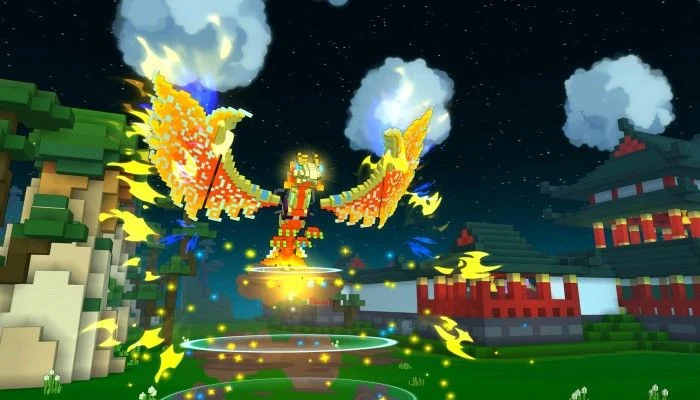
Trove blends block building with an online action RPG. Players choose a class, explore colorful worlds, fight through dungeons, and collect equipment with other players.
You can build a personal Cornerstone and work with a group on a Club World. These tools offer creative expression, although they do not let you produce completely different games.
Trove is a useful option for players searching for Nintendo Switch games like Roblox. Choose it for cooperative adventure and building, not for a large library of unrelated community-made minigames.
10. Garry's Mod
- Best for: Advanced sandbox experimentation
- Platforms: Windows, macOS, and Linux
- Price: Paid
- Multiplayer: Yes
- Creation features: Physics tools, Lua scripting, mods, maps, and Steam Workshop content
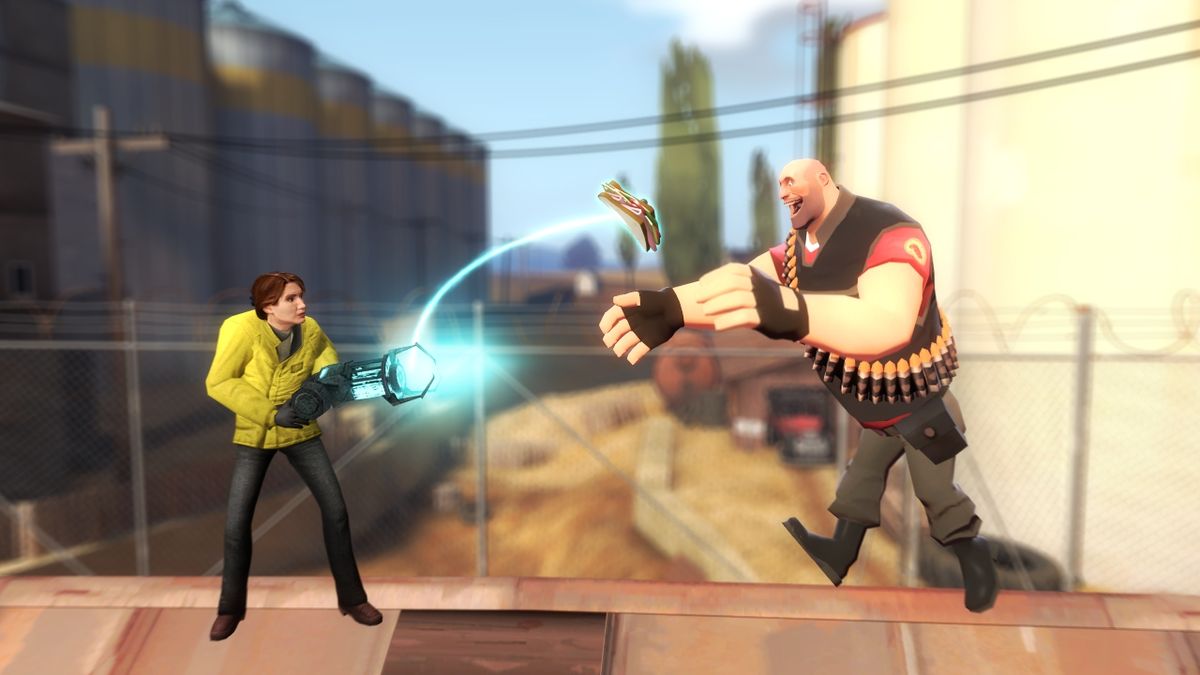
Garry's Mod gives players tools and objects without setting a fixed objective. Community members have turned that foundation into role-playing servers, Prop Hunt, Trouble in Terrorist Town, and many other modes.
Its open modding system offers more freedom than most Roblox alternatives. Players can install community content, write Lua scripts, and build unusual multiplayer experiences.
That freedom is also the main risk. Public servers and workshop content vary widely in quality and suitability. The interface is less beginner-friendly, so Garry's Mod is a better recommendation for teenagers and experienced PC players.
11. Terraria
- Best for: Survival, crafting, and boss progression
- Platforms: PC, macOS, Linux, iOS, Android, PlayStation, Xbox, and Nintendo Switch
- Price: Paid
- Multiplayer: Yes
- Creation features: Custom worlds, building, and PC mods
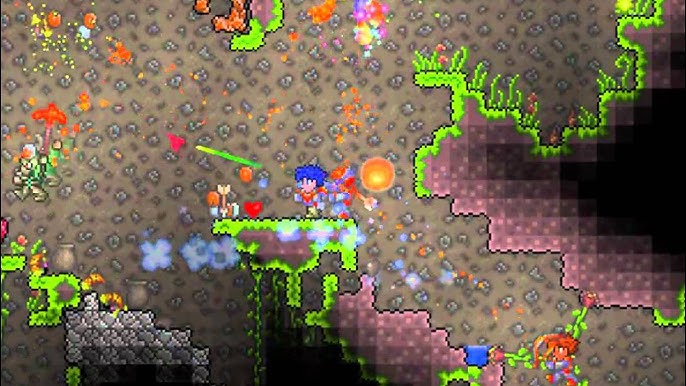
Terraria takes the sandbox idea in a different direction. Its 2D game worlds contain resources, enemies, equipment, biomes, and bosses. Players can build freely, but exploration and character progression have greater importance.
It is a good alternative for Roblox players who enjoy survival, tycoon progression, or collecting stronger gear with friends. It also supports solo and online cooperative play.
Terraria does not contain a central library of user-created games. Choose it when you want one deep sandbox adventure instead of many short experiences.
12. LEGO Worlds
- Best for: Structured family building
- Platforms: Windows PC, PlayStation 4, Xbox One, and Nintendo Switch
- Price: Paid
- Multiplayer: Two-player local or online play, depending on platform
- Creation features: Brick-by-brick building and terrain tools
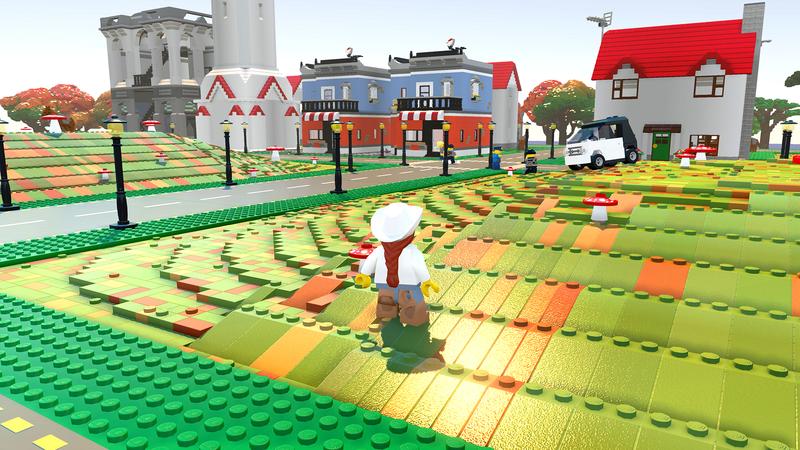
LEGO Worlds lets players explore generated environments, collect objects, and rebuild the landscape with digital LEGO bricks. Its tools support detailed construction without requiring scripts or coding.
Compared with Roblox, the experience is smaller and more controlled. Players are not moving through an endless public feed of user-created games or chatting with large groups of strangers.
That makes LEGO Worlds easier to manage for families, but it also means less variety. It is best for children who enjoy building and exploring with one friend or family member.
13. Animal Jam
- Best for: Younger players who enjoy avatars and social worlds
- Platforms: Windows, macOS, iOS, and Android
- Price: Free with optional membership and purchases
- Multiplayer: Yes
- Creation features: Custom dens, avatars, and community activities
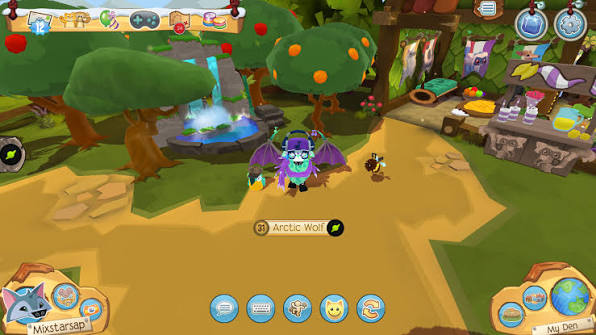
Animal Jam focuses on animal avatars, decorated dens, minigames, and social interaction. It does not provide full game-development tools, but it replaces Roblox's avatar and virtual-world features better than most traditional sandbox games.
Parents can manage account and privacy settings through Parent Tools. The game also uses chat controls and community rules designed around a younger audience.
It remains an online social environment, so no setting removes every risk. Animal Jam is best for children who want social play and customization rather than advanced game creation.
Best Free and Online Games Like Roblox
Several recommendations are free to start, but most use optional purchases:
- Fortnite Creative: Best free choice for polished community-made games.
- Rec Room: Best free social platform with built-in creation tools.
- Core: Best free PC option for serious creators.
- Mini World: CREATA: Best free sandbox for PC and mobile.
- Blockman GO: Best mobile minigame collection.
- Trove: Best free option on Nintendo Switch, PlayStation, and Xbox.
- Bloxd.io: Best free browser game with no required download.
- Fancade: Best for simple game creation on mobile and browser.
"Free-to-play" does not mean every item is free. Fortnite, Rec Room, Blockman GO, Trove, and Mini World all offer optional digital purchases.
Bloxd.io is the most direct answer for users searching for games like Roblox with no download. Fancade also supports browser links, but its full discovery and creation experience is stronger in the app.
Best Multiplayer Games Like Roblox to Play With Friends
Choose the platform based on what your group wants to do:
- Private building: Minecraft
- User-created multiplayer games: Fortnite Creative
- Social rooms and casual activities: Rec Room
- Cooperative block adventure: Trove
- Competitive mobile minigames: Blockman GO
- Advanced PC sandbox play: Garry's Mod
- Survival and boss progression: Terraria
- Quick browser minigames: Bloxd.io
- Two-player family building: LEGO Worlds
Public servers offer more variety, but private worlds are easier to control. Minecraft Realms, private Rec Room rooms, and invite-only game sessions are better choices for groups that already know one another.
Safer Games Like Roblox for Kids
No online multiplayer platform is completely safe. Public chat, user-generated content, purchases, and contact with strangers can create risks even when a game has a child-friendly visual style.
For younger players, consider these options first:
- LEGO Worlds: No open feed of public user-generated games and no large public social space.
- Minecraft: Can be played offline or in a private world with known friends.
- Animal Jam: Designed for children and includes parent-managed account settings.
- Rec Room Junior Accounts: Disable voice and text chat and block rooms marked 13+.
- Fancade: Better for small games and creation than open social interaction.
Fortnite offers parental controls and age ratings for individual islands. Parents can set content limits and control communication, friend requests, and purchases.
Blockman GO and Mini World include online community features. Both need closer supervision, especially when chat or purchases are enabled. Garry's Mod is not recommended for young children because community servers and mods vary widely.
Parents should always review the latest official safety guide. Features and default settings can change after an app update.
Best Roblox Alternatives by Platform
- PC: Fortnite Creative, Minecraft, Core, and Garry's Mod
- Mobile: Mini World: CREATA, Blockman GO, Minecraft, Rec Room, and Fancade
- Nintendo Switch: Minecraft, Fortnite, Trove, Terraria, and LEGO Worlds
- PlayStation and Xbox: Fortnite, Minecraft, Rec Room, Trove, Terraria, and LEGO Worlds
- Browser: Bloxd.io and Fancade shared games
- Offline: Minecraft, Terraria, LEGO Worlds, and parts of Fancade and Mini World
Platform support can differ by edition and region. Fortnite's iPhone and iPad access is a notable example, so check Epic's current regional availability before downloading.
How to Choose the Right Roblox Alternative
Start by identifying what you actually enjoy about Roblox.
Choose Fortnite, Rec Room, or Core if you want to explore games made by other users. Choose Minecraft or LEGO Worlds if building is more important than moving between minigames.
If you want to create, consider your experience level. Fancade provides a simple visual starting point. Core and Fortnite's UEFN offer deeper tools but require more learning. Garry's Mod is powerful if you are comfortable with mods and scripting.
If you want to stay within the Roblox ecosystem, our beginner guide explains how to make a Roblox game with AI while still using Roblox Studio to build, test, and publish the project.
If you care more about creating a small game than joining a large social world, SoonLab's AI Roblox game maker offers a simpler path from an idea to a playable browser game. Start with one clear mechanic, then use these AI game prompts to describe the controls, goal, obstacles, and win condition.
Turn your idea into aplayable game
Describe the game you want to make, and SoonLab will help you start building it.
Device support may narrow the decision. Core is limited to PC, while Blockman GO focuses on mobile. Trove, Minecraft, and Fortnite are stronger console choices. Bloxd.io works well when installing a game is not possible.
Families should evaluate more than the age rating. Check public chat, private-session options, parental controls, purchases, and how the platform handles user-created content.
FAQs
What game is most similar to Roblox?
Fortnite Creative is the closest large-scale alternative because it combines a large audience, community-made experiences, and creation tools. Rec Room is closer to Roblox's social side, while Core is a strong PC option for game creators.
Are there any free games like Roblox?
Yes. Fortnite, Rec Room, Core, Mini World: CREATA, Blockman GO, Trove, Fancade, and Bloxd.io are free to start. Most include optional purchases, ads, or premium content.
What are the best multiplayer games like Roblox?
Fortnite Creative and Rec Room provide the closest mix of multiplayer and user-created games. Minecraft is better for private building, while Trove and Terraria are stronger for cooperative adventure.
Are there safer games like Roblox for kids?
LEGO Worlds and offline Minecraft are easier to control because children do not need to enter open public communities. Animal Jam and Rec Room also provide child-oriented account tools, but parents should still review their settings.
What games like Roblox can you play without downloading?
Bloxd.io runs directly in a modern browser. Fancade also lets users open shared games on the web, although its main app provides the fuller experience.
What games like Roblox are available on Nintendo Switch?
Minecraft, Fortnite, Trove, Terraria, and LEGO Worlds are available on Nintendo Switch. Minecraft and LEGO Worlds focus on building, while Fortnite offers the widest variety of community-made experiences.
Is Minecraft similar to Roblox?
Both support creativity, building, and multiplayer play. Roblox is a platform containing many separate user-created games. Minecraft focuses on changing and exploring block-based worlds, servers, and add-on content.
Are there offline games like Roblox?
Minecraft, Terraria, and LEGO Worlds can be played offline. Fancade and Mini World also offer offline content. However, community discovery, sharing, and multiplayer features require an internet connection.
Final Thoughts
The best games like Roblox do not all replace the same part of the platform. Fortnite Creative is the strongest overall choice for community-made multiplayer experiences. Minecraft is better for building and exploration, while Rec Room comes closest to Roblox’s mix of social interaction and user-generated worlds.
Core gives PC creators more advanced development tools. Animal Jam and LEGO Worlds offer more manageable starting points for younger players, while Bloxd.io is the easiest option for anyone who wants to play in a browser without downloading a game. Console players can start with Minecraft, Fortnite, or Trove.
Your best choice ultimately depends on what you enjoy most about Roblox: discovering new games, creating worlds, playing with friends, customizing a character, or building without fixed limits.
If exploring these games like Roblox gives you an idea of your own, SoonLab can help turn a focused prompt into a playable browser game. Start with one clear mechanic, test the result, and improve it one step at a time.