
Let me be real with you: when I first heard about Astrocade AI, I was skeptical. Another tool promising to let anyone create games with just text prompts? I've seen plenty of those fail to deliver. But after spending time with the platform, testing its features, and talking to actual users, my perspective shifted.
This Astrocade AI review isn't about flashy marketing. It's about what actually works, what's frustrating, and whether it's worth your time in 2026.
Turn your idea into aplayable game
Describe the game you want to make, and SoonLab will help you start building it.
What Is Astrocade AI?
Astrocade is an AI-powered platform that lets you create playable browser games by simply describing what you want. You type a prompt like "a tower defense game with medieval knights and magic spells," and the AI generates the game for you—in minutes, not months.
The platform caught serious attention when it raised $56 million in funding from heavy hitters like Sequoia Capital, Google, and Nvidia. Co-founded by AI pioneer Fei-Fei Li, Astrocade has grown to over 20 million registered users, with more than 1,000 new games created weekly on the platform.
What makes Astrocade stand out isn't just the game creation—it's the whole package: a social feed where you can play others' games, remix features that let you build on existing creations, and built-in monetization for creators who want to earn from their work.
The platform uses a team of specialized AI agents working together. One handles visuals, another crafts the UI, a third fine-tunes gameplay mechanics. This "agentic" approach (introduced in Astrocade 2.0) means the AI doesn't just follow your prompt—it thinks across different aspects of your game to bring it together.
Key Features of Astrocade AI
Here's what you actually get when you start using Astrocade:

How I Created a Game With Astrocade AI
I wanted to see how far Astrocade AI could actually go beyond the marketing claims, so I decided to build a small game myself from scratch.
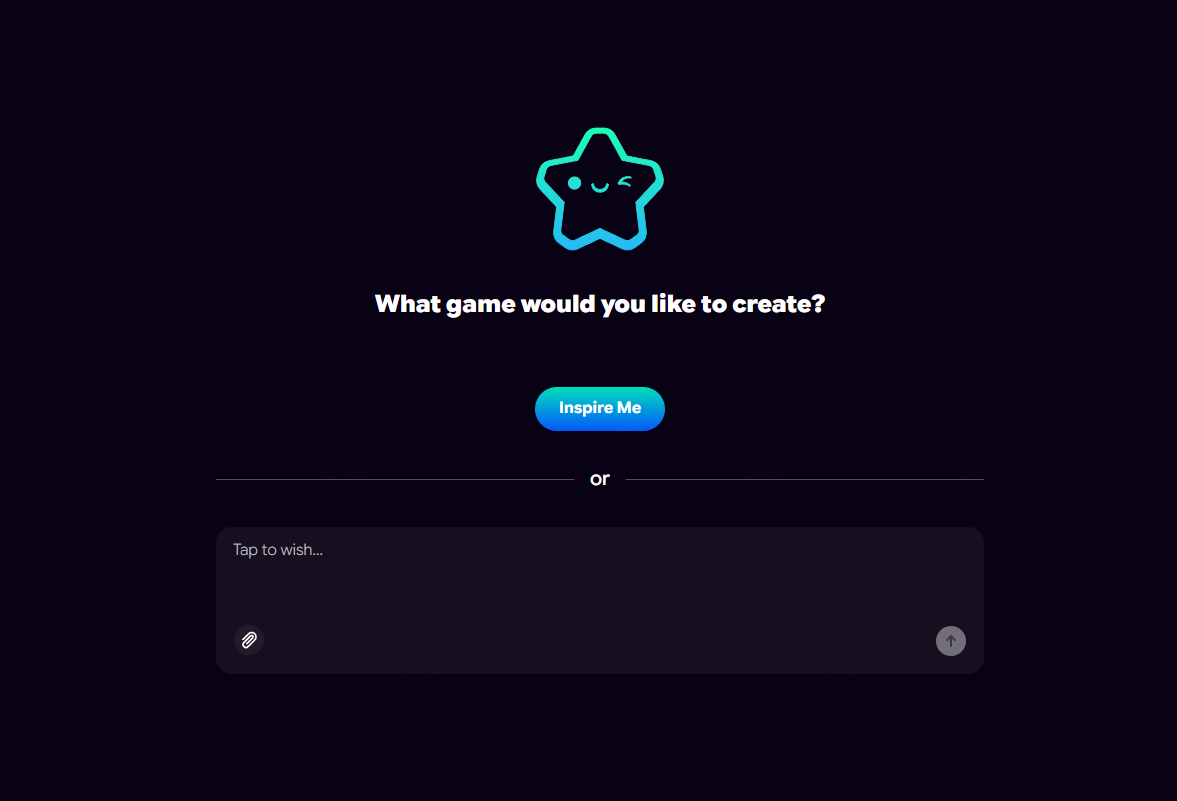
The setup process was surprisingly fast. I signed up with a free account, clicked "Create," and started with a simple prompt instead of touching any code.
For my test, I wanted something casual but visually fun, so I used this prompt:
After submitting the prompt, Astrocade started generating the game automatically. What stood out to me was that it wasn't just creating visuals — the platform also generated gameplay logic, UI elements, sound effects, and basic progression systems at the same time.
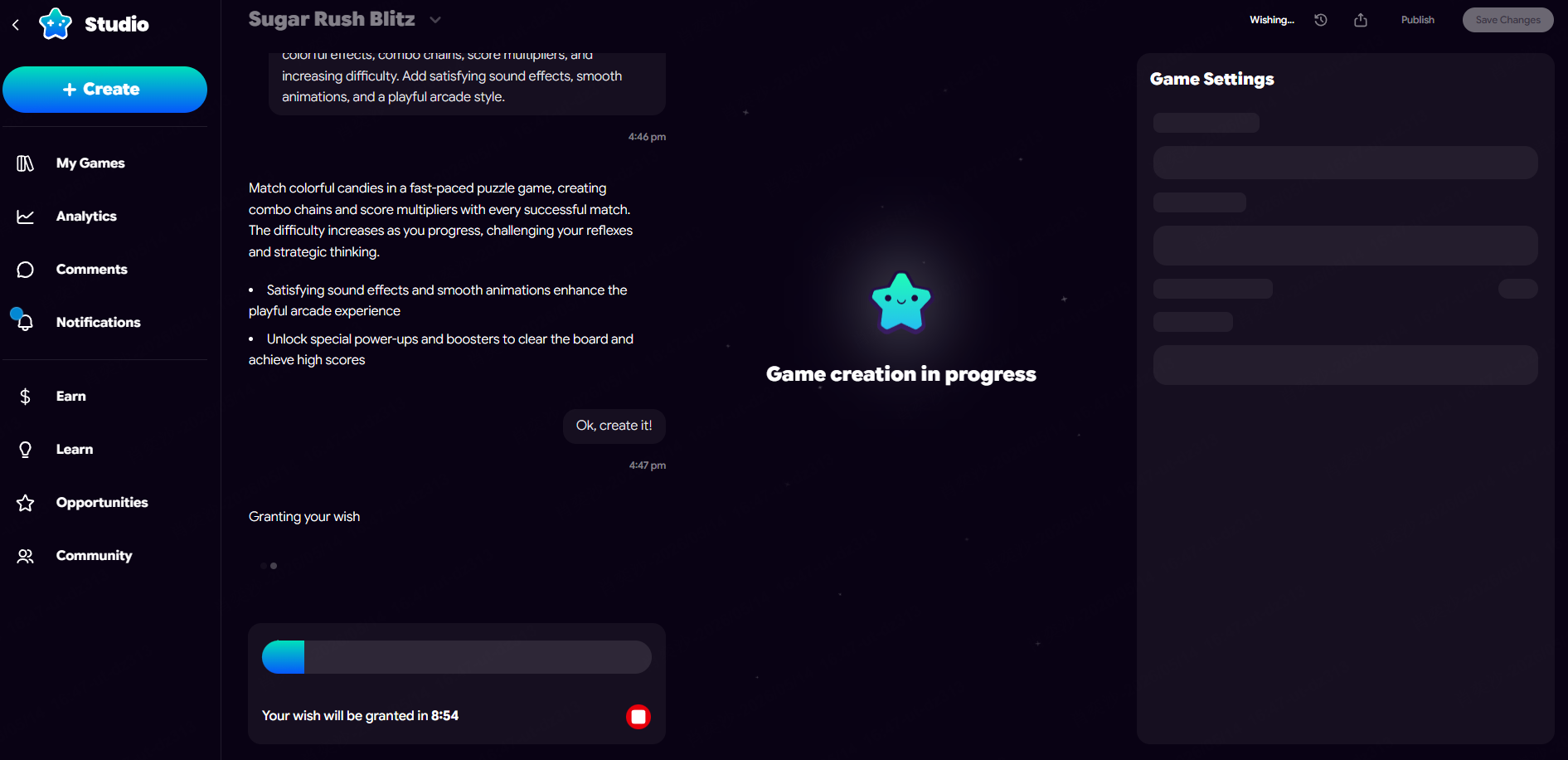
Within a few minutes, I already had a playable version running directly in the browser.
The first build honestly worked better than I expected. The core mechanics were functional, animations were smooth, and the overall style felt surprisingly coherent for an AI-generated game. Of course, it wasn't perfect immediately. I went back into the editor and adjusted a few things manually, mainly the difficulty curve, to make the gameplay feel more responsive.
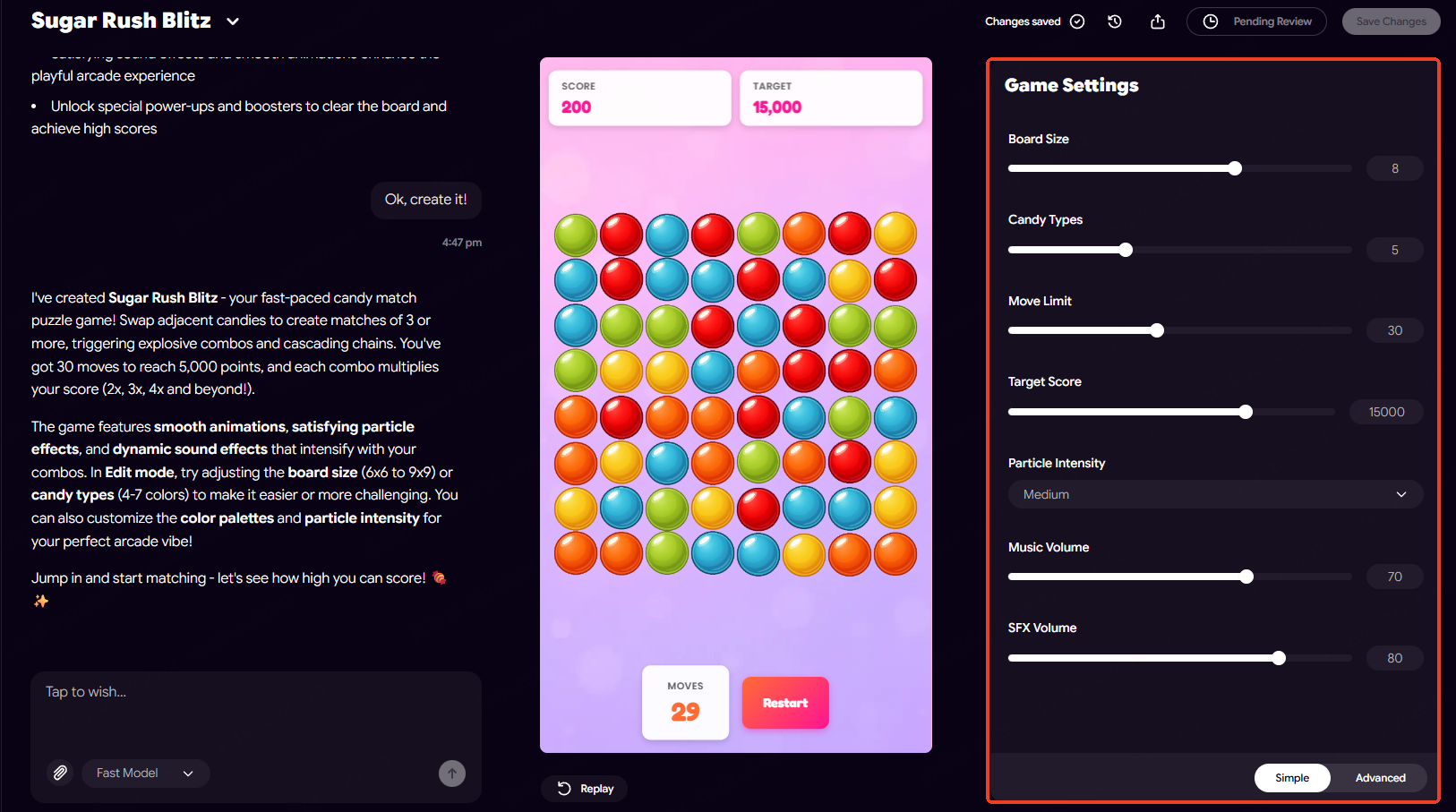
What I liked most during the testing process was how iterative everything felt. Instead of rebuilding from scratch, I could simply tweak instructions, regenerate parts of the game, and continue improving it.
Once I finished polishing the prototype, I published the game privately and shared it with a few friends for feedback. The entire process — from idea to playable game — took less than an hour, which is significantly faster than traditional indie game workflows.
Astrocade AI Pricing
Here's what I found about pricing—and I'll be honest, it's not entirely straightforward.
- More game creation capacity
- Advanced editing tools
- Enhanced monetization features
- Possibly faster generation times
- $100 when your game gets featured on the main feed
- Performance-based earnings depending on how your game performs
- Top creators reporting $700+ monthly earnings
The platform emphasizes it's "creator-first," meaning they're invested in helping creators earn, not just use the tools for free.
Is It Worth the Cost?
For free, you get real game creation capabilities. If you're just curious or want to experiment, the free tier is genuinely useful. Paid features become relevant if you're serious about creating frequently or want to maximize earning potential.
Astrocade AI Pros and Cons
Let me give you the real picture—both what's great and what's frustrating.
 Pros
ProsYou can create actual playable games without touching a single line of code. For complete beginners, this is genuinely revolutionary.
What would normally take weeks of coding compresses into minutes. I've seen users create functional games in under 10 minutes from a blank prompt.
You don't just get game logic. The AI generates art, music, sound effects, and animations. You're getting a more complete package than most AI tools offer.
The remix culture and community feed make Astrocade feel alive. You're not creating in isolation—you're participating in a creative ecosystem.
Astrocade uses commissioned art for training rather than scraped content. Assets stay on-platform, which addresses some concerns about AI-generated content rights.
Unlike many platforms that cripple free tiers, Astrocade's free access lets you create real games and publish them.
Being able to create games with multiplayer functionality opens up game types that wouldn't work in single-player only.
 Cons
ConsThis is the big one. Your games stay on Astrocade. You can't export them to the App Store, Google Play, Steam, or any other platform. If your goal is releasing games outside the Astrocade ecosystem, you're out of luck.
Sometimes the AI nails your vision. Other times, it misses the mark. Iteration is often needed to get things exactly right. The unpredictability can be frustrating when you're on a creative roll.
Learning the platform relies heavily on YouTube tutorials and community posts. Official documentation is sparse. If you get stuck, finding answers isn't always easy.
Astrocade excels at prototyping and casual games. If you're building a complex commercial title with specific technical requirements, you'll hit walls quickly.
Your games, assets, and work are tied to Astrocade's ecosystem. If the platform changes direction or shuts down, your content goes with it.
While anyone can create something, getting genuinely good results takes practice. Learning what prompts work, how to iterate, and when to use the visual editor instead of re-generating—these skills develop over time.
Our Experience Using Astrocade AI
I tested Astrocade myself over several weeks, creating different types of games and spending time in the community.
What worked well:What was frustrating:The Reddit community around Astrocade is surprisingly active. One user on r/aigamedev shared: "I created this entire game (rich with stat tracking, crafting, animations, sounds, etc.) WITHOUT ever looking at a line of code. The Astrocade AI agent wrote and revised all the code through plain language instructions from me."
Another user on r/vibecoding noted: "Astrocade appears to be 100% focused on games, and the results feel closest to a 'real' mobile game. Obviously none of these tools generate production-ready commercial games, but for rapid prototyping and learning game design, Astrocade nails the essentials."
Beginners seem to appreciate the low barrier to entry. A user on r/gameai mentioned: "I don't have any coding experience, so this type of text-to-agent game creation is a great starting place for me."
The common thread in real user feedback: Astrocade works exactly as advertised for what it is—a rapid prototyping and casual creation tool. It's not trying to replace Unity or professional game engines. Once you accept that, the experience is genuinely impressive.
 Overall impression:
Astrocade is genuinely impressive for what it does. The barrier to game creation is genuinely lowered. But it's a specific tool for specific purposes—rapid prototyping, casual game creation, community participation. It won't replace traditional game development for serious commercial projects.
Astrocade AI Alternatives Compared
Here is how Astrocade compares with other game creation tools. For a more detailed breakdown of their workflows, strengths, limitations, and ideal users, explore our guide to the best Astrocade alternatives.
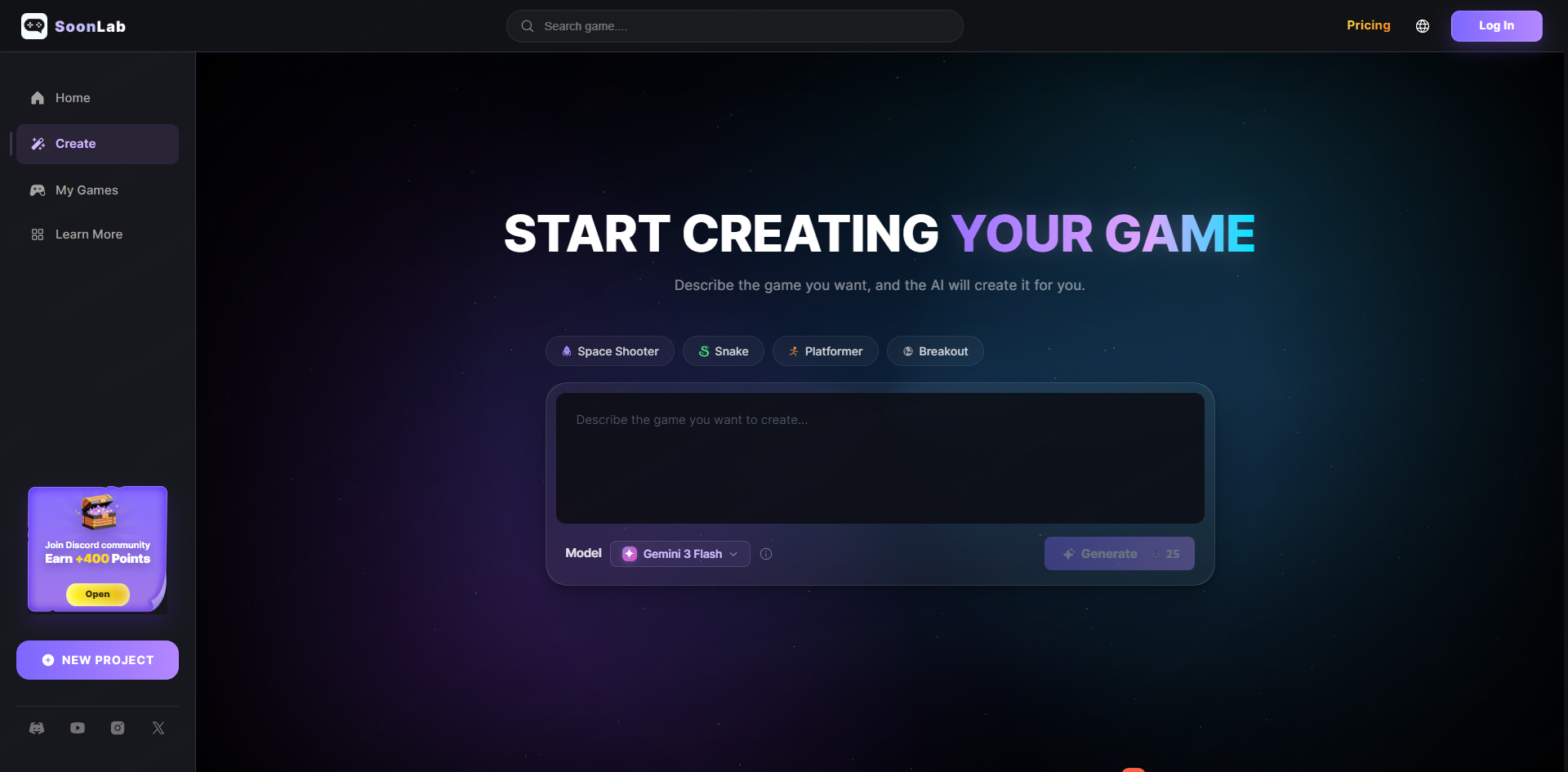
SoonLab
SoonLab is one of the closest alternatives to Astrocade for beginners who want to create games using AI prompts. Like Astrocade, it focuses on fast no-code game generation, but the workflow feels more creator-oriented and flexible for rapid experimentation. It's especially appealing for users who want to build and instantly share playable browser games without learning traditional game development tools.
GDevelop
GDevelop is a strong alternative if you want more control over gameplay systems and export options. It has a steeper learning curve than AI-first platforms, but it offers far more flexibility for creators interested in building full indie games.
Roblox Studio
Roblox Studio gives creators access to a massive player ecosystem and monetization opportunities. However, it requires learning Lua scripting and is more suitable for users willing to spend time learning traditional game design workflows.
For complete beginners who simply want to create playable games with AI prompts, SoonLab and Astrocade offer the fastest entry point. For creators seeking deeper game logic and long-term development flexibility, check out 2D AI game maker tools or GDevelop or Roblox Studio may be better choices depending on their goals.
FAQs
Is Astrocade AI Worth It in 2026?
If you want to create games quickly without coding, and you're okay with your games staying on the Astrocade platform, then yes—it's worth trying. The free tier gives you real capabilities, and the AI quality has improved significantly. However, if you need to export games to other platforms or build commercial projects, look elsewhere.
Is Astrocade AI free?
Yes, Astrocade offers a free tier with substantial features. You can create games, use the visual editor, and publish to the community without paying. Paid plans with additional features exist but pricing isn't publicly listed.
Can beginners use Astrocade?
Absolutely. In fact, Astrocade is designed for people with zero game development experience. If you can type a sentence, you can create a game. The AI handles the technical complexity.
Does Astrocade require coding?
No coding required. You describe what you want in plain English, and the AI builds it. There's a visual editor if you want to tweak things, and an optional code editor for advanced users, but neither is necessary.
Is Astrocade good for indie developers?
It's good for indie developers as a rapid prototyping tool or for creating casual games. However, since games can't be exported, it's not suitable for indie devs looking to release on multiple platforms or build an independent portfolio.
Is Astrocade better than Roblox Studio?
They're different tools for different purposes. Roblox Studio gives you access to Roblox's massive player base and has real monetization options, but requires learning Lua scripting. Astrocade is easier to use and creates browser-based games, but locks you into its platform. If ease of use matters most, Astrocade wins. If you want to reach Roblox's audience, Roblox Studio is your choice.
What are the best Astrocade AI alternatives?
The main alternatives include SoonLab (AI-first game creation with fast browser-based publishing and the easiest entry point for beginners), GDevelop (more control, export options), Roblox Studio (massive platform reach, scripting required), Unity with AI plugins (industry standard, steep learning curve), and Scratch (free, educational, but very limited in scope).
Each tool serves a different purpose: SoonLab is best for users who want to quickly create and share AI-generated games without coding, while others like Unity and Roblox focus more on advanced development or platform ecosystems.
Conclusion
This Astrocade AI review shows that the platform significantly lowers the barrier to game creation, allowing users to turn ideas into playable games within minutes. It's especially useful for beginners, rapid prototyping, and casual creators who enjoy experimenting within a simple, AI-driven environment.
However, Astrocade AI is less suitable for users who need full export control, advanced customization, or scalable commercial game development. If you're exploring more flexible or production-ready AI game creation tools, you may also want to check out SoonLab as an alternative designed for faster publishing and broader creative workflows.