
So you want to build a coloring game but coding sounds like Greek to you? I get it. When I first heard about "no-code app building," I thought it was one of those buzzwords that don't really work. But let me tell you—it does work. And today, I'm going to walk you through exactly how to make a coloring game without coding, even if you've never touched a single line of code in your life.
In this guide, you'll learn why coloring games are so popular right now, whether you can really build one without programming skills, and the easiest way to get your game up and running—using SoonLab AI.
Let's dive in.
Why Coloring Games Are So Popular?
If you've scrolled through app stores recently, you've probably noticed how many coloring games are sitting at the top charts. They're not just popular with kids—adults love them too. Here's why this matters for you as someone who wants to create a coloring game:

Popular Types of Coloring Games
Before you start creating, you should know what options are out there. Different types of coloring games work better for different audiences:
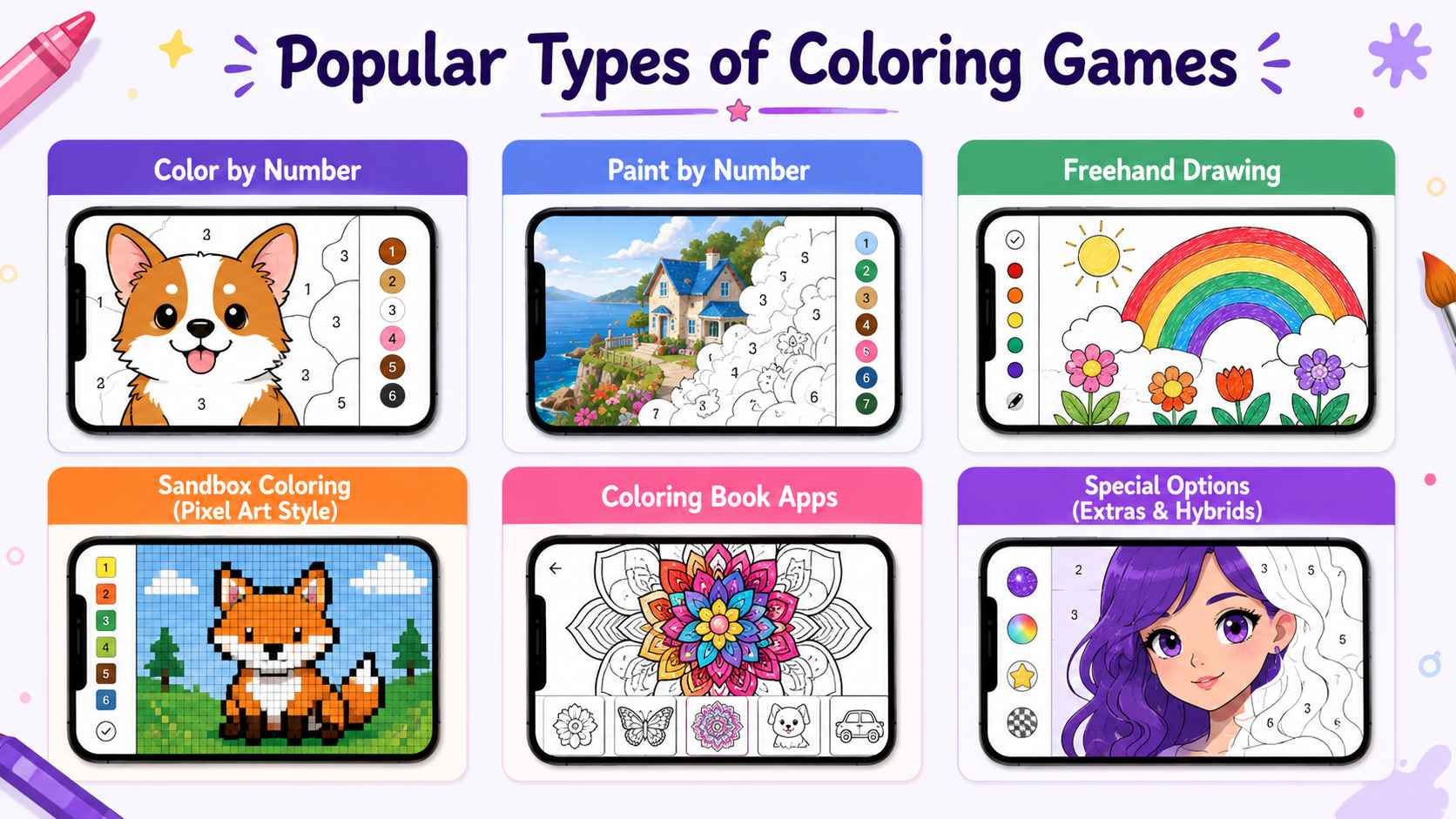
Color by Number
This is the most popular format. Images are divided into numbered sections, each corresponding to a color. Players tap sections matching the number shown in the color palette. The satisfaction comes from watching a blank outline slowly turn into a vibrant picture.
Paint by Number Apps
Very similar to color by number, but often includes more creative freedom. Some paint-by-number apps let users choose their own colors rather than following numbered guides.
Freehand Drawing Games
These give players a blank canvas or basic shapes to color however they want. Great for creative expression, though harder to "complete" in a satisfying way.
Sandbox Coloring (Pixel Art Style)
Players fill in tiny squares to create pixel art images. Think digital paint-by-number but for retro-style pixel pictures. This format became hugely popular with apps like Pixel Art and Sandbox Coloring.
Coloring Book Apps
Digital versions of traditional coloring books. Users flip through pages and color each one. Often includes categories like animals, mandalas, vehicles, or favorite characters.
For beginners, I recommend starting with color by number or paint by number—they're the easiest to build and have the broadest appeal.
How Coloring Games Actually Work?
You don't need to understand complex programming to grasp how these coloring games work. At their core, coloring games have just a few key parts:
That's really it. The magic isn't in complex code—it's in the images you provide and how smooth the coloring experience feels.
Can You Make a Coloring Game Without Coding?
Absolutely. Here's the honest truth: you don't need to write a single line of code to build a working coloring game. Period.
Gone are the days when you had to hire developers or spend months learning programming just to create a simple app. Today's no-code tools have changed everything. You can now build functional, playable coloring games using drag-and-drop interfaces and AI-powered generators.
But here's the thing— "no coding" doesn't mean "no work." You'll still need to:
- Come up with a creative concept
- Design or source images for players to color
- Make decisions about features and user experience
- Test and refine your game
The coding part? That's handled by the tools. If you're completely new to game creation, you can also check out our guide on how to create games without coding to understand the full process from idea to playable game.
So yes, you can absolutely create a coloring game without coding. The real question is how—and that's exactly what I'm about to show you.
How to Make a Coloring Game Using SoonLab AI?
Now comes the exciting part: actually creating your own playable coloring game with SoonLab AI.
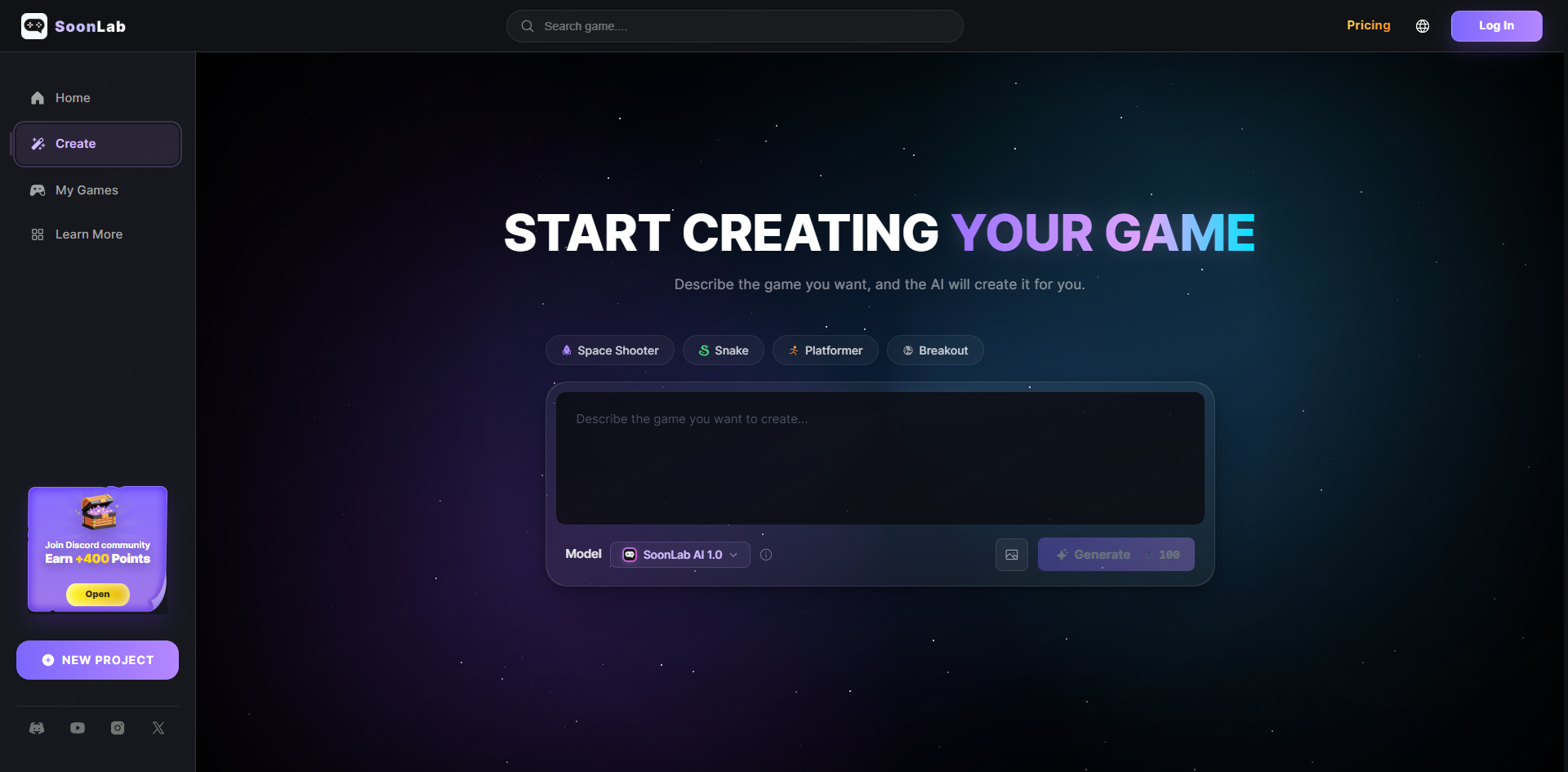
Unlike traditional game development workflows, you don't need to code game mechanics, design interfaces manually, build coloring systems from scratch, or spend hours setting up assets.
With SoonLab AI, you can simply describe your game idea, and the platform generates a playable browser game for you.
This makes it one of the easiest ways for beginners to create a coloring game without coding.
Step 1: Describe Your Coloring Game Idea
Start by thinking about the kind of coloring experience you want players to have.
For example:
- A relaxing animal coloring game
- A pixel-art paint-by-number game
- A kids coloring game with cute dinosaurs
- An anime-themed coloring experience
- A Halloween coloring mini-game
The more specific your prompt is, the better SoonLab can understand the style and gameplay you're aiming for.
Step 2: Let SoonLab Generate the Playable Game
This is where SoonLab works differently from regular AI image tools.
Instead of only generating artwork, SoonLab AI can generate the coloring interface, game interactions, color selection mechanics, browser-based gameplay, and the overall playable structure
In other words, you're not just creating images — you're creating an actual game experience.
Depending on your prompt, SoonLab can automatically generate coloring pages, UI layouts, simple gameplay systems, clickable color tools, and player interactions.
This dramatically reduces the amount of manual setup normally required in traditional game engines.
Step 3: Customize Your Game
Once your first playable version is generated, you can continue improving it using additional prompts.
For example, you can ask SoonLab to add more coloring pages, change the visual style, include more colors, create seasonal themes, simplify the interface for children, or add relaxing background music.
This iterative workflow is much faster than editing code manually.
Step 4: Test the Coloring Experience
Before publishing your game, spend a few minutes testing the gameplay flow.
Check:
- if coloring interactions feel smooth
- whether the color palette is easy to use
- if the game works properly on mobile devices
- whether the visuals match your intended audience
Because coloring games are relatively simple and visually driven, they're ideal for rapid prototyping with AI.
Step 5: Publish and Share Your Game
Once you're happy with the result, you can publish your coloring game and share it online. You can also explore coloring games created by other users for inspiration and ideas before building your own.
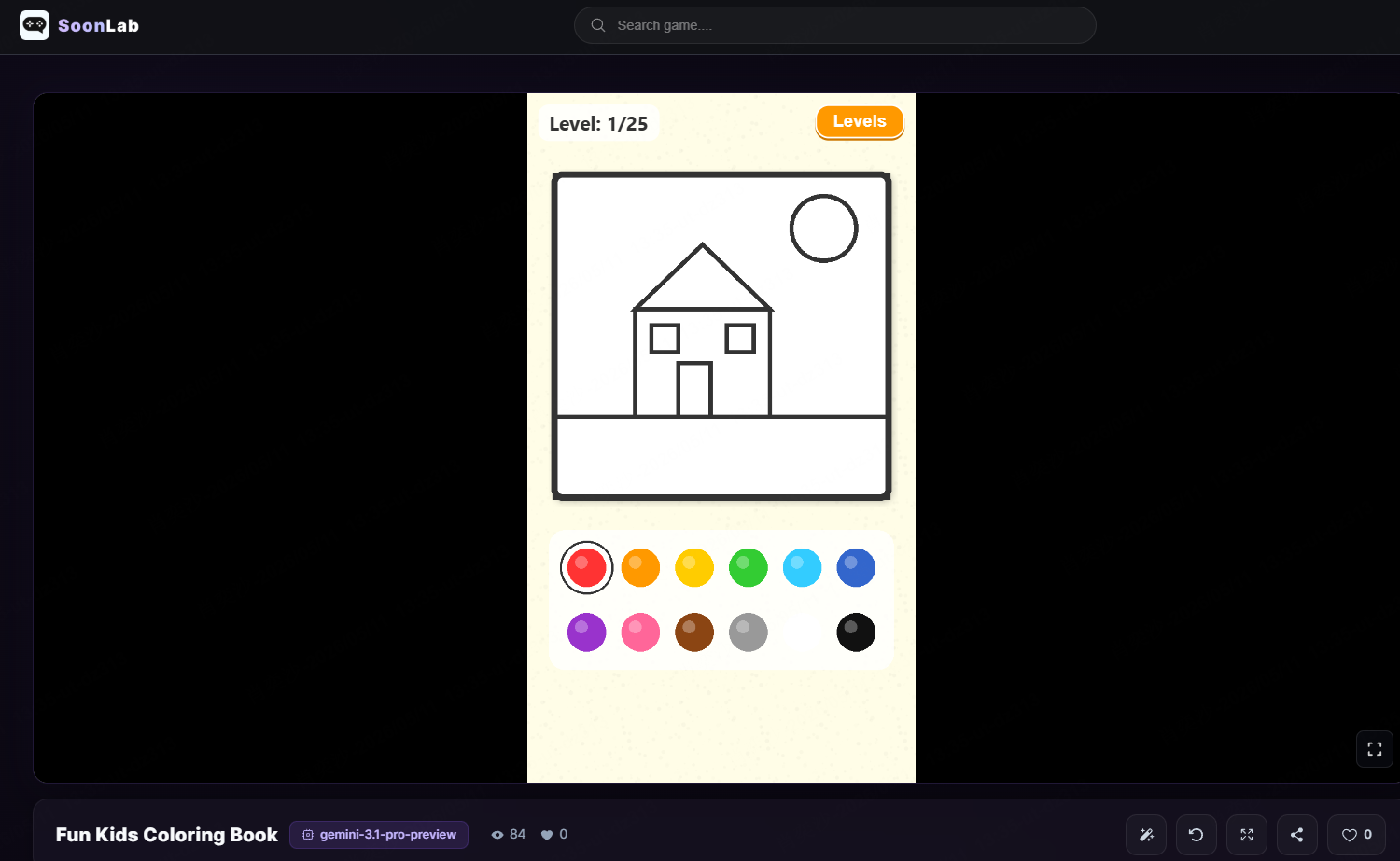
Browser-based coloring games work especially well because players can instantly start playing without downloads or installations.
This makes coloring games one of the best beginner-friendly genres for AI-powered game creation platforms like SoonLab.
Easy Coloring Game Ideas You Can Try
Need inspiration? Here are some fun and profitable coloring game concepts you can build:
Idea 1: Themed Coloring Books
Create a coloring game focused on a specific niche—favorite TV show characters, holiday themes, sports teams, famous landmarks. Specialization helps you stand out and attract dedicated audiences.
Idea 2: Daily Challenge Coloring
Offer a new coloring image every day. Players get a fresh design to complete and can share their results on social media. This keeps people coming back and builds engagement.
Idea 3: Story-Based Coloring
Create a series of images that tell a story when completed in order. Players color one page, then move to the next, gradually "reading" a visual narrative. Great for kids' apps.
Idea 4: Custom Photo Coloring
Let users upload their own photos, then convert them into coloring pages. This is more technically complex, but offers a unique experience that standard coloring apps can't match.
Idea 5: Seasonal Collections
Build coloring games around seasons and holidays—pumpkins for Halloween, ornaments for Christmas, flowers for spring. Update with fresh content regularly to maintain interest.
Idea 6: Relaxation & Mindfulness Coloring
Target the adult market with intricate mandala designs, nature scenes, and abstract patterns. Include calming background music and no time pressure—pure relaxation.
Idea 7: Educational Coloring
Create coloring games that teach while players color—letter recognition for young learners, geography maps, anatomy diagrams for older students, or language learning through themed illustrations.
Pick an idea that excites you. When you're passionate about your game's concept, it shows in the final product.
Conclusion
Learning how to make a coloring game without coding is much easier today than it used to be. With AI-powered platforms like SoonLab AI, beginners can quickly turn simple ideas into playable browser-based coloring games.
Whether you want to create a relaxing paint game, a kids coloring experience, or a pixel-art coloring project, you no longer need advanced game development skills to get started.
Focus on your creativity, experiment with different ideas, and let AI handle the technical side. Your first coloring game might be simpler than you expect — and much more fun to build.