
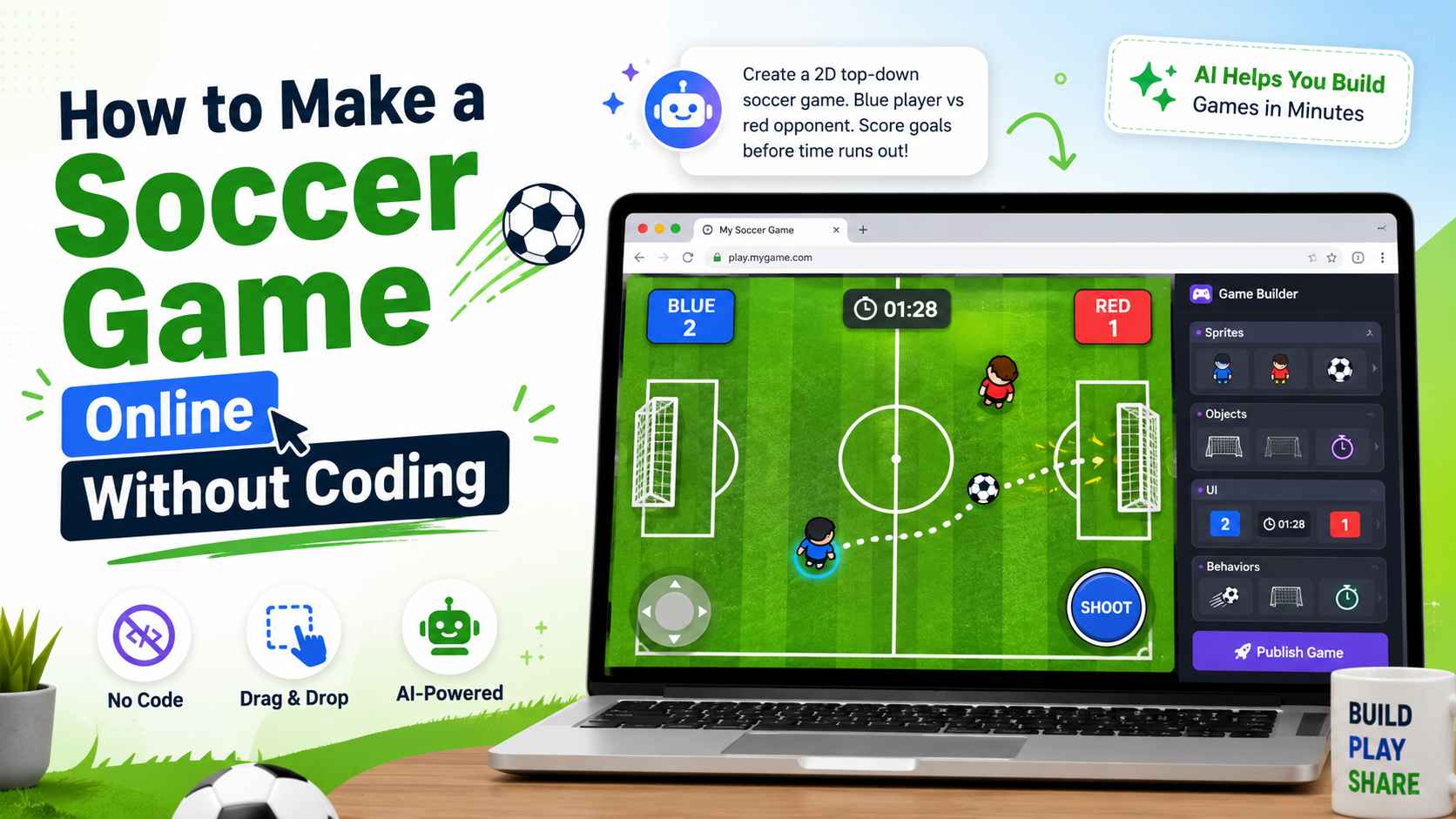
If you want to learn how to make a soccer game, you do not need to start with a full 11v11 football simulation, advanced physics engine, or complicated multiplayer system. A good soccer game can begin with one simple idea: move, kick, score, restart, and improve.
For beginners, the fastest way to create a playable soccer game is to focus on a small game loop. That could be a penalty shootout, a goalkeeper save challenge, a top-down 1v1 match, or a simple arcade football game. Once the first version is playable, you can improve the controls, add difficulty, polish the visuals, and make the game more fun.
In this guide, you will learn how to make a soccer game online without coding, what mechanics your game needs, how to write a clear AI game prompt, and how to turn a simple idea into a browser soccer game.
Best Soccer Game Ideas for Beginners
Before you create a soccer game, you need to decide what type of soccer game you are building. "Soccer game" can mean many different things, and some versions are much easier than others.
For a beginner, these are the best soccer game ideas to start with.
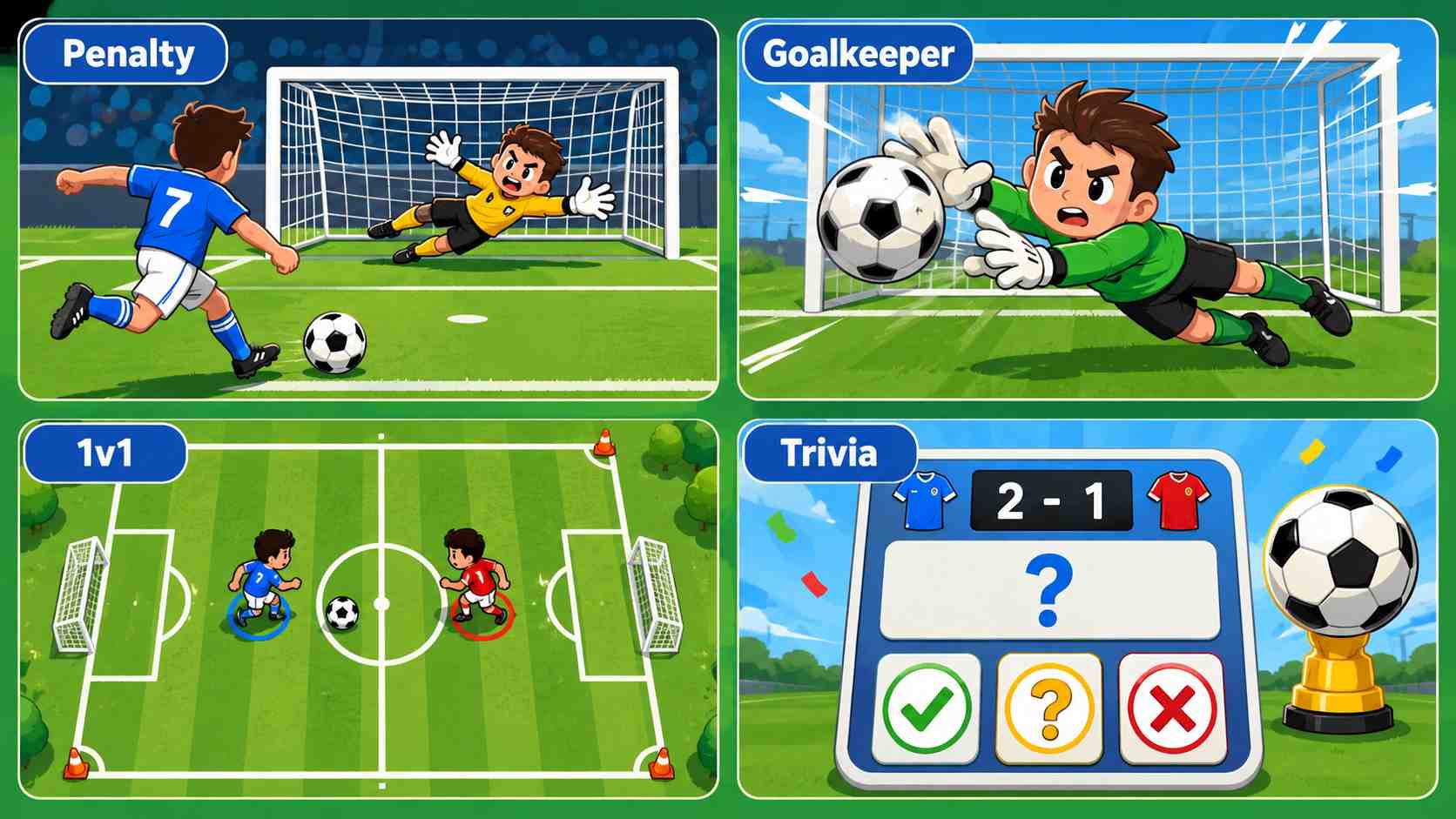
Penalty Shootout Game
A penalty shootout game is one of the easiest soccer games to make. The player chooses a shot direction, controls the power, and tries to score against a goalkeeper. The rules are simple, the goal is clear, and each round is quick.
This type of game works well for mobile players because it can be controlled with taps or clicks.
Goalkeeper Reaction Game
In a goalkeeper game, the player controls the keeper and tries to block incoming shots. The ball may fly toward the left, center, or right side of the goal. The player must react quickly and move in time.
This is a good choice if you want a fast reflex game with short replay sessions.
Top-Down 1v1 Soccer Game
A top-down soccer game lets the player control a character from above. The player moves around the field, kicks the ball, avoids the opponent, and tries to score goals.
This is slightly more complex than a penalty game, but it feels more like a real mini soccer match.
Soccer Trivia or Prediction Game
Not every football game needs physics. You can also create a soccer quiz, prediction game, or World Cup-inspired fan challenge. These games are easier to build because they focus on choices, scores, and results instead of movement and ball collision.
 Expert Tip
If this is your first project, I recommend starting with a penalty shootout game or a top-down 1v1 soccer game. They are easy to understand, easy to test, and fun to replay.
What Every Simple Soccer Game Needs?
To understand how to make a soccer game, you first need to know the basic systems behind the gameplay. Even a very simple soccer game needs a few core parts.
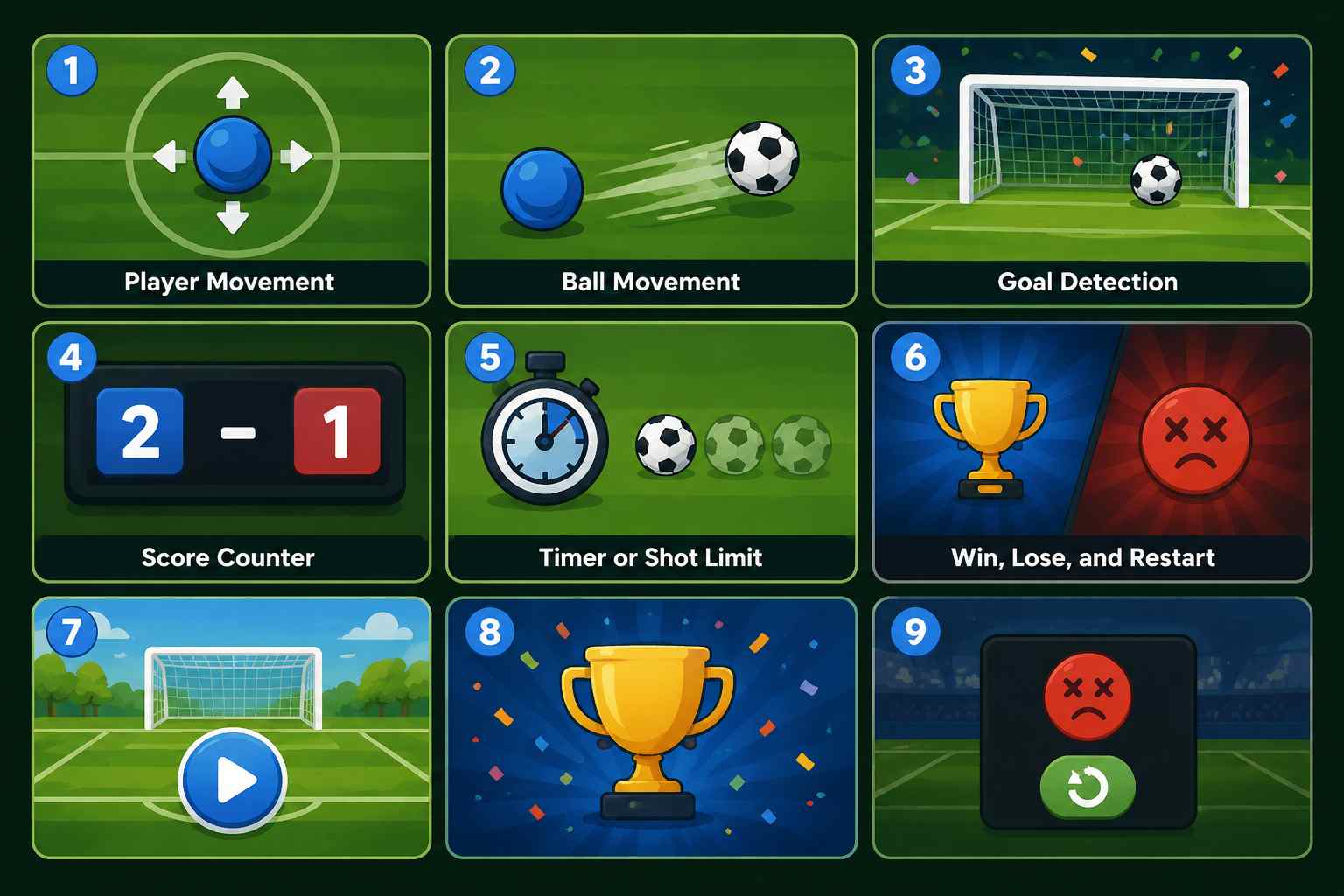
Player Movement
The player needs a way to move. This can be arrow keys, WASD controls, mouse movement, or mobile touch buttons.
For a top-down soccer game, the player should move smoothly in four directions. For a penalty game, the player may only need to choose a shot direction.
Ball Movement
The ball is the most important object in a soccer game. It should move when kicked, bounce or slow down naturally, and react when it hits the goal, walls, or players.
You do not need perfect physics for a beginner game. Simple ball movement is enough as long as it feels responsive and fun.
Goal Detection
The game needs to know when the ball enters the goal. Once the ball crosses the goal line, the score should increase and the game should reset for the next round.
This is one of the most important parts of a soccer game because scoring is the main reward.
Score Counter
A soccer game needs a visible score. Depending on your design, the score can show player goals, opponent goals, shot streak, remaining attempts, or best score. The score gives players a reason to keep playing.
Timer or Shot Limit
A timer makes the game more exciting. For example, you can give the player 60 seconds to score 3 goals. A penalty game can use 5 shots instead of a timer.
Both systems work well. The key is to create pressure without making the game too difficult.
Win, Lose, and Restart
Every soccer game should have a clear ending. The player should know when they win, when they lose, and how to play again.
At minimum, your game should include a start screen, a win condition, a game-over screen, and a restart button. These simple elements make the game feel complete.
How to Make a Soccer Game With AI?
One of the easiest ways to create a soccer game today is to use an AI game maker. Instead of building everything manually in a game engine, you describe the game you want, generate a playable version, test it, and improve it with follow-up prompts.
SoonLab is designed for this kind of prompt-to-play workflow. You can describe the soccer game you want, test the result quickly, and keep improving the controls, difficulty, scoring, and visuals until the game feels fun.
Turn your idea into aplayable game
Describe the game you want to make, and SoonLab will help you start building it.
Create with SoonLabThis workflow is especially useful for beginners who want to make a soccer game without coding.
STEP 1 Describe the Game Type
Say whether you want a 2D top-down soccer game, a penalty shootout game, a goalkeeper game, or another simple format.
STEP 2 Define the Controls
Explain whether the player uses arrow keys, WASD, mouse movement, taps, or touch buttons.
STEP 3 Explain the Goal
Tell the AI what the player is trying to do, such as scoring 3 goals before the timer ends.
STEP 4 Add Score, Timer, and Restart
Ask for a score counter, timer, win screen, game-over screen, and restart button.
STEP 5 Test and Improve
Play the result like a real user, then use follow-up prompts to fix movement, ball feel, goals, difficulty, and restart states.
If you want to create your first soccer game quickly, you can start with this prompt.
To show what this looks like in practice, I created a simple 2D top-down soccer game with this exact idea in SoonLab. In the demo below, the player controls a blue character, avoids the red defender, kicks the ball toward the goal, and tries to score 3 goals before the 60-second timer runs out.
You can play my soccer game below. This is a good example of how a short prompt can become a browser-playable soccer game, and how you can keep improving it with follow-up prompts.
How to Make an Online Soccer Game?
Many people search for how to make an online soccer game, but "online" can mean different things. Before building your game, it is important to define what kind of online game you actually want.
Browser-Playable Soccer Game
This means people can open and play your game directly in a web browser. They do not need to download anything.
For beginners, this is usually the best meaning of "online." A browser-playable soccer game is easier to build, easier to share, and easier to test.
Shareable Soccer Game
A shareable game is a game that players can access through a link. You can send it to friends, post it on social media, or use it as part of a campaign.
This is a great goal for a simple soccer game because it makes distribution easy.
Real-Time Multiplayer Soccer Game
Real-time multiplayer means multiple players connect and play together at the same time. This is much harder because the game needs synced movement, player rooms, connection handling, fair scoring, and latency management.
If you are a beginner, do not start with multiplayer. First, make a single-player soccer game that feels good. After that, you can think about multiplayer features.
For most beginner projects, the best goal is to create a browser-playable and shareable online soccer game, not a full real-time multiplayer sports game.
Follow-Up Prompts to Improve Your Soccer Game
The first version of your AI-generated soccer game does not need to be perfect. The real power comes from improving it with follow-up prompts. Here are some useful prompts you can use.
- Improve player movement: "Make the player movement smoother and more responsive. Add slight acceleration and make sure the player does not feel too slow."
- Improve ball physics: "Make the ball slow down gradually after each kick. Add simple bounce behavior when the ball hits the field boundaries."
- Add a goalkeeper: "Add a goalkeeper that moves left and right in front of the goal and tries to block the ball."
- Add mobile controls: "Add mobile-friendly touch controls with large buttons for moving and kicking."
- Add difficulty progression: "Make the first 20 seconds easy, then gradually increase the opponent speed and goalkeeper reaction time."
- Add sound effects: "Add sound effects for kicking the ball, scoring a goal, winning the game, and losing the game."
- Make the game safer for World Cup-inspired themes: "Change all visuals to generic soccer colors. Do not use official team logos, FIFA branding, World Cup logos, real player names, or official tournament assets."
These follow-up prompts help you turn a basic prototype into a more polished soccer game.
Common Mistakes When Making a Soccer Game
Starting Too Big
Don't start with a full 11v11 football simulation. It is too complex for a first project. Start with one player, one ball, one goal and one clear win condition. As with a beginner who wants to get into video game development, it is better to start with a small project.
Adding Multiplayer Too Early
Real-time multiplayer sounds exciting, but it adds many technical problems. Build a good single-player version first.
Ignoring Ball Feel
If the ball feels too fast, too slow, or too random, the whole game feels bad. Spend time improving how the ball moves after each kick.
Forgetting the Restart Button
A small game needs to be replayable. Always include a restart button or play again screen.
Using Copyrighted Assets
Do not use official FIFA marks, World Cup logos, real team kits, team crests, real player names, or player likenesses unless you have permission. Use fictional teams and generic football visuals instead.
Writing a Vague AI Prompt
A prompt like "make a soccer game" is too vague. A better prompt explains the camera view, controls, scoring, timer, opponent, win condition, and visual style.
FAQs
Can I make a soccer game without coding?
Yes. You can make a simple 2D soccer game without coding by using AI game makers or no-code game engines. Prompt-based tools are usually the fastest way to create a playable prototype.
What is the easiest soccer game to make?
A penalty shootout game or goalkeeper reaction game is usually the easiest. Both have simple rules, clear goals, and short replayable rounds.
Can I make an online soccer game as a beginner?
Yes, if "online" means browser-playable or shareable by link. Real-time multiplayer is more advanced and should come after your single-player game works well.
What should I include in a soccer game prompt?
Include the game type, camera view, controls, ball behavior, scoring, timer or lives, win condition, loss condition, restart button, and visual style.
Can I make a World Cup soccer game?
You can make a World Cup-inspired fan game, but avoid official FIFA logos, official World Cup branding, team crests, real player likenesses, official kits, mascot designs, and protected assets unless you have the rights.
What is the best first prompt for a soccer game?
Start with a simple prompt for a 2D top-down or penalty shootout game. Make sure the prompt explains how the player moves, how the ball works, how scoring works, and how the game ends.
Final Thoughts
Learning how to make a soccer game is much easier when you stop trying to build a full sports simulation. A simple soccer game only needs a clear loop: control the player, kick the ball, score a goal, and play again.
If you want to make a soccer game online, start with a browser-playable version. Make it simple, test it quickly, and improve it with clear follow-up prompts. Once the core gameplay feels good, you can add better visuals, sound effects, difficulty, mobile controls, and tournament-style presentation.
Create your first soccer game in AI game maker SoonLab. Start with a simple prompt, play the result in your browser, and keep improving it until it feels fun.